
Check availability of event staff: This way you can avoid bottlenecks and plan your team quickly
Poor staff planning is every event manager’s nightmare. If you don't check the availability of event staff systematically and early on, you run an enormous risk: short-term failures, skyrocketing costs and quality that suffers. A structured query is therefore not an annoying...
Poor staff planning is every event manager’s nightmare. If you the Availability of event staff If you don't check systematically and early on, you run an enormous risk: short-term failures, skyrocketing costs and quality that suffers. A structured query is therefore not a chore, but rather the foundation for the smooth running and success of your event.
Why the availability check determines the success of your event
Imagine you are organizing a three-day music festival. The bands are booked, the location is set, but a week before the start you realize that you have to wait for the peak times on Saturday evening 15 people are missing at the bar. What now? You frantically try to find a replacement, have to pay overpriced daily rates and in the end settle for less experienced staff.
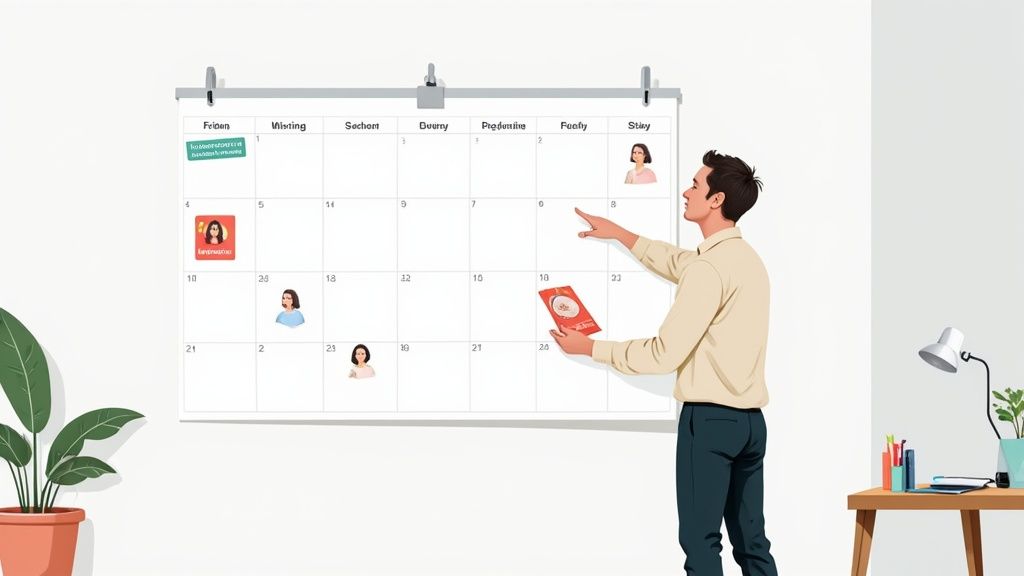
Unfortunately, such scenarios are not uncommon and lead directly to stress and financial losses. This is exactly where a proactive availability check comes in – it helps you avoid such situations from the outset.
The most common pitfalls when a system is missing
Without a clear process, problems lurk everywhere. Coordinating part-time employees quickly becomes confusing, especially in high season when the best people are long since fully booked. Freelancers also pose risks, as they often pursue several options in parallel and only make binding commitments late.
Typical breakdowns that arise from this:
- Double bookings: An employee is accidentally scheduled for two overlapping shifts.
- Unoccupied shifts: Critical positions remain open because no one has confirmed their commitment or rejections are lost.
- Skills gaps: You may have enough hands, but you're missing people with crucial skills, such as first responders, technicians or cashiers.
An inaccurate availability check is like steering a ship without a compass. You're heading straight for operational difficulties that will put a strain on your budget and your event's reputation.
The reality on the Swiss event market
The Swiss events market is dynamic, but the pool of experienced specialists is limited. In the professional concert, show and festival industry there were around 2022 1,200 full-time employees. This number has been relatively stable for years. This means: During peak times such as the festival summer, there is a huge need for additional, flexible staff that is simply not available indefinitely. More You can find insights into employment in the Swiss events market here.
A professional one Event staffing is therefore the key to being able to react cleverly to these peaks in demand. If you know the availability of your staff early and precisely, you will gain a decisive competitive advantage. You can plan reliably, stick to your budget and guarantee your customers the perfect event experience they expect.
No more chaos: When the manual availability query reaches its limits
Almost every agency starts small. An Excel list serves as a personnel database, availability is quickly queried by email or in a WhatsApp group and the answers are entered manually. This might still work somehow for a small team and a handful of requests.
But as your staff pool grows and you juggle multiple events at the same time, this system inevitably breaks down. Manual data maintenance becomes a ticking time bomb and the main source of errors. Information is out of date because employees forget to inform you of their changed availability. The effort required for constant follow-up via calls or messages literally explodes.
A typical scenario that you probably know
Imagine a promotion agency. Next week there will be five different actions in different cities. Your team sends a circular email to 150 potential promoters and asks for feedback on who is available for which shifts.
And what happens then is usually this:
- Your inbox is exploding with over 100 Answers. Some respond immediately, others don't get in touch until days later.
- The responses are a wild mess: "Monday yes, but only until 2 p.m.", "I'm available all week except Wednesday", "Can I only do Saturday?".
- You start laboriously transferring these puzzle pieces into your Excel spreadsheet. Of course, you overlook a small restriction and promptly schedule someone incorrectly.
- Two top people have agreed to the coveted Saturday job. Who are you taking? And how do you say no to the other person without scaring them away from future jobs?
- While you're still in the middle of planning, the first person cancels again. The whole search starts all over again and you have to throw your planning out the window again.
In this chaos, countless hours are quickly wasted on pure administrative work. The result is double bookings, unfilled shifts and frustration on all sides. Not only do you lose track, but you also lose valuable time that you could invest much better in the quality of your events.
A manual availability check process often feels like trying to put together a puzzle with constantly changing pieces. It's time-consuming, frustrating and the result is rarely perfect.
Uncover the weak points of your manual process
Are you unsure whether your current process is still sufficient? Be honest with yourself and answer the following questions. If you answer “yes” to more than two of these, it’s high time to rethink.
- Time waster: Do you spend more than an hour a week comparing availability by hand?
- Error rate: Have there been any double bookings or shifts that went unfilled in the last three months?
- Lack of overview: Can you see at a glance who is available for a given day without sifting through multiple emails or documents?
- Communication chaos: Do you have to regularly follow up with employees because they simply don't respond to your inquiries?
- Outdated data: Are you really sure that the contact details and availability in your list are always up to date?
This manual way of working is not only unproductive, it is also risky. It slows your growth and undermines the reliability your customers expect from you.
How to automate availability with smart tools
How can the process be done? Check availability of event staff, shorten from hours to minutes? The answer lies in targeted automation. Instead of getting lost in the chaos of emails, modern tools take the tedious detail work away from you and give you back control.
It all starts with building a qualified personnel pool directly in the system. Here you create a profile for each person that contains much more than just contact details. You provide specific skills, certificates and experience.
Do you need a bartender with cocktail experience? A hostess who speaks French fluently? This information can be recorded with just a few clicks and can be accessed at lightning speed at any time.
From manual requests to targeted push notifications
Instead of sending an impersonal circular email to everyone, you can now create targeted requests. You filter your pool according to the criteria that really count for the job - and the system then only sends the request to the staff who actually meet the necessary qualifications.
A huge difference to the manual method is communication via push notification. Your staff receives the request directly on their smartphone. Instead of opening an email and having to laboriously reply, you can accept or decline with a single click.
Unfortunately, manual availability checking is often a chaotic process that leads from the first request through confusing feedback to expensive errors.
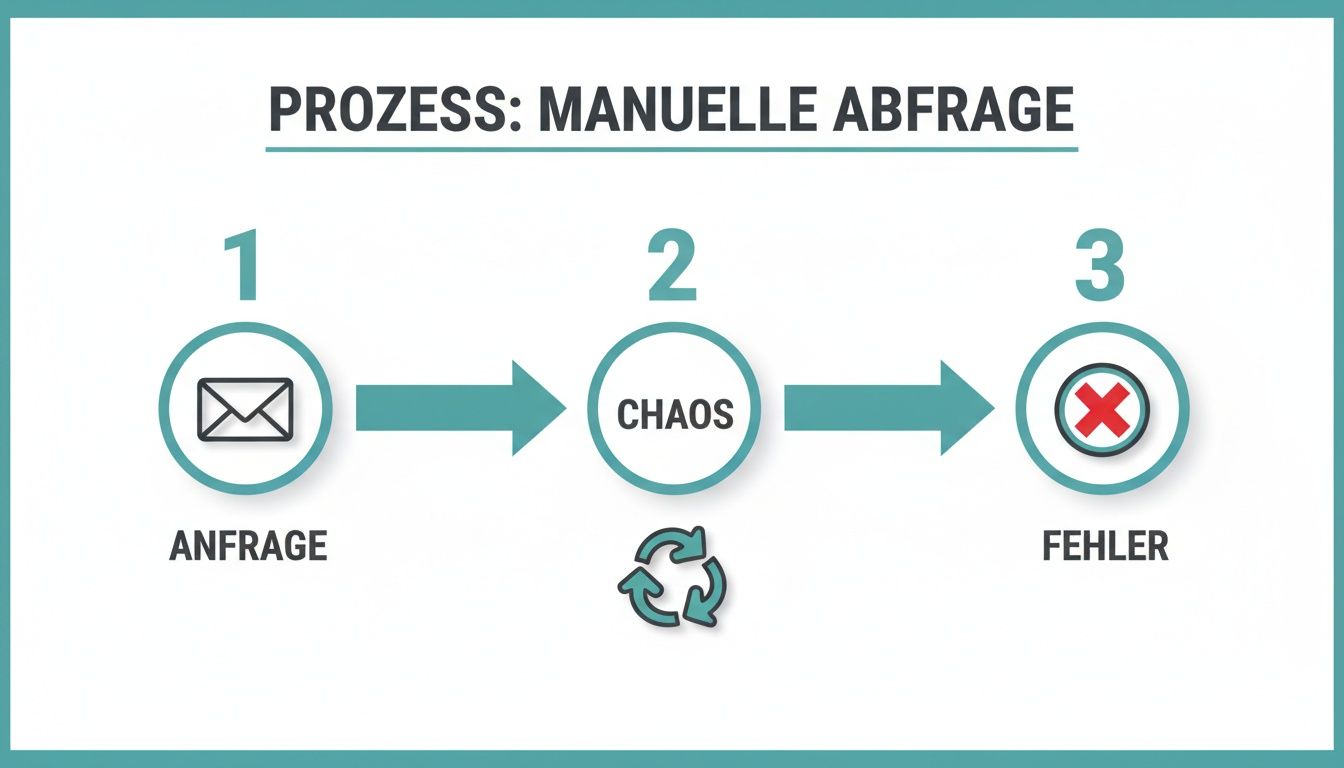
You can immediately see how a simple request in an unstructured process costs valuable time and often ends in chaos.
With a tool you can see the answers in real time in your dashboard. Open positions become immediately visible and you can fill them immediately with the first qualified candidates. The endless wait for feedback is now a thing of the past.
Comparison of availability checking methods
In order to make the differences tangible, we compare the two approaches directly. The following table shows exactly where the advantages of an automated solution lie:
| criterion | Manual method (Email/Excel) | Automated method (tool) |
|---|---|---|
| Time required per request | 2-4 hours (spread over days) | 10-20 minutes (often in real time) |
| means of communication | Email, phone calls, SMS/WhatsApp | Push notification, in-app messages |
| Accuracy of data | Prone to errors due to manual transmission | High because answers flow directly into the system |
| Skills matching | Manual, subjective, time-consuming | Automated by filters and tags |
| Clarity | Low (Excel chaos, countless emails) | High (real-time dashboard) |
| Response time staff | Slow (hours to days) | Fast (minutes) |
It quickly becomes clear: the change is not just a question of convenience, but a real strategic advantage that improves the overall planning quality.
A concrete comparison: manual vs. automated planning
Let's imagine a typical task: You have to work for a big weekend event 20 layers occupy.
-
The manual way: You write an email to your mailing list of 80 people. Over the next two days, 50 answers arrive, which you painstakingly compile in an Excel spreadsheet. You make phone calls afterwards, clarify questions and somehow try to keep track of things. The entire process takes ease three to four hours pure working time, spread over several days.
-
The automated way: You create a request in the tool, filter for the skills you need and send it out via push message. Within 30 minutes you already have 15 commitments by qualified personnel. After an hour, all 20 shifts are occupied. Your active time expenditure? Maybe 15 minutes.
The digitalization of personnel planning has a measurable impact. The availability of event staff in Switzerland benefits massively from this, as modern systems achieve an average online availability rate of over 95%. This means you will almost always receive immediate feedback.
With such systems, staffing improves by an average 15 to 25%because double bookings and misjudgments are drastically reduced.
So switching to an automated solution is much more than just a time saver. It increases the quality of your planning, reduces errors and increases the satisfaction of your staff through clear and fast communication. Special Software for short-term shift staffing is designed precisely to make this process smooth and efficient.
Use qualifications and filters for tailor-made inquiries
Sending an availability request to your entire staffing pool is like shooting a sparrow with a shotgun: loud, inefficient, and inaccurate. The key to finding a quick and suitable cast is to filter intelligently. This way you ensure that only the people who are actually suitable for the job receive your request.
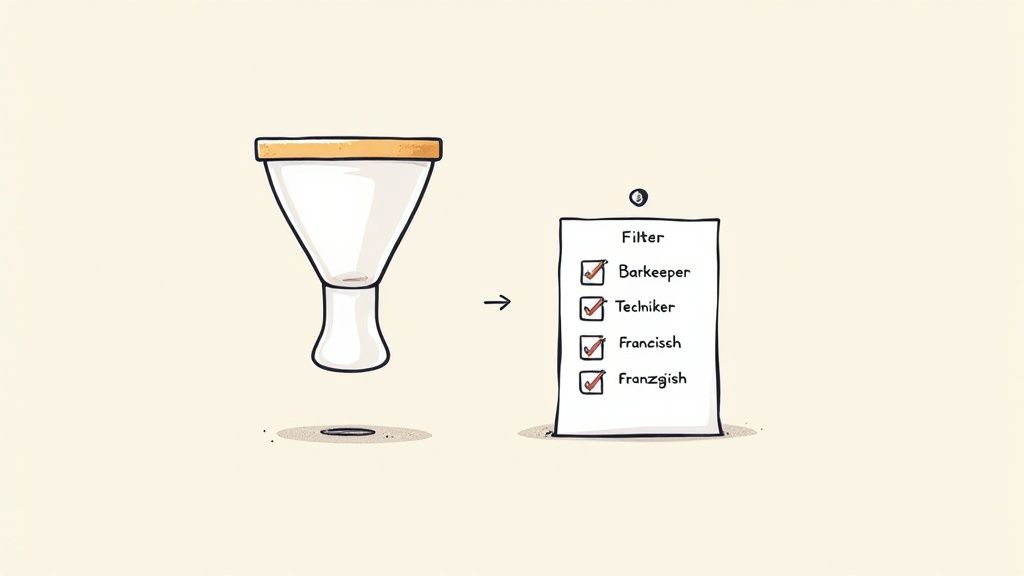
Modern tools for personnel planning work with so-called tags or characteristics. These are basically nothing more than digital labels that you assign to your employees’ profiles. Each tag represents a specific skill, qualification or characteristic that is relevant to your planning.
What exactly can you set as a tag?
The options are practically endless and should be tailored exactly to your needs. A good system allows you to create completely free, custom tags that fit your business.
Here are a few practical examples that you can adopt straight away:
- Skills: Bartender (cocktail experience), server (banquet experience), technician (sound/light)
- Certificates: First aid certificate, driving license (class B), forklift license
- Languages: French (fluent), English (business fluent), Italian (basic knowledge)
- Experience level: Junior, senior, team leader
- Other: Own car, medical training, experience with cash register systems
Pro tip: Tag not only qualifications, but also logistical characteristics. A simple tag like “Residence Zurich” can immediately help you minimize travel costs and specifically find staff from the immediate area.
A practical example: the search for security personnel
Imagine you are planning a major event in a concert hall and you urgently need it ten security guards. The requirement is clear: Every person must have a valid first aider certificate and have demonstrable experience with entry controls.
Without a filter, you would now have to send out a mass email and hope that the right people get in touch. With a smart system you approach the matter more strategically:
- Set filter: You open your personnel request and select the tags “Security personnel”, “First aid certificate” and “Experience entry control”.
- Define target group: The system shows you immediately that 23 people fit exactly to this profile in your pool.
- Send request: You send the availability request specifically and exclusively to these 23 people.
- Get results: Within a very short time, qualified confirmations will arrive and you can fill the ten positions - without having to wade through unsuitable applications.
This approach not only saves an enormous amount of time on your part. It also respects the time of your staff, who will no longer find irrelevant requests in their inbox. The basis for all of this is of course a clearly defined requirements profile, which tells you which filters you need to set. We'll show you how to set this up perfectly in our detailed guide on the topic Create requirements profile.
But for this system to work in the long term, you have to maintain your people's profiles. Schedule regular polls to update certificates or capture new skills. Only with current data will your filter logic consistently deliver reliable and accurate results.
Handle data protection and communication correctly
Once you start, the Check the availability of your event staff and digitally manage data such as working hours, qualifications or contact details, you are entering a sensitive field. Data protection is not a nice gesture here, but a tough legal obligation. Compliance with the General Data Protection Regulation (GDPR) is therefore absolutely crucial.
In concrete terms, this means: You must transparently inform your staff about what data you store, for what purpose and for how long. For this you need a clear legal basis, usually the employment contract or explicit consent. When dealing with sensitive employee data, there is no way around the applicable data protection regulations. A good basis is provided here basic information on data protection.
Clear communication is key
But good communication is much more than just legal protection. It is the foundation for a motivating and appreciative collaboration. An impersonal “Are you there?” just doesn't work. Instead, rely on clear, friendly and professional messages that get to the heart of all the important information.
A professional inquiry massively increases the chance of a quick and binding response. More importantly, it shows your staff that you respect their time and really take their role in the event seriously.
Remember: Every interaction – from the first inquiry to the final billing – shapes the relationship with your staff. Positive communication, even in the event of a rejection, ensures that good people will continue to be happy to contact you in the future.
Practical templates for your communication
Well-thought-out communication helps to avoid misunderstandings and simplifies the entire process for everyone involved. You can use the following text modules as a basis for your inquiries and of course adapt them to your specific needs.
An overview of practical text modules for communicating with event staff during the inquiry process.
Communication templates for availability requests
| occasion | Sample text |
|---|---|
| Friendly request | "Hello [first name], we are planning an exciting event on [date] in [location] and would like to have you as [position]. The shift is from [time] to [time]. Do you have the time and desire? Please let us know by [deadline]." |
| Professional confirmation | "It's great that you're here, [first name]! We hereby confirm your assignment as [position] on [date]. You can find all further details about the briefing and process in the appendix. We look forward to working together!" |
| Appreciative rejection | "Thank you for your quick confirmation, [first name]! The position has now been filled. We will keep you in mind for future events and will get back to you soon. Thank you for your flexibility!" |
These simple templates ensure that your staff always feels treated fairly and professionally. This strengthens the bond immensely and ensures that you can continue to rely on a motivated and reliable pool of employees in the future.
Answers to your questions about staff availability
Even with the best tools and processes, the same questions keep popping up when you... Check availability of event staff must. Here we address the most common challenges and give you concrete answers so that you remain confident in every situation.
What to do in the event of short-term cancellations?
A cancellation on the day of the event – the classic and always annoying. The important thing is to be prepared for it. Get one for that Stand-by pool on. These are absolutely reliable employees who you know from experience that they can often step in flexibly.
Communicate openly that this is a short-term replacement assignment. Often a small financial incentive, like a higher hourly rate, works wonders to increase willingness. A good planning tool will help you send a request to exactly this pool in a matter of seconds.
How do I motivate my staff to provide quick feedback?
Nobody likes waiting days for answers. The speed of feedback directly depends on how you communicate and how easy you make it for people.
- Set clear deadlines: Include a clear date in each request by which you need feedback. A simple “Please let us know by 5:00 p.m. tomorrow” is enough.
- Make it easy: Use tools with one-click answers directly in the app. The less effort the answer requires for your staff, the faster it will reach you.
- Show appreciation: A quick “thank you” for prompt feedback, even in the case of rejections, signals to your staff that you respect their time.
A quick, binding commitment is worth its weight in gold for you. Reward reliability by giving priority to proven employees in your next request. This creates a virtuous circle.
When is the best time to request availability?
The right time is absolutely crucial. If you ask too early, people's plans are not yet solidified. If you're late, the best people are already fully booked.
The rule of thumb that has worked for us is:
- Large events (festivals, conferences): Start 3-4 months in advance with an initial, non-binding inquiry. Specific shift requests will then follow 6-8 weeks before the event.
- Regular, smaller assignments (promotions, catering): Enough here 2-4 weeks Lead time is usually completely out.
- Very short notice requests: This is where your standby pool is crucial.
Dealing with temporary workers as a flexibility factor
Particularly in Switzerland, temporary work plays a major role in cushioning order peaks. In 2023 there were around 270,000 temporary workers. They are an extremely important factor in bridging short-term personnel shortages.
Almost 20% of these flexible workers work in the events and events industry. Their targeted integration can help you to react quickly and professionally to unforeseen gaps.
Your questions are always the best starting point for better processes. In addition to our general answers, specific platforms such as nova360 can offer further answers about their tools and their use. Here you can find, for example Frequently asked questions about nova360 solutions.
Ready to take your workforce planning to the next level? With job.rocks You can automate availability requests, fill shifts in record time and always maintain a complete overview. Discover now how job.rocks makes your work easier.