
Construction Time Tracking App Switzerland 2026: Comparison, GAV Rules & Offline Tools
You want to move away from paper and Excel on the construction site? Find out which construction time tracking app counts in everyday use in Switzerland, and what you need to watch out for with SECO, GAV, and payroll.
On Monday morning, everything happens at once on the construction site. The foreman assigns people, the crane operator waits for approvals, the materials are not yet fully delivered, and somewhere the first crumpled timesheet is already lying on the hood of the delivery van. That’s exactly where the problem starts.
Briefly Explained: Construction Time Tracking App Switzerland
A construction time tracking app for Switzerland records working hours directly on the construction site — mobile, offline-capable, and GAV-compliant. It replaces paper and Excel, links clock-in/out with break regulations, and provides both the foreman and the office with the same data in real time. Important criteria: offline mode, GAV regulations, payroll integration (e.g., swissdec), and Swiss server location. Further reading: Online time tracking Switzerland, Time clock app Switzerland, and Shift planning app.
If you still collect working hours on construction sites with paper, WhatsApp messages, or later from memory, you’re almost inviting trouble. Not only in the office but also regarding GAV rules, breaks, overtime, and payroll. A construction time tracking app Switzerland is therefore not just a digital time clock. It is a tool that brings order on the construction site and saves a lot of rework in the office.
Put an End to Paper Chaos on the Construction Site
You probably know this. One person writes their hours neatly. The next just notes “whole day construction site Meier.” The third misses the break because it rained at noon and everyone quickly ate in the van. On Friday, everything ends up in the office, where someone tries to build a correct monthly basis from incomplete information.
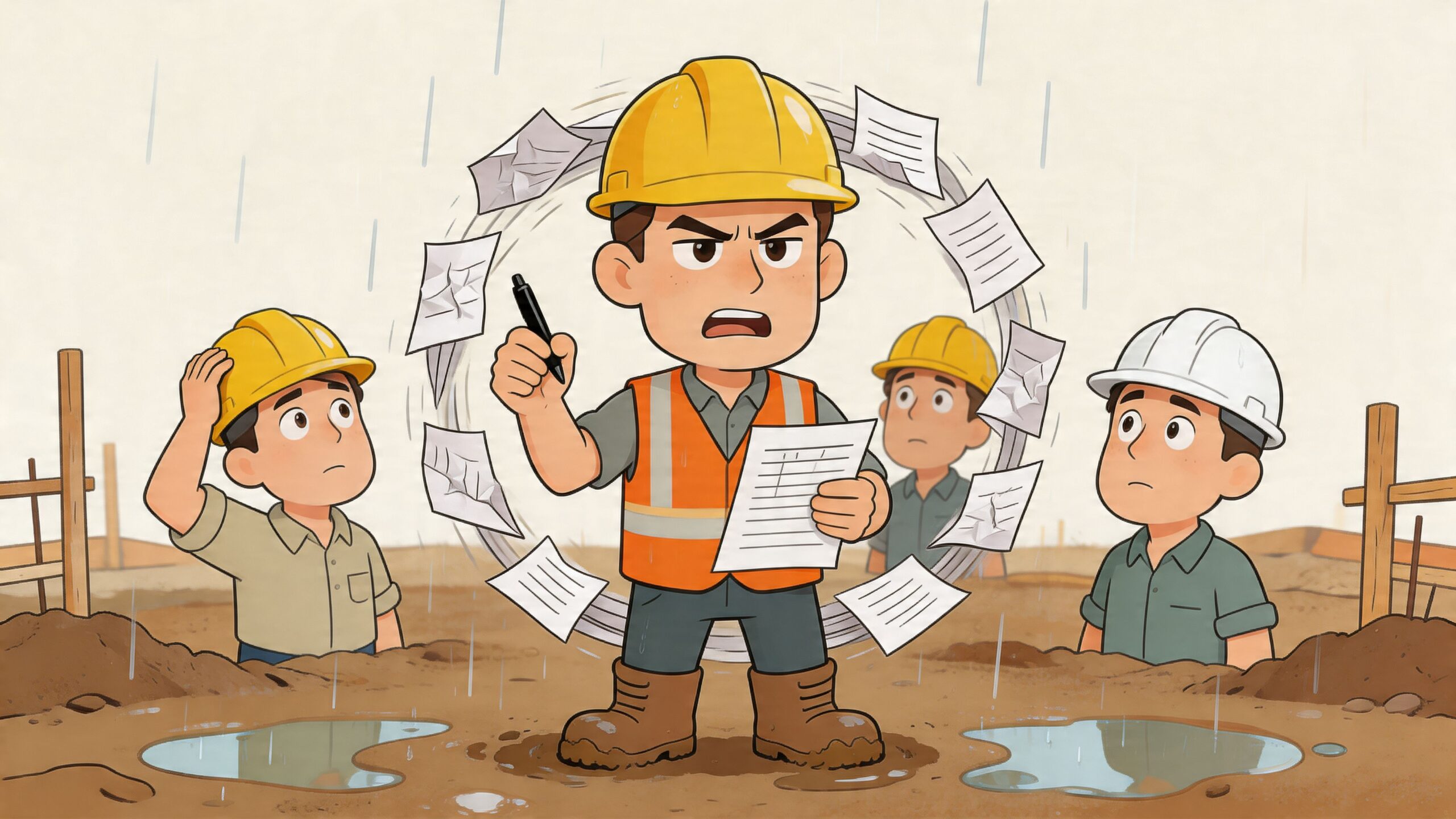
This very confusion wastes time. According to Zytrack, paper reports cause high administrative effort, and construction companies can save up to 50% administration time with a digital solution because timesheets are created automatically and error-free, as described in the article on digital time tracking on construction sites.
Where Everyday Life Breaks Down
On paper, a handwritten timesheet sounds simple. On the construction site, it rarely is. A sheet gets wet. One is left in the car. Another is only filled out in the evening, although the employee no longer remembers exactly when the break was or how long they worked on project A and project B.
This leads to three very practical consequences:
- The office puzzles instead of works. Times have to be called back, supplemented, and transferred.
- The foreman becomes a checkpoint. Instead of managing the site, he chases missing information.
- The payroll round becomes an error search. Especially with surcharges, absences, and changing assignments, it gets tedious.
What Works Better on the Construction Site
With an app, your team clocks in directly where they work. Start, break, switch to another site, end of day. Not sometime later, but exactly when it happens. That’s the difference.
A beautiful app is useless on the construction site if it only looks good in the office. It must work in the rain, with gloves, and under time pressure.
It’s also practical if you have templates for timesheets or want to first see how a clean recording is structured. A good help for this is this template for time tracking, because it quickly shows which information is really needed in everyday life.
Legal Obligations for Time Tracking in Switzerland
On construction sites, time tracking is not voluntary diligence. You must record times so that they are traceable. This concerns not only pure attendance but also breaks, overtime, and proper allocation within the applicable rules.
Especially for small and medium-sized construction companies, this is often the sensitive point. Many think a handwritten timesheet is somehow enough. As long as nothing happens, it may not be noticed. As soon as there is a dispute, an inspection, or payroll questions on the table, “somehow” quickly becomes a real problem.
What You Must Keep in Mind on Construction Sites
In everyday life, the following points especially come together:
- ArG and SECO requirements. Working hours must be properly documented.
- GAV rules. Surcharges, working time models, and industry-specific requirements must be correct.
- Cantonal holidays. In Geneva, Jeûne genevois applies; in Neuchâtel, Lundi de la Pentecôte; in Ticino, August 1st is not automatically a day off. Your system must be able to map cantonal differences.
- Traceability of changes. If times are adjusted later, it must be clear who changed what.
Since the Federal Supreme Court ruling BGer 1C_45/2015 of December 9, 2016, companies must use audit-proof systems for time tracking according to TimeTrack. The article on time tracking in Switzerland describes this as a driver for ArG-compliant apps that provide seamless and unalterable documentation.
Where It Gets Risky Without a Proper System
The trouble rarely starts with the app. It starts with missing processes. An employee claims to have regularly worked longer. The timesheet says otherwise. Then you don’t need a discussion but reliable data.
A usable app must therefore not only collect times. It must also show:
| Point | What You Need |
|---|---|
| Start and end of work | Clearly recorded, per day and employee |
| Breaks | Not only present but traceable |
| Changes | With protocol instead of silent correction |
| Approval | Foreman or site management reviews entries |
Practical rule: If you cannot properly document a time, you must expect to spend costly rework later.
For construction companies with GAV obligations, it is worthwhile not to interpret the rules on the side but to check them carefully before selecting an app. A good basis for this is this overview of time tracking in the L-GAV, because it clearly shows how quickly time tracking and contract rules are linked.
What Is Not Enough in Practice
Systems where anyone can change everything afterwards without a trace are not enough. Also weak are apps that only record clock-in and clock-out but know no project logic, no break rules, and no approval. Then you have a digital tool but no proper protection.
Which Tools Exist and How They Differ
Not every time tracking app is made for construction. The following overview helps you quickly classify typical providers.
| Provider | Construction Focus | Offline | GAV / Payroll | CH Server | Pricing Model |
|---|---|---|---|---|---|
| job.rocks | Deployment planning + time tracking for operational teams | Yes | Yes (swissdec-capable) | Yes | based on team size |
| Timetrack | Construction site time tracking | Yes | Partially | Yes | from approx. CHF 5 per employee/month |
| Timetac | Broad time tracking | Yes | Limited | Yes (EU) | per module |
| Clockodo | Project time tracking | Yes | No | No (DE) | per user |
| Zytrack | Construction site specific | Yes | Yes | Yes | on request |
Status: April 2026. Information without guarantee — check current conditions directly with the provider.
The costs of manual time tracking on construction sites often remain invisible — until they accumulate:
| Problem Area | What Happens Without App | Follow-up Costs per Month (approx.) |
|---|---|---|
| Backdated hours | Foreman fills out sheets on Friday from memory | 2–4 hours correction time |
| GAV violations | Break regulations or overtime surcharges overlooked | Fines or payroll back payments |
| Manual payroll transfer | Data typing from Excel/paper into payroll program | 1–3 days office effort |
| Duplicates and errors | Same employee recorded twice, time zones confused | Complaints, rework |
| Missing documentation | Incomplete evidence during SECO or GAV commission inspection | Risk of sanctions |
Functions Your Construction App Really Needs
Many apps look neat in the demo. On construction sites, the difference becomes clear quickly. An app for a planning office is not automatically usable for shell construction, renovation, or multiple teams on changing sites.
The question is not whether the app has many menus. The question is whether it maps your daily business properly.
Without Offline Mode, Don’t Even Start
On many construction sites, the network is unreliable. In basements, shell construction, or remote locations, mobile internet often only works partially. According to TimeTac, around 70% of Swiss construction sites have poor network coverage. The same article states that apps with geofencing can reduce the error rate in time tracking from 25 to 35% with paper sheets to under 1%. You can read more in the article on time tracking in Switzerland.
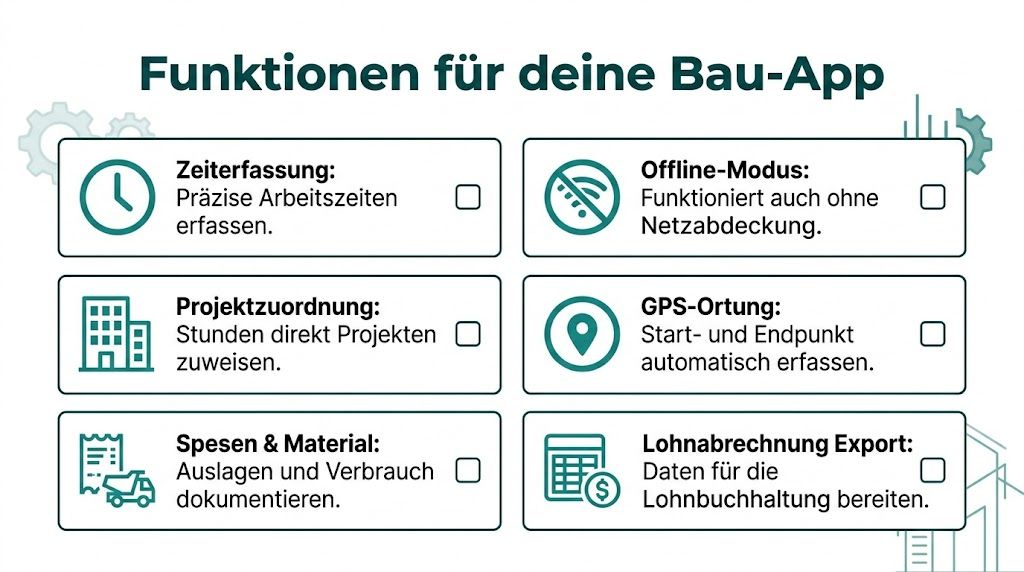
If an app does not reliably save without a connection, it is unusable on construction sites. Then people eventually clock “later” again, and you’re back to the old problem.
These Functions Really Benefit You
Not every function is equally important for every company. These points have repeatedly proven to be really useful on construction sites:
- Offline recording. Times must be recorded cleanly even in dead zones and synchronized later.
- Project assignment. Employees must be able to assign their hours directly to the correct object or order.
- Geofencing or location confirmation. This helps avoid incorrect bookings if someone accidentally clocks on the wrong site.
- Approval by foreman or site management. Errors are caught early, not only during payroll.
- Multi-user device. If not everyone has a company phone, a tablet in the warehouse or container is often the cleanest solution.
- Expenses and material requisition. Especially with small teams, it saves a lot of back and forth if such information is recorded in the same process.
What Is Often Underestimated on the Construction Site
Project assignment sounds like an office topic. But it is not. If your team starts in the morning on site A and helps out in the afternoon on site B, you need a quick switch. Two extra clicks are okay. No one fills out ten fields neatly on the construction site.
Another point is deployment planning. If you have to shift shifts, teams, and sites, it helps a lot if time tracking and scheduling are linked. Those who want to look at the topic more broadly will find a good comparison in this deployment planning software for operational teams, because time tracking is not viewed in isolation there.
If the app only collects times but knows no construction site logic, the actual work ends up back with the foreman.
What Looks Good but Is Useless
Many systems fail on small things. Buttons too small. Too many mandatory fields. No clean switch between projects. Or the app constantly requires new logins. That sounds like a detail. On the construction site, exactly this decides whether your team accepts the tool or bypasses it.
A good construction time tracking app Switzerland therefore does not have to impress. It must be usable without thinking.
From the App Directly into Payroll
The hour is only really done when it arrives correctly in payroll. Everything before is just preparation. Many companies digitize recording but still type everything manually into the payroll system at the end of the month. Then you don’t have a clean system but only a new intermediate step.
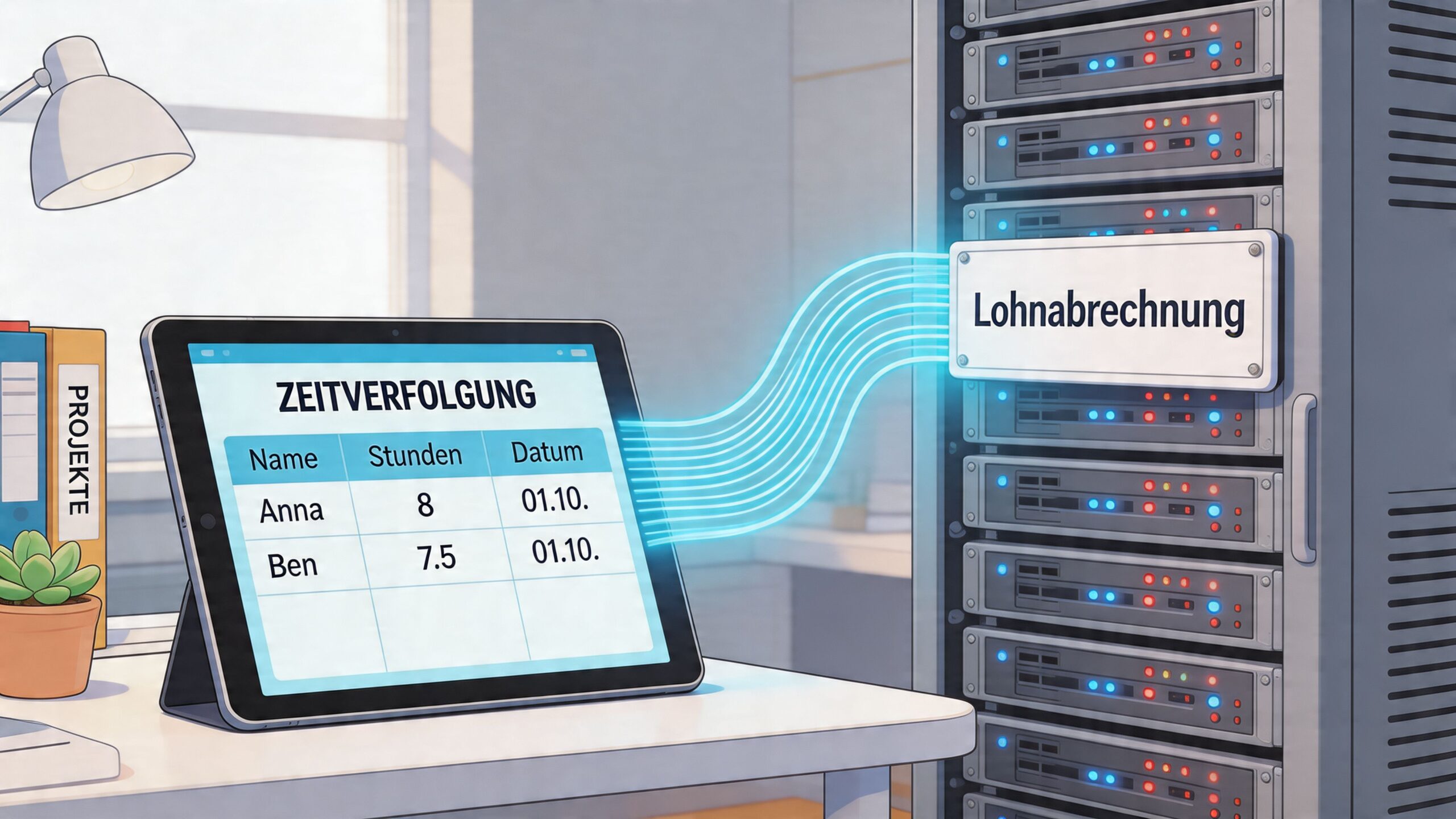
Especially in construction, this is a mistake. It’s not just daily hours that add up but often surcharges, expenses, absences, and different project assignments. If this information has to be manually sorted again at the end, the problem remains in the office.
Half a Solution Is of Little Use
A pure time tracking app is only usable if the data can be passed on cleanly afterwards. According to Clockodo, integrated platforms that connect time tracking with payroll preparation can reduce administrative effort by up to 50%. Teams save according to the same article 5 to 10 hours weekly that would otherwise be spent manually transferring data into payroll systems. This is stated in the article on mobile time tracking on the construction site.
This is easy to understand in everyday life. You don’t want to check at the end of the month which Saturday surcharge is still missing on which timesheet. You want an exportable status that your payroll department can process directly.
How to Recognize a Usable Solution
Pay attention to these points when choosing:
| Area | What Matters |
|---|---|
| Export | Times must be exportable in a format your payroll system can process |
| Review | Supervisors must be able to approve hours before export |
| Surcharges | Rules from everyday construction must not be gathered outside the app |
| Logs | Changes must remain visible |
A practical example: If an employee stays late on Friday, comes again on Saturday, and also has expenses, the app should not output this as a mere block of hours. You need an output your administration can work with without checking every item manually.
It gets interesting when time tracking and operational personnel management come together. job.rocks is an example of a platform that combines availability, shifts, mobile time tracking, hour validation, and handover to payroll preparation in one process. For companies with changing teams or multiple locations, this is closer to practice than an isolated time clock.
If you want to see how such processes are explained in practice, this video helps as a supplement:
An app without a usable payroll export only shifts the work. It does not take it off your hands.
Your Checklist for Introducing the App
The transition rarely works well if you just buy an app and say on Monday: “From now on only digital.” On construction sites, you have to prepare carefully. Otherwise, small things block the entire introduction.
Start with Your Real Problem
Many companies look for an app without really knowing which problem they want to solve first. That’s the wrong start. Better write down briefly where it currently sticks.
- Too much rework in the office. Then the app needs good timesheets, approvals, and a clean export.
- Trouble with breaks and overtime. Then you must check break logic and change logs carefully.
- Unclear project hours. Then project assignment is more important than any additional module.
Start Small Instead of Everywhere at Once
Take a construction site or a team open to new things. There you quickly notice whether the app works on real devices, with real gloves, and under time pressure.
A good pilot usually clearly shows you:
| Observation | What It Tells You |
|---|---|
| People forget to clock in | The operation is too complicated or the process not properly introduced |
| Project switch doesn’t work | The app does not fit your deployment model |
| Foreman constantly corrects | Clear rules are missing or input is too inaccurate |
Get the Foremen Involved Early
If the foremen don’t support it, the introduction will be tough. They are the people on site who check, follow up, and approve daily. Show them not only the boss’s advantage but their own.
What works in practice?
- Less paper on Friday
- Fewer inquiries from the office
- Faster approval directly on the device
- Clear overview of who booked where
If the foreman accepts the app, the crew usually follows. If he only tolerates it, improvisation happens everywhere.
Check the Provider Objectively
Don’t just look at the interface. Ask about data protection, support, training, and how changes are logged. Also have them show you how a monthly approval and export really look. Not in sales slides but with real example processes.
For small and medium construction companies, it almost always applies: better an app that does three things cleanly than a system with twenty menus that no one uses on the construction site.
How Other Construction Companies Work with the App
Theory is quickly told. It only becomes tangible when you look at everyday life.
Farbtupfer AG with a Small Team
The painter company Farbtupfer AG works with few people on several smaller projects simultaneously. Previously, hours often only came together in the evening or the next day. Today, each employee books directly at the customer on their phone and selects the correct object right away.

The advantage is not only time. The company can show the customer more precisely how the hours were generated. This saves discussions.
Tiefbau Graber GmbH with Multiple Construction Sites
At Tiefbau Graber GmbH, the main problem is not the individual team but the distribution across multiple locations. It is important that employees do not book on the wrong site and that the foreman can continuously check the hours.
The app therefore runs with location confirmation and clear project codes. If someone switches to another site in the afternoon, it is switched directly. This keeps the timesheets usable.
Helvetia Bau AG with Subcontractors
A general contractor has different concerns. They want to see not only their own people but also know which teams from subcontractors were on site when and how this affects construction progress.
Here, central recording mainly helps with the overview. Site management, foremen, and administration no longer work with separate lists. Everyone looks at the same status.
On large construction sites, recording is not the problem. The problem is that too many people work with different lists.
Frequently Asked Questions about Construction Time Tracking
How much does such an app roughly cost?
It depends on the provider and scope. Some charge per employee and month, others by modules. The decisive factor is less the list price than whether you really get rid of paper, inquiries, and manual payroll preparation.
Can employees refuse to use the app?
Time tracking is not a wish concert in the company. You can specify how times are recorded. In everyday life, acceptance brings more than pressure. If your team notices that overtime is clearly visible and no one has to add sheets in the evening, resistance usually decreases quickly.
What happens to employees’ data?
Make sure the provider handles Swiss data protection properly and uses the data only for time tracking, payroll preparation, and agreed operational purposes. Regarding GPS, a simple principle applies on construction sites: location confirmation when clocking in and out is different from constant monitoring. Clarify this point clearly before signing a contract.
Does it work in shell construction without network?
Yes, if the app has an offline mode. Times are stored locally on the device and synchronize automatically as soon as a connection is available again. Without offline function, an app is practically unusable in shell construction or remote locations.
Do I have to enter cantonal holidays manually?
No, if the system has integrated Swiss holidays. Good apps distinguish between national and cantonal holidays – for example, Jeûne genevois in Geneva or Lundi de la Pentecôte in Neuchâtel. This avoids incorrect payroll when employees work on different sites in different cantons.
Sources and prices checked: April 2026. Reliable sources: SECO, swissdec, Swiss Builders Association.
If you want not only to digitize your time tracking but also to bring deployment planning, availability, and payroll preparation together cleanly, check out job.rocks. The platform is aimed at companies with operational teams and helps you organize shifts, times, and handover to payroll in a continuous process.