
Creating Timesheets: Legally Compliant & Digital in 2026
Keep timesheets legally compliant! Our 2026 guide shows what applies in DE/CH/AT, avoids mistakes & helps with digitalization.
At the end of the month, you sit in front of a mix of Excel files, chat messages, emails, and crumpled notes. One employee only recorded half their shift, another person’s break is missing, and for a third team member it’s unclear whether the extra hour has already been compensated or is still outstanding. At that moment, you realize that timesheets are not just paperwork. They determine whether wages are correct, whether customers are billed properly, and whether you look good during an audit.
Especially in agencies, event management, gastronomy, or personnel service providers, the mistake almost always happens the same way: working hours are recorded somewhere but not maintained cleanly in one place. That works for a few days. Later, it costs nerves, discussions, and corrections. If you are new to shift planning, you don’t need a complicated system. You need a clear process that holds up in everyday life.
Table of Contents
- Timesheets: No More Paper Chaos
- What Exactly Are Timesheets?
- Legal Requirements in Germany, Switzerland, and Austria
- The Right Fields for Your Timesheet
- Typical Mistakes and Best Practices for Agencies
- The Step to Digitalization with Workforce Management Tools
- Your Path to the Perfect Timesheet
Timesheets: No More Paper Chaos
When you build duty rosters, shift schedules, and cover last-minute absences, time tracking often ends up at the bottom of the list. Only when payroll preparation is due does the topic catch up with you. Then the searching begins. Who worked when, where is a break missing, which hours belong to which customer?
In small teams, this often starts innocently. One person sends their times by email, another enters them into Excel, a third takes a photo of the handwritten note after the shift. The problem is not that each individual method is unusable. The problem is the mix. As soon as multiple sources run in parallel, you lack a clean line.
A usable timesheet does three things at once. It records what was actually worked. It creates a reliable basis for wages and billing. And it protects you when questions arise later.
Where the Chaos Begins
Typical example from agency everyday life. You plan a promotion team for a Saturday. The schedule shows 10:00 to 18:00. On site, however, the team starts at 09:30 with setup. One person takes only a 20-minute break, another 45 minutes, and in the evening the teardown takes longer. If at the end only the planned shift is recorded in the file, that is not a timesheet. That is a wishful picture.
Practical rule: Planned times are for scheduling. Timesheets are for reality.
What You Actually Need
The clean way is simple. One person records the working time directly on the day of the assignment. Supervisors check deviations. Payroll and billing use the same basis. This way you avoid double lists, inquiries, and subsequent guesswork.
If you set up the topic properly, paper chaos becomes a clear process. Not nicer paperwork, but a tool with which you keep your operation under control.
What Exactly Are Timesheets?
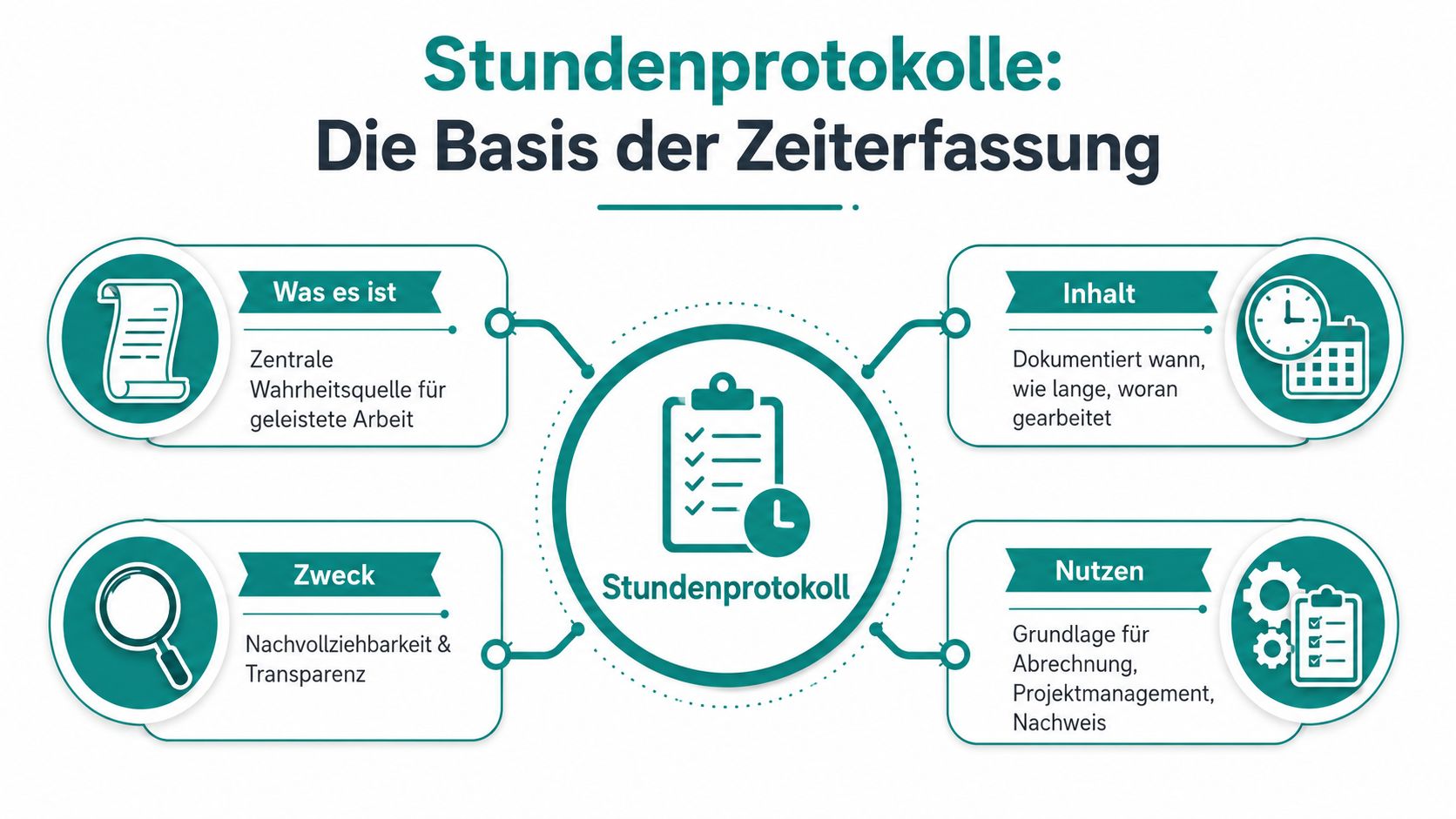
Timesheets are the reliable work basis for everything that later triggers money, evidence, and inquiries. They don’t just show that someone was present. They record when work was done, how long it lasted, which breaks were taken, and often also for which order or customer the time was spent.
The One Reliable Work Basis
I treat timesheets as the truth in the company. Not the shift planning, not the memory of a team leader, not the message in the WhatsApp group. Only the timesheet counts when you prepare wages or check customer hours.
In Switzerland, the term is clearly defined. It refers to the systematic documentation of the actually worked hours. These actual working hours amounted to 8.106 billion hours in 2023, an increase of 1.8% compared to the previous year, as stated in the BFS announcement on working hours. The same text also explains that actual working hours differ from normal working hours because overtime is included but absences are not.
For your everyday life, this difference is not theoretical. It determines whether a payroll is correct. If an employee stays longer for a trade fair setup, this extra time belongs in the timesheet. If the same person is sick on another day, this absence does not count as worked time.
Why You Need Them Every Day
A good timesheet always serves three purposes:
- Prepare payroll: You need reliable times for regular hours, overtime, bonuses, or compensation.
- Bill customers cleanly: For project-based work, you must be able to show which hours were spent on which order.
- Stand firm in case of inquiries: If an employee or customer follows up months later, you need traceable entries instead of gut feeling.
Practical example: Your agency provides two hosts for an evening event. Six hours are planned. On site, transport, briefing, and follow-up are added. If you only note the stage time, part of the work done is missing. If you record everything cleanly, you can bill internally correctly and also know where the assignment really cost time.
A timesheet is not a sign of mistrust. It is a clean proof of what really happened.
Legal Requirements in Germany, Switzerland, and Austria
Monday morning, payroll run in two days. An employee reports that the assignment in Zurich lasted longer than in the timesheet. The project management in Munich only noted the customer time. The trip home, the short briefing on site, and the break are missing or unclear. At the latest then, simple time tracking becomes a legal and liability issue.
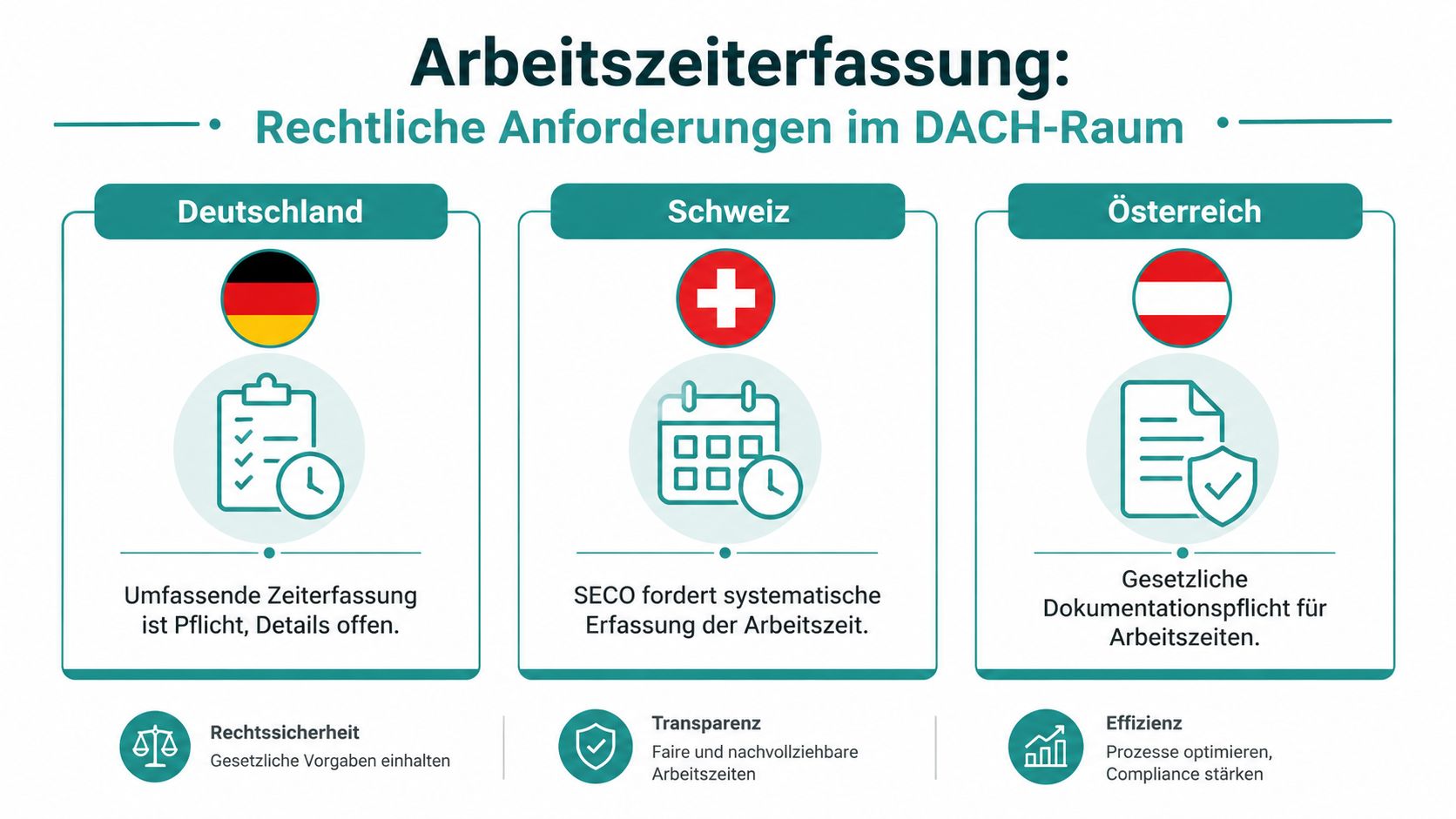
For agencies in the DACH region, the difficulty rarely lies in the idea of time tracking. The trouble begins with differences in detail. Anyone building a single process for Germany, Switzerland, and Austria must align it with the strictest everyday practice. Otherwise, the form looks clean but does not hold up in audits, wage disputes, or customer inquiries.
Switzerland
In Switzerland, the rules are comparatively clearly described. Since the revision of the ordinance in 2016, a distinction is made between systematic and simplified working time recording, as the SECO brochure on working time recording states.
For systematic recording, you basically need reliable information on start, end, breaks, and other relevant time components. This is often the normal case in agencies because many assignments are tightly planned and employees do not freely determine their times. Hostesses, promotion teams, security personnel, service staff, or floaters usually fall into this category in practice.
Simplified recording is only an option if employees can determine their working time to a significant extent themselves. This is exactly where small agencies often make mistakes. They give a role on paper a lot of freedom but actually control the assignment down to the minute. Then simplified recording does not fit.
Special caution applies to waiver models. Anyone relying on older information sheets or hearsay from acquaintances quickly builds a process that does not hold up in everyday life. For 2026, one should therefore not argue with old income thresholds but with the concrete model that is actually permitted and documented in the company. If in doubt, record systematically. This is more effort but much safer.
Germany
In Germany, the direction is clear. Working hours must be recorded so that start, end, and duration are comprehensible. For agencies, the challenge is less the fundamental question than the implementation with changing assignments, on-call duties, split shifts, and spontaneous extensions.
The typical mistake is simple. Only the time at the customer is recorded. Travel within the assignment context, handovers, material issuance, mandatory changing processes, or follow-up are not recorded. Whether each of these times counts as working time depends on the specific organization. That is exactly why the entries must be clean. What is not documented is difficult to verify or defend later.
My rule in the schedule is: Better one entry too many than one unclear block. A shift from 14:00 to 22:00 with a clearly recorded break is reliable. “Event 8 hours” is not.
Austria
Austria also requires proper recording of working time. In daily business, agencies stumble over the same points as in Germany, only often later because no one asks for a long time.
Problematic are especially handwritten notes, retrospectively maintained Excel lists, and corrections without approval. If a team leader supplements times at the end of the month from memory, reliability is missing. If breaks are deducted flat-rate although they were not taken, the proof is no longer correct. And if several people edit the same file without changes being traceable, it becomes unpleasant during an audit.
Data Protection and Retention
Working time data are personal data. Anyone collecting them via private phone photos, open chats, or email attachments is saving in the wrong place. This is the gray area where many small agencies start. Fast, improvised, but legally and organizationally weak.
Clean is a procedure with clear access rights, documented changes, and a clear purpose limitation. The data serve payroll, assignment proof, internal control, and, if necessary, dispute resolution. Nothing more. If you work in Switzerland or plan cross-border, check the requirements for processing personal data in this overview of Swiss data protection for employers and agencies.
The practical way is usually the same. First, times are recorded manually. Then exceptions, corrections, and inquiries accumulate. At the latest from several teams, multiple locations, or DACH projects, a digital system with role rights, logging, and clear approvals pays off. This not only reduces paper chaos but also typical legal risks from incomplete, late, or unprotected entries.
The Right Fields for Your Timesheet
Many mistakes do not arise when filling out but already with the form itself. If a field is missing, improvisation happens later. Then someone writes the break in a comment field, someone else only enters a total sum, and in a third entry the project assignment is completely missing. A good timesheet forces no one to guess.
These Details Must Be Included
The following checklist goes a long way for everyday agency work, personnel deployment, and project-based work:
| Field | Purpose |
|---|---|
| Name of the employee | Clear assignment of the entry |
| Date | Reference to the specific workday |
| Start of work | Start of actual working time |
| End of work | End of actual working time |
| Break duration | Separation of working time and unpaid break |
| Total working time | Basis for payroll and control |
| Project, customer, or assignment | Clean assignment for billing and internal review |
| Activity or remark | Clarifies deviations and special features |
| Approval by employee | Confirmation of the entry |
| Approval by supervisor | Review and acceptance |
If you need a template, you can view a template for time tracking. The layout is not important. What matters is that all necessary information is included and the team knows how to fill it out.
What a Usable Entry Looks Like
Let’s take a realistic entry from event everyday life:
- Name: Lea Meier
- Date: June 14
- Start of work: 09:15
- End of work: 18:40
- Break: 00:35
- Total working time: 8:50
- Project: Summer Festival North
- Activity: Setup info booth, guest support, teardown
- Remark: Early start due to material delivery
- Employee approval: Yes
- Team leader approval: Yes
This is usable because the entry not only shows hours but explains the context. If someone later asks why the person was on site before the shift, the answer is right in the timesheet.
Mnemonic: A good timesheet doesn’t have to be pretty. It must be complete, legible, and verifiable.
Another example from gastronomy. A service employee is scheduled from 17:00 to 23:00. In reality, he starts at 16:30 with mise en place and leaves at 23:20 after closing the cash register. If your form only has one field for “shift from-to,” the planned time is often entered. If your form asks separately for start, end, and break, the real working time ends up in the system.
Typical Mistakes and Best Practices for Agencies
Especially in agencies, the same mistakes keep popping up. Not because teams are careless but because everyday life is hectic. Assignments change, people jump in, customers extend on site, and no one wants to maintain forms long after the shift. That’s exactly why you need to know the typical pitfalls.
These Pitfalls I See Constantly
-
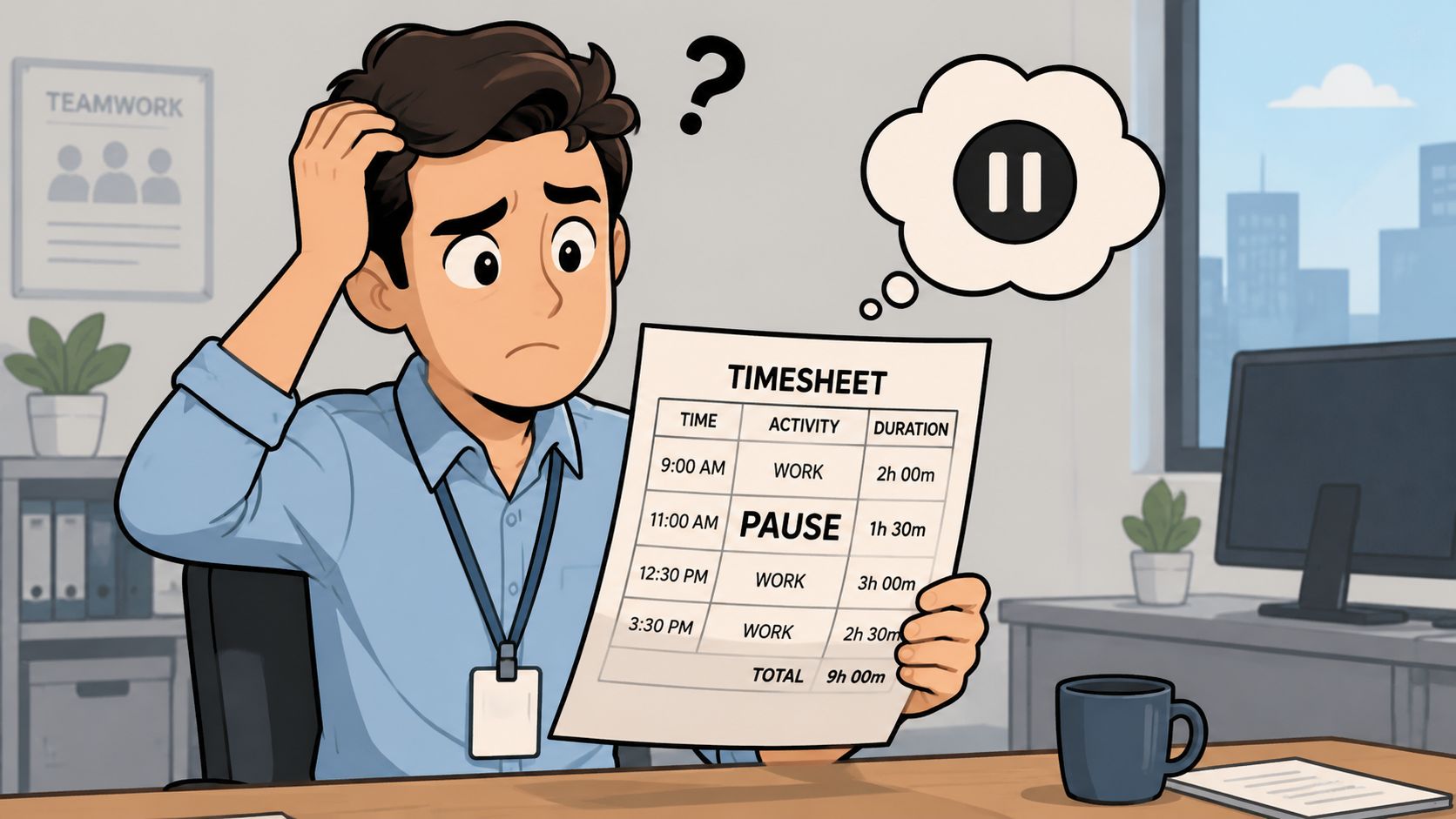
Break is estimated instead of recorded
Classic case. Everyone just deducts 30 minutes flat. That goes wrong if someone only eats briefly or hardly gets away due to high workload. Better is a clear field for the actual break. -
Overtime ends up nowhere
Teardown takes longer, an additional task comes up at the customer appointment. If the shift was already planned, the extra time is often forgotten. Then neither the wage nor the internal evaluation fits. -
Project assignment is missing
An employee helps with two assignments on the same day. The timesheet only shows the total duration. Later you don’t know which hours belong to which customer. -
Entries are added days later
This is one of the biggest mistakes. After two or three days, hardly anyone remembers start, break, or deviations clearly.
What Really Works in Everyday Life
Instead of complicated rules, you need clear habits.
-
Record on the same day
After shift end or directly at shift change. Not only on Friday for the whole week. -
Note deviations immediately
Example: “Start 30 minutes earlier due to setup.” A short sentence saves long discussions later. -
One place checks, not five
If everyone corrects somewhere, the list becomes patchwork. Better is a clear approval by the responsible team leader. -
No silent changes
If something is adjusted later, it must remain visible who changed what and why.
If you want to avoid manipulations, you don’t have to lead with mistrust. You have to lead transparently.
Practical example: An employee reports on Monday that he worked longer on Saturday. If no one can approve the assignment and there is no change history, you stand between two statements. If, on the other hand, there is a documented entry with a later correction and a short reason, the matter can be checked cleanly.
The Step to Digitalization with Workforce Management Tools
Paper and Excel seem uncomplicated at first. For a small team with fixed times, that may be enough for a while. But as soon as you plan assignments across multiple locations, have last-minute changes, or need the same hours for payroll, project, and customer billing, the system collapses.
Why Excel and Paper Fail in Everyday Use
The problem is rarely the spreadsheet itself. The problem is what happens around it. Times are transferred from chats, one version is in the email inbox, another on the desktop, and shortly before payroll approval someone corrects a value. You often notice the error only when the employee asks or the customer invoice doesn’t add up.
Digital time tracking relieves pressure exactly there. Employees clock start and end directly on mobile or at the assignment location. Breaks are recorded instead of guessed. Supervisors check digitally, and corrections remain visible.
If you want to see how such a process looks in practice, you can find a concrete example of the mobile process under digital time tracking for employees.
How to Make the Transition Smooth
The switch doesn’t work if you just turn on a new tool. You need a simple process the team understands.
-
Start with a clear mandatory process
Each person records start, end, and break directly on the assignment day. No exceptions via chat or paper on the side. -
Set up projects and assignments cleanly
If the assignment is already in the system, assignment is easier. This saves inquiries in post-processing. -
Assign approvals firmly
Define who checks hours. For event teams, this is often the assignment manager; for gastronomy, the shift supervisor; for personnel service providers, the dispatch.
A workforce management tool can map exactly this chain. job.rocks is an example. Employees can clock in and out on mobile, assign assignments, get hours approved, and forward data for payroll preparation. For agencies and service providers with changing teams, this is practical because planning, time tracking, and approval no longer hang in separate lists.
Before the video, it’s worth a look at the process from the team’s perspective.
What to watch for when choosing:
-
Changes must remain visible
If someone adjusts an entry, you need a history. -
Mobile use must work in everyday life
The team records times on the go. Therefore, recording on the smartphone must be easy. -
Approval and payroll preparation must fit together
Otherwise, you only shift the work from paper to Excel. -
Data protection must be considered
Working times are personal data. The tool must fit your data protection process.
The biggest gain is not a nicer interface. It is that you have one reliable work basis. No double recording, less dispute over hours, and a clean transition to payroll accounting.
Your Path to the Perfect Timesheet
A clean timesheet is not a side issue. It determines whether working time is correctly documented, whether wages are correct, and whether you can work calmly in everyday life. As soon as entries are incomplete, late, or spread over multiple channels, errors almost happen by themselves.
You should take away three points. First: Timesheets are legally sensitive and must be taken seriously. Second: Accuracy beats speed. A clean entry on the same day saves many inquiries later. Third: Manual recording collapses quickly if teams work mobile, distributed, or project-based.
Check your process honestly. Where are times recorded today? Who checks them? Where do subsequent corrections happen? If you clean up these points, a tedious month-end becomes a clear process you can rely on.
If you want to transfer your timesheets from paper, Excel, and chat messages into a clean digital process, check out job.rocks. The platform combines assignment planning, mobile time tracking, approvals, and payroll preparation in one system and fits well for agencies, event teams, gastronomy, security, and other businesses with changing assignments.