
Digitalize operational planning: The practical guide – agile planning made easy
When your Excel list reaches its limits, it's usually not a gradual process, but a sudden bang. You probably know this: In the beginning, shift planning in Excel was still clear. But with every new employee, every additional order and every last-minute change, the chaos grows.…
When your Excel list reaches its limits, it's usually not a gradual process, but a sudden bang. You probably know this: In the beginning, shift planning in Excel was still clear. But with every new employee, every additional order and every last-minute change, the chaos grows. The colorful table that once seemed so practical quickly becomes a massive source of errors that cost you valuable time every day.
Imagine a typical week in the events industry. You're planning a big festival and juggling security staff, service staff and technicians. On Monday you say yes to an employee for Friday evening. On Wednesday someone else calls and reports sick – for the same evening, of course. Now you have to find a replacement quickly, but your Excel list doesn't tell you who is available and has the necessary qualifications.
So you start contacting your team through countless WhatsApp groups. A digital conflagration. Messages get lost, you lose track of who even RSVPed, and you end up double-booking someone while another position remains unfilled. The result: pure stress, dissatisfied customers and frustrated employees.
The typical pain points of manual planning
Not only are manual planning processes extremely time-consuming, they are also a breeding ground for costly errors. These problems repeat themselves across industries, whether in event management, gastronomy or care:
- Lack of real-time overview: Changes in the Excel file are not immediately visible to everyone. If you forget to send a new version, your dispatchers will be working with outdated information - a recipe for disaster.
- Difficult communication: Querying availability by phone, email or chat takes an enormous amount of time. In the event of sudden failures, the nerve-racking search for a replacement begins again every time.
- High susceptibility to errors: A wrong formula, a small typo, or an accidentally deleted line can cripple the entire plan and lead to double bookings or embarrassing staff shortages.
- No smart suggestions: Excel cannot automatically suggest which available employees have the right qualifications for a particular assignment. You have to carry out this check manually for each individual booking.
The biggest shortcoming of manual planning is its absolute inflexibility. It works as long as everything goes according to plan. But as soon as unforeseen events occur - and they always do - the entire system collapses.
Things are no different in the catering industry. A restaurant owner plans his service staff for the week. A spontaneous reservation comes in for a large group. Now he has to quickly check who can work additionally. He scrolls through endless chat histories and old emails instead of seeing all available and suitable employees with a single click and sending them a shift offer directly.
This comparison shows the direct differences between planning with Excel and a modern software solution.
| aspect | Manual planning (Excel/paper) | Digital planning (software) |
|---|---|---|
| Overview | Fragmented, often outdated | Centralized real-time view |
| communication | Chaotic (phone, WhatsApp) | Automated & traceable |
| Error rate | High through manual entries | Low due to automated checks |
| Skills matching | Manual, time-consuming | Automatic, suggestion based |
| flexibility | Rigid, breaks when changed | High, responds dynamically to failures |
Constant reactivity paralyzes your business. Instead of focusing on growth and superior customer service, you're constantly busy putting out administrative fires. You can find out more about the typical pitfalls of Excel in our article Personnel planning with Excel. The digitalization of your operational planning is therefore not a luxury, but an absolutely necessary step in order to remain competitive and finally manage your team in a targeted manner.
The switch to digital operational planning
The decision to digitize your operational planning is the first big step. Good this way! But don't worry, the switch itself doesn't have to be a chaotic major project if you approach it smartly and in a structured manner. It's not about throwing everything overboard overnight. Rather, you cleanly transfer your tried and tested processes into a new, better system. See it as your chance to finally take back control and put an end to the daily planning stress.
Manual planning is often a vicious cycle that leads from chaos to stress to costly mistakes. You probably know that.
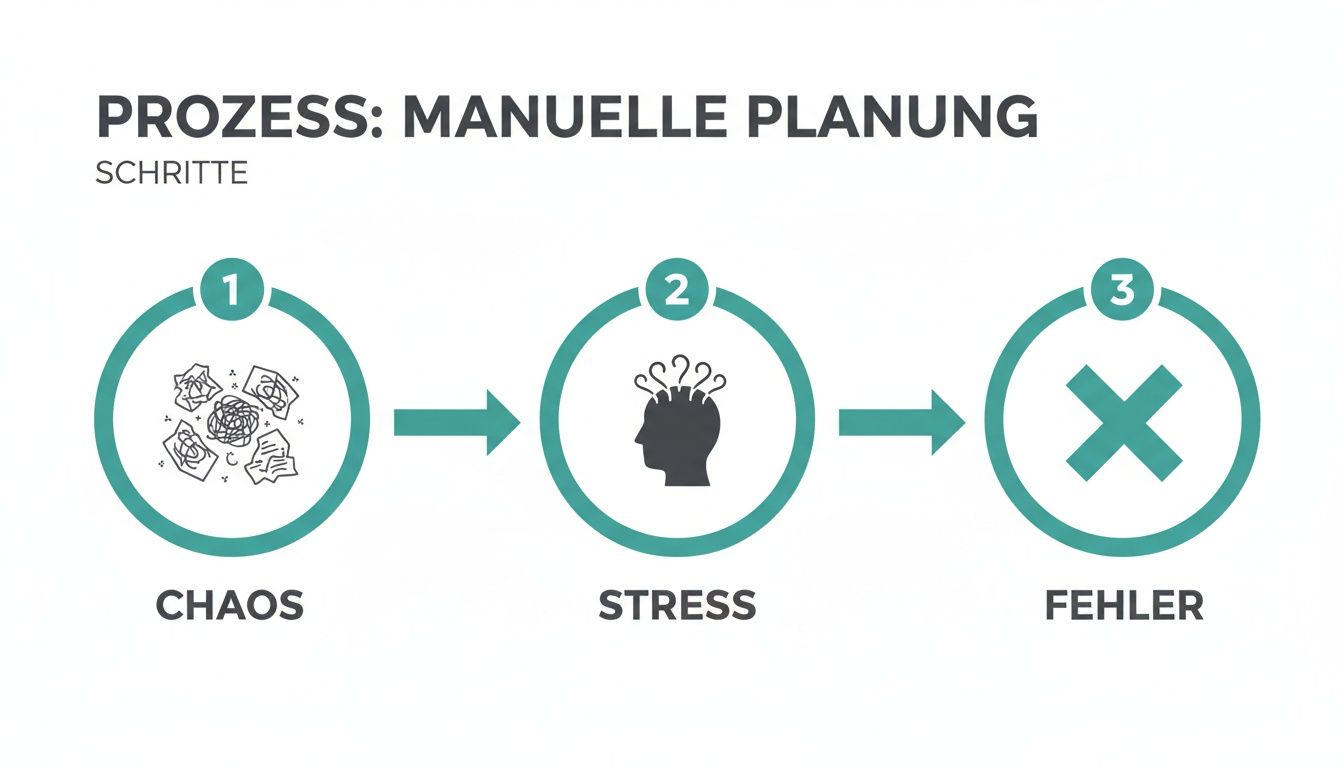
This graphic sums it up: Anyone who relies on paper and Excel almost inevitably ends up with inefficiency and frustrated employees.
Analyze your current processes
Before you rush into looking for software, you first need to understand exactly how you work today. Take a moment and document your processes. This may sound like annoying preliminary work, but this step is crucial so that you can find the right solution later your Find a company – and not just any company.
It's best to ask yourself these specific questions:
- What is crucial for shift planning? Think about everything: qualifications (e.g. “Security with §34a certificate”), availability, maximum working hours and location preferences of your people.
- How do you communicate with your team? Trace the entire path: from the shift advertisement to the confirmation to short-term changes. Does this happen via email, countless WhatsApp messages, phone calls or a wild mix of everything?
- What data do you laboriously maintain by hand? Make a list of all lists: employee master data, proof of qualifications, vacation requests, sick notes, working time models.
- Where does the gearbox grind the most? Identify the moments that cost you the most time and nerves. Is it the desperate search for replacements in the event of failures? Or is it the constant updating of this one huge Excel spreadsheet?
Your goal is to get a crystal-clear picture of what tasks new software really needs to take on for you. Only if you know your own pain points can you specifically look for a solution that will actually heal them.
This inward look is also becoming increasingly important in the context of the labor market. The employment intention index in Switzerland is optimistic for the second quarter of 2025 26 percentage points. Almost there 10% Of the companies surveyed are planning to expand their workforce, the pressure on sectors such as catering and events will continue to increase. Flexible personnel management through digital tools that reduce administrative effort 30-40% can reduce costs becomes a decisive factor in finding good people quickly and retaining them in the long term. You can find out more about these trends in current surveys on employment intentions.
Prepare to transfer your data
Once you have decided on a system, the next step is: data migration. A clean data base is the foundation for any functioning digital operational planning. The aim here is to prepare all your information so that it can be imported smoothly into the new system.
An example from a security company:
A security service provider wants to switch to a digital solution. Previously, all employee data was managed in a huge Excel spreadsheet and qualification certificates in a physical folder in the office.
- Consolidate master data: The dispatcher exports the employee list from Excel. He goes through each line and checks it for completeness: Are all phone numbers and email addresses correct? Are the addresses still current?
- Digitize qualifications: Instead of just storing the certificates in the folder, they are scanned. In the new system, a profile is created for each employee and the qualification “fire protection assistant” or “first aider” is stored directly with the expiry date.
- Define working time models: It is clearly defined for each employee whether they work full-time, part-time or on an hourly basis. This information will later be worth its weight in gold because it is the basis for the automatic checking of working time laws in the new tool.
Allow enough time for this step. The cleaner your data is from the start, the faster and smoother the actual planning in everyday life will work later.
Plan the introduction in the team
The best software in the world is of no use to you if no one uses it in the end. The successful introduction depends on the acceptance of your team. Therefore, communicate the change early and involve your employees - make them allies, not those affected.
Your checklist for a successful rollout:
- Announce early: Explain to your team Why you change. Emphasize the benefits they get from this: easier availability notifications via app, transparent shift schedules and much faster allocation of assignments.
- Conduct training: Plan separate training for dispatchers and field staff. Your dispatchers need more in-depth instruction in all planning functions, while for employees it is often enough if you briefly explain the mobile app to them.
- Start with a test phase: Start with a small, tech-savvy group. Let them test the system for a week and actively collect their feedback. This way you can fix small teething problems before rolling out the solution to everyone.
- Name contact person: Designate one or two people on the team to be the first point of contact for questions about the new software. This takes a lot of pressure off of you and promotes mutual help within the team.
Find the right software for your company
The market for deployment planning tools is huge and, to be honest, quite confusing. Countless providers advertise even more functions. You quickly ask yourself: Which of these do I really need? The answer is actually quite simple: concentrate on the tools that make everyday work noticeably easier for you and your team instead of making it more complicated.
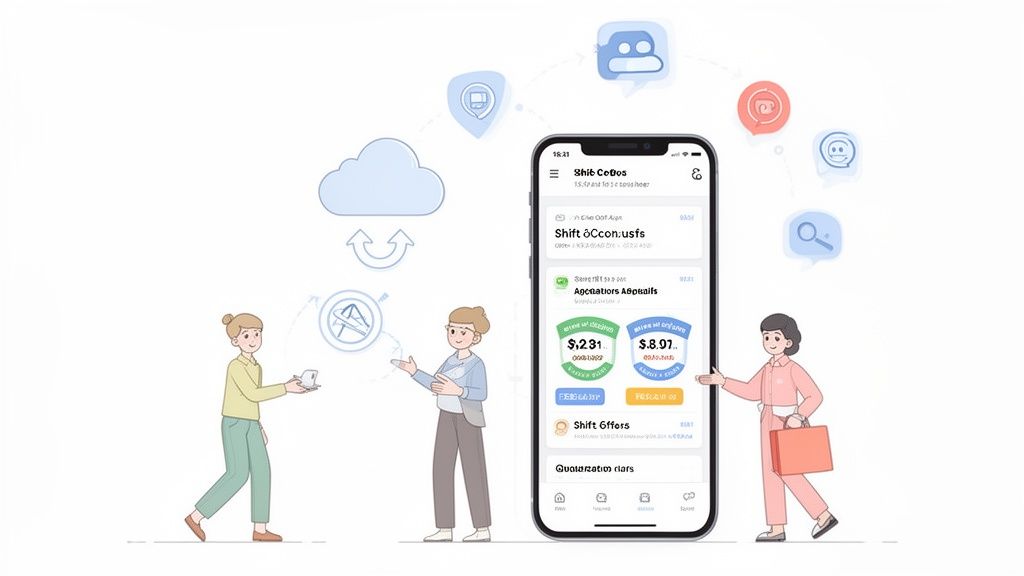
Don't be blinded by endless feature lists. At the end of the day, good software has to solve your concrete, everyday problems. Everything else is just ballast.
Indispensable for your team: the mobile app
Your employees are the heart of your company - and they are mostly on the go, not in the office. This is exactly where modern operational planning has to start. It no longer just takes place on the PC, but directly on your team's smartphone. An intuitive mobile app is no longer a nice additional function, but an absolute requirement.
Imagine an employee in the cleaning service. In the morning, while she's having coffee, she can see directly in her app which objects are due today. With just a few clicks, she enters her availability for the next week or applies for an open shift that you have just released. That's exactly the point.
These are the core functions that a good employee app must have:
- Report availability: Your team independently enters when they can work and when not. This saves you countless calls and messages.
- Shift applications: You advertise a shift and qualified people can apply directly for it. All you have to do is confirm.
- Digital time recording: Clocking in and out via app - ideally with GPS verification - finally creates clarity and prevents errors in payroll.
- All information in one place: Shift details, addresses, contacts and special instructions are available to everyone directly in the app. No more asking.
Automatic communication as the biggest time saver
One of the biggest time wasters in manual planning is endless communication. You call people, write emails, check WhatsApp - a cycle that costs you hours. Good software does exactly this work for you by cleverly automating communication.
An intelligent system doesn't just send messages. It thinks for you. It knows who has the right qualifications for an assignment, who lives nearby and who still has spare capacity.
An example from event security: You need three security guards at short notice for Saturday evening §34a certificate and First Aider Certificate. Instead of searching through your Excel list, you define your requirements in the system. The software automatically identifies all suitable and available employees and sends them a shift offer. The first three to accept will be booked. The rest receive an automatic rejection. Your effort? A few minutes.
Interfaces to time recording and payroll accounting
Digital deployment planning only develops its full potential when it is not an isolated solution. The greatest work simplification occurs when the data flows seamlessly into your other systems, especially time recording and payroll accounting.
So when choosing a tool, look very carefully: How well does it connect? Ideally, time recording is already an integral part of the solution. The working hours recorded via the app are automatically compared with the planned shifts. You can immediately see where there are discrepancies and share them with one click.
For payroll, this means: At the end of the month, you export a checked timesheet that your accounting department can process directly. Manual typing of timesheets and transcription errors? They are finally a thing of the past.
GDPR compliance and industry-specific features
Of course, the security of your data and that of your employees has top priority. So make sure that the provider GDPR compliant works and its servers are ideally located in Switzerland or the EU. Reputable providers are absolutely transparent here.
Depending on the industry, very specific functions can also be crucial. Here are a few examples:
- Security services: Pay attention to skills management features and their expiration dates. The system should alert you if a certificate is about to be renewed.
- Logistics & delivery services: An integrated one can be used here Route planning make the difference. The software not only plans, who drives, but also, which route is the fastest.
- Recruitment & Agencies: If you work with a lot of freelancers, a module is for that Freelancer management Worth its weight in gold. It helps you manage contracts, invoices and availability of external staff in one central location. A specialized one Personnel scheduling software offers you additional advanced functions for professional scheduling.
Choosing the right software is a strategic decision, not a quick purchase. If you would like to go deeper into comparing different providers, take a look at our detailed workforce planning software comparison to. Take the time to analyze your own processes and choose a solution that really suits you and your team.
Address the shortage of skilled workers with digital planning
The labor market in Switzerland is tight – you probably feel that every day. In some sectors there is an acute shortage of skilled workers, while in other sectors more and more people are looking for flexible working models. If you manage to cleverly combine these two sides of the market, you turn a major challenge into a real competitive advantage. Digital deployment planning is your crucial tool for this.
Imagine you run an event agency and receive a large order at short notice. Your permanent team is already completely planned. This used to mean countless phone calls, cancellations and, in the worst case, the rejection of the order. Instead, with a digital platform you can build up a flexible pool of qualified freelancers and part-time workers.
All you have to do is define the requirements for use in the system – for example “service worker with catering experience” – and the platform will automatically invite all the right people from your pool. This means you can respond to new orders in minutes instead of days. This gives you maximum agility without having to bear high fixed costs for staff that you cannot constantly utilize.
Flexibility as a response to scarce resources
Precise personnel management is essential for survival, especially in personnel-intensive industries such as healthcare, the hotel industry or security services. You simply cannot afford to leave shifts unfilled or use unqualified staff. A digital solution helps you make optimal use of your existing resources and proactively manage bottlenecks.
The key is to stop thinking only in fixed teams. Your greatest potential is the many qualified specialists who want to work flexibly. With a digital platform, you make it a reliable part of your HR strategy.
The shortage of skilled workers will remain particularly acute in the Swiss healthcare system in 2025, although the labor market overall is cooling down somewhat. A study shows that specialists in health professions lead the ranking of the most wanted professionals. For you as a service provider in the event sector, hotel industry or security services, this means: you are competing for exactly the same flexible talents.
Flexible personnel solutions are a clear advantage here. They automate availability queries, shift planning and time recording, reducing administrative effort by up to 50% can reduce. You can find out more about this development in current skilled worker shortage index for Switzerland read up.
Your path to an agile employee pool
But how exactly do you build such a flexible employee pool? A platform like job.rocks gives you the right tools. Here you can not only manage your permanent employees, but also specifically build and maintain an external pool.
-
Capture qualifications specifically: You store specific skills, certificates and experiences for each person. In this way, the system ensures that only truly suitable candidates are suggested for a job.
-
View availability in real time: Your pool employees maintain their availability independently via a mobile app. So you can see at a glance who is available and when - without the hassle of making follow-up calls.
-
Send automated invitations: Instead of manual calls, the platform automatically sends shift offers to everyone who meets the requirements. Whoever says yes first gets the job. This is fair and transparent.
-
Centralize communication: All agreements, documents and shift details are shared directly in the app. This prevents misunderstandings and keeps everyone involved on the same page.
This is how you transform the skills shortage from a threat into a real opportunity. You take advantage of the growing number of people looking for flexible assignments and build a reliable, scalable and highly qualified workforce. You are no longer dependent on hiring new people for every order peak, but simply access your verified pool when necessary. This makes your company more resilient and fit for the challenges of the modern job market.
From planning to payroll
Digital deployment planning alone is a huge relief. However, it only develops its full potential when it works seamlessly with your other business processes. The greatest leverage for you lies in the continuous chain from shift planning to time recording to the finished payroll. No more tedious transferring of timesheets and manual error correction.
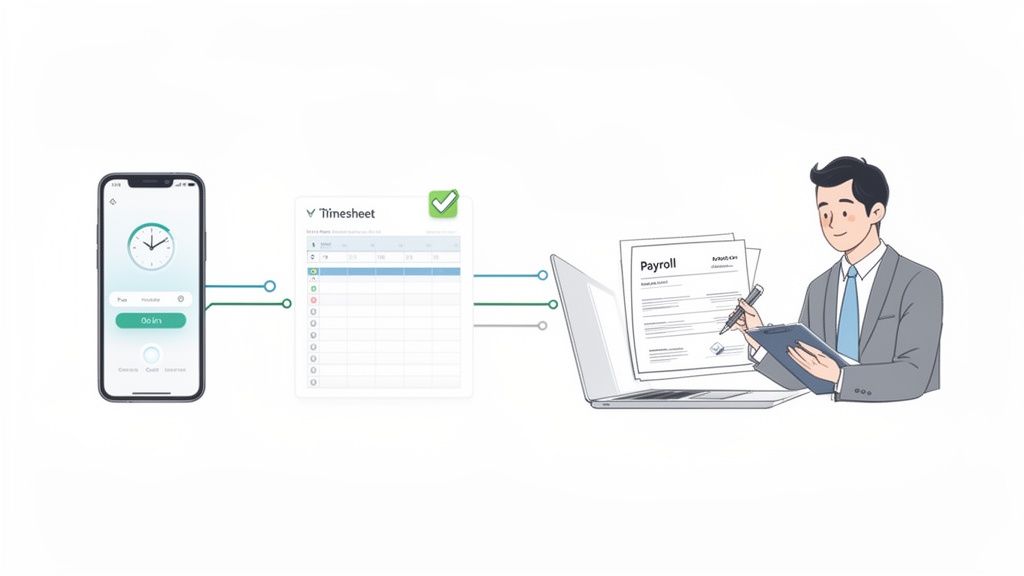
Imagine the ideal process: Your employees conveniently clock in at the start and end of their shift using a smartphone app. These times are immediately compared with the scheduled service. If something differs - a delay or an unplanned extension - the system will present the deviation directly to you for review. At the end of the month, with just a few clicks you can export verified and correct hourly data that your payroll department can use directly.
A consistent data flow in practice
Such a connection is no longer a dream of the future, but has long been a proven practice. Let's take the example of a personnel agency that regularly places temporary staff for trade fairs and events. The agency used to collect countless handwritten timesheets at the end of the month - often illegible or incomplete. Transferring to payroll was an error-prone task that took days.
With an integrated digital solution, the process looks like this today:
- Mobile stamping: The event employees clock in directly at the location using the
job.rocksApp on and off. - Automatic reconciliation: The system immediately compares the stamped times with the planned deployment. If there are differences, the dispatcher receives a notification.
- Simple fix: The dispatcher clarifies the deviation directly with the employee and corrects the time in the system. Every change is logged completely.
- Verified export: At the end of the month, the released working hours are exported as a finished report for the payroll software at the push of a button.
Through this closed cycle, the agency not only avoids manual transmission errors, but also reduces the administrative effort for wage preparation by over 70%. This creates free time for looking after customers and employees.
In addition, the entire process becomes transparent for everyone involved. Employees can see their recorded hours in the app at any time and can be sure that every minute worked is billed correctly. This increases trust and satisfaction. If you are wondering how such factors affect payroll, you can find a detailed explanation in our article, what the net wage actually says.
Data analysis for better future planning
But digitalized deployment and scheduling provides you with more than just administrative relief. You collect valuable data that will help you continually improve your future personnel planning. Analyzing the recorded working times gives you clear answers to strategic questions.
You can evaluate how many staff hours you actually needed for an annual festival or a specific type of company event. This way you can plan much more precisely for next time and calculate your budget more precisely. You recognize patterns in how staffing needs are distributed throughout the day and can adjust shifts accordingly.
The current economic situation highlights the need for such data-driven planning. SECO forecasts for 2025 indicate an unemployment rate of 2.8 percent in Switzerland and an increasing number of job seekers. Especially for companies in the logistics, cleaning and event industries that work with many part-time employees, flexible and precise planning is crucial in order to remain competitive. A digital platform can reduce planning time by up to 40 percent shorten while ensuring compliance with legal regulations. Provides further insights into labor market data the official announcement from SECO.
Audit security and traceability
Another key advantage of a consistent digital system is audit security. Every change, every release and every comment is automatically logged. This is not only useful internally, but also worth its weight in gold during audits by authorities or in the event of disagreements with customers.
You can always prove who planned, changed or approved which shift and when. The digital stamp times, often stored with GPS data, prove the presence of your employees at the location. This complete documentation protects you from unjustified claims and creates a solid, trustworthy business foundation.
Frequently asked questions about digital deployment planning
The path to digital operational planning naturally raises questions. This is completely normal. Here we have compiled the most common concerns that we come across again and again in conversations with companies like yours. We give you honest and direct answers to get any remaining uncertainties out of the way.
Isn't the transition to digital deployment planning incredibly complicated?
No, with the right preparation the change is absolutely possible. The idea of completely throwing away processes that have been tried and tested for years scares many people off. But that's exactly not necessary. The trick is to see the transition as a gradual improvement – an evolution, not a revolution.
The most important thing is that you get your team on board from the first minute. Explain the advantages clearly and tangibly: no more countless phone calls, transparent plans directly on your cell phone and a fairer distribution of shifts.
An example from our practice: Before the big rollout, a catering company asked a small group of three technology-loving employees to put the new app through its paces for a week. Their direct, unfiltered feedback helped fine-tune the settings and iron out small snags before releasing the software to the entire 50-person team. This soft start has increased acceptance enormously.
How much does deployment planning software cost?
The costs are as individual as the providers themselves. There is no one-size-fits-all answer, but there are clear guidelines that you can use to find the right model for your budget. Most modern solutions rely on a monthly per-employee pricing model.
The range extends from a few francs to significantly higher amounts. That depends largely on what range of functions you really need. A lean tool for pure shift planning is logically cheaper than a comprehensive solution that also covers time recording, expense reporting and wage preparation.
Be sure to pay attention to transparent pricing models. Ask specifically whether there are hidden costs for support, updates or initial setup. A seemingly low base price can quickly become a cost trap if important functions are sold as expensive “extras”.
A good guideline is to put the costs in relation to the time saved. If your dispatcher even does this five hours per week saves on small administrative tasks, the investment often pays for itself after a short period of time.
How secure is my data actually in cloud software?
Concern about data security is absolutely justified - after all, you are managing highly sensitive personnel and payroll data. The good news: Every reputable provider takes this topic extremely seriously. For them it is the basis of their business model.
Make sure that the provider GDPR compliant works. The European General Data Protection Regulation is virtually the gold standard and a strong indication of high security measures. Many providers go even further and have their systems certified by independent bodies.
Ask specifically about that Server location. A provider that hosts your data on secure servers in Switzerland or the EU is subject to much stricter data protection laws than a provider with servers overseas. This gives you and your employees additional legal security.
One of our customers, a security service provider, had to prove to a large client how its employees' data was protected. His software provider was able to immediately provide him with a document on the technical and organizational measures (TOM). Everything was listed in detail - from encrypted data transmission to regular security audits. That convinced the client.
How long does it take to switch to a new system?
The duration depends heavily on your preparation and the size of your team. Realistically, a small company with up to 20 employees can make the transition within one to two weeks with good planning.
Larger companies with more complex working time models and interfaces should expect four to eight weeks. Most of the time often goes not into the technical setup, but into the clean preparation of the master data and the training of employees.
Here is a realistic timeline for a medium-sized company:
- Week 1: Final decision for software and conclusion of contract.
- Week 2-3: Preparation of employee data, qualifications and working time models for import. That's the hard work!
- Week 4: Technical setup and training of dispatchers (power users).
- Week 5: Training employees in the mobile app and starting a test phase with a small pilot group.
- Week 6: Official go-live for the entire company.
With a clear structure and a committed partner at your side, digital deployment planning is not an insurmountable obstacle, but the next logical step for your growing company.
Are you ready to digitize your operational planning and finally escape the planning chaos? job.rocks offers you an intuitive and comprehensive solution that is tailored precisely to the needs of flexible teams. Book your free demo now and discover how you can save time, avoid errors and manage your team more effectively. Visit us https://job.rocks.