
Finding the Best App for Event Staff
Are you still juggling daily with Excel sheets, countless WhatsApp groups, and an inbox bursting at the seams? If this is your daily routine for coordinating your team, then you know the chaos all too well. A specialized app for event staff puts an end to this. It consolidates all planning and communication in one central place, reduces errors, and above all, gives you back one thing: valuable time.
Are you still juggling daily with Excel sheets, countless WhatsApp groups, and an inbox bursting at the seams? If this is your daily routine for coordinating your team, then you know the chaos all too well. A specialized app for event staff puts an end to this. It consolidates all planning and communication in one central place, reduces errors, and above all, gives you back one thing: valuable time.
Why Excel and WhatsApp Are No Longer Enough for Event Planning
Imagine a medium-sized event agency. Each month, it manages several events and relies on a pool of 50 to 100 freelance workers. In the past, the process often looked like this: a huge Excel spreadsheet served as a database, filled with contact details and vaguely noted qualifications. For each new job, a new WhatsApp group was created, where availability was wildly queried.
This approach is a recipe for difficulties. Important information gets lost in chat history, employees respond too late or overlook the request entirely. Then begins the real hard work: manually transferring confirmations from WhatsApp into the Excel list. This is not only tedious but also extremely error-prone. Who exactly has confirmed? Who has the necessary qualification as a bartender? The overview is lost faster than you can say “event planning.”
The Leap from Chaos to Control
A modern app for event staff was developed precisely for these problems. Instead of countless messages, you send a single targeted request to all suitable employees. They can confirm or decline their availability directly in the app with one click. Your planning becomes immediately clear, transparent, and always up to date.
Some of the biggest advantages are obvious:
- A central source of information: All details such as location, schedule, contact persons, and specific briefings are directly accessible to every employee in the app. No more searching or asking around.
- Fewer human errors: Automatic assignment and digital confirmations prevent double bookings or forgotten shifts. The system thinks along with you.
- Lightning-fast reactions: Does someone cancel at short notice? Instead of making dozens of panicked calls, you send a push notification to all available and qualified employees. The gap is closed within minutes.
A central system for personnel planning reduces administrative effort by up to 70%. That’s hours you no longer spend chasing information in spreadsheets and chats, but can invest in the quality of your events.
A Direct Comparison That Speaks Volumes
To make the difference truly tangible, let’s look at typical tasks in a direct comparison.
Comparison between manual planning and app-supported coordination
The following table shows where the real time wasters lie in traditional planning and how an app not only simplifies these processes but fundamentally improves them.
| Task | Manual Coordination (Excel/WhatsApp) | App for Event Staff |
|---|---|---|
| Check availability | Manual queries in WhatsApp groups, confusing and chaotic. | Employees enter availability themselves, immediately visible to you. |
| Fill shifts | Time-consuming follow-up calls and endless email traffic. | Targeted request to qualified, available persons with one click. |
| Communicate changes | New messages in the group that are easily overlooked or lost. | Targeted push notification directly to affected employees. |
| Time tracking | Manual timesheets that are error-prone, often illegible, and cumbersome. | Digital clock-in and clock-out via smartphone – precise and tamper-proof. |
Clearly, switching to specialized software is more than just a click. But the gained overview and significant stress reduction make this step practically indispensable for any growing agency. You shift your focus from pure administration to actual creation – thus crafting unforgettable experiences for your clients.
Core Features Your Employee App Needs
Not every app for event staff is the same. To end up with a solution that truly takes work off your hands and doesn’t create new problems, certain features simply must be included. They form the foundation on which your entire personnel planning rests.
Think of these features like the tools in a Swiss Army knife: each has a clear task, but only together do they make it incredibly useful. If one of the important tools is missing, you’ll quickly be caught out at the next challenge.
The Essential Building Blocks of Your App
A good software solution covers the entire cycle – from the first request to the final billing. These are the core features you should never do without:
- Flexible shift planning: Plan your assignments visually, preferably via drag-and-drop. You need to see at a glance who is scheduled when and where and whether there are any gaps or overlaps.
- Simple availability query: No more endless asking around in chats! Your employees should be able to enter their available times independently and easily directly in the app. This saves you hours of manual coordination.
- Mobile time tracking: Precision is everything. The app must offer a GPS-supported time clock so the crew can clock in and out directly at the event location. This creates a fair and absolutely error-free basis for payroll.
- Push notifications: The location changes at short notice or a shift starts earlier? A direct push message to the smartphone is the fastest and safest way to bring everyone immediately up to date.
A well-thought-out employee app is much more than just a planning tool. It becomes the central communication and organization platform that reduces misunderstandings and noticeably increases your team’s reliability.
The following graphic beautifully shows how an app transforms the chaotic process of Excel lists and WhatsApp messages into a clear, successful workflow.
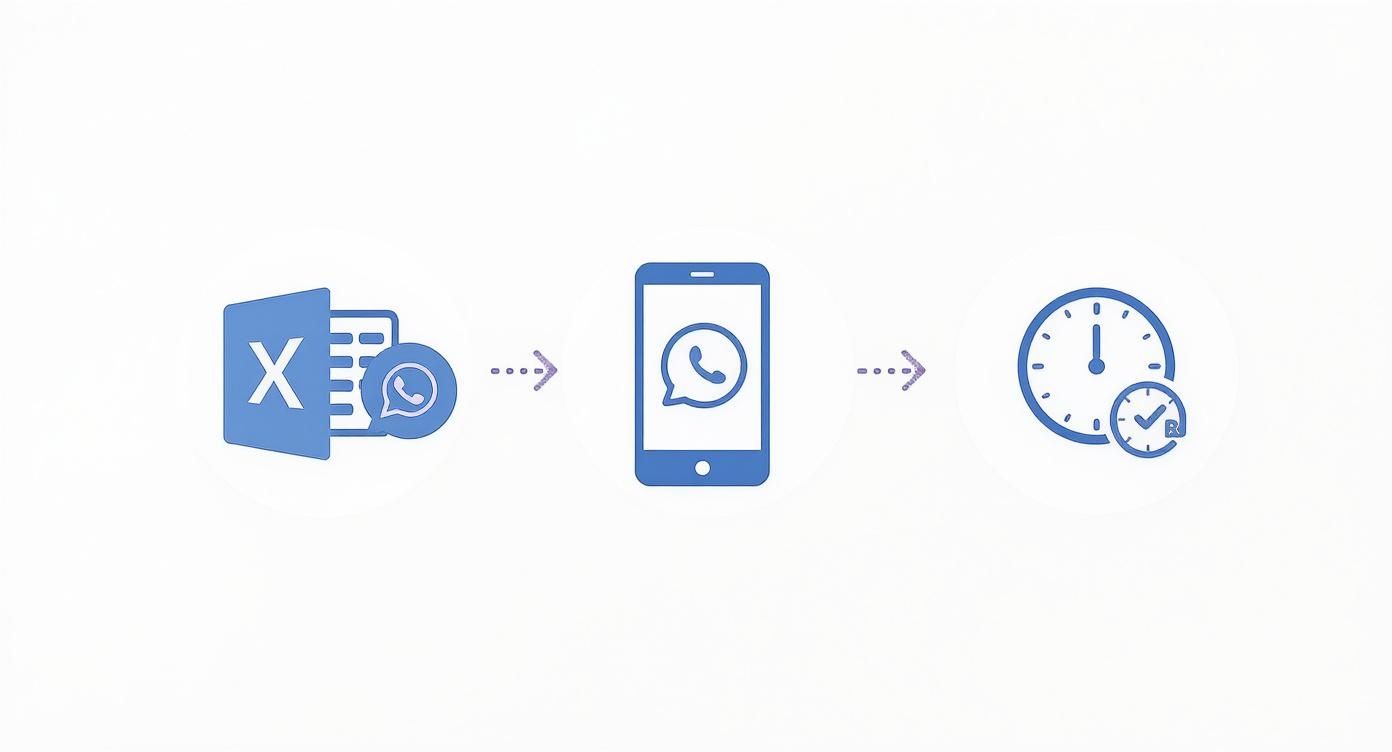
You can immediately see how a central app acts as a bridge between chaotic planning and successful execution.
Smart Filters and Economic Pressure
Besides these basics, there is another feature that makes a difference: the qualification filter. Imagine you urgently need someone with service experience and fluent French skills for a gala dinner. With an intelligent filter, you find exactly the right candidates in your personnel pool with just a few clicks and can contact them directly.
Especially in the current economic environment, this way of working is not a luxury but pure necessity. The Swiss event market is recovering but simultaneously struggles with a shortage of skilled workers and rising costs. According to industry associations, revenues are still around 70 percent of pre-pandemic levels, while personnel and material expenses are rising sharply.
A powerful app for event staff helps you deploy your resources optimally and remain competitive despite cost pressures. Thus, it turns from a mere administrative tool into a strategic advantage.
What Really Matters for Employee Data and Payroll
Managing employee data is a sensitive area. As soon as you store personal information such as addresses, bank details, or working hours, you enter a field that is strictly regulated by law. A professional app for event staff must therefore have watertight data protection policies.
The crucial point is compliance with the General Data Protection Regulation (GDPR). This means the software must ensure that all data is transmitted encrypted and stored on secure servers. Your employees must also be clearly informed about which data is used for what purpose – and actively consent to it.
Secure Data Processing and the Bridge to Payroll
A good app not only takes care of secure storage but also protected communication. Confidential documents such as contracts or pay slips have no place in insecure channels like WhatsApp. The app must provide a shielded space for this.
An important advantage is also the direct connection to your payroll system. Imagine exporting a perfectly clean dataset of all recorded working hours with just one click at the end of the month.
- No more typos: Digitally recorded hours flow automatically and error-free into payroll.
- Significant time savings: Your accounting no longer has to decipher handwritten notes and type them in laboriously.
- Audit-proof setup: All data is fully documented and traceable at any time. This gives you the necessary security during audits.
An integrated payroll interface turns often chaotic payroll preparation into a fast, transparent process. This saves nerves and administrative effort and prevents costly errors in billing.
To ensure data integrity and comply with data protection requirements, it’s a good idea to train your event staff with a Cyber Security Awareness Training.
This image nicely illustrates how a central platform supports compliance with legal requirements through confirmed processes and a secure server infrastructure. Such depictions make it tangible how rule compliance works in practice.
From Digital Timesheet to Final Payroll
In practice, it works simply: your employee clocks in and out via the app at the event location. You or the shift manager reviews these times and approves them directly in the software. At the end of the month, these verified hours are exported and made available to payroll in the correct format.
This seamless transition from time tracking to billing is the heart of a clever solution. Learn more about how such software takes the entire workforce planning to the next level by combining legal security with practical handling.
How to Choose the Right Software for Your Agency
The market for event software is huge, no question. But which app for event staff really fits you and your agency? You won’t find the answer by blindly choosing the first provider. The way forward is to first clearly define your own needs. A good, old checklist helps you keep track and separate the wheat from the chaff.
So before you start searching, take a moment to ask yourself some basic questions. They form the basis of your decision and ensure that the new software not only fits today but can grow with your business.
Define Your Requirements
Your search doesn’t start on Google but in your office. Analyze your current workflows and goals. Where do you lose the most time? In which processes do the same errors repeatedly occur?
Ask yourself these concrete questions:
- Team size: How many employees are you currently scheduling? And what is your realistic estimate for the next two years? The software must handle this without costs exploding.
- Event types: Are you mainly active at conferences, promotion campaigns, or catering? Depending on the area, you need completely different features.
- Special features: Do you need applicant management to attract new talents directly into your personnel pool? Or is smart route planning for your mobile teams essential?
- Budget: What are you willing to invest monthly or annually? Look closely and watch out for transparent pricing models – without hidden costs for additional users or features that suddenly appear on the bill.
This honest analysis helps you make a preselection from the start and immediately sort out providers that don’t fit anyway.
Compare Providers and Test Usability
With your requirements list in hand, you can now approach providers specifically. But don’t just stare at long feature lists. Much more important is usability. Even the most powerful software is useless if your team can’t or won’t use it.
Acceptance among your employees stands or falls with simple operation. If clocking in and out or entering availability is complicated, the app quickly becomes a frustration factor instead of a help.
Insist on a free demo version. Click through the software yourself and, even more importantly, let some of your employees do the same. Their honest feedback is worth gold. Also test the support at this opportunity: How fast and competent is the response to a request? What happens if you urgently need help on a weekend before a huge event?
A thorough comparison of various workforce planning software is ultimately crucial to find a solution that will still make you happy in the future.
The Right Questions During the Demo
Use the demo appointment to really put the provider to the test. A good salesperson can sugarcoat everything. Here are some critical questions you should ask to avoid nasty surprises:
- Are there hidden costs? Ask directly about costs for setup, training, additional storage, or if your number of employees grows.
- How does onboarding work? Do you get personal training or just a link to some online tutorials? A real partner won’t leave you alone during the first steps.
- What integrations are available? Clarify whether the software can easily connect with your payroll or other important tools. Nothing is more frustrating than an isolated solution.
- How is data security ensured? Inquire about server location and specific measures to comply with GDPR. This is not a side issue but very important for business.
How Agencies and Recruiters Benefit in Practice
Theory is all well and good, but the true strength of an app for event staff only shows in the daily frontline battle. Let’s look at two typical situations from agency life where such software makes the difference between chaos and control.
These examples quickly make clear: a digital solution not only speeds up planning but also raises the quality of your service to a whole new level.
Case 1: The Short-Term Nationwide Promotion
Imagine you run a promotions agency and get the order to assemble 50 promoters within three days for a nationwide sampling campaign. The catch: everyone must have a driver’s license and experience in direct customer contact.
Without an app, this would be a nightmare. Your dispatcher would spend hours poring over Excel lists, sending countless emails, and begging in various WhatsApp groups for enough people to respond. An administrative disaster.
With an app, it runs completely differently:
- Targeted filter: You filter your personnel pool with two clicks by “driver’s license” and “promotion experience.”
- Availability push: Instead of calling, you send a job request as a push notification directly to all suitable candidates.
- Quick confirmations: Promoters see all details in the app and can accept or decline with a tap. No long back and forth.
So you have your team complete within a few hours. What used to take days full of hectic and frustration is now done in the time it takes to have a coffee.
Case 2: The Complex Catering Weekend
Now it gets tricky: a catering company must handle three weddings in a single weekend. Each event needs a special mix of experienced service staff, logistics helpers, and flexible temps. The biggest danger? Double bookings and understaffed teams that ruin the reputation.
Here the app plays its strength as a command center. In the visual shift planner, you see at a glance who is already assigned to which wedding. Possible conflicts are color-coded long before they become a real problem.
Through central planning, you not only prevent personnel bottlenecks. You also ensure that each team is optimally staffed and delivers the same high service quality at every event. That’s reliability customers love.
Especially in Switzerland, with an event density of around 200 registered open airs and festivals like the Montreux Jazz Festival or the Tension Festival in Basel, such flexible planning tools are vital for survival. The huge number of events spread throughout the year requires extremely agile personnel management.
To fully exploit the potential of an employee app and truly future-proof your HR processes, it’s worth taking a deeper look at comprehensive strategies for HR digitization. Such digital helpers are today’s way to not only survive but grow in a demanding market.
Measuring the Success of Your Personnel Planning Correctly
Introducing new software is one thing. Finding out whether the investment in an app for event staff really pays off is another. The answer lies in clear key figures, the so-called Key Performance Indicators (KPIs). Only if you compare these values before and after implementation do you make success measurable and can prove it in black and white.
You don’t have to sift through dozens of data points. Just focus on the three most important levers that a good app directly influences. These numbers clearly show where you save time and money – and how reliable your planning really has become.
The Key Metrics at a Glance
Important: start measuring before you introduce the new software. Only then do you create an honest baseline. After a few months of real operation with the app, repeat the measurement and immediately see the difference.
-
Time-to-Fill: How long does it take on average to fill an open shift? Measure the time from posting to final employee confirmation. Without an app, this can take hours, sometimes even days. With a good app, this value often shrinks to just a few minutes.
-
No-Show Rate: The classic and biggest pain point. How many of your firmly booked employees simply don’t show up? Count the no-shows per event and relate them to the total number of planned shifts. Every single no-show costs real money and nerves.
-
Admin Time per Event: Stop the clock. How many hours does your planning team invest in pure coordination of an event – from the first request through countless calls to final billing? This often holds the biggest and easiest-to-leverage savings potential.
A targeted reduction of the no-show rate by just a few percentage points can save significant costs over the year. At the same time, it noticeably increases service quality at your events. That’s a direct gain for your company and your reputation.
How to Improve KPIs with an App
Once you know your baseline values, it’s time to get down to business. Now you use the app’s functions to specifically improve these numbers. A simple example: send automated reminders 24 hours before shift start via push notification to your crew. This small feature alone can significantly reduce the no-show rate.
This also has a tangible economic context. The Swiss advertising market, closely linked to our industry, recorded a noticeable decline in the first half of the year. Especially the events sector had to accept a minus of 2.1 percent. Such figures show that good management is no longer a luxury but pure necessity. More on current developments can be found on mediafocus.ch. An app helps you deploy your resources optimally and remain profitable despite growing cost pressure.
Frequently Asked Questions About the Employee App
Here we answer the questions we most often encounter in practice when it comes to choosing and using an app for event staff. We shed light on typical uncertainties and give you clear, honest answers so you can make an informed decision.
How quickly is such an app really ready for use?
Many modern solutions are cloud-based and save you the effort of installing on your own servers. After a short setup of your account and importing employee data, you can often start within a day.
The biggest hurdle is usually the clean recording of your own master data. Once you take the time to properly maintain your people’s qualifications and skills, the filter functions immediately unfold their full benefit.
What does an app for event staff cost?
Pricing models vary widely. Usually, costs depend on the number of active employees you actually schedule per month – a fair model. Monthly or annual subscriptions are common.
But look closely: which features are really included in the package? Are there additional costs for support or more storage? A transparent provider lays all this out on the table from the start.
The true value is not in the price of the app itself but in the time and nerves you save through smooth processes. Just reducing planning errors and last-minute cancellations often justifies the investment after only a few events.
Is the operation too complicated for my employees?
No, quite the opposite. A good app is designed to be as simple and intuitive as possible. Your people use other apps on their smartphones daily and expect effortless operation.
Features like accepting a shift with one click, digital clock-in and clock-out, or entering availability are designed to be self-explanatory. In the end, high acceptance in the team is the decisive factor for success – and you only achieve that with an app that’s fun to use.
Are you ready to finally simplify your personnel planning and eliminate sources of error? Discover how job.rocks takes your event organization to the next level. Request your free demo now!