
Security Service Scheduling Software: Your 2026 Guide
Find the right scheduling software for security services: features, data protection, GAV requirements, and selection criteria for Swiss teams.
If you’re still managing your duty roster with Excel, phone lists, and WhatsApp groups, you know the moment when everything collapses at once. An employee calls out just before shift start. The client reports additional needs for a site. The night on-call duty needs to be rearranged. And somewhere there’s still a paper timesheet that no one can properly update.
This is exactly where improvised planning diverges from a system that supports daily operations. In security services, it’s not enough to just fill shifts somehow. You need to check qualifications, manage availabilities accurately, document changes, and in Switzerland also keep an eye on the GAV (collective labor agreement). If all this is scattered across five files, three chats, and the dispatcher’s head, trouble is guaranteed.
Specialized software can help security companies consolidate scattered processes into a central schedule, as Anolla describes in their overview of security service software (Security Service Software by Anolla). If you want to approach the transition properly, a look at the 2026 Process Optimization Guide is also helpful, as it addresses exactly how to turn scattered workflows into a clear process.
Table of Contents
- Put an End to Scheduling Chaos in Security Services
- What Exactly Is Scheduling Software for Security Services
- Core Features You Really Need
- Considering Data Protection and GAV Requirements
- How to Choose the Right Software
- Typical Use Cases and Their Direct Benefits
- Checklist for Implementation in Your Team
Put an End to Scheduling Chaos in Security Services
Monday morning, just after six. The first call comes before coffee. An employee is sick. Ten minutes later, a client reports additional needs for the evening. Then someone writes in the team group that the night shift from Saturday was entered incorrectly. If you jump between Excel files, chat logs, and paper notes at such a moment, you don’t just lose time. You lose overview.
The real problem is rarely the individual absence. The problem is that every change has to be updated in three places: the shift list, the info to the employee, and later in time tracking. If one of these is missed, you often only notice the error when the post is empty or payroll preparation is incorrect.
Rule of thumb: As soon as your schedule only works because one person keeps everything in their head, it’s too fragile.
A typical everyday case. You schedule a site with fixed night guards. An employee steps in at short notice for a colleague. It’s quickly changed in Excel. What’s often missing is the rest. Does the person have enough rest time? Are they briefed for exactly this site? Does the client know about the change? Was the swap properly recorded?
Manual planning seems uncomplicated at first. It only collapses with a growing team, multiple sites, and spontaneous changes. Then a simple list becomes a patchwork. That’s why many security services rely on systems that bundle shift planning, availability, qualifications, and feedback in one place.
| Typical Everyday with Excel | Everyday with a Clean Planning System |
|---|---|
| Multiple versions of a schedule in circulation | One binding schedule view |
| Replacement search by phone round | Targeted request to suitable personnel |
| Qualifications in notes or heads | Stored employee profiles |
| Changes hard to track | Change history in the system |
Security Service Scheduling Software is ultimately not a luxury for large companies. It’s the tool against exactly this kind of ongoing chaos.
What Exactly Is Scheduling Software for Security Services
Good scheduling software is not a digital calendar with a pretty interface. It’s your central dispatch tool. The difference shows not when entering a standard shift, but when something goes wrong. Illness, additional assignment, site change, on-call duty, client inquiry. Then the system must do more than just fill boxes.
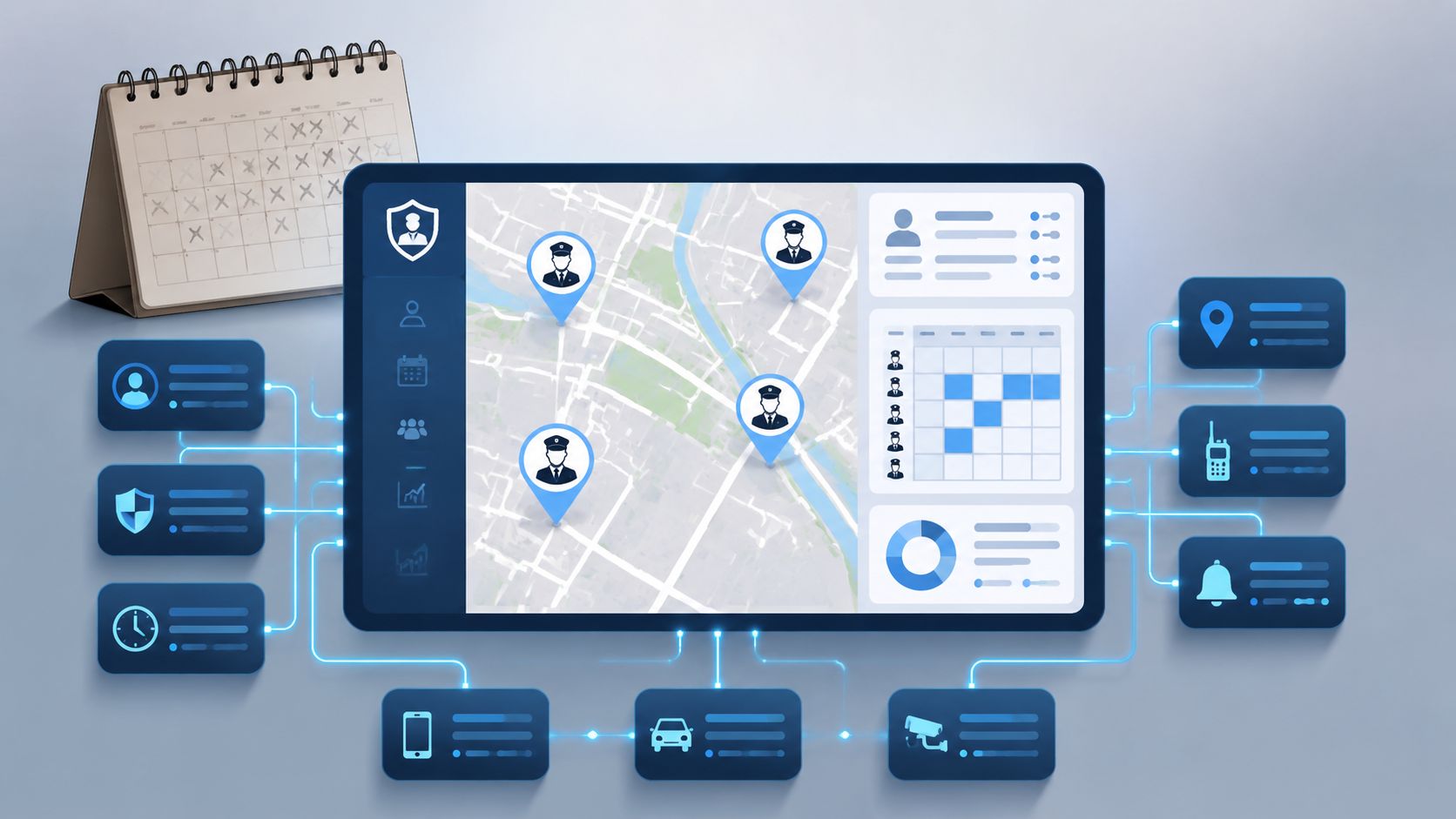
In security services, every shift depends on several conditions. Who is free. Who knows the site. Who has the right qualification. Who doesn’t already have another shift. And who can even reach the assignment on time. In Excel, you can note all this somehow. But you still have to check it yourself.
How You Immediately Notice the Difference
Take a simple case. For an industrial site, you need two guards tonight. One must already be briefed on the site. The other needs a specific certification that not everyone in the pool has. With a spreadsheet, you search names, check comments, call several people, and build your own checklist on the side.
With specialized software, you enter site requirements and employee profiles cleanly once. Then the system filters upfront. You see immediately who is available, who fits, and where conflicts exist. This saves not only typing but especially wrong decisions under time pressure.
What the Software Must Deliver Behind the Scenes
In daily operations, you need five things at once: planning, communication, documentation, time tracking, and traceability. As soon as one of these runs outside the system, the searching starts again.
A good system connects these points:
- Assignment side with site, time window, roles, and notes
- Employee side with availability, qualifications, and assignment history
- Dispatch side with open, confirmed, or changed shifts
- Mobile side for employee feedback
- Time side for actual times, approval, and payroll preparation
If you have to send an extra message after every schedule change, the software only works half for you.
This is especially important in security services because the schedule changes not once a week but continuously. Clean security service scheduling software bundles these changes. You plan on screen, people see the new status in the app, and later time tracking is directly linked to the assignment.
What Is Not a Good Solution
Many teams start with general office software. Calendars, spreadsheets, messengers, PDF schedules. That’s enough as long as you have few people and hardly any changes. It fails where security services work every day. Shift operations around the clock, night and weekend duties, spontaneous replacements, and high documentation requirements.
That’s why it’s worth not looking for a general appointment solution but for a tool that truly maps security operations.
Core Features You Really Need
When evaluating software for security services, don’t be dazzled by long feature lists. Many things sound good but hardly help in daily work. A few things are absolutely essential. If they’re missing, the work ends up back with the dispatcher.
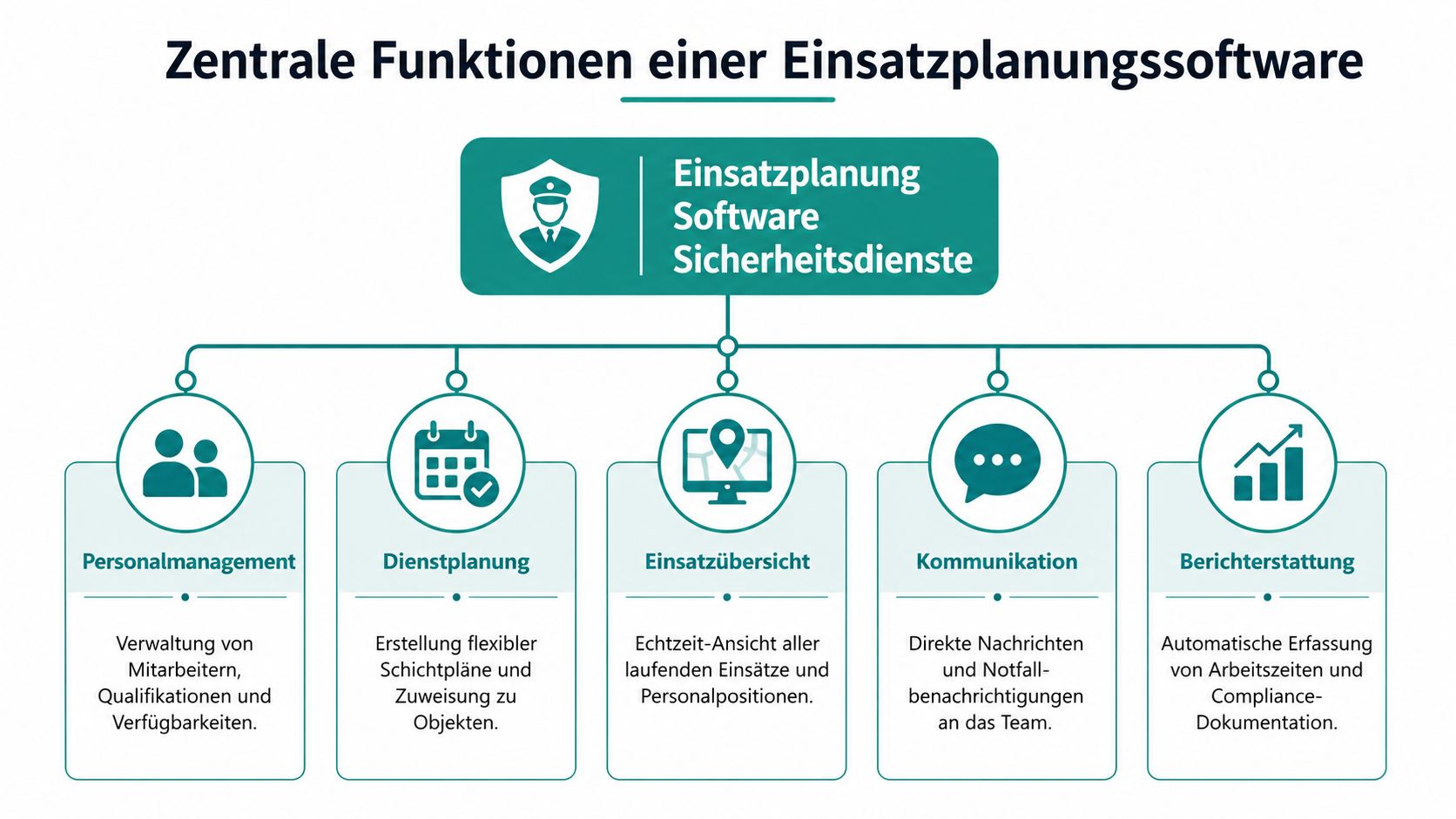
A Planning Board That Thinks Along
You need a view where you immediately see where gaps are, who is double-booked, and which shifts are still open. That sounds trivial but is gold in daily business.
Practical example. You manage three sites with early, late, and night shifts. Someone from the late shift calls out. On a good planning board, you immediately see which replacements are free the same day. On a poor system, you click through employee profiles or export lists again.
In short:
- Make shifts visible. Don’t hide them in menus.
- Mark conflicts. Double bookings or missing confirmations must stand out.
- Clearly show open shifts. Otherwise, you notice gaps too late.
Availability Instead of Phone Chains
The classic phone round wastes time and annoys everyone involved. It gets worse when multiple dispatchers ask the same people in parallel.
A clean system works with availabilities and targeted requests. You send the open shift to suitable employees. Those who can confirm. Those who can’t decline or don’t respond. Feedback goes directly into the schedule.
This is especially noticeable for short-notice assignments. Mobile planning and automated notifications can reduce manual communication effort, which makes a big difference for on-call duties and emergencies (mobile scheduling in industry context).
Clean Filtering of Qualifications
In security services, availability alone is never enough. You must know who is allowed to take which role. Access control, patrol, armed service, first aid, site knowledge, language skills. If this is only in Excel comments, it gets tricky under time pressure.
A good system filters according to assignment requirements. You set which requirements apply to the assignment, and the system shows only suitable people.
A small comparison:
| Without Qualification Filter | With Qualification Filter |
|---|---|
| You manually gather names | You start with a suitable preselection |
| Briefings are easily overlooked | Site reference is visible in profile |
| Wrong assignments are noticed late | Conflicts appear before allocation |
App and Time Tracking in the Field
If the plan is only clean in the office, it helps little outside. Employees must see shifts, confirm duties, receive changes, and record times directly.
A simple example. An employee drives directly from home to the site. They need address, start time, contact person, and special notes on their phone. If they first have to search for a PDF in chat, you already have the first friction loss.
Four points are important here:
- Assignment details in the app instead of separate messages
- Shift confirmation by the employee
- Reporting availability and swap options
- Time booking on the go with clear link to the assignment
An app doesn’t replace good dispatch work. It just ensures your planning doesn’t end with sending the schedule.
Considering Data Protection and GAV Requirements
Legal problems in security services rarely arise from major fundamental errors. Mostly it’s small negligence. A schedule is shared in a private chat group. Working hours are backdated even though no one knows exactly when the shift actually started. Or a shift is quickly changed without checking rest times and contract rules again.
Where Risks Arise in Daily Operations
Personnel data involves more than name and phone number. You manage assignment locations, availabilities, qualifications, absences, and sometimes very specific working hours. If such data is stored in emails, private phones, or unprotected files, it quickly becomes confusing. Confusing data management is not only tedious. It’s also hard to defend in disputes.
It’s similar with the GAV. In Switzerland, you must not only know shift and rest times but also observe them properly in the schedule. As long as this is done manually, much depends on attention and experience. It still works somewhat on quiet days. Under pressure, the error rate rises.
Clean planning and documentation help you consider data protection and GAV requirements traceably in daily work. They do not replace legal review.
What the Software Must Catch
For the Swiss security industry, there are systems that already have automated GAV check parameters built in. Syncomnet describes this exactly at SecPlanNet. The software is designed for the Swiss legal framework and checks shift and rest times according to the collective labor agreement. Without this automatic check, the risk of contractual penalties and labor disputes increases significantly (SecPlanNet for the Swiss security industry).
This doesn’t mean you should blindly trust the system in daily operations. But it means you have a safety net. If an employee is already at the limit or rest time doesn’t fit, the system should alert before approval.
A clear view of data management is also helpful. Those who want to see how a clean platform should be built find a useful classification in the article on GDPR-compliant scheduling and secure platforms.
What Works in Practice and What Doesn’t
What works:
- Central master data instead of scattered lists
- Automatic checks before shift approval
- Documented changes with traceable history
- One system for schedule and time data instead of media breaks
What doesn’t work:
- Manual GAV control under time pressure
- Shift changes via chat without proper update
- Private devices as main storage for personnel data
- Retrospective reconstruction of working hours
If you treat GAV and data protection as mere formalities, scheduling becomes hectic every time something falls outside the standard pattern.
How to Choose the Right Software
The market is full of tools, demos, and feature lists. If you go into conversations unprepared, you easily buy something that looks good on the website but annoys in shift operations. The right choice doesn’t start with the provider but with your current workflow.
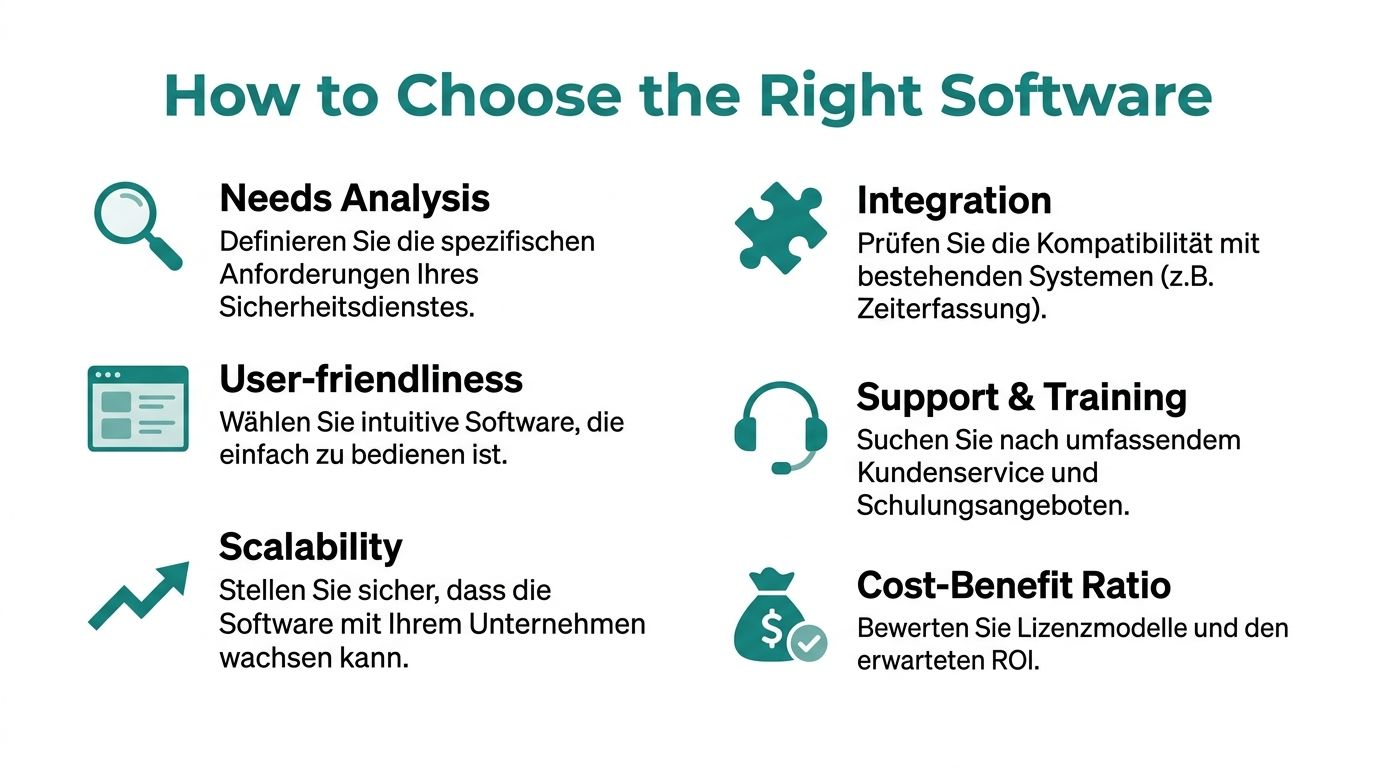
Questions for Your Own Company
Before booking demos, answer these questions honestly:
- Where is the daily pain point? Replacement search, hour approval, or communication with employees?
- Which assignments create the most work? Recurring site protection, event days, on-call, or mixed operations?
- Which data is missing in the schedule? Qualifications, site info, contacts, briefings?
- Who really uses it? Only dispatch or also team leaders, accounting, and employees in the field?
A quick practical picture. If your biggest problem is spontaneous event shifts, you need strong availability queries and mobile feedback. If you have many fixed sites with recurring shifts, a stable planning board with templates and clean time integration matters more.
Questions for the Provider
In the demo, don’t ask what’s possible. Ask how a real stress case is solved.
Useful questions are:
- How do I find a replacement in a few steps for a night shift that fails today?
- How does the system check qualifications and site knowledge?
- How does an employee see a change on their phone?
- How do actual times get into payroll preparation?
- How is it recorded who changed what and when?
If you compare several solutions, a more neutral overview can help. The article on Comparison of Workforce Scheduling Software is useful for sharpening your question list.
Ask the same real workflow in every demo. Otherwise, you only compare sales presentations.
How to Recognize a Good Choice
A usable system doesn’t have to do everything. It must support your operation reliably. A tool like the SafePing Security App can be interesting if you want to check additional safety features for employees working alone or in critical situations. It doesn’t replace dispatch software but shows well how to select additional tools with a clear purpose.
And if you’re looking for a platform that combines scheduling, availability, mobile confirmation, and time tracking in one workflow, job.rocks is a possible option on the market. What matters is not the name but whether the system maps your daily routine without detours.
In the end, this simple test counts: Can a new dispatcher, after a short introduction, fill an open shift, track a swap, and later approve times cleanly? If the answer is no, the software will fail in practice.
Typical Use Cases and Their Direct Benefits
Friday, 4:40 pm. An employee calls in sick, two confirmations are missing for Saturday’s event, and it’s unclear who is currently really available for on-call duty. It’s exactly in such moments that you see whether a scheduling system in security services is useful or if you improvise again with Excel, phone lists, and WhatsApp.
Site Protection with Recurring Shifts
On paper, site protection is simple. The pattern repeats. Early shift, late shift, night shift. In practice, the schedule constantly collapses because of vacations, doctor appointments, absences, and additional client requests.
With usable software, you set up the site once cleanly with shift templates, target staffing, and required qualifications. Then you no longer plan every week from scratch but work from a stable structure. If someone drops out, you search specifically among employees approved for this site and who may still be deployed according to GAV.
The benefit is immediately noticeable. Fewer copy errors. Fewer inquiries. And above all, a schedule that remains readable even after five changes on the same day.
Event Security with Many Open Shifts
At events, the pure number of people is rarely the problem. The problem is the mix. Entrance, backstage, patrol, traffic control, floaters. Then there are last-minute increases because the organizer demands additional positions the night before.
If you manage this in chats and tables, you first lose track of confirmations. Then you lose track of roles. In the end, people stand in the wrong place or on duty without complete assignment info.
A good system clearly separates by function, assignment location, and time window. Open shifts are immediately visible. Feedback lands in one place. Cancellations, swaps, and replacements remain traceable. This not only saves time but prevents operational errors that immediately stand out to the client.
Those who want to map such processes cleanly find good examples for switching from grown ad-hoc processes in the Practical Guide to Digitalizing Scheduling.
On-Call and Alarm Cases
For on-call duty, a nice interface doesn’t matter. What counts is whether in a tense situation it’s clear within minutes who is on duty, who is reachable, and who has the necessary qualification for the assignment.
Old standby lists often fail at a trivial point. They are no longer up to date. Someone swapped shifts, someone is already on assignment, someone exceeds permitted working hours with an additional assignment. This is exactly where a real dispatch solution differs from a pure calendar view.
The direct benefit lies in responsiveness. You see available personnel faster, send assignment info without detours, and simultaneously document who was called up and who took over. This is especially relevant in Switzerland because you must not only dispatch quickly but also be able to document clearly afterwards how the assignment came about.
In on-call duty, speed is important. Even more important is that standby, assignment time, and changes remain traceable later.
Checklist for Implementation in Your Team
The switch rarely works if you just buy software and want to start with it on Monday. In security services, you have to keep operations running while the new way of working is introduced. That’s why a clean start is needed.
How to Proceed Without Operational Chaos
- Record your current workflow. Note how planning, changes, feedback, and hours are handled today. If you skip this, you just transfer old chaos into a new system.
- Clean master data before start. Employee profiles, qualifications, sites, contacts, and standard shifts must be correct. Bad data ruins even good software.
- Start with a small pilot. Take one site or a small team. This way you quickly see where feedback is missing, which info is still missing at the assignment, and how time tracking is accepted in daily work.
- Train briefly and directly. Show dispatchers how to create, change, and approve shifts. Show employees only what they really need. Open app, see shift, confirm, book time.
- Set a binding channel. From the start of the pilot phase, schedule changes run only through the system. Otherwise, you have parallel worlds again.
- Check integration with follow-up processes. If times are to go into payroll preparation later, this process must be tested early.
The Practical Guide to Digitalizing Scheduling is also helpful for operational implementation because it addresses typical stumbling blocks when switching during ongoing operations.
The most important thing is the order. First clean data, then start small, then expand the circle. Not the other way around.
If you want to switch your security service scheduling from Excel, chat, and paper to a clean workflow, check out job.rocks as a tool for scheduling, availability, mobile feedback, and time tracking. This way you can see if your team can manage shifts, changes, and hours in one place instead of spreading them across multiple channels.