
Software Promotions Agency: Your 2026 Guide
Looking for the best software promotions agency? Discover essential features for staff planning, time tracking, and deployment management in 2026.
Next step: compare tools and view the workflow
Start with the fact-checked comparison of the 8 best tools for promotion agencies if you want to compare providers and operating models. Then use the job.rocks promotion staffing workflow to see how promoters, hosts, availability, briefings, time tracking and payroll preparation work together.
Monday morning, 8:07 AM. A client wants a tasting event in two shopping centers and a sampling campaign at a trade show this week. Your team opens Excel, searches old chat histories, calls promoters, and hopes the right people are available. After twenty minutes, nothing is confirmed yet, but already three versions of the deployment list are circulating.
This is exactly where everyday life turns upside down in many agencies. Not because people work poorly, but because the system is missing. Anyone working with distributed teams, short-term assignments, and changing requirements cannot sustainably run their operations on phone calls, spreadsheets, and gut feelings. This is especially noticeable in Switzerland. According to CPM Switzerland, agencies in Switzerland manage over 1.2 million gig economy hours annually, while 90% of existing solutions for a software promotions agency lack integrated shift planning, availability checks, or GDPR-compliant payroll preparation.
You don’t feel this as an abstract market problem but in daily business. A wrong deployment location in a message. A double booking. Missing documents shortly before the event. Timesheets entered retroactively at the end of the month. In the end, not only your back office suffers. Clients immediately notice whether an agency has its processes under control.
Good software for promotions agencies doesn’t turn this chaos into a magic trick. It simply clears the spots where agencies lose time every day. That’s exactly what this article is about. Not pretty feature lists, but how you regain control over planning, communication, time tracking, and billing.
Table of Contents
- Introduction: End the Planning Chaos in Your Agency
- Core Requirements for Promotions Agency Software
- Practical Features That Transform Your Agency’s Daily Work
- How to Find the Right Software for Your Team
- The Financial Benefits for Your Agency in Numbers
- Introducing Your New Software in 4 Steps
Introduction: End the Planning Chaos in Your Agency
If you run a promotions agency, you know this situation. A request comes in late, the client has clear ideas, but your staff pool is scattered across various lists, emails, and messengers. Suddenly someone is searching for a driver’s license, someone else for French skills, and at the same time the back office asks for the last timesheets from the weekend.
The problem is rarely the individual task. The problem is the gap in between. Planning happens in a spreadsheet, feedback comes via WhatsApp, deployment info is sent by email, and time tracking ends up on paper or photos from chat. Each step somehow works. Together, it works poorly.
When Every Request Triggers a Chain Reaction
Take a typical assignment. You need eight promoters for a product campaign in Zurich, two with sales experience, one additionally with a car for material transport. In manual planning, the search begins now. Who was strong last time? Who is free on Saturday? Who has current documents? Who even responded to the last request?
When planners first have to gather information, the problem is not the request but the process.
You know the consequences. Confirmations come late. Good people are overlooked. Less suitable people are booked under time pressure. And if someone cancels the evening before, the whole process starts again.
Why Promotions Agencies Are Especially Vulnerable
An agency with fixed office hours can afford poor processes longer. A promotions agency cannot. You work with changing locations, short lead times, part-time staff, freelancers, and many small agreements. Even one missing availability status costs you time where you should be making decisions.
Added to this is the pressure for clean data. Personnel documents, qualifications, deployment times, and payroll preparation must be correct. As soon as an agency grows, improvisation is no longer enough. Then you need a software promotions agency that holds operations together in daily business.
Rule of thumb: If your team has to ask three times for the same shift, it’s not a lack of willingness. It’s a lack of a clear system.
Core Requirements for Promotions Agency Software
The market is full of tools that look nice and promise a lot in demo calls. In agency daily life, something else counts. The software must cover the spots where your team currently loses time, makes mistakes, or slows down orders. That this is not a niche topic is shown by the economic size of the sector. According to Statista on advertising agencies in Switzerland, companies in Switzerland generated 4.9 billion USD in advertising revenue in 2019.
To avoid being dazzled, you need a clear checklist.
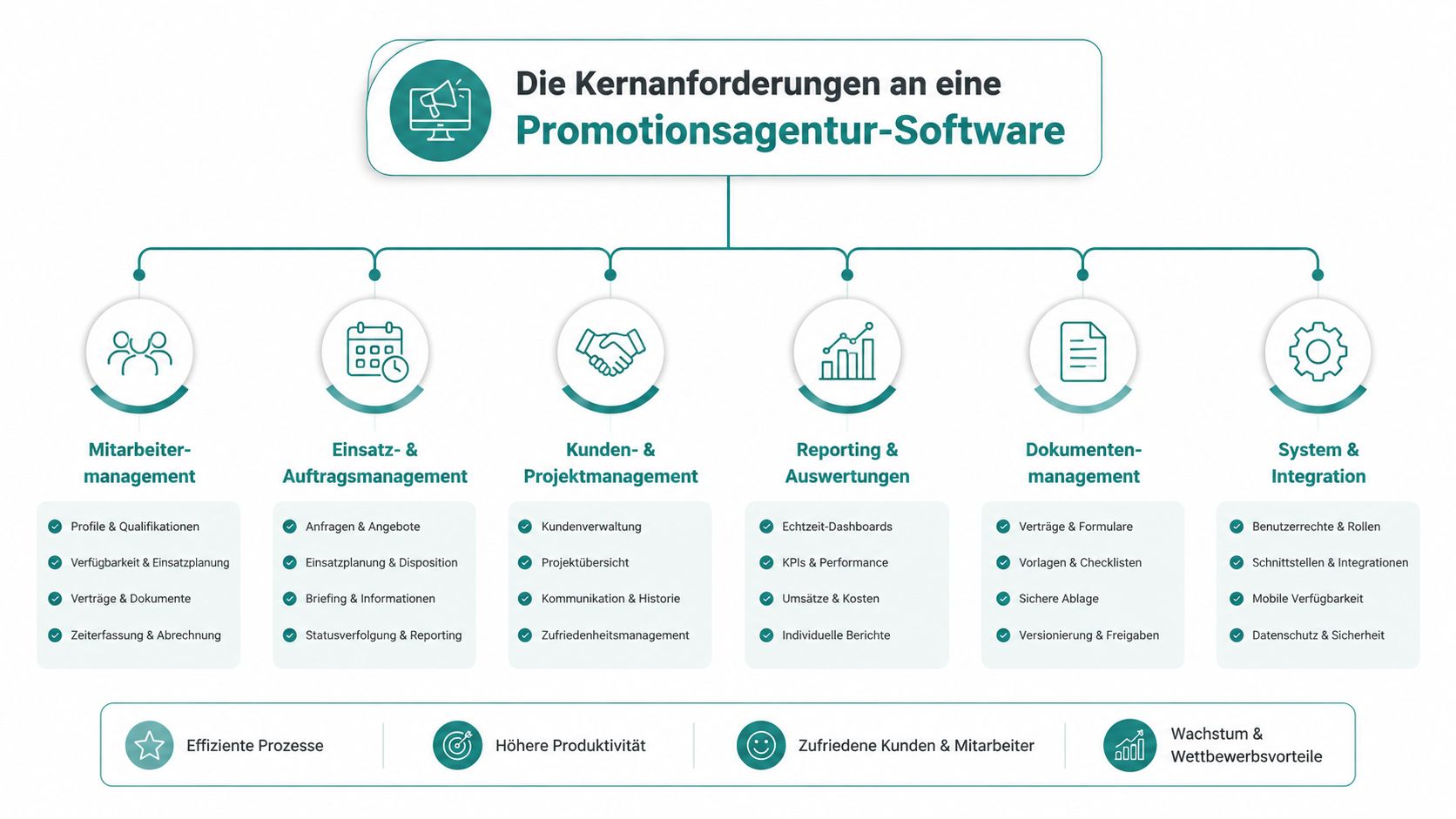
Five Areas That Matter in Daily Operations
First: central personnel management.
You need a clear profile per promoter. Not just name and phone number, but languages, experience, driver’s license, deployment region, documents, and previous assignments. If a client suddenly needs French-speaking staff for Lausanne, no one should have to check old lists first.
Second: shift and deployment planning.
This decides whether your team works quickly or constantly falls behind. Good systems show you immediately who fits and who is free. Poor systems force you to check availability in one place and qualifications in another.
Third: communication with feedback.
Many agencies still send deployment requests broadly and hope for answers. This wastes time and causes misunderstandings. Better is a process where employees accept or decline directly and you see the status without calling back.
A good technical foundation can help here. If you need to connect systems, a secure integration platform is a useful reference, because especially with sensitive personal data, clean handovers between planning, time tracking, and payroll systems matter.
How to Recognize Good Systems Immediately
Fourth: mobile time tracking.
Paper timesheets look harmless until times are missing at month-end or handwritten notes are disputed. For assignments at trade shows, shopping centers, or roadshows, your staff must be able to record times directly on site.
This video offers a quick insight into the topic:
Fifth: data protection and clean handovers.
In a promotions agency, resumes, IDs, deployment data, and payroll information are stored in many places. This does not belong in private chats or loose folder structures. It is also important that the system can connect with other tools. Those interested in data exchange will find a good overview at API integrations and interfaces for personnel systems about what matters when linking planning and follow-up processes.
Don’t buy software just because it can do a lot. Buy it if it eliminates the three worst friction points in your daily work.
Practical Features That Transform Your Agency’s Daily Work
The requirements sound reasonable on paper. In daily life, they show much more directly. Either your team can fill a suitable assignment quickly, or it gets tangled with every request. That’s exactly where useful separates from overloaded.
Swiss field marketing agencies like Promotion-Tools AG combine their own logistics, a large personnel pool, and promoters for tastings, sampling, and event logistics, ensuring direct customer interactions in shopping centers and trade shows. This is a good example of how strongly operational processes depend on access to personnel, material, and timing.
From a Staff List to a Ready-to-Deploy Pool
Imagine a client books a tasting in Bern and demands experienced promoters with a neat appearance, good German skills, and willingness for early shifts. In Excel, you search names. In a clean system, you filter properties.
This sounds small but saves a lot of friction in daily business. The planner immediately sees who is active in the pool, who fits, and who basically appears available. From a data jumble, a working tool emerges.
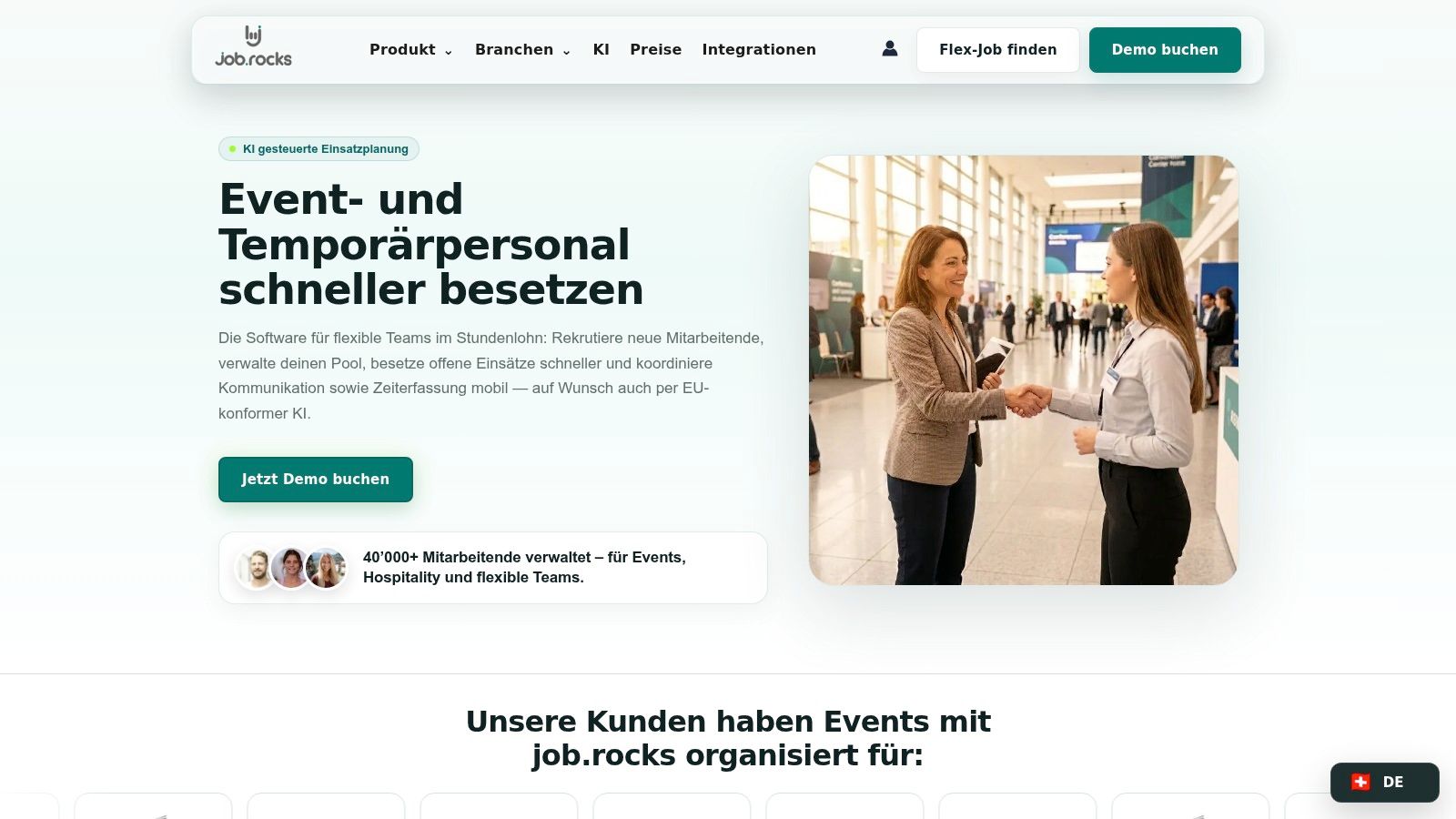
It becomes practical with last-minute changes. A promoter calls in sick in the morning. If availabilities are continuously maintained and qualifications properly stored, your team can request replacements specifically instead of sending a round message to fifty people.
What Really Helps in the Field
In the field, no one needs ten menus. Your staff needs clear information. Where do I have to be, when does the shift start, what is the task, who is my contact person, and how do I record my time? Everything else causes questions.
These features really change the day:
- Self-maintained availabilities: Employees enter free times themselves. This reduces inquiries and keeps planning more current.
- Direct acceptances and declines: You see immediately if a person accepts the assignment. This saves follow-up.
- Mobile time clock: Times are recorded where work is done. This helps later with billing.
- Shift swaps with overview: If someone wants to swap, the process remains visible instead of disappearing in private chats.
If you want to see how such processes are designed for promotion team deployment planning, it’s worth a look at digital promotion deployment planning.
The best feature is not the one with the biggest demo effect. It’s the one your team no longer has to manually rework on Friday evening.
How to Find the Right Software for Your Team
Many agencies choose software like a trade show appearance. Nice interface, pleasant presentation, long feature list. After three weeks, the team realizes half of it doesn’t help in daily life and the simple things remain tedious.
Better is a sober selection. You don’t buy a prestige object. You buy peace of mind in operations.
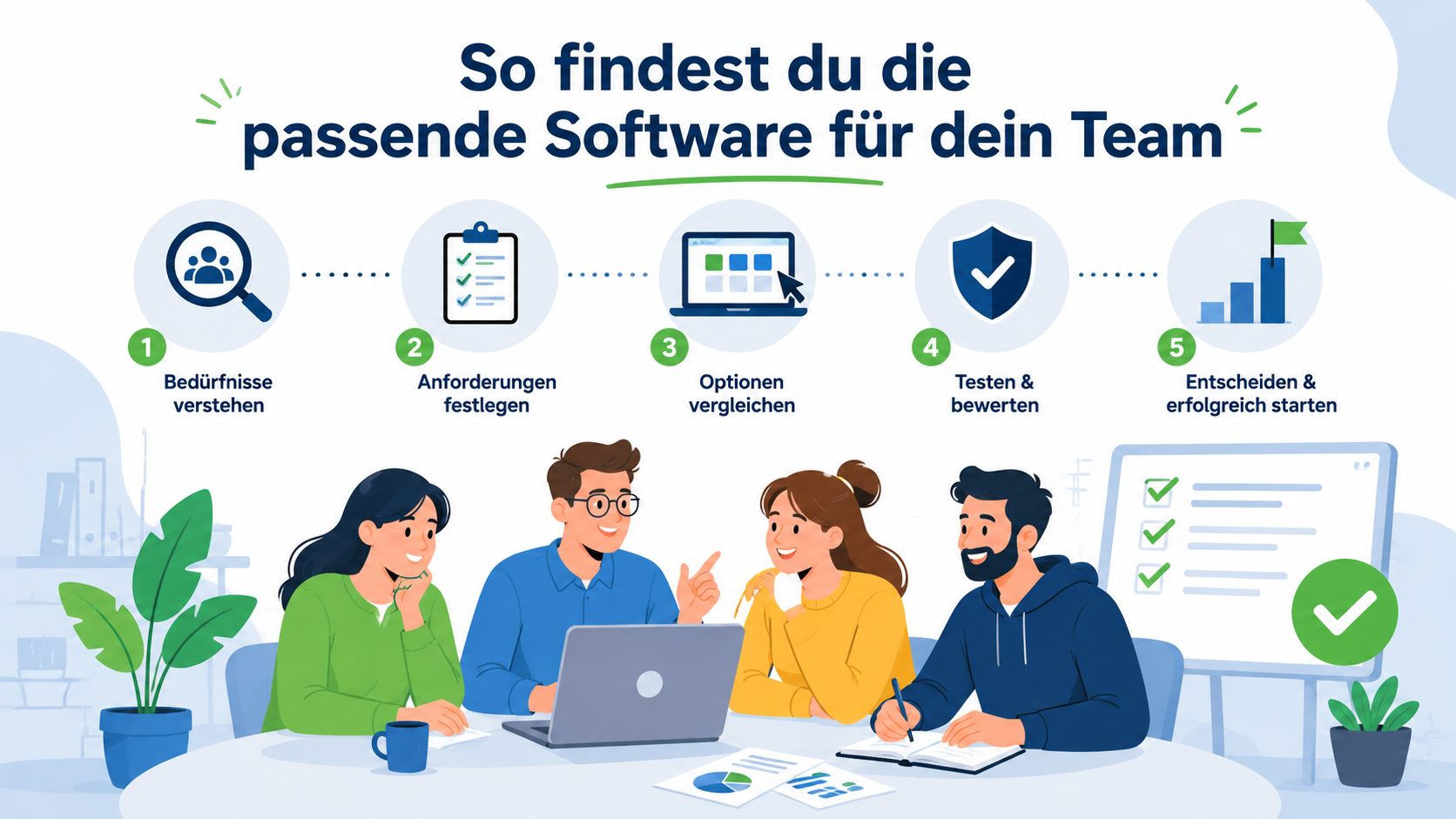
The Pre-Purchase Checklist
Work through the following points rigorously:
- Usability in the field: Don’t let only management click. Let a dispatcher and two promoters test. If the first assignment acceptance already raises questions, adoption in the team will be slow.
- Fit to your model: A small agency with regional assignments needs something different than a nationwide provider with multiple client teams and many parallel campaigns.
- Data protection and hosting: Personnel data belongs in a system with clear responsibilities and secure storage. Ask specifically where data is stored and how access is controlled.
- Connection to existing programs: If your team later transfers deployment data manually to payroll, a large part of the work remains duplicated.
- Pricing model with growth: Don’t just check the starting price. Check what happens when your pool grows, more planners join, or new client segments emerge.
According to swissICT on marketing fees and conditions, marketing agencies with integrated software solutions for web analytics and marketing automation achieve up to 30% lower operating costs and higher scalability. The point behind this is simple for agencies: If your system grows with you, your administrative effort doesn’t increase at the same rate.
Why Selection Rounds Often Fail
Many teams buy too big or too small. Too big means: The system can do everything, but no one likes working with it. Too small means: It solves part of the planning but leaves you back with manual work for time tracking or payroll preparation.
Always include a real assignment in the test. No demo data, no sample case. A real assignment immediately shows if a system holds up.
Also pay attention to support. Not as a marketing promise, but as real help during the implementation phase. When questions arise about permissions, roles, or imports, you need answers, not just a help center.
The Financial Benefits for Your Agency in Numbers
Most agencies think too short-term when buying software. They look at the monthly fee and forget the hidden costs of the old process. These costs don’t appear on a separate invoice. They are in follow-up calls, double work, booking errors, unclear hours, and slow responses to requests.
When you compare the situation before and after system use side by side, the difference becomes visible.
Before and After
| Task | Manual Effort (per week) | Effort with Software (per week) |
|---|---|---|
| Collecting availabilities | high, spread over phone, chat, and email | low, as feedback is consolidated |
| Finding suitable promoters | high, because lists and notes are checked | low, because filters and status help |
| Sending deployment info | medium to high, with many follow-up questions | lower, as info is gathered in one place |
| Checking hours | high, often only after the assignment | lower, as times are recorded directly |
| Payroll preparation | high, because data is gathered together | lower, as hours arrive cleanly prepared |
This table deliberately avoids fictional values. Times vary in every agency. The pattern is always the same: manual processes spread work over many small steps. Software pulls it together in one place.
Those who speed up planning save not only office time. They also respond faster to client requests and fill assignments earlier.
Where Money Is Lost and Where It Comes Back
The direct benefit shows in three areas.
First, personnel costs in the back office. If your dispatch no longer spends half the day searching, reminding, and updating, the team works on more valuable tasks. A good thought starter is this article about reducing personnel costs with digital planning.
Second, errors. Incorrectly recorded hours, unclear surcharges, or double assignments cost money and trust. A system reduces this friction because information doesn’t scatter across five channels.
Third, order opportunities. According to CPM Switzerland on the impact of digital workforce management platforms, event service providers and agencies can generate up to 70% more customer contacts and simultaneously increase brand awareness by an average of 70% through such platforms. For you, this means in daily life: when planning and personnel management run smoothly, you can handle more requests cleanly and deliver stronger assignments.
The financial benefit thus comes not only from less effort. It also comes from more ability to act. That is exactly what makes good software promotions agency economically interesting.
Introducing Your New Software in 4 Steps
Selection is only half the battle. If you handle implementation poorly, even a good system ends up next to Excel, chat, and paper. That’s why a clear process pays off.
Step by Step Instead of a Rush Job
1. Honestly review old processes
Take a normal assignment and follow it from client briefing to payroll preparation. Where do questions arise, where is data recorded twice, where does everything depend on one person? Exactly these points must go into the new system first.
2. Start with a small team
Don’t start immediately with the whole agency. Take a client team or a regional area. There your team quickly sees what is still missing without the entire operation being changed at once.
3. Cleanly transfer data and clarify roles
Don’t just import every legacy burden. Clean profiles, qualifications, documents, and old status information. Also define who may plan, approve, and check. Otherwise, chaos just moves into a new tool.
4. Announce rollout clearly
Communicate a binding start date. From then on, deployment requests, acceptances, and times run through the new system. Stay close in the first weeks, answer questions quickly, and keep exceptions minimal.
A calm rollout beats a big restart. Teams accept new processes more easily when the first assignment runs smoothly.
If you want to switch your agency’s daily work from Excel, chat, and manual rework to a clear process, it’s worth a look at job.rocks. The platform supports you with availabilities, deployment planning, time tracking, and payroll preparation in one connected system. Exactly where promotions agencies lose the most time in daily business.
Meta Description:
Want to get rid of planning chaos in your promotions agency? Learn how the right software can noticeably ease your daily work with deployment planning, time tracking, and payroll preparation.