
Roster Software Switzerland: Your optimal plan for 2026
Are you looking for roster software for Switzerland? Find out what you really need to pay attention to when it comes to labor law, data protection, wage binding, qualification management and flexible employee pools - with practical examples from gastronomy, events, care and logistics.
If you want to compare specific providers and selection criteria, use the current Swiss shift-planning software comparison.
Translate the following HTML fragment from German into en. Preserve all HTML tags, attributes, links, image paths, tables and iframes. Translate only visible text.At the end of the month you're sitting in front of three open files, a WhatsApp chat full of availabilities and a mailbox with holiday requests, sick notes and shift swap requests. On paper, the plan is almost finished. In practice, half the truth is still missing.
It's exactly at this point that Excel goes from “it's okay” to “costing you nerves every month”. Not because a table is bad. But because Swiss rostering is more than just filling boxes. You have to document working hours clearly, keep an eye on rest times, set authorizations properly, track changes and finally add the hours to payroll without losing data or surcharges along the way.
If you plan in catering, events, care, security, cleaning or logistics, you know the pattern. The roster lives every day. People cancel at short notice, assignments are postponed, additional shifts are added, someone is only allowed to take on a task with certain qualifications, someone else only speaks French for the assignment. That's exactly why you need duty roster software Switzerland that not only looks pretty, but also wears in everyday life.
Briefly explained: Roster Software Switzerland
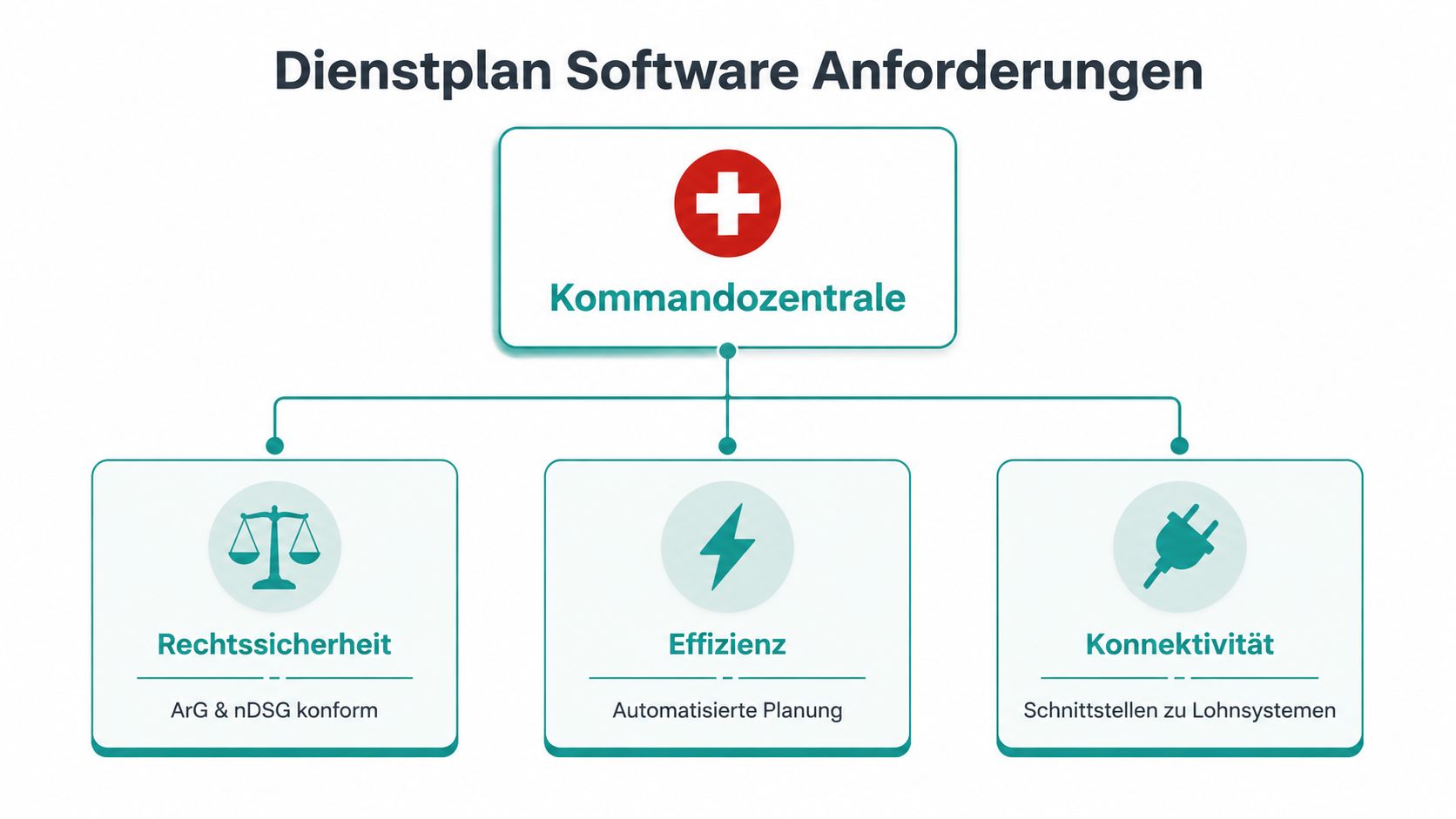
A roster software for Swiss companies combines shift planning, qualification management, mobile time recording and wage preparation in one system.
Crucial for the selection: Swiss working time rules (ArG) must be checked in the system, the wage connection to Abacus, Proffix or Sage must work without manual double maintenance, and the tool must reflect flexible employee pools as well as fixed teams.
Quick check: If you plan more than 15 employees, manage temporary workers or pools, or transfer times manually into the payroll system → you need roster software.
Read more: Staff planning software at a glance · Personnel planning tool comparison · Time recording app Switzerland
Why Excel is no longer sufficient for duty scheduling
Excel rarely fails on the first draft. The first plan for the week is often made quickly. The problem starts after that. An employee calls in sick, a temporary cook steps in, two service people want to swap and the night supplement has to be correct later.
Then a table becomes a patchwork. Versions travel through the team via email, chat or screenshot. In the end, no one knows for sure which file is valid.
Where Excel falls apart in everyday life
Excel can still work for small teams with very stable working hours. But as soon as you work with changing availability, multiple locations or short-term assignments, you lose control. You can see shifts, but not automatically whether the planning fits the rules in your company.
You probably know typical consequences:
- Changes are lost: Someone is working with an old version of the plan.
- Dependencies are missing: The table does not know who has which qualifications.
- Wage data must be entered manually: Hours, bonuses and absences will later end up in a second list.
- Communication falls apart: Commitments come through multiple channels and no one is on the same page.
If you still work with templates, it's worth taking a look at this article on Excel shift schedules and their limits in everyday life.
A table shows you what you have entered. Good software checks what you shouldn't enter.
What a modern solution in Switzerland must cover
Translate the following HTML fragment from German into en. Preserve all HTML tags, attributes, links, image paths, tables and iframes. Translate only visible text.A usable duty roster software Switzerland is not a digital wall calendar. It must connect your planning with working time rules, time recording, role rights and wage preparation. In Switzerland in particular, it is not enough to just distribute shifts. You need a clean line from deployment to billing.
Pay attention to four things when it comes to basic equipment:
- Planning with rules instead of free manual work
- Employee app for availability, shift acceptance and exchange
- clean time recording directly on site
- Data transfer to payroll accounting without double maintenance
If you leave these points out, you are just shifting the work. Then you plan digitally, but correct analogue. This won't save you anything.
What duty roster software in Switzerland must be able to do
You can't recognize a good solution from long lists of functions. You can recognize her by whether she stays calm during a stressful week. If there are three more failures on Friday afternoon, the system has to help you, not slow you down.
The Swiss roster software world is, according to Staircase, geared towards cloud-based and GDPR-compliant solutions. The switch from manual Excel systems to automated, compliance-secure platforms is also described there. For you this means one thing above all in everyday life. The software has to think for itself.
Qualifications must be visible in the plan
Let's take a Spitex organization. You need employees with appropriate training for certain assignments. A free slot is of no use to you if the person is not technically allowed to be used. It's similar in an event company. You need different staff for entry than for setting up and dismantling or in the VIP area.
The software should therefore not only display free people, but also suitable people. So filter by qualification, language, location, function and availability. Otherwise you'll just shift the search effort from the list to your head.
Mobile communication doesn't just save time later
Many tools promise app access. What matters is what the app can really do. In a usable solution, employees report their availability, see changes to plans immediately, confirm assignments and request vacations or absences.
In a promotion agency this is worth its weight in gold. You are looking for staff with French skills to work in Lausanne. Instead of calling ten people individually, you send an appropriate invitation to the right group. Anyone who accepts is immediately visible in the system. It's not just faster. It also reduces the risk of promises being lost in chat.
Practical rule: If your team leader still has to open the phone, email and chat for a shift swap, the software is not ready.
Rules must take effect before errors
The most common mistake when making a selection is this: Many people first check whether a tool creates nice plans. What is more important is whether it prevents errors. A duty roster is of little use to you if you then have to manually check rest times, overtime or incorrect staffing.
This is what you should pay attention to during the demo:
- Rule check in the planning window: Does the tool warn immediately about inappropriate operations?
- Roles and permissions: Does every manager only see their team?
- Multilingualism: Can employees in DE, FR or IT get along without questions?
- Change log: Can you see later who changed what? Translate the following HTML fragment from German into en. Preserve all HTML tags, attributes, links, image paths, tables and iframes. Translate only visible text.
A calendar is not enough
Especially in Switzerland, the command center is only useful if planning, times and wage preparation are linked. This applies to a hotel with fixed shifts as well as to a security service with many temporary workers. If shifts are planned, times are recorded and surcharges are built again later by hand, most of the work remains with you.
That's why you should test every software with a simple sample. Plan a normal month. Include short-term outages. Have two layers swapped. Then export the times for payroll. There you will see whether the system was built for everyday use or just for the demo.
The most important functions for your everyday work
There are features that sound good in sales. And there are functions that have your back on Sunday evenings. You should look at the second group.
Qualification-based planning
A large catering event is a good example. You don’t just need “ten people service.” You need a person to manage operations, someone with permission to drive the delivery truck, people to set up, clear up and serve the food. In addition, there are language skills, dress code, location and availability.
If the software manages qualifications properly, you can plan the requirements first in terms of subject matter and then in terms of personnel. This is the right way. Otherwise you will only fill gaps superficially and only notice the error on the day of use.
A clean solution should be able to do the following:
- Store role profiles: for example, chef de service, nursing specialist, security with certificate
- Filter employees accordingly: only suitable people appear in the selection
- Make the process of proof visible: for example when an ID card needs to be renewed
- Consider operational rules: for example, only certain teams for sensitive operations
Mobile time recording on site
Time recording is strong where it meets reality. In events, cleaning, logistics or security, work does not start at the office terminal, but outside. The app must therefore work on mobile devices and, ideally, also check the location.
This prevents the usual discussions. Who started when. Who forgot the break? Who was already there? If your team works on the go, a location-based app is much closer to reality than a timesheet entered after the fact.
Self-service relieves the burden on scheduling
Self-service sounds like a convenience function. In fact, above all, it saves you questions. Employees see their assignments themselves, report absences, enter availabilities and can swap shifts according to your rules.
This changes the role of planning. You no longer organize every little thing by hand, but rather set the framework. The software enforces it.
A good shift swap doesn't happen via "Can you just a moment?", but rather via clear rules in the system.
What counts in practical terms when working at maximum working hours
Working time rules often only become visible in everyday life when something goes wrong. This is exactly where software helps. When planning manually, you often only notice a violation later. Then the shift has already ended, the load was too high and you have to clear up the error in the evaluation.
With AI-supported roster software, according to plano WFM, complex shift models are automated taking the ArG into account. It also describes that manual planning leads to overload and 10 to 15% failures, while automation reduces administration costs by up to 70% and reduces payroll errors to less than 0.5%.
Translate the following HTML fragment from German into en. Preserve all HTML tags, attributes, links, image paths, tables and iframes. Translate only visible text.For your everyday life, this does not mean that every software automatically plans well. It just means: The system should check rules beforehand instead of reporting errors afterwards.
What really saves work
Not every function provides the same benefit. These four usually save time first:
| Function | Why it counts in everyday life |
|---|---|
| Live availability | You plan with current commitments instead of old lists |
| Automatic notifications | Plan changes reach the affected people directly |
| Time release before payroll run | You check hours centrally before they move on |
| Changelog | Queries can be clearly understood |
If you have to choose between “more features” and “less rework”, always choose the second. In business, the nicer tool almost never wins. The winner is the one where you don't have to collect anything at the end of the month.
Legal stumbling blocks in labor law and data protection
Anyone who only checks labor law and data protection after the software has been introduced often creates an expensive subsequent problem. Then the interface may be fine, but the rework begins when it comes to rest times, access rights, surcharges or data transfer to payroll accounting.
Labor law must be part of the system
In the Swiss company you always plan within clear boundaries. Rest times, maximum working hours, night and Sunday work, break regulations, internal approvals and, depending on the industry, additional requirements apply at the same time. With fixed teams, this is quite demanding. With temporary workers, spring pools or gig workers available at short notice, things quickly become confusing.
This is exactly where usable software separates from a pretty planning mask. The system must indicate rule violations before publication and not only during evaluation. Even better is a logic that doesn't even offer invalid combinations for selection.
I always pay attention to a simple practical test in demos: Can a flexible employee pool be managed in such a way that availability, qualifications, operational limits and rest times are checked at the same time? If the answer only works properly for core teams, everyday life becomes difficult. Especially in catering, care, events, logistics or promotion, it is often not the standard shifts, but the spontaneous assignments that have legal implications.
Errors often arise at the interface
Many legal problems do not start with the planning itself, but between planning, time recording and wages. If an assignment is postponed, a break is corrected or a surcharge is added manually, this change must continue consistently. Otherwise there will be something different in the roster than in the time balance or on the payroll.
In Switzerland, this doesn't just affect full-time teams. Flexible employee pools bring additional risks. Different contract types, hourly wages, functions, locations and surcharges must be clearly distinguished. If the software technically treats temporary workers like normal monthly wage employees, errors arise almost automatically.
Therefore, the check should be very specific early on: What rules apply per employee group? Which surcharges are managed and how? What approvals are needed before times can go into wage preparation? Anyone who gives an evasive answer here is just moving the problem to the month-end closing.
Data protection is determined by roles, protocols and data flow
No general statements about the cloud help with data protection. The decisive factor is whether you can properly limit access within the company. A branch management needs different insights than HR. A department manager is often only supposed to see their own teams. With external temporary workers or gig assignments, this becomes even more tricky because availability, contact details, qualifications and deployment histories come together.
Translate the following HTML fragment from German into en. Preserve all HTML tags, attributes, links, image paths, tables and iframes. Translate only visible text.Pay attention to these points when making your selection:
- Role rights: Access must be limited by function, location or team.
- Change protocols: Plan and time changes must remain traceable.
- Data storage: The provider should clearly state where data is located and how access is protected.
- Deletion and export processes: Resignations, pool employees and temporary assignments must not leave data shadows in old lists.
- Approval processes: Who confirms, corrects or transfers times to payroll must be clearly regulated.
For checking such points, this article on GDPR-compliant deployment planning and secure cloud platforms is helpful.
One final point is often underestimated: data protection and salary connection are linked. As soon as personnel data, time data, bonuses and absences flow between systems, you need clear rights, clean protocols and as few manual intermediate steps as possible. Otherwise you not only have a data protection issue, but also a dispute over hours and wages.
The crucial connection to payroll accounting and time recording
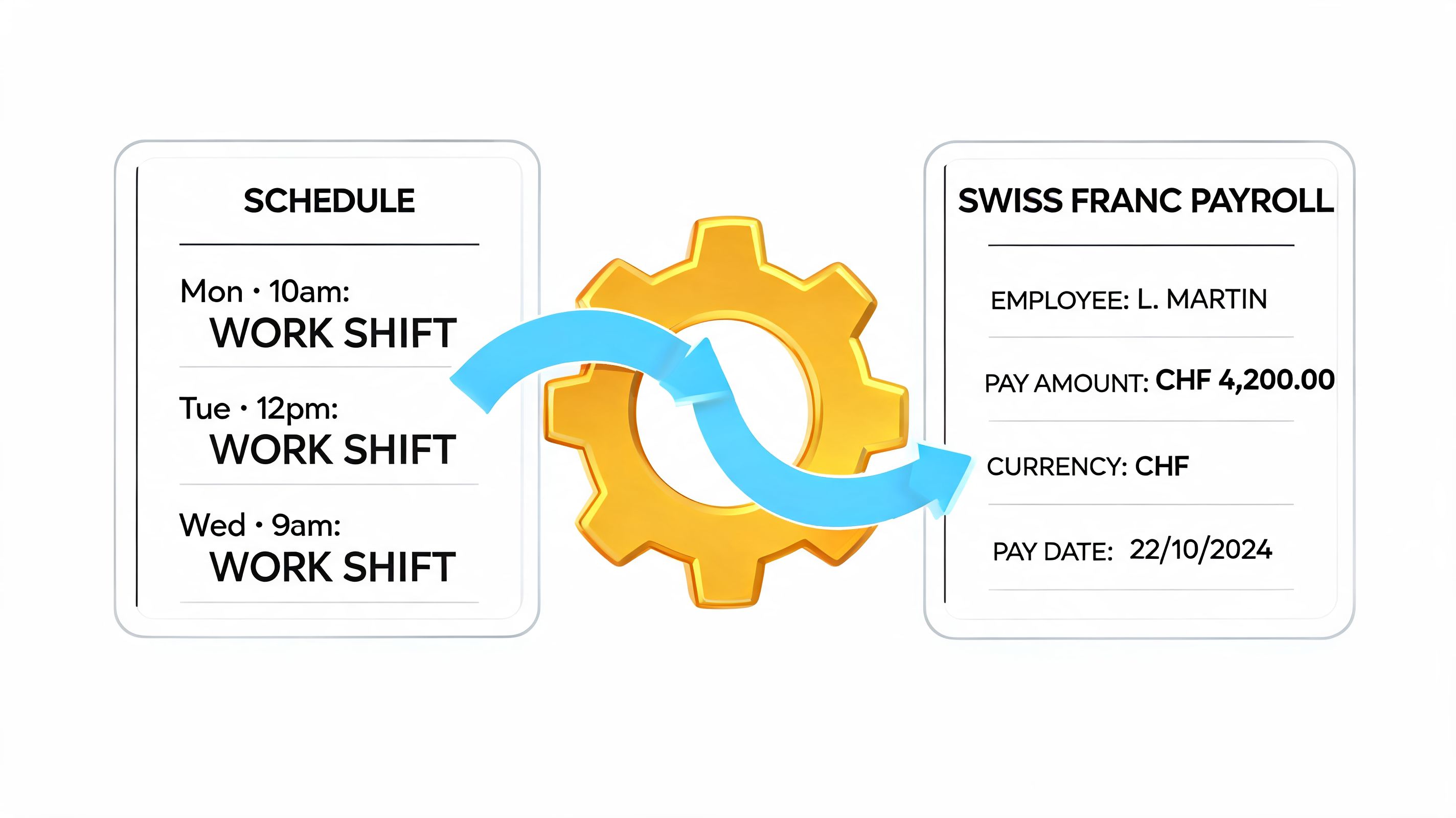
A duty roster is only ready when the hours worked without additional work end up in wage preparation. Everything before that is just preparatory work. Especially in Swiss companies with night work, Sundays, bonuses, temporary jobs and changing locations, clean software is separated from a nice planning interface.
The right question is not whether, but how
Almost every provider says their system can export times. That alone doesn't do much for you. What matters is how much rework remains between release and the payroll run.
Ask yourself these questions at every demo:
-
Which Swiss wage systems are directly connected?
If you work with Abacus, Proffix, Sage or another system, you don't need "it's probably possible", but rather a clear statement. -
What data really goes with you?
Just hours are not enough. Depending on the company, you may also need surcharges, breaks, absences, functions or cost centers. -
Where does the release happen?
Ideally, you check and confirm times centrally before they go into wage preparation. -
What happens when corrections are made?
A good process documents changes cleanly and does not simply overwrite the old status.
The checklist for your selection
When you compare software, don't work with general impressions. Go through point by point.
| Criteria | Question you should ask |
|---|---|
| Time recording | Can employees clock in and out on the go, even on the move? |
| Pay transfer | Are released hours passed on without manual double maintenance? |
| Surcharges | Can night, weekend or special times be marked correctly? |
| Correction process | Is it visible who changed or approved times? |
| System connection | Does the software fit your existing payroll program? |
If you want to accurately record mobile time data, take a look at how a time recording app is used in everyday life in Switzerland.
What is often missing from the demonstration
Providers often show the beautiful part. Drag layers, change colors, assign people. Request the monthly closing in the demo. Let us show you how target and actual times are checked, how corrections are made and what the handover to the payroll side looks like.
The difference is huge. Good planning without good handoff may save you some coordination. A good handover saves you real rework every month.
A quick look at typical processes in practice also helps to classify:
How you can recognize clean connections
A useful solution combines three levels. Planned shift, recorded working hours, released wage data. If one of them runs separately, you have to check, transfer or correct.
GeoCon roster is, according to Verasoft, one of the leading solutions in Europe with over 3,000 licenses for more than 250,000 employees. It also describes that optional interfaces are available for direct connection to payroll and time recording. For your selection this simply means: Don't take interfaces as an addition, but rather as a mandatory item.
Choose the right software for your company
The market is full of tools that seem similar at first glance. In practice, however, the same solution rarely fits equally well with an event agency, a care company and a hotel. You have to start from your everyday life, not from the product brochure.
An example from an event agency
Let's take an agency with lots of hostesses, promoters and short-term assignments. The team does not only consist of permanent employees. Some work on a project-by-project basis, many are only available on individual days, some only speak German, others also French or Italian.
With unsuitable software, things can quickly go wrong. Availabilities come in late, invitations go to the wrong people, qualifications are not maintained and in the end the dispatcher has to pick up the phone again.
With a suitable solution, the same process runs differently. The agency maintains roles and skills cleanly in the system, collects availability queries, only invites suitable people and sees confirmations directly in the order. It is precisely in such scenarios that job.rocks can be a suitable option because the platform is geared towards flexible employee pools, availability queries, shift planning, time recording and wage preparation. For a company with many project-related uses, this is closer to reality than a rigid standard tool.
Don't just test the planning, test the operation
Don't just let the team leader click in the demo. Get two or three employees who will actually work with it later. One should report availability, one should request a shift swap, one should record times on the move. Then you can quickly see whether the operation is effective or whether the system was only built for admins.
Pay attention to three things:
- Does the team understand the app without explanation?
- Does a change in plans arrive immediately and clearly?
- Can a normal special case be represented without detours?
The best test question is not “What functions does the tool have?” but “What happens if there is a short-term failure on Saturday?”
Your selection in a compact table
| Criteria | What you should pay attention to | Importance |
|---|---|---|
|
Translate the following HTML fragment from German into en. Preserve all HTML tags, attributes, links, image paths, tables and iframes. Translate only visible text.
Industry fit |
Is the tool suitable for events, catering, care, security or logistics? | High |
| Wage connection | Is there a usable handover to your existing payroll system? | High |
| Mobile use | Can employees easily edit availabilities, assignments and times via the app? | High |
| Rule check | Does the system check working times, rest times and staffing directly in the plan? | High |
| Qualifications | Can certificates, roles and language skills be stored? | High |
| Support | If you have problems, can you reach someone who understands your day-to-day operations? | Medium |
| Cost model | Are modules, user numbers and additional functions clearly stated? | Medium |
| Optics | Is the interface neat and understandable? | Low |
If you carefully check these points before making a decision, you are not buying software, but rather a functioning process.
Use examples for flexible teams and industries
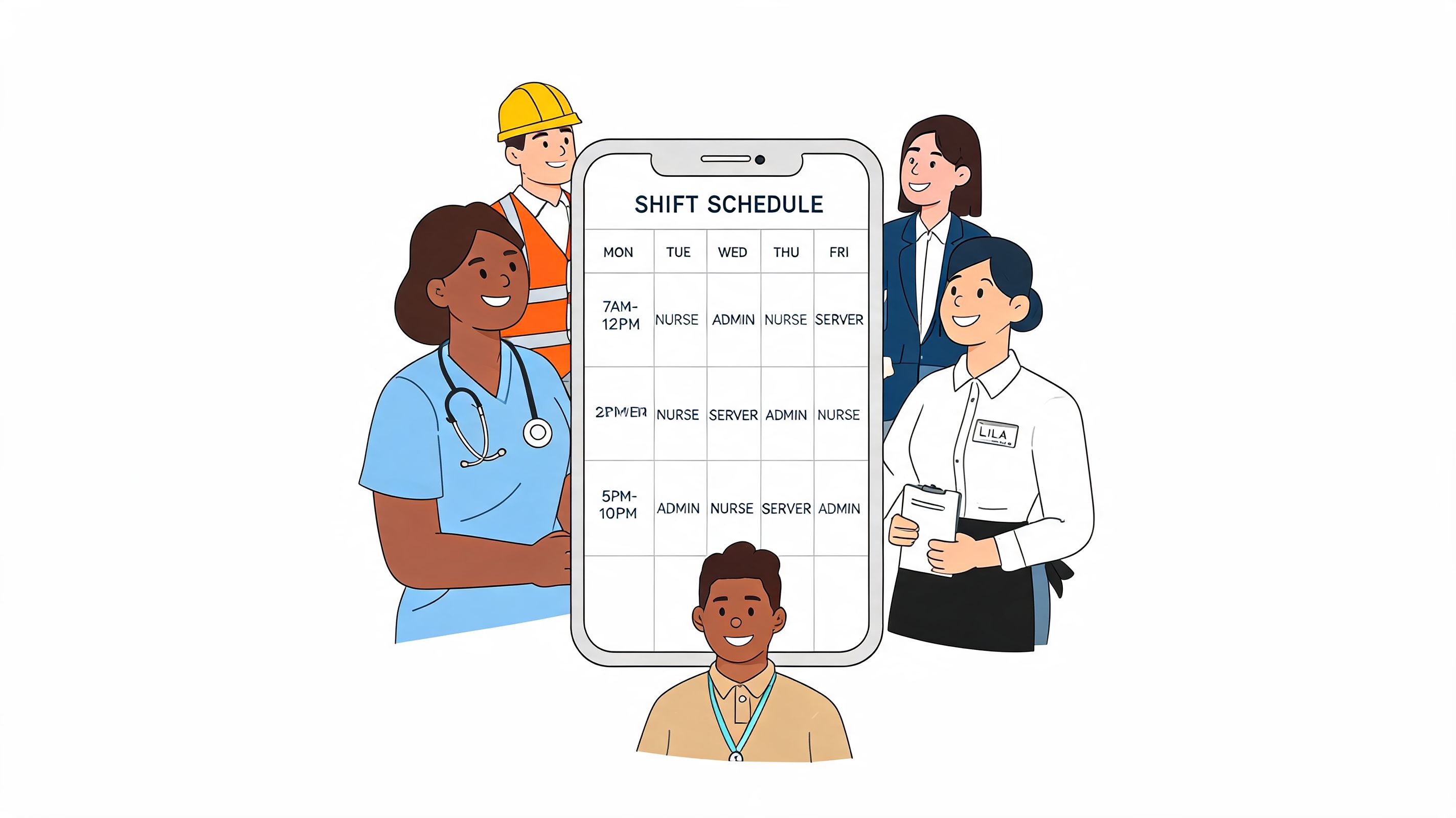
Flexible teams need different tools than rigid shift models. This is one of the points that is neglected in many comparisons. Anyone who works with freelancer pools, temporary workers or seasonal peaks doesn't just plan shifts. He organizes availability, suitability and speed.
SECO data from Q1 2026 shows a 35% increase in temporary jobs in Switzerland, according to Atoss. At the same time, only 8% of traditional roster tools offer features such as skill matching or automated invitations that are necessary for such flexible pools. This is exactly why many standard solutions fail in the everyday life of agencies or seasonal businesses.
Promotion agency
You have a pool with many promoters. For an event in Geneva you need people with French knowledge, available on two specific days and with experience in sampling. The right software pre-filters the pool, sends invitations to suitable people and shows confirmations directly in the order.
Your decision-making aid: If the tool can only do fixed shift schedules, it doesn't fit.
Hotel and gastronomy
A larger banquet is coming in at short notice. You need additional service staff, but only people who are still within the permitted working hours that day. The software should give open shifts to the appropriate internal pool and sort out problematic occupations.
Your decision-making aid: If you cannot advertise shifts specifically, you will lose a lot of time during peaks.
Security service
An order requires personnel with specific training and clear working hours. If someone is unavailable at short notice, you have to find a replacement who is not only free but also approved. A good solution checks qualifications and availability together.
Your decision-making aid: If certificates are only in free text, the search will be slow in an emergency.
Logistics and cleaning
The location often counts here. Anyone who works mobile should be able to record times directly on site. When planning, you often need a clear overview of changing locations and teams.
Your decision-making aid: If the mobile use of the tool seems like a special case, the software is not suitable for your company.
Further articles
-
Translate the following HTML fragment from German into en. Preserve all HTML tags, attributes, links, image paths, tables and iframes. Translate only visible text.
Employment planning software: functions, providers and selection
- Human resources planning software 2026: comparison and recommendations
- Software for personnel service providers: The best solutions
- Time recording app Switzerland: mobile, legally secure, practical
- Create Excel shift plan: templates and limits
Frequently asked questions about roster software
Isn't Excel enough for a small business?
If your team is very small, working hours almost never change and you don't need a clean handover to the payroll side, Excel may be sufficient temporarily. As soon as availability, temporary help, multiple roles or short-term changes are added, the table quickly becomes a source of errors.
What is the most common selection error among Swiss companies?
Many people look at the planning view first. More important are salary links, time recording, role rights and the question of how well flexible employee pools can be managed. This is exactly where most of the additional work will be done later.
Does the software have to be built specifically for Switzerland?
It must at least clearly reflect Swiss requirements. This includes working time rules, data protection, multilingual use and a useful connection to common wage processes in the company.
Do employees absolutely need an app?
Not always for permanent office teams. Almost always for events, catering, care, security, cleaning or logistics. Without an app, availabilities, changes and time bookings end up in chats, emails or paper lists.
What is the best way to check a provider?
Don't let someone show you a sample plan, but rather a real process. Report availability, assign deployment, swap shifts, record time, release it and transfer it to wage preparation. If it's bumpy in the demo, it won't get any better in everyday life.
Sources and framework conditions checked: May 2026. Reliable sources of supply: SECO, Fedlex (ArG), Staircase, plano WFM, Verasoft.
If you are planning flexible teams and are looking for a solution that combines shift planning, mobile time recording and wage preparation for personnel service providers in one process, take a look at job.rocks. Start with a free demo and see how your day-to-day operations can be mapped.