
How to find the right temporary staffing management software
What is temporary employment management software actually? Imagine you are organizing a large festival and have to coordinate a hundred helpers for dozens of different shifts at short notice. A temporary employment management software is exactly the digital control center that does this for you - from the first…
What is temporary employment management software actually? Imagine you are organizing a large festival and have to coordinate a hundred helpers for dozens of different shifts at short notice. One Temporary employment management software is exactly the digital control center that does this for you – from the initial personnel planning to the final billing. It's so much more than just a souped-up calendar.
Your guide through the chaos of personnel planning
Think of a large event agency that manages countless events every month with hundreds of temporary employees. This used to mean an inscrutable thicket of Excel lists, endless telephone chains and the constant worry of double bookings or forgotten shifts. Fortunately, today the reality is different.
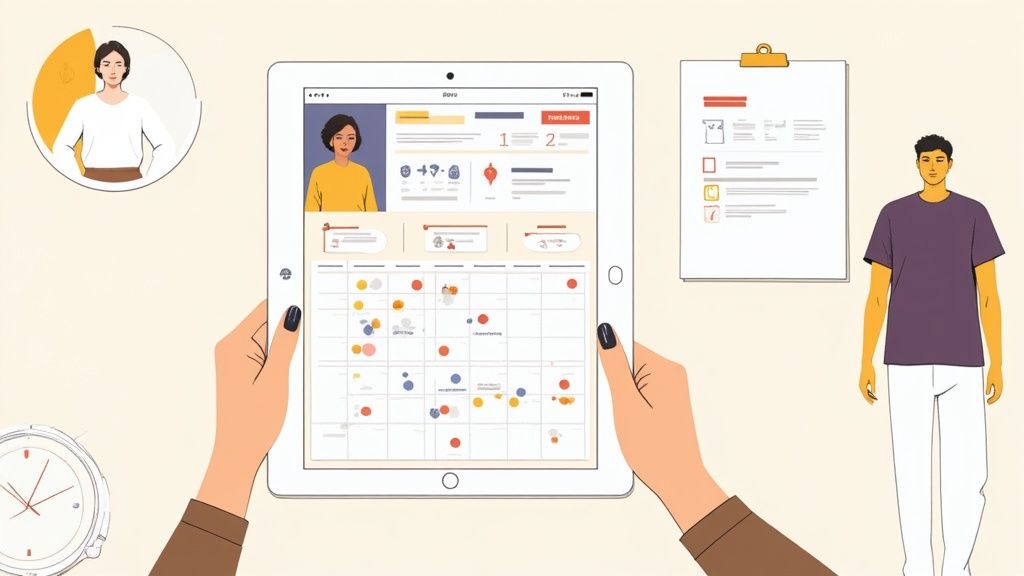
One Temporary employment management software bundles all important information in a central location that is accessible to everyone. Think of it as your command center for controlling your entire flexible workforce pool.
More than just a planner
What distinguishes such software from a simple online calendar? It's the smart features that really make your life easier. Not only do you see who when works, but also, what qualifications brings this person with you. Do you need a mixology certified bartender for a VIP event? One click, one filter, done.
Good software is like having an experienced dispatcher who works for you around the clock. She knows your people, their skills and availability and makes the best possible suggestions based on this.
The software helps you to exclude typical sources of error from the outset.
- No more double bookings: The system immediately raises an alarm if you try to schedule an employee for two overlapping shifts.
- Comply with rules and laws: Statutory working and break times are automatically monitored. You will receive a warning if planning violates applicable law.
- Transparent communication: Everyone involved – from dispatchers to employees to customers – has access to the information that is important to them, usually directly via a mobile app.
A practical example from the catering industry
A restaurant owner is faced with a typical problem: an unexpected number of reservations have been received for the coming weekend and he urgently needs additional service staff. Instead of making frantic calls, he opens his Temporary employment management software.
He creates an open shift request with the exact requirements. The software automatically sends this request to all available and qualified service personnel in its pool. Within minutes, the first employees report back via their app and apply for the shift. The restaurant owner selects the right candidates and the deployment plan is set - without a single call.
This simple process shows how such software bridges the gap between acute needs and available workers. It makes coordination faster, clearer and, above all, significantly less prone to errors. If you want to delve deeper into how different tools simplify workforce planning, see our article onOperations planning software further information. It's about taking back control and focusing on what matters instead of getting lost in administrative details.
The central functions for your personnel planning
A good one Temporary employment management software is like a Swiss Army knife for your personnel scheduling. It puts all the specialized tools you need in one place - so you can plan faster, more accurately and with far fewer headaches. Let's take a look at the most important building blocks that will fundamentally change your everyday working life.
The central employee database
Imagine having every piece of information about your employees digitally accessible in a single place. This is the foundation on which everything is built.
Not only names and contact details end up in this central database. Here you can easily store important documents such as employment contracts, certificates or ID cards. But the real gold is the cleanly maintained ones Qualifications and availability.
A small example from everyday life: A dispatcher in a hospital network receives an urgent request for the night shift in the intensive care unit. She needs a nurse with very specific additional training for ventilators. Instead of laboriously poring through Excel lists, she simply filters in the software by “certificate ventilator” and “available tonight”. In seconds she has a list of the perfect candidates in front of her.
Automated and intelligent deployment planning
As soon as you have found the right people, it's time to get down to business: the actual planning. Modern software relieves you of much of the thinking work. She not only checks whether someone has time, but also thinks actively.
Smart planning software is your co-pilot. Not only does she suggest to you, who could work, but also, like the deployment plan looks the smartest to avoid idle time and unnecessary costs.
What constitutes these intelligent functions?
- Rules-based suggestions: The system knows the legal working time regulations, break regulations and industry-specific collective bargaining agreements (GAV) and takes them into account automatically.
- Travel time calculation: When working in different locations, the software can calculate the routes and suggest the employee who can get there quickest. Practical, right?
- Conflict check: Double bookings or scheduling during already registered holidays? Belonging to the past. The system blocks this automatically.
This type of automation is worth its weight in gold, especially in markets with a shortage of skilled workers. Let's take the Swiss labor market for IT specialists: There will be enormous bottlenecks in 2025. A report by Michael Page showed that 52 percent of Swiss companieshad difficulty filling vacancies. Under such conditions, you need tools that make perfect use of your existing staff.
Mobile time recording and digital confirmation
The days of illegible paper timesheets that are constantly lost are finally over. With a mobile app, your employees can stamp their working hours directly on their smartphone – exactly to the second at the start and end of their assignment.
The best thing about it: The customer can digitally sign the hours worked directly in the app. This immediate confirmation creates absolute transparency and ends later discussions about the billed hours. The data flows into the system in real time.
Seamless billing and payroll preparation
All hours recorded digitally and confirmed by the customer are the perfect basis for the next step. The software automatically prepares invoices for your customers and payroll for your employees.
Complex supplements for night work, weekend work or overtime are calculated error-free and automatically. This reduces the manual error rate to almost zero and saves your accounting an enormous amount of time. You simply export the finished data sets with a click and transfer them to your payroll program. You can find more details about the optimal disposition in our article about Software for temporary work scheduling.
How to stay legally on the safe side
A modern one Temporary employment management software is so much more than a simple planning tool. It is your digital shield that helps you navigate the jungle of complex legal requirements and protect your company from expensive mistakes and fines.
Honestly, manually monitoring laws and contracts is not only extremely time-consuming, it is also a ticking time bomb. A small error in calculating surcharges, an overlooked data protection deadline - and there are legal consequences. This is exactly where the software becomes your most reliable partner.
Data protection under GDPR under control
Managing employee data is a minefield. The General Data Protection Regulation (GDPR) provides crystal clear guidelines on how personal information is to be handled. Good software will help you systematically meet these requirements without waking up in a sweat every night.
Imagine having to guarantee that only authorized dispatchers have access to your temporary employees’ payroll data or sick notes. Software solves this elegantly detailed role and rights system. With just a few clicks you can determine who is allowed to see and edit which data - and who is not.
Or take the topic of deletion periods. Employee data may not be stored forever. Instead of keeping you an Excel list, the software can automatically remind you or even anonymize data after the legal retention period has expired. This is not a luxury, but a must to protect you from violations and serious fines.
Complete hourly validation against disputes
Who doesn't know them? The endless discussions at the end of the month about the exact number of hours worked. A clean, digital process creates clarity right from the start and pulls the plug on conflicts.
If your employees record their hours directly via the app, they don't end up on a piece of paper, but are sent digitally to the customer for confirmation. The customer checks the information, approves it with one click, and that's it. This process is fully documented and absolutely transparent for everyone involved.
A digitally confirmed timesheet is much more than just making work easier. It is legally valid proof that serves as an incontestable basis for invoicing in the event of a dispute.
This process not only minimizes the risk of late payments, but also ensures that your billing is always based on dates agreed to by both parties.
Automatically comply with industry-specific rules
Many industries have their own collective employment agreements (GAV) with complex regulations on wages, working hours and bonuses. Trying to calculate these targets manually is a nightmare for any payroll department.
A typical example from the construction industry: A temporary employee works on a construction site until late at night. The GAV for the main construction industry prescribes very specific surcharges for this overtime and night work.
A good one Temporary employment management software has already stored these rules in the system. It automatically recognizes that it is night work and calculates the correct wage supplement without anyone having to intervene manually.
- Correct surcharges: Whether working at night, on weekends or on holidays – the software always applies the correct percentages.
- Maximum working hours: The system sounds an alarm if you accidentally schedule an employee beyond the legally permitted limits.
- Rest times: Compliance with the prescribed rest periods between two assignments is also automatically monitored.
These automated controls not only save you endless time. Above all, they give you the security that your billing and planning is always correct 100 % are compliant. Technology becomes an indispensable tool that protects your company.
The software in use: A look into practice
Theory is one thing, but only in practice it becomes clear Temporary employment management softwarewhat she can really do. Let’s take a look at how different industries use the software to overcome their very specific challenges. Each example shows how a single tool solves very different problems.

Event management: festivals and major events
Imagine a festival organizer organizing a three-day open-air event 400 temporary helpers must coordinate. The tasks are extremely diverse: admission control, catering stands, stage construction, security and cleaning. It used to be a nightmare of endless Excel lists and countless WhatsApp groups.
With modern software, the process looks completely different today. The organizer defines all required shifts directly in the system - including the respective requirements.
- Entry control: This requires people who are experienced in dealing with large crowds.
- Bar staff: A health certificate and experience at the tap are mandatory.
- Technical crew: Proven knowledge of stage construction is essential here.
The software sends the open shifts specifically to suitable people in the helper pool. They can simply apply via the app and the organizer can put together their team for the entire weekend with just a few clicks. All helpers always have their operational plans and instructions up to date on their smartphones.
Hotel and catering industry: Flexibility during booking peaks
A large hotel on the lake knows the problem: occupancy fluctuates extremely in summer. Bookings explode on a sunny weekend, while there is often less activity during the week. Permanent staff alone can hardly cover such peaks.
This is exactly where the software comes into play. The hotel manager sees on Wednesday that the weekend will be completely booked. So she urgently needs additional staff for room service, the restaurant and the reception.
Instead of panicking and calling around, she creates a requisition in the system. The software draws on a pool of vetted, temporary service staff and finds available staff nearby.
Within a few hours she has the confirmation and can look forward to the weekend in a relaxed manner. The time recording is done via an app and the billing for the additional staff is already completed on Monday.
Healthcare: bridging bottlenecks in hospitals
A hospital network with several locations regularly struggles with short-term staff shortages in nursing. If a nursing specialist is unavailable due to illness, qualified replacements must be found as quickly as possible in order to ensure seamless care for patients.
The HR department uses one Temporary employment management softwareto manage a central pool of temporary caregivers. Each location can report its needs directly in the system.
The software immediately filters for the necessary qualifications – for example “intensive care certificate” – and checks availability. The gap can often be closed within an hour by having a qualified person from another location or from the external pool step in.
Logistics: Mastering seasonal challenges
A large distribution center for an online retailer is preparing for the Christmas business. The volume of parcels triples during this time and permanent staff alone cannot possibly cope with this load.
The logistics manager plans the need for additional warehouse workers and drivers weeks in advance. He uses the software to specify exactly how many people he needs for which shifts in the high season.
This forward-looking planning enables him to access a pool of temporary workers at an early stage and book them bindingly. He can even set up different wage models for unpopular night shifts to create additional incentives. In this way, the system ensures that there are always enough hands available to get the packages on their way on time.
The relevance of such software solutions is also reflected in the Swiss economic area. The total turnover of the IT services market in Switzerland, which includes such systems, was estimated at around 14.65 billion euros appreciated. The greatest demand for personnel comes from economic centers such as Zurich and the Lake Geneva region, where companies have particularly complex personnel needs. More about the You can find out about developments on the Swiss IT market at Statista.
How to choose the right software for your business
Choosing the right one Temporary employment management software often feels like going to a huge hardware store: countless tool boxes, all shiny, but which one contains exactly the tool you need yours Need a project? Don't worry, with the right strategy you'll be sure to find the solution that's perfect for you and your company.
The most important first step is to take an honest inventory. Where does the shoe pinch the most in everyday life? Is it the endless search for available employees, the error-prone time recording or the nerve-wracking salary preparation? Your biggest pain points are the best guides to the right software.
Your checklist for software selection
Don't view the search as a chore, but rather as a strategic project. A clear checklist will help you compare different providers objectively and not lose sight of the goal.
- Scalability: Your company is growing – and your software must be able to do the same. Sonst stehst du in zwei Jahren wieder am Anfang. Ask specifically: How easy is it to add new employees, customers or even locations?
- Ease of use: The best software is useless if your dispatchers and employees don't want to use it. Test the system yourself! Is the interface intuitive and logical? A good solution doesn’t need weeks of training.
- Interfaces: You already use other systems, for example for payroll accounting. Check carefully whether the new software has stable interfaces to your existing programs. A smooth data flow is worth its weight in gold and saves you countless manual steps.
- Mobile app: Your temporary employees are constantly on the go. A functional, easy-to-use mobile app for time recording, availability reports and deployment details is absolutely indispensable today.
The deciding factor is not the sheer number of functions. It's about how well the software maps your very specific workflows and noticeably simplifies them. A solution that adapts to you is always better than one that you have to adapt to.
Ask the right questions to the provider
When speaking to vendors, be prepared. Your questions should go deeper than just the feature list.
- Data security: Where exactly is my data stored? Does the storage comply with the strict Swiss Data Protection Act (DSG)? Ask specifically about server locations in Switzerland and relevant security certificates.
- Support and service: What happens if there is a fire? Is there a direct contact person or will you end up in an anonymous ticket queue? Clarify exactly which support services are included in the price and how quickly you can really expect help.
- Cost structure: Get a crystal clear breakdown of the costs. Are there one-time setup fees, monthly license costs or hidden costs per user? Also ask specifically about costs for future updates or additional support.
The Swiss software industry is known for its high quality. A study by the University of Bern has shown that Swiss software companies have stable profitability - for you as a customer, this is a good sign of a reliable and long-term partner. You can read more about the performance of the Swiss software industry at netzwoche.ch.
Comparison checklist for software selection
Use this checklist to objectively compare different providers and find the best solution for your needs.
| criterion | Provider A | Provider B | Your priority (High/Medium/Low) |
|---|---|---|---|
| Usability (UI/UX) | |||
| Mobile app (iOS & Android) | |||
| Interface to payroll accounting | |||
| Automated hour validation | |||
| GDPR/DSG compliance (server in CH) | |||
| Quality of customer support | |||
| Scalability for growth | |||
| Transparent cost structure | |||
| Adaptability of workflows |
This table forces you to prioritize and make a decision based on facts rather than just gut feeling.
Case study: A medium-sized personnel service provider
Imagine a personnel service provider from Zurich who... 200 Temporary employees in the logistics industry are looked after. His biggest problem: the administrative effort for hourly billing ate up huge amounts of time and resources.
He shortlisted two providers.
Provider A presented an extremely comprehensive software suite with countless analysis dashboards and complex functions. A real “all-rounder” package.
Provider B offered a leaner, more focused solution. But its heart was a perfectly thought-out, digital workflow - from time recording via app to lightning-fast customer approval to the finished contract export.
Who did he choose? Of course forProvider B. Its solution addressed its core problem precisely and without unnecessary ballast.
If you want to dive deeper into comparing different solutions, see our post about Personnel deployment planning software comparisons for Swiss SMEs other useful tips. This way you are guaranteed to make an informed and future-proof choice.
Introduce the software step by step
Buying new software is only half the battle. The real art lies in successfully integrating them into daily processes. Imagine it like building a new piece of furniture: without a clear plan and the right steps, the result will end up being shaky and unstable.
A clean introduction is its own little project that you should plan carefully. It's not just about installing a technology, it's about bringing your team along from the start and making sure everyone benefits from it in the end.
The kick-off meeting as the starting signal
Every good project begins with a common start. Invite everyone involved to a kick-off meeting - your dispatchers, accounting and maybe even a representative of your external employees. Here you set the goals, clarify expectations and create a common understanding of where the journey is going.
This first step is absolutely crucial for acceptance. If your team feels right from the start that this is not just another rule from above, but rather a real way to make work easier, you will reduce resistance before it can even arise.
The following graphic shows the process that typically leads to this point - from the initial needs analysis to the comparison of different options to the final decision for a software.
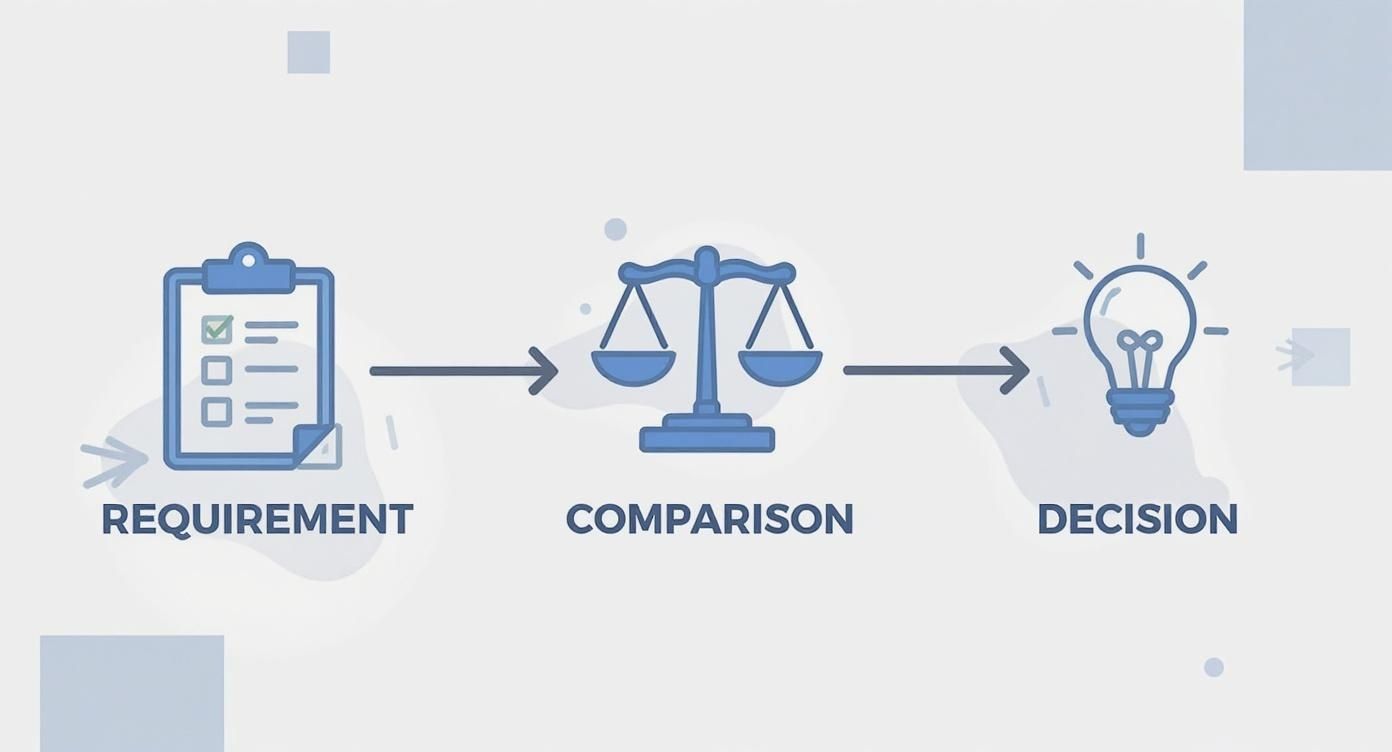
What becomes clear here is the logical chain: A thorough needs analysis and a structured comparison form the foundation on which a successful introduction can be built.
Data migration and testing phase
Before you flip the switch, your existing data – employee profiles, customer information, current contracts – must be transferred to the new system. Allow plenty of time for this step. A good software provider will actively support you in this process, which is a clear sign of quality.
Immediately afterwards comes perhaps the most important phase: testing. Let your dispatchers work with real but anonymized data in a secure environment. Play through the typical stressful situations of everyday life.
- Scenario 1: Plan a complex assignment with multiple shifts and very different skill requirements. Does the filtering work as expected?
- Scenario 2: Simulate a short-term sick note. How quickly does the system find a suitable replacement without anyone having to pick up the phone?
- Scenario 3: Run through a complete monthly statement for a test customer, including all surcharges and expenses. Is the result accurate to the nearest centime?
Such tests uncover teething problems before they bring your real business to a halt.
Training and go-live
Once the testing phase gives the green light, it's time for training. Concentrate less on dry click instructions and more on the concrete benefits in everyday work. Show your dispatchers how to use the new one Temporary employment management software Find suitable people noticeably faster or how the automatic GAV check gives you legal security.
The moment of “go-live” should not be a jump into the deep end. Plan it well, ideally at a quieter time like the beginning of the week, and make sure that direct support from the provider is available on call in the first few days.
Make success measurable
How do you know in the end whether all the effort was worth it? By measuring success. Define crystal-clear key performance indicators (KPIs) in the kick-off meeting that you can review after a few months.
Relevant key figures could be:
- Reduction of administrative effort: Measure the time your dispatchers need for planning, communication and billing before and after the implementation. A reduction by 20-30 % is a realistic and often achieved goal.
- Faster filling of requests: How many hours or minutes does it take on average for an open shift to be confirmed? The software should noticeably reduce this value.
- Error rate in billing: Compare the number of corrections made to payroll and invoice statements. The goal must be to bring this rate to zero.
In this way, you make the value of the new software visible and verifiable for everyone in the company - not just perceived, but in hard numbers.
Frequently asked questions
Anyone who is dealing with one for the first time Temporary employment management software busy, often has very specific questions. Here we have summarized the most important points for you so that you can get clarity for your decision quickly and easily.
Can the software be integrated into my existing accounting?
Yes, that is actually one of the most crucial points. Professional software offers standardized interfaces to smoothly transfer all important data to common payroll accounting programs.
Imagine this: All hours digitally approved by the customer end up in your payroll software as a finished data set at the push of a button. The manual, error-prone double entry of timesheets is now finally a thing of the past.
How secure is my employees’ data?
Data security is absolutely crucial; there are no compromises. Reputable providers store your data exclusively in certified data centers - ideally in Switzerland in order to comply with the strict Swiss Data Protection Act (DSG).
In addition, a fine-tuned role and rights system ensures that only authorized people have access to sensitive information such as wage data or sick notes. Your dispatchers only see what they really need to know for operational planning and nothing more.
Very important: Compliance with data protection regulations is not an option, but a legal obligation. Your software must actively support and relieve you, not create additional effort.
Can my employees also use the software on mobile devices?
Absolutely. A modern one Temporary employment management software lives from their mobile app. Your temporary employees are constantly on the move and need a solution that works directly on their smartphone - simple and intuitive.
For example, you can use the app to:
- Update your availability in real time.
- Apply directly for open shifts.
- Stamp your working hours down to the minute.
- View all important details about your missions.
A typical scenario from practice: An employee finishes their assignment earlier. He clocks out directly in the app and the system immediately shows him as “available” for new requests.
How complex is the training for my dispatchers?
The training period is an important factor, that is clear. However, well-thought-out software is structured so intuitively that it is based on the real work processes of dispatchers. So the training doesn't feel like you have to memorize a thick manual.
As a rule, a few hours of targeted training are enough to confidently master the core functions. The focus is on showing your team how to complete their daily tasks faster and easier. The rest comes almost naturally through daily use.
Are you ready to take your personnel planning to a new level and at the same time be legally on the safe side? job.rocks offers you an intuitive and powerful solution that is precisely tailored to the challenges of the flexible working world. Discover now how you can use our software to save time, avoid errors and manage your team more efficiently.
Find out more at job.rocks