
Time Tracking for Small Businesses: The Ultimate Guide 2026
Looking for a time tracking solution for small businesses? Our 2026 guide explains everything about Swiss laws, methods & software selection.
Monday morning, just before payroll release. Crumpled timesheets lie on your desk, last-minute reports from temporary workers arrive via WhatsApp, and suddenly a sum formula in your Excel file is off. This happens quickly in small businesses. Especially when you work with floaters, part-time staff, event crews, or changing shifts.
Time tracking in small businesses is about turning this chaos into a clean, practical system. Not with theory for large corporations, but so that at the end of the month you have accurate hours, correctly bill surcharges, and don’t have to get nervous during an audit. For Swiss SMEs, this is not a side issue because working hours must not only be planned but also documented transparently.
Table of Contents
- No More Paper Chaos
- Why Time Tracking Is More Than Just a Requirement
- The Legal Basics in Switzerland Explained Simply
- Which Tracking Method Fits Your Business
- Choosing the Right Software: These Features Matter
- Time Tracking in Practice: Examples from Your Industry
- The 7 Most Common Mistakes and How to Avoid Them
No More Paper Chaos
In small companies, the problem rarely starts with bad intentions. It starts with sentences like: “Just quickly send me your hours.” Then the service employee returns from the weekend shift, the temp forgot to note their break, and the team leader adds three corrections via phone photo. In the end, you sit in front of five versions of the same truth.
Especially in events, gastronomy, cleaning, or security, I see the same pattern again and again. As long as the team is small, paper “still seems to work.” Then the first mistakes appear. An employee notes 08:00 to 17:00 but forgets the longer break. A colleague writes only “Zurich fair, whole day.” That’s not enough for payroll. Even less so for a query months later.
Excel only helps to a limited extent. You have a file instead of loose sheets, but no clean recording at the source. If someone enters times days later, start, end, break, and project are often just estimated. Add broken formulas, duplicate entries, and versions named like “hours_final_new_really_final.”
Practical rule: If you only collect times at the end of the month, you don’t have a time tracking system. You have receipt hunting.
That’s why a clear process is worthwhile. Who enters when. Who checks. Who approves. And how the hours go directly to the right assignment or project. Especially with teams working at changing locations, a mobile time tracking solution on the go often works better than anything pieced together later in Excel.
Why Time Tracking Is More Than Just a Requirement
Many owners see time tracking first as a tedious obligation. That’s understandable. You want to handle orders cleanly, serve guests, or staff assignments. Work time logs feel like extra work. But in daily life, it quickly becomes clear that clean tracking is much more than a mandatory exercise.
You Spot Where Money Is Lost Earlier
If you only know the total hours of a month, you lack insight into individual assignments. An event agency then notices too late that an evening job with many late reports, longer setup and teardown times, and unclear breaks was much more expensive than expected. Something similar happens in gastronomy. The evening service drags on, two people stay longer, and no one properly assigns the extra time to the shift.
With precise tracking, you recognize such deviations earlier. Not as a theoretical figure, but very practically. Which order was barely calculated. Where overtime regularly occurs. Which shift models don’t fit your business. This helps with offers, recalculations, and deployment planning.
The Team Understands What Is Fairly Billed
Employees accept time tracking more if they realize it benefits not only you. They then see that hours are not estimated but transparently recorded in the system. This reduces disputes about “missing half hours” or unclear surcharges.
A simple example from gastronomy daily life. A service staff works midday and evening with a break. If start, end, and breaks are recorded cleanly, there is no later discussion about whether the room hour counted as working time or not. The same applies to temps at weddings or concerts. Those who register on site and check out at the end have a clear basis for payroll.
- For you as owner: You plan not by feeling but by real deployment patterns.
- For your team leaders: They see faster where shifts run over or projects are poorly staffed.
- For employees: They can better understand the hours worked.
- For payroll preparation: Fewer queries, fewer corrections, less manual rework.
Good time tracking often first feels like more discipline. After a few months, it is mainly a clean operational log.
The Legal Basics in Switzerland Explained Simply
Friday evening, an event in Zurich runs longer than planned. Two temps stay past midnight, and on Sunday there is a teardown assignment. On Monday, you get a handwritten list of hours. It’s exactly in such SME situations that clean time tracking separates itself from costly improvisation. In Switzerland, it doesn’t matter if your business is small. What matters is that working hours are documented transparently according to labor law.
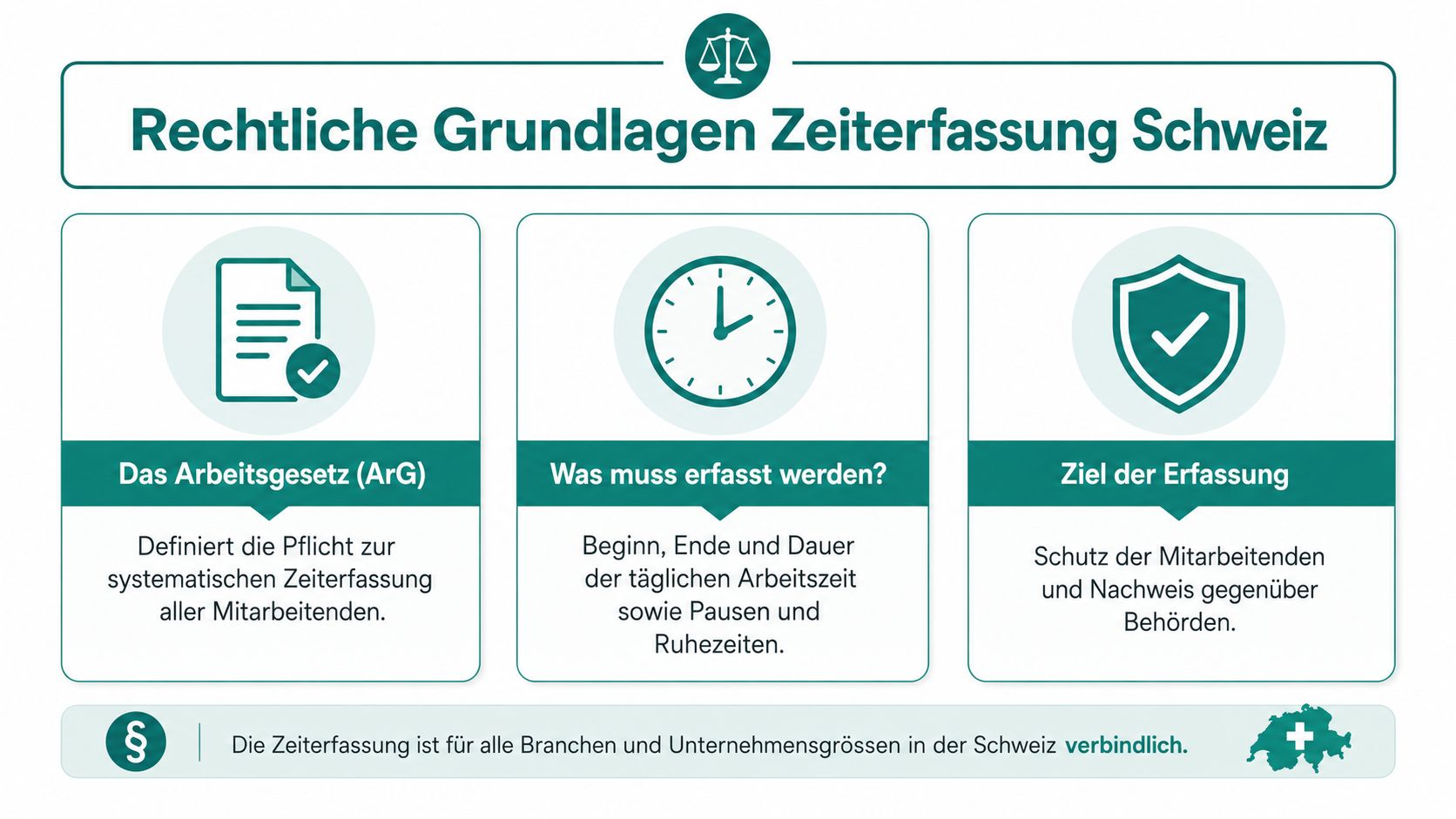
For the legal basis, a simple rule of thumb suffices. You must record working hours so that during an audit it is clear when work was done, when breaks occurred, and where special time situations like night or Sunday work took place. A good first overview is provided by this summary of requirements for SMEs in Switzerland.
What You Must Record
Complete time tracking includes start, end, and duration of daily working hours in the record. Breaks must also be visible if they reach legal relevance. Additionally, the weekly working hours and assignments that are legally sensitive due to night or Sunday work must be recorded.
For an SME in events, gastronomy, or catering, this point is often the crux. An entry like “Fair, 8 hours” helps neither payroll nor an audit. Only an entry with concrete times is useful. Someone working from 08:00 to 12:00, taking a 30-minute break, and then working until 16:30 must appear exactly like that in the system. A practical explanation can be found in the article on time tracking obligation in Switzerland with example.
For Sunday and night shifts, the pure number of hours is also not enough. In a gastronomy business or concert services, it must be clear when these hours were worked because surcharges, permit issues, and rest periods depend on it. The legal basics on working and rest times can be found directly at SECO on working and rest times.
When Simplified Time Tracking Is Possible
The Labor Act knows exceptions. For certain employees, simplified time tracking is possible if the conditions are truly met. In practice, this does not mean: small team equals less documentation. It means you carefully check the person’s role, how freely they can actually organize their work, and whether a written agreement exists.
For businesses with fewer than 50 employees, a simplified working time recording may be possible, where only the daily working time is recorded. The conditions, including agreement and health protection, are well summarized in this overview on working time and time tracking in Switzerland.
In SMEs with flexible personnel pools, this exception is often interpreted too generously. For a restaurant manager with much autonomy, it may fit. For changing temps, floater teams, assignments at different locations, or regular night work, it quickly becomes risky. If you constantly have to ask when someone was there, what break was actually taken, or if the assignment went past 11 p.m., the simplified form is usually the wrong choice.
A legally closer classification of special forms is offered by the SECO leaflet on working time recording.
A short video makes the basic logic easy to grasp:
Breaks, Retention, and Sensitive Points
You should leave no gray areas regarding breaks. For more than 5.5 hours of work per day, there is a right to 15 minutes break; for more than 7 hours, 30 minutes; and for more than 9 hours, 60 minutes. Typical mistakes happen here especially in gastronomy and events. Breaks are planned but never recorded properly. Or they are in the schedule even though work continued during them. Legally, the actual situation counts, not the nice plan.
You must keep time tracking data for at least five years. This applies digitally as well as physically, as long as the documents can be presented if needed. A practical tip is in this article on time tracking in Switzerland with retention obligation.
Additionally, there are limits to weekly working hours. For many manual tasks and sales in SMEs with fewer than 50 employees, the maximum working time is generally 50 hours per week. For office staff, technical employees, and sales staff in large companies with more than 50 employees, it is 45 hours. Seasonal businesses may have different temporary allowances. The already linked Unia overview summarizes these points clearly.
My practical advice from deployment planning is simple: As soon as your business involves split shifts, spontaneous assignments, night hours, or weekend work, time tracking should not just be “somehow present.” It must be reliable. Otherwise, a small formal error quickly turns into a dispute over pay, rest periods, or surcharges.
Which Tracking Method Fits Your Business
The best method doesn’t depend on what seems modern. It depends on how your business operates. A hair salon with a fixed location has different requirements than an event company with ten locations per week. A small medical practice works differently than a catering team with weekend assignments.
Before you buy anything, look at three points. Where do people work? How often do shifts and projects change? Who checks the hours in the end? Especially with time tracking in small businesses, the choice often fails not because of technology but because the system doesn’t fit the daily routine.
Paper and Excel
Paper or Excel can suffice if you have a very small team, fixed workplaces, and little change in projects or surcharges. Especially in micro-enterprises, it is often prematurely claimed that you must go digital immediately. That’s not generally true. There is an important note that micro-enterprises with ≤10 employees are likely to be exempt from a future electronic obligation according to the draft law and can work informally. The decision should be based on exceptions, team size, and type of assignments. This is well described in this classification of legal basics of time tracking.
What doesn’t work well in practice: Excel with frequent project changes, temps, and subsequent corrections. Then reliability quickly suffers. Who entered when is not clearly traceable. And when team leaders add hours from chat messages, quality suffers.
Terminal at the Location
A terminal fits well if almost all employees start and end at a fixed location. Typical cases are hotels, restaurants, warehouses, or workshops. You create a clear process: come in, check in. End of work, check out.
It becomes difficult if people start directly at the customer or if you have multiple locations. Then there are exceptions, back entries, and workarounds. Exactly then, the terminal loses its biggest advantage: the fixed, simple process.
Mobile App for Changing Workplaces
Mobile time tracking fits teams that are on the move or work with shift plans and projects. Event crews, gastronomy temps, cleaning services, home care, security, and promotion teams benefit because time can be recorded directly at the assignment location.
The benefit shows in very simple processes. The employee sees their shift on the phone, checks in on site, selects the correct project, and checks out again at the end. The team leader only checks exceptions. This saves a lot of queries.
| Method | Advantages | Disadvantages | Ideal For |
|---|---|---|---|
| Paper | Quick to start, no software needed | Illegible, back entries, high checking effort | Very small teams with fixed hours |
| Excel | Cheap, flexibly adaptable | Error-prone, versions get mixed up, weak with surcharges | Micro-enterprises with little change |
| Terminal | Clear process at location, good for fixed shifts | Poor for external assignments, inflexible | Businesses with one main location |
| Mobile App | Recording directly on site, good project assignment, fits flexible pools | Needs clear rules and discipline in team | Events, gastronomy, cleaning, care, security |
Not every small company needs software immediately. But every small company needs a process that holds up even when things get hectic.
Choosing the Right Software: These Features Matter
Friday evening in a small gastronomy business. Two temps didn’t record their breaks properly, one employee accidentally booked to the wrong project, and accounting later needs a separate evaluation for the Sunday shift. It’s exactly in such moments that it shows whether software is suitable for SME daily life or just looks good in a demo.
Without These Features, Daily Use Gets Difficult
For Swiss SMEs, it’s not enough to just save clock-in and clock-out times. The software must prepare times so you can check and process overtime, night work, Sunday work, and other special hours separately. Otherwise, someone ends up next to Excel sorting cases manually again.
Here’s what I look for first when choosing:
- Clear assignment to shift, deployment, or project: Especially in events, gastronomy, or cleaning, hours quickly end up in the wrong cost center otherwise.
- Corrections with protocol: Forgotten bookings happen. It’s important that changes remain visible and can be approved by a responsible person.
- Separate display of special times and surcharges: This saves queries during payroll preparation and helps with internal controls.
- Clean handover to payroll or fiduciary: Entering hours twice is one of the most common mistakes in small businesses.
- Mobile use without detours: Those working at changing locations need simple booking on the phone, not a solution that only works cleanly at a fixed location.
Another often overlooked check point when buying: The software must map exceptions cleanly. Such as shift swaps, spontaneous extensions, assignments at a second location on the same day, or a subsequently corrected break. In the Swiss Labor Act environment, these cases are sensitive because flexible personnel pools are practical but only manageable if tracking is kept clean.
For owners of small businesses, the best test question is therefore not: Which features are on the sales list? The better question is: Can a new employee manage without explanation in under two minutes, and can your deployment management correct errors the same day?
If you want to set up billing topics cleanly alongside time tracking, it’s worth looking at payment solutions for Swiss SMEs. This fits especially when payouts, working hours, and operational software should work together in daily life.
One possible solution for flexible teams is this time tracking app for Switzerland. job.rocks connects shift planning, mobile clock-in and clock-out, and handover to payroll preparation. For event agencies, gastronomy businesses, and other SMEs with changing assignments, this connection is often more useful than a long list of side functions.
Time Tracking in Practice: Examples from Your Industry
Theory helps only to a limited extent if your daily life consists of shift changes, spontaneous absences, and off-site assignments. That’s why it’s worth looking at real processes from industries where small teams often work with flexible personnel pools.
Event Agency with a Flexible Pool
An event agency plans hostesses, setup and teardown staff, check-in crew, and a floater for the evening at a trade fair. When paper is used here, almost everything that is tedious comes together. People start at different entrances, breaks shift, and part of the team is spontaneously extended.
With mobile tracking, the process looks cleaner. The person checks in at the event location in the correct shift, the assignment is directly assigned to the project, and project management later sees not only hours but also the time distribution per assignment.
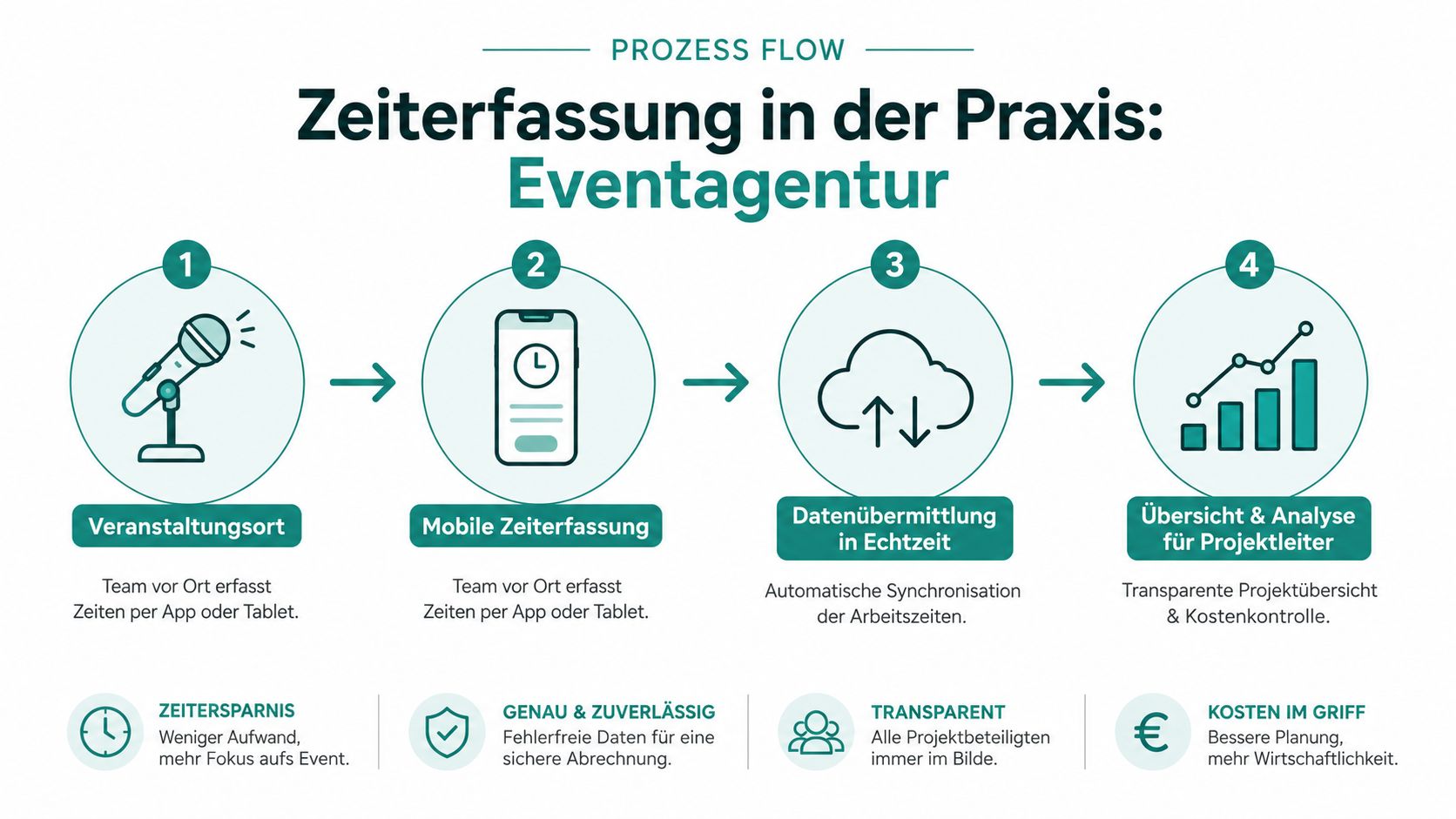
The difference shows in recalculation. Not “event was roughly within budget,” but clear visibility of setup, live time, and teardown. Margins are decided exactly there.
Gastronomy with Room Hours and Shift Changes
In gastronomy, time tracking is rarely uniform. The lunch service doesn’t always end at the planned time. The evening shift sometimes starts earlier. And with room hours, you must clearly separate what was working time and what was break.
A good system maps the real daily routine. The service staff starts at midday, makes the break visible, and checks in again in the evening. If the business stays open longer spontaneously, this time doesn’t appear as a shout in the group chat but as a traceable extension in the shift.
Those working in this environment know the problem with temps and changing teams. A time tracking app for gastronomy often fits better than a rigid process on the office PC because tracking happens where the work takes place.
Healthcare and Mobile Assignments
In mobile healthcare services, location matters especially. Not because you want to monitor people, but because off-site assignments must be traceable. A nurse or care team moves from client to client. If times are only noted from memory at the end of the day, errors creep in quickly.
Clean is a process where the assignment starts and ends on site. Add breaks and possible extensions if an appointment takes longer. For deployment management, this is valuable because they can better check routes and keep rest periods in view. For employees, it’s fair because additional assignment time is not lost.
In mobile industries, a simple rule applies: The later time is recorded, the worse it is.
The 7 Most Common Mistakes and How to Avoid Them
Monday morning, two sick reports, an event in the evening, and three temps jump in at short notice. It’s exactly in such weeks that it shows whether your time tracking holds or if you search for hours at the end of the month.
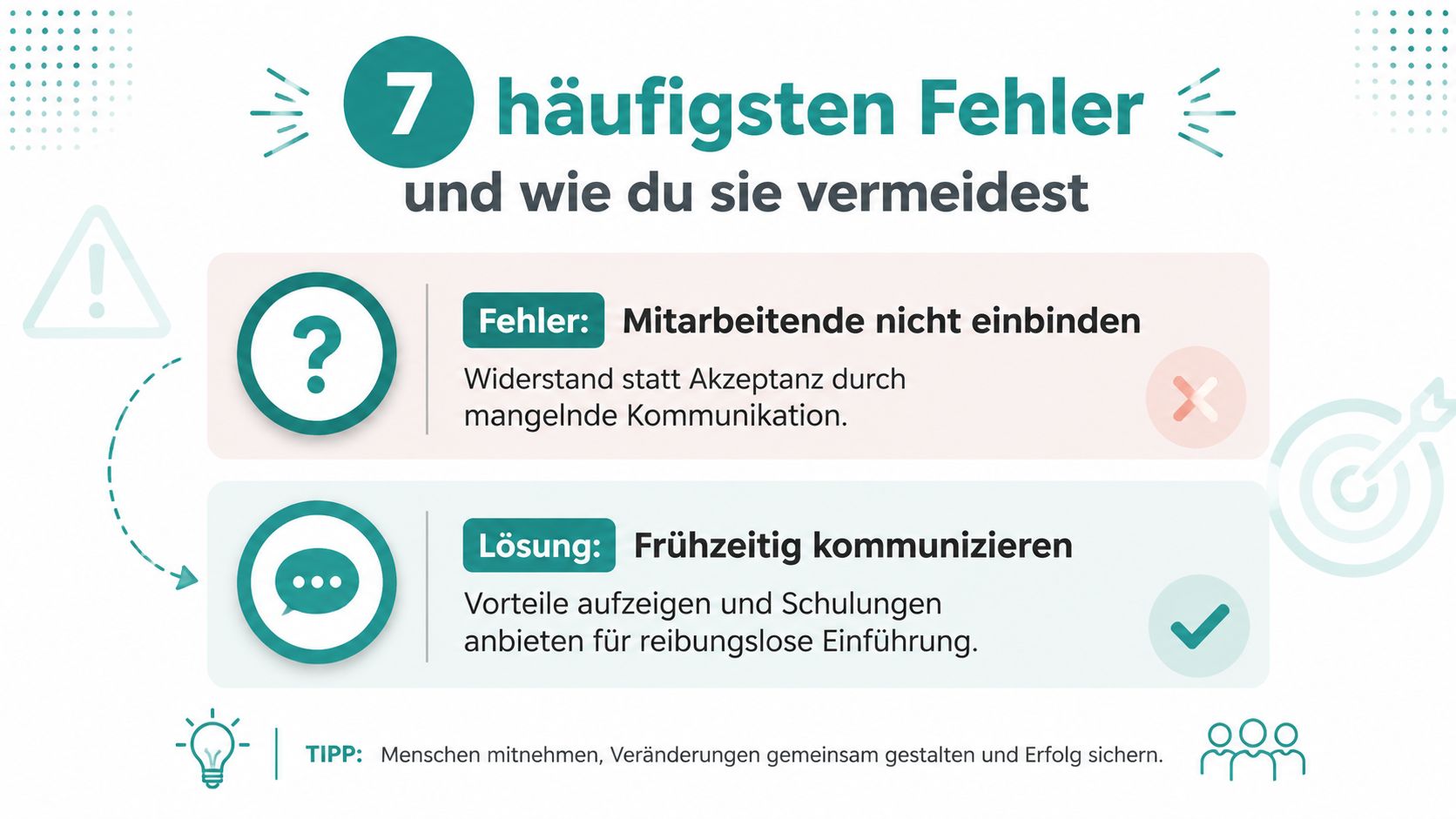
In small businesses, mistakes rarely arise from intent. They arise because processes are too loosely defined or because a system from office routine is transferred to shift work, gastronomy, or mobile assignments. For Swiss SMEs, this is sensitive because under the Labor Act it’s not only about pay but also breaks, rest periods, and clean evidence.
What Often Goes Wrong in SMEs
-
Employees don’t know the rules exactly. Then they stamp by feeling. Explain clearly before starting what counts as working time, how breaks are recorded, and who approves corrections. In events, gastronomy, and similar industries with many temps, this saves constant queries.
-
Breaks are not defined as a binding process. Whoever only says “please enter breaks cleanly” gets different results. Define from when a break must be recorded, how interruptions in service are handled, and who follows up on violations.
-
Overtime runs alongside. A long event, a delayed delivery, or an unplanned rush of guests quickly extends the shift. If such times are only accepted verbally, the basis for payment, compensation, and control is missing later.
-
Simplified time tracking is misclassified. Especially in SMEs, I often hear: “Our people work flexibly, so the daily total is enough.” That’s only true in certain constellations. For assignments with clear start times, changing shifts, night work, or tightly scheduled temps, you usually need more precise data so that protection regulations and deployment planning fit together.
How to Avoid These Mistakes in Daily Life
-
Start and end times are missing, although the business depends on them. For an office with fixed daily routines, total duration may sometimes suffice. For gastronomy, events, or mobile teams, it often doesn’t. You need start and end times to check shifts, comply with rest periods, and clarify complaints cleanly.
-
Assignment location, project, or event are not tracked. Then you know someone worked seven hours but not for which client, which site, or which event. That’s too little for recalculation and personnel planning.
-
Corrections happen via chat, shout, or Excel. This loses traceability. Clean is a fixed process: employees report the correction, the responsible person checks it, the system logs the change and time.
A simple practical test helps. Take a typical week with temps, split shifts, or assignments at multiple locations. If afterwards you don’t clearly see who worked, took breaks, and extended when, the process is too weak.
Unclear time tracking not only makes payroll tedious. It also creates disputes that could be easily avoided with a clean process.
If you work with flexible teams, temps, or changing locations, a system that combines planning and time tracking is worthwhile. On job.rocks you’ll find a platform for deployment planning and mobile time tracking, allowing you to manage shifts, clock-in and clock-out, and payroll preparation in one process.