
Your 2026 Guide to planik -- Duty Rosters
Understand how planik -- duty rosters will revolutionize shift planning in 2026. Discover core features, GDPR tips & plan more efficiently with tools like job.rocks
You’re working late on the schedule. Two people have called in sick, one shift is double-booked, and someone in the group chat is already asking if they can swap shifts over the weekend. Everything still looks somewhat tidy in Excel—until you realize the file exists in three versions on three different devices.
This is exactly the point where many start searching for planik duty rosters or similar tools. Not because a new software looks nicer, but because the old process with spreadsheets, phone calls, and chat breaks down once the team reaches a certain size. Then you’re no longer planning proactively—you’re just putting out fires.
Table of Contents
- The Leap from Excel Chaos to Clear Structure
- What’s Behind Digital Duty Scheduling?
- Core Features of Modern Duty Roster Tools
- Duty Scheduling in Practice Across Different Industries
- Mastering Compliance and GDPR in Duty Scheduling
- More Than Just a Duty Roster with job.rocks
The Leap from Excel Chaos to Clear Structure
The classic planning evening often goes the same way. You open the Excel file, shuffle names around, call two employees about an absence, and simultaneously write messages in two chats. One agrees, another cancels later, and in the end, the schedule fits on the screen but no longer matches reality on the floor.
In small teams, this can still work for a while. But as soon as you have to manage changing availabilities, part-time work, vacations, qualifications, and spontaneous absences all at once, the spreadsheet becomes a risk. Not because Excel is bad, but because Excel doesn’t actively plan. It only saves what you enter manually.
Where Excel Fails in Everyday Use
An example from daily operations: You’re planning for a weekend with multiple shifts. The file shows who works when. What you don’t see immediately: who has already had several late shifts in a row, who can only work on certain days, and who is even authorized for a specific task.
If you want to dive deeper, a good explanation of the dynamic Excel duty roster structure can help. This is especially useful for the transition because it shows where Excel still holds up and where it’s better to switch to a tool with rules and approvals.
Many teams start with a work schedule Excel template for simple shifts. That’s perfectly fine at first. It becomes problematic when the template suddenly has to handle sick notes, swap requests, break logic, and communication. It’s not designed for that.
Practical rule: If you maintain the same schedule via file, phone, and messenger simultaneously, you no longer have a reliable plan.
What Changes with a Digital Tool
The difference isn’t just on the screen. A digital duty roster tool collects availabilities, roles, notes, and changes in one place. You no longer work against outdated lists but with a current planning basis.
This not only relieves you. The team also sees faster which shift is open, who swapped, and what really applies. Fewer questions usually mean fewer misunderstandings at shift start.
What’s Behind Digital Duty Scheduling?
Digital duty scheduling may sound like a big term at first. In everyday life, it’s easier to grasp. Think of a traffic control system instead of a paper map. The map shows you roads. The control system shows you what’s free now, where there’s congestion, and which route makes sense.
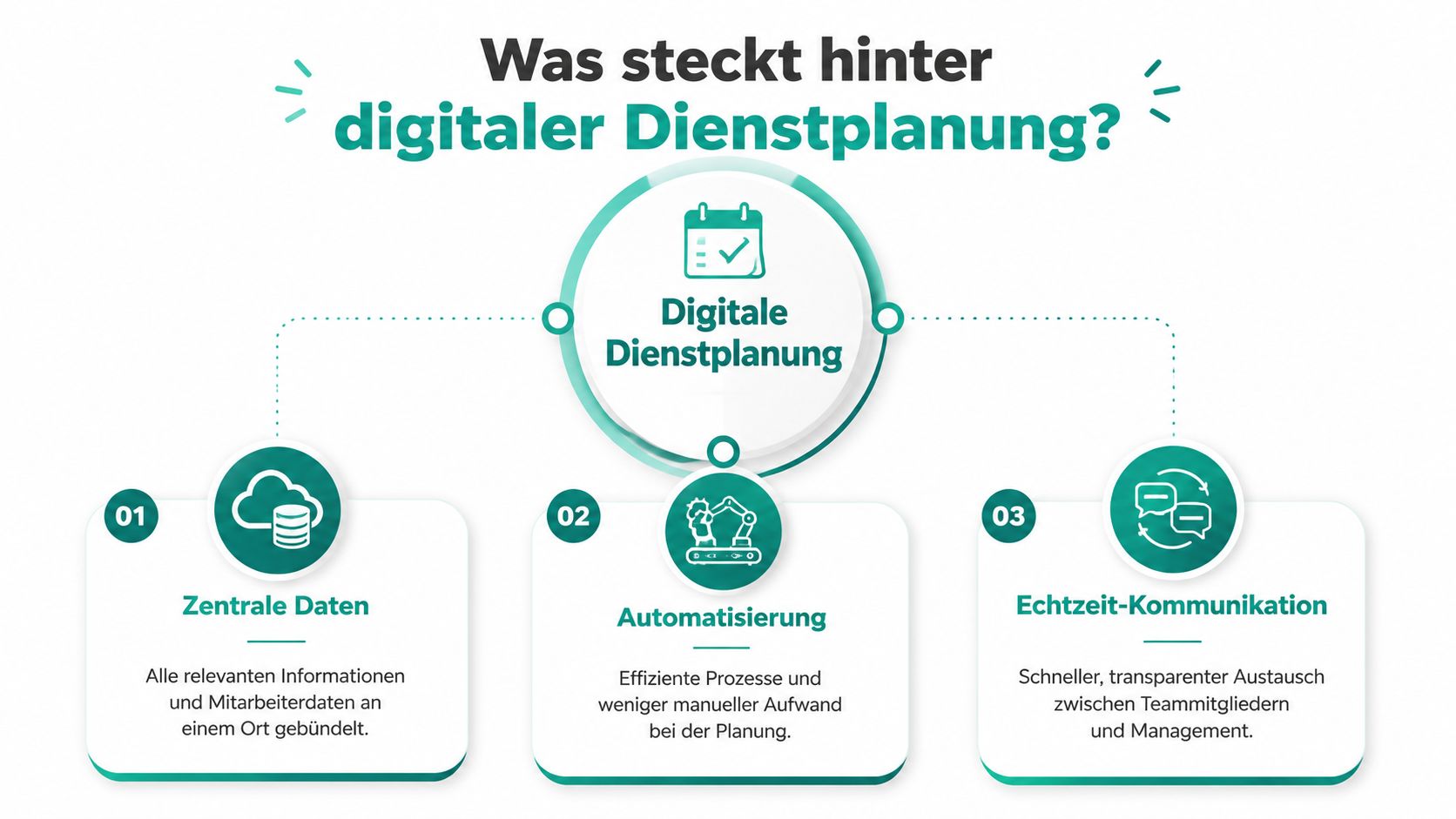
With planik duty rosters or similar solutions, it boils down to three things: data in one place, rules in the system, and direct communication without detours.
Centralized Data Instead of Scattered Lists
To plan properly, you need a reliable foundation. This includes availabilities, roles, locations, qualifications, vacations, absences, and contact methods. In many companies, this information is scattered across Excel files, emails, chats, or in the heads of individual schedulers.
A good tool brings this information together. Then you no longer have to guess whether a service staff member can also work the bar or if an employee may only be scheduled at one location. You see it directly in the system.
Those who want to make a clean transition will find good guidance in the practical guide to digital deployment planning for typical processes and pitfalls.
Automation for Recurring Planning
The second pillar is automation. This doesn’t mean the system decides everything on its own. It means that recurring tasks disappear. Shift patterns, weekly rhythms, staffing by role, or conflict warnings can be stored in the tool.
A practical example: You plan similar shifts every Friday evening. In Excel, you build them anew each week or copy old rows and hope nothing is overlooked. In the tool, you create the pattern once and only adjust who is actually available.
When the system warns you of conflicts, you plan more cleanly. Not faster at any cost, but with less rework.
Direct Communication Without Chat Confusion
The third pillar is often underestimated. A schedule is only useful if everyone sees the same version. Once changes are passed around via messenger, gaps arise. One reads the message too late, another responds only in a private chat, the third still has an old screenshot.
Modern tools connect schedule and communication. Employees see their shifts directly where changes also come in. Swap requests, confirmations, or open shifts don’t end up somewhere else but with the right process.
This saves you one thing above all in daily business: You have to call less to find out who really saw what.
Core Features of Modern Duty Roster Tools
Many tools look similar in demos. In everyday use, the difference comes down to features that really save you work. When searching for planik duty rosters, you shouldn’t just look at the interface but at the questions that cost you time every day.
Templates and Recurring Shifts
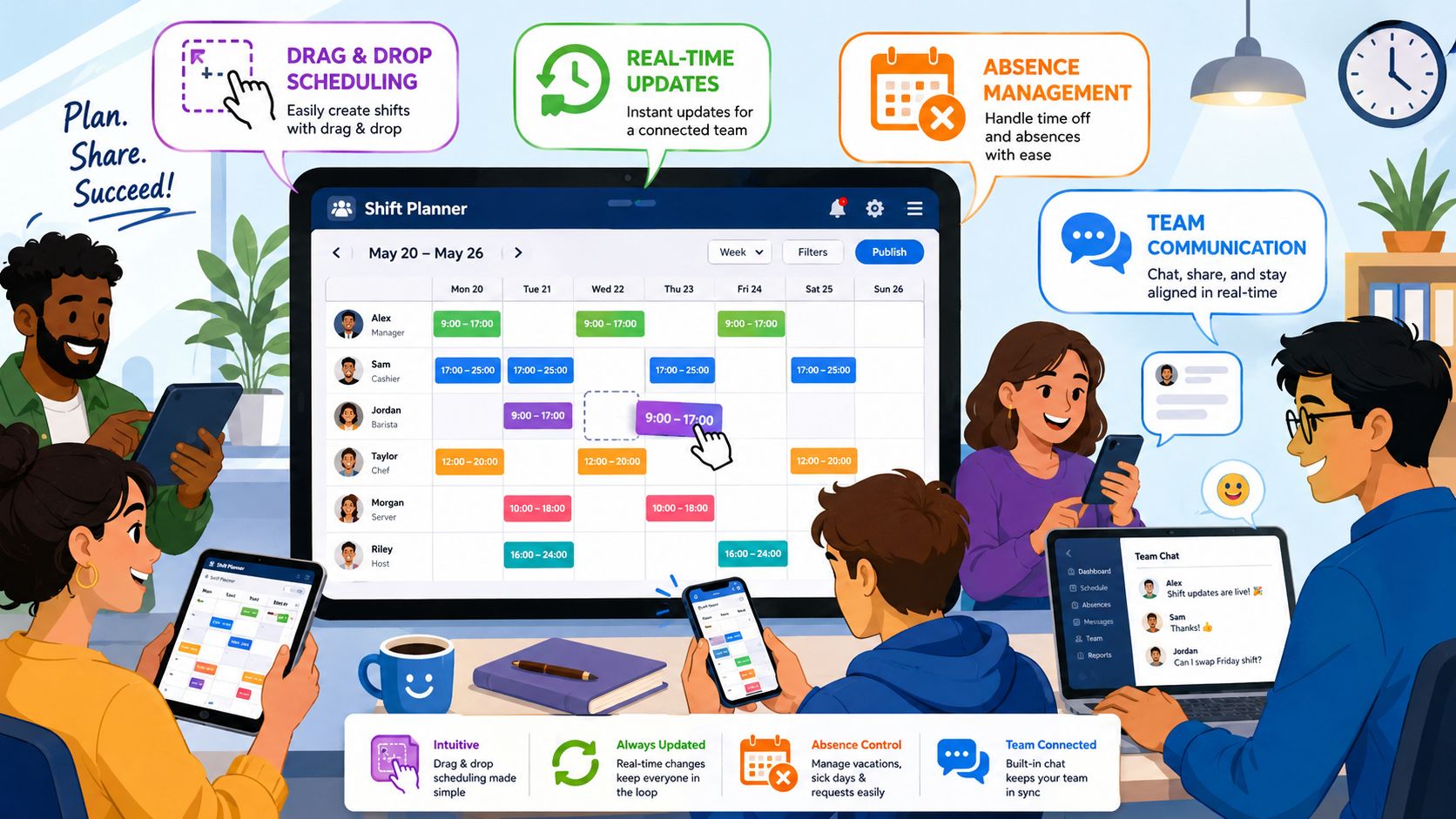
Shift templates are not a detail. They save you the same entries week after week. A restaurant with lunch, dinner, and weekend service often works with recurring patterns. An event agency has similar setups for setup and teardown, check-in, and on-site support.
Before: You copy last week, adjust names, and check each row individually.
After: You load a shift pattern, add exceptions, and immediately see where staffing is still open.
This is especially helpful if you plan multiple locations or recurring formats. For teams in Switzerland, it’s worth looking at duty roster software for Swiss companies because typical shift requirements are well categorized there.
Qualifications and Rules in the Schedule
Here it’s decided whether a tool just looks nice or really helps you. A good duty roster doesn’t just check free times but also qualifications, roles, and stored rules. This differs in nursing compared to hospitality, but the principle remains the same.
A practical example: You need someone with cash register experience, someone for goods receipt, and a person for the late shift with key responsibility. In a table, you have to keep all this in your head. In the tool, you store the roles once and only get suitable suggestions or clear warnings.
What you should pay attention to:
- Role logic: The system should distinguish who is really allowed to take on which task.
- Rest periods in view: You need warnings if a new shift conflicts with stored rules.
- Visible absences: Vacations, illness, or blocked times must flow directly into planning.
A schedule doesn’t become good because all fields are filled. It becomes good when the right people are assigned to the right shift.
Time Tracking and Payroll Preparation Handover
The biggest break often happens after the schedule. Shifts are assigned, but actual hours worked end up again on paper, in chat messages, or in a second file. Then the same game starts again, this time for hour approval and payroll preparation.
If a tool offers time tracking via app or a clear check-in, a lot of rework disappears. Employees clock in and out, changes are documented, and you can check times instead of searching through slips.
A quick look at a typical process helps more than any list:
Before and after in one sentence:
Before, you chase missing time slips. After, you check deviations directly in the system and only approve what was verifiably recorded.
Duty Scheduling in Practice Across Different Industries
What sounds neat in theory must hold up in operation. This is where the differences between a nice interface and a usable tool become clear. Three typical cases illustrate this quickly.
Three Typical Use Cases
Lena plans for an event agency. On Wednesday, it’s still unclear how many people are really needed on Saturday because a client keeps adjusting the schedule. She used to move names in Excel and simultaneously search for replacements by phone. Today, she marks open shifts in the system, invites suitable people based on availability, and sees immediately who has accepted.
Marc runs a restaurant with fluctuating demand. Not every service staff member can cover every area. Some are strong in à la carte service, others at the bar, others at breakfast. With manual planning, he often realized too late that although enough people were scheduled, they were the wrong ones. In the tool, he assigns roles and already sees when creating the schedule if a shift fits professionally.
Sara coordinates a nursing service. For her, it’s not enough to just assign free people. It must be professionally correct, personally fitting, and feasible timewise. Sick notes in the morning are not a fringe problem but part of everyday life. With digital planning, she sees who is available, which qualifications are stored, and where a swap is possible without breaking the rest of the day’s schedule.
| Task | Manual Planning (Excel/Phone) | Software-Supported Planning |
|---|---|---|
| Replace short-notice absence | You call people one after another and keep side lists | The system shows available employees and open shifts centrally |
| Find suitable qualification | You search notes or ask colleagues | Roles and skills are stored directly in the profile |
| Process shift swaps | You check messages, update manually, and inform everyone individually | Swaps happen in the schedule and remain visible to all |
| Send schedule status to team | You send files or screenshots | Everyone sees the same current version |
| Check worked time | You compare schedule, slips, and messages | Times are linked visibly to the assignment |
In practice, planning rarely fails due to lack of effort. It fails because information arrives too late or in the wrong place.
What remains the same in all three cases: The software doesn’t take responsibility away. But it makes visible where you need to act before a small gap becomes a real operational error.
Mastering Compliance and GDPR in Duty Scheduling
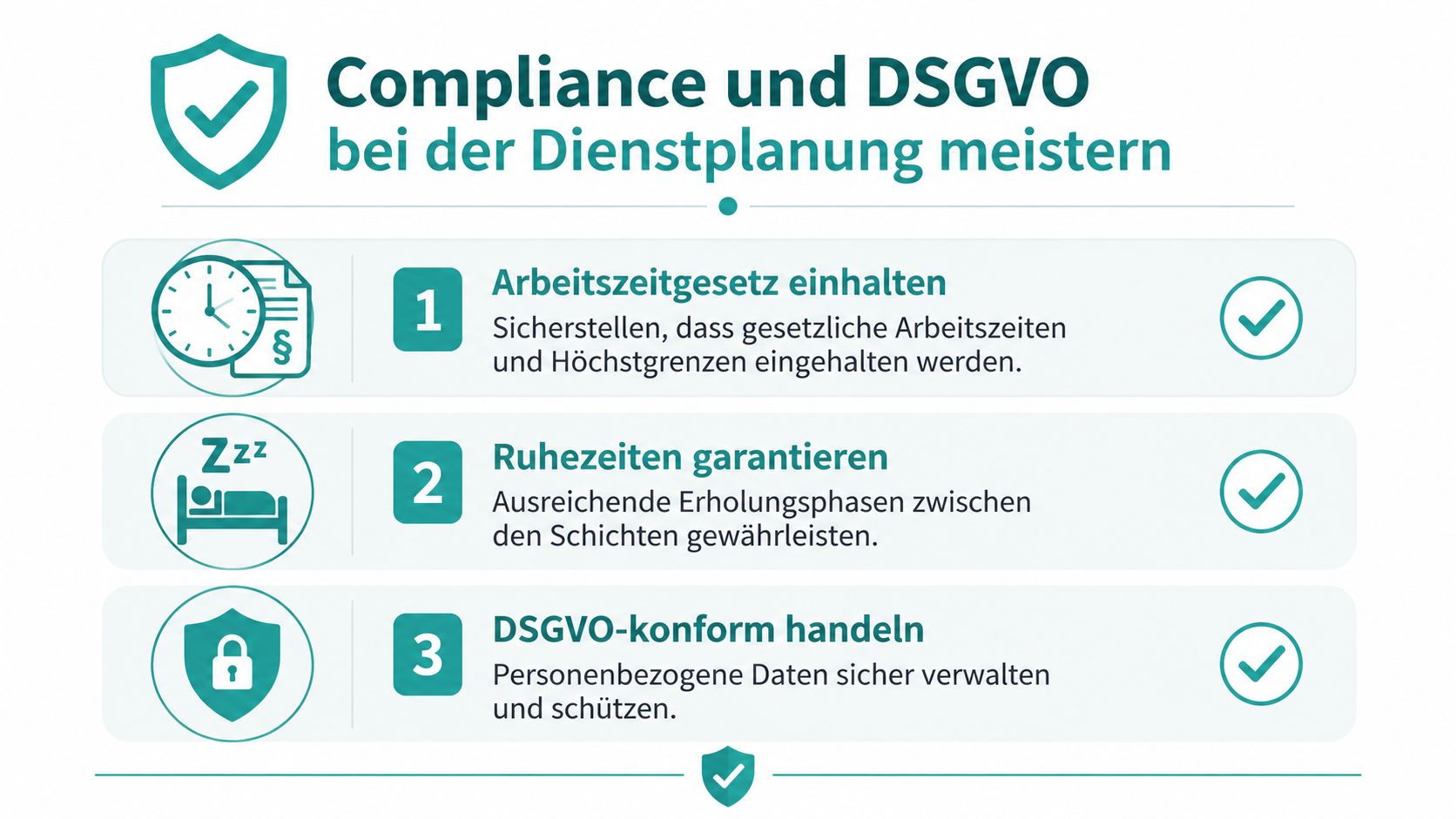
As soon as you create duty rosters, you’re not only operating in daily business but also within a legal framework. Working hours, breaks, rest periods, and personal data come together in one process. That’s why manual planning quickly becomes tricky.
Where Manual Planning Breaks Down
Many violations arise not from intent but from stress. Someone steps in at short notice, a break isn’t properly documented, an absence is reported in chat instead of the system. Suddenly, you lack clean traceability.
Then there’s data protection. Availabilities, sick notes, contact details, qualifications, and working hours are personal data. If you distribute such information in unprotected lists, private chats, or freely forwarded screenshots, you lose control over who may see what.
Another point is role distribution. Not everyone in the company needs to see everything. Planners need different access than team members. In a simple file, this separation is often hardly feasible.
What a Good System Should Secure
A usable tool helps you not only when something goes wrong. It supports you already when creating the schedule. This starts with warnings and ends with well-documented changes.
Important points in daily use are:
- Access rights by role: Team leaders, dispatchers, and employees see only what they need for their task.
- Change logs: You can track who changed or confirmed which shift and when.
- Clean data storage: Absences, deployment data, and communication are not scattered across private channels.
- Warnings for rule conflicts: The system alerts you when shifts violate stored guidelines.
Company motto: If you can’t clearly explain a change later, the process was already too loose before.
Especially with GDPR issues, this is not a luxury but operational caution. You don’t need a law degree to plan properly. You need a process that makes errors less likely and keeps responsibilities visible.
More Than Just a Duty Roster with job.rocks
Monday morning, two sick notes, a client moves a deployment forward, and three employees are only available on certain days. It’s exactly in such situations that it shows whether you’re just assigning shifts or if your process holds as a whole.
Many companies start with a single planning tool. That works as long as someone enters shifts manually and the rest is tracked via chat, phone, and spreadsheet. As soon as availabilities, bookings, time tracking, and payroll preparation come into play, breaks appear again. Then time is missing, transfer errors happen, and changes are hard to trace later.
job.rocks connects these steps in one system. Duty scheduling, availability queries, booking, time tracking, and preparatory processes for payroll run on the same basis. This is especially practical for companies with changing deployments, employee pools, or multiple locations because information doesn’t have to be entered anew at every step.
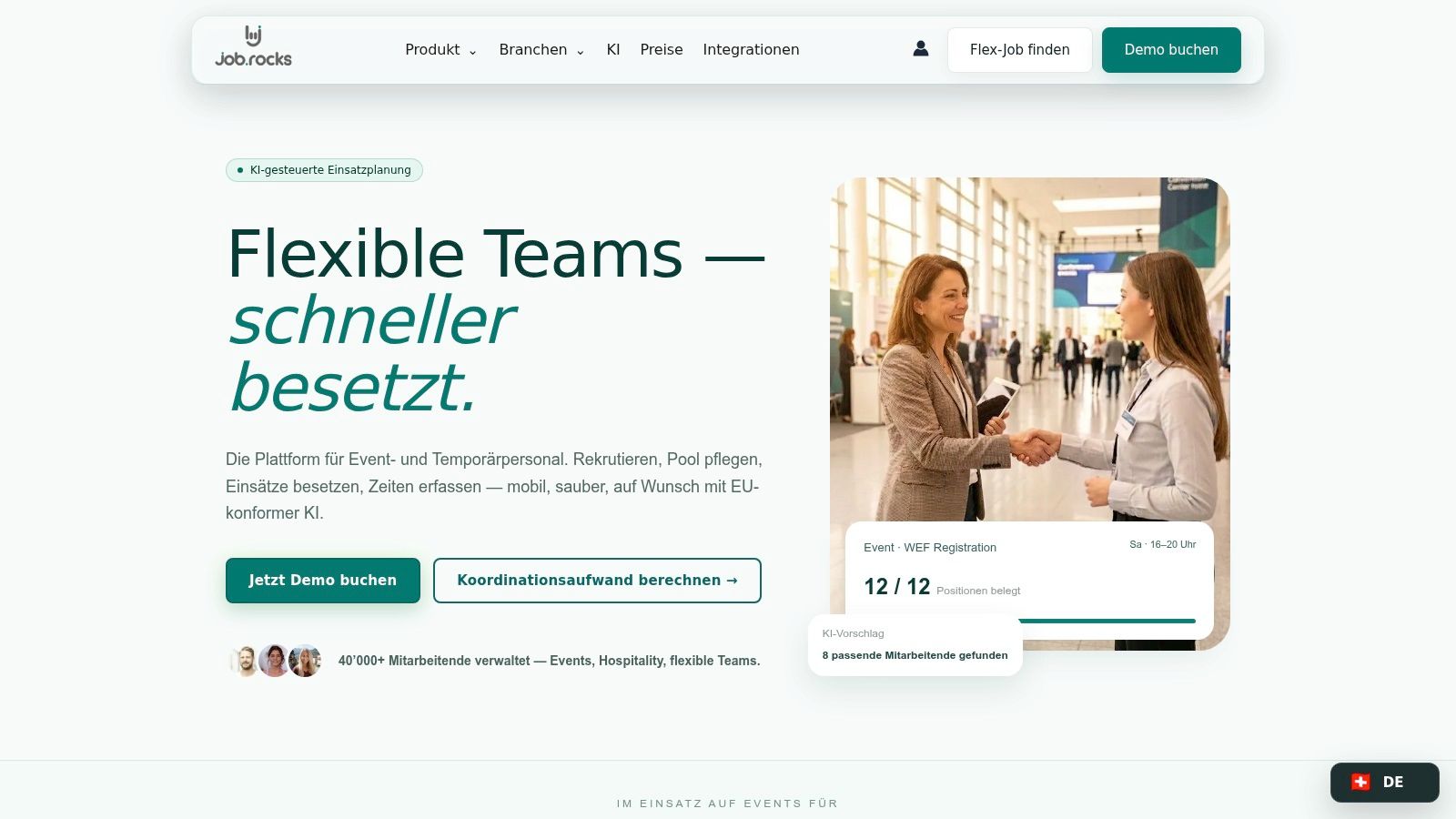
In everyday life, this connection counts. An employee reports availability, the planner assigns according to deployment and qualification, the assignment appears in the app, and the worked time is recorded on the go. Hours don’t end up again in a separate list that someone has to check manually later. Shift swaps, reminders, and documented changes are also part of what really helps in ongoing operations.
The advantage is not only speed.
Planners must keep rules, employee wishes, and spontaneous changes under control simultaneously. If this runs in separate tools, every rescheduling becomes a risk. In a connected process, it remains visible who was assigned when, what was changed, and which times were finally approved. This helps with organization and fits better with a clean, GDPR-compliant process than distributed coordination over private channels.
For dispatch, this means less rework. For the team, clearer information. For the company, the duty roster doesn’t end with publication but is maintained cleanly until hour approval.
If you no longer want to hold your duty roster together between Excel, chat, and phone, check out job.rocks. You can manage availabilities, shifts, time tracking, and payroll preparation in one process and keep an overview even with last-minute changes.