
Construction staff planning software in Switzerland: what really matters on site
You probably know this all too well. It's just before the end of the workday, the foreman wants to finish the next day, and that's exactly when the planning falls apart. A bricklayer calls in sick. The electrician asks whether he really has access to the technical room in the morning. The subcontractor is still on the Excel list, has the...
You probably know this all too well. It's just before the end of the workday, the foreman wants to finish the next day, and that's exactly when the planning falls apart. A bricklayer calls in sick. The electrician asks whether he really has access to the technical room in the morning. The subcontractor is still on the Excel list, but has never confirmed the use in the WhatsApp group. The phone rings in the office, and the team outside on the construction site waits for clear announcements.
This is exactly what planning chaos looks like in construction. Not spectacular, but expensive. Not because of one big wrong decision, but because of ten small gaps: wrong person in the wrong place, no plan on the cell phone, machine reserved twice, report only days later in the office. This is particularly noticeable on Swiss construction sites because deadlines are tight, several trades are running in parallel and you can't simply explain away failures.
Many companies start with Excel, paper lists and cell phone chats. This works for a while. Until several construction sites run in parallel, part-time models are added or external forces come into play. Then it's not just an overview that's missing. Then there is no commitment. Who really saw the operation? Who is allowed to operate the machine? Who worked which hours? And who can clearly prove this during an inspection?
A good one Operations planning construction software Switzerland does not simply solve the calendar problem. She cleans up the whole process. From scheduling to feedback from the construction site. From permanent teams to specialists deployed at short notice.
No more planning chaos on the construction site
The end of work is already over, the foreman finally wants to finish, and then the next day ends in ten minutes. A machinist is not available. The supplier moves the material window. Two external forces are on the list, but no one knows whether they have confirmed the operation and whether their documents are complete. It is precisely in such moments that it becomes clear whether a company is planning or just reacting.
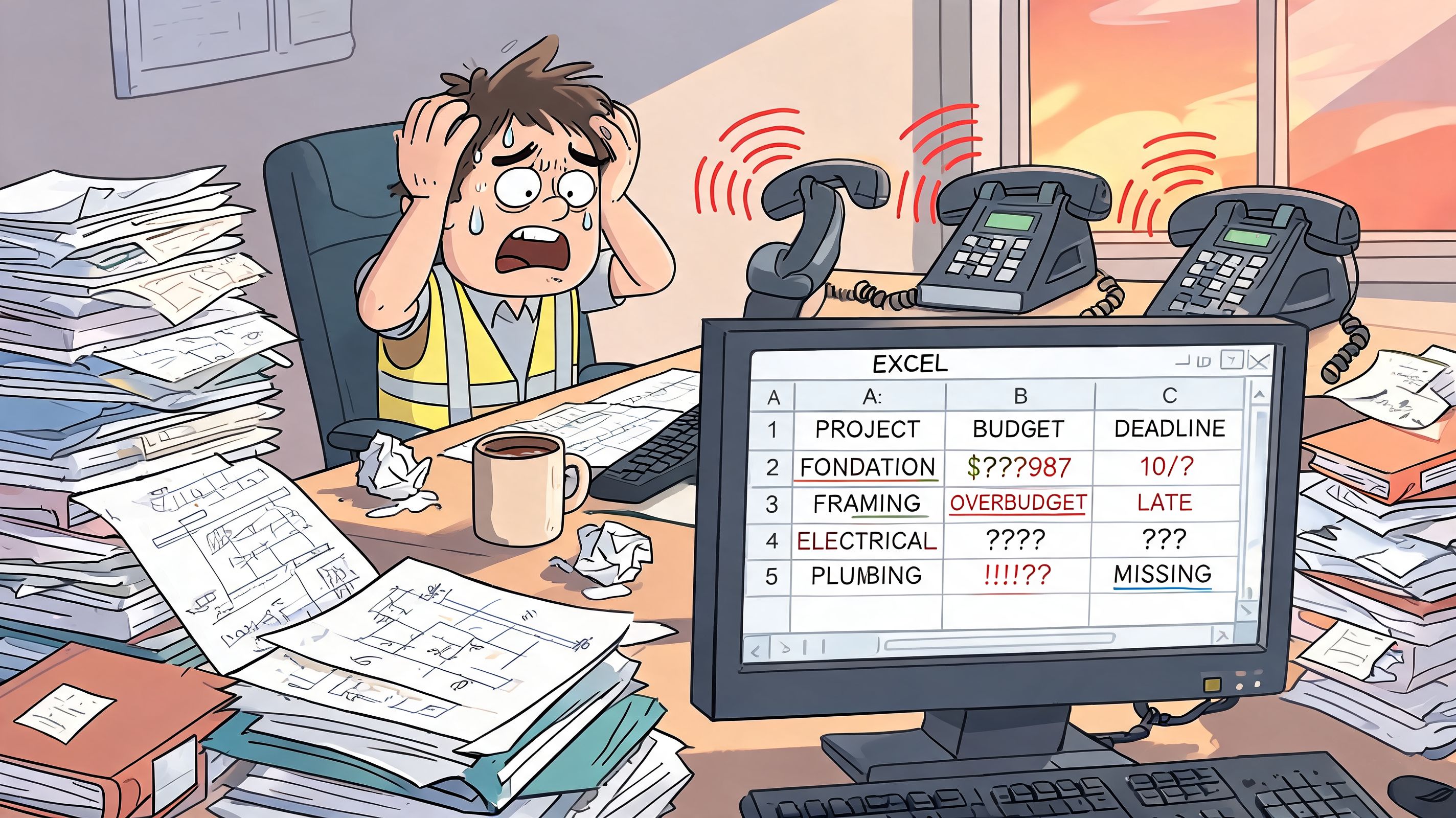
I see the same error in thinking over and over again when it comes to software introductions. We are looking for a digital calendar. What is needed is a system that brings together absences, equipment, qualifications, reports and capacity purchased at short notice. On Swiss construction sites, it's not enough to just put names in boxes. Anyone who works with subcontractors, temporary workers or freelancers must also have availability, approvals, access and evidence under control.
Chaos rarely begins with a big mistake. It starts with small breaks in the process.
- Several plan statuses at the same time: Office, construction management and foreman do not work with the same version.
- External forces without proper integration: Deployment confirmed, but arrival time, contact person or authorization are unclear.
- Qualifications not checked: A replacement is available, but may not take over the machine or the work step.
- Reports not related to planning: Hours come back, but cannot be clearly assigned to the correct section or order.
- Legal matters only checked afterwards: Rest times, operational limits or documentation requirements only become noticeable once the change has already taken place.
The most sensitive point is often overlooked. Permanent teams can be planned with almost any tool. Things get difficult when it comes to a flexible personnel pool. So for subcontractors, jumpers, temporary specialists or freelance assignments for a few days. This is exactly where the gaps arise in practice, because many standard solutions only clearly reflect your own core workforce.
A useful deployment planning construction software Switzerland must therefore do more than just maintain appointments. It must show who is really available, who is allowed to do what, what documents are missing and where an operation is legally or organizationally shaky. Only then does daily improvisation become a resilient process.
What good deployment planning must achieve for Swiss construction projects
On Monday at 6:45 a.m. the planning often changes not because of one major event, but because of three small gaps at the same time. A crane operator is missing. The subcontractor only confirms two people instead of four. There is a device on a second construction site that was planned elsewhere today. It is precisely in such moments that it becomes clear whether the software only shows appointments or really makes the construction site controllable.
Good deployment planning in Swiss construction combines four things in one view: construction progress, personnel, external forces and available equipment. If one of these levels is missing, the system plans cleanly on the screen and uncleanly in everyday life.
Planning according to the construction process instead of according to calendar logic
In construction, personnel are not simply distributed over days. Planning is carried out against work packages, stages, blackout windows, weather windows and dependencies. The difference is big. A calendar can look full and yet the construction site is understaffed because the wrong qualifications are in the wrong place.
That’s why the software must first reflect the actual needs. Not just number of heads, but function, duration, location and time. Those who only shift shifts usually notice bottlenecks too late.
The tricky point: managing flexible personnel pools cleanly
This is where many standard solutions fail. The core workforce is quickly recorded. It becomes more difficult with subcontractors, temporary workers, freelancers and specialists who only come in for individual sections.
In practice, the software needs more than a free text field with the company name. It must treat external people like real operational resources:
| Area | What is needed on Swiss construction sites | Typical gap in standard tools |
|---|---|---|
| Project needs | Reference to section, appointment window, service and location | Planning only by date without reference to the construction process |
| Own staff | Availability, role, qualifications, absence | Employees seem interchangeable |
| External forces | Company, contact person, duration of employment, evidence, access | External events run outside of the actual planning |
| Equipment and inventory | Machine, vehicle, tool linked to use | Devices are recorded separately and are missing from the planning |
That's not a detail. If external teams run outside of planning, the information that is first needed on the construction site is often missing in the morning: Who is actually coming, who is the contact person, who is allowed to carry out which work, who has the necessary documents with them?
Swiss requirements only come to the table after the demo
Many tools appear appropriate in the presentation. The problems usually only appear after the start, when real construction sites, real exceptions and real deadlines arise.
I pay particular attention to this when choosing:
- Multilingual communication in everyday life: Disposition, changes and operational details must be clearly legible for German, French or Italian-speaking teams.
- Holidays, regional rules and operational requirements: A Swiss solution must be able to deal with cantonal differences and special internal rules.
- Qualifications with expiration dates: SUVA-relevant training, device authorizations and access may not only be saved, but also checked during allocation.
- Working hours and rest periods: The system must make violations visible at an early stage. Not just when reports come back.
- Clean separation of internal and external: External companies often need different approvals, different evidence and different access rights than their own team.
If you only check these points after the contract has been signed, you are buying into additional work. Then the construction management again keeps shadow lists in Excel, even though new software has actually already been introduced.
How you can recognize a useful solution
A suitable solution answers these questions directly in day-to-day business:
- Who is really operational today, not just theoretically available?
- Who fulfills the required role and the necessary evidence?
- Which external forces are firmly confirmed and which are only announced?
- Which device is assigned to the team and the section?
- Which change has already been communicated to the foreman, dispatcher and external contact?
If you have to switch between planning, phone list, file storage and reporting system, the same old idleness occurs again. Anyone evaluating different systems should therefore check the requirements using a clear grid, for example using one Comparison for workforce planning software, and then consistently break it down to everyday construction work.
The right software doesn't make scheduling easier because it does everything automatically. It makes it manageable because bottlenecks, missing evidence and shaky external deployments become apparent early on. That's exactly what she has to do.
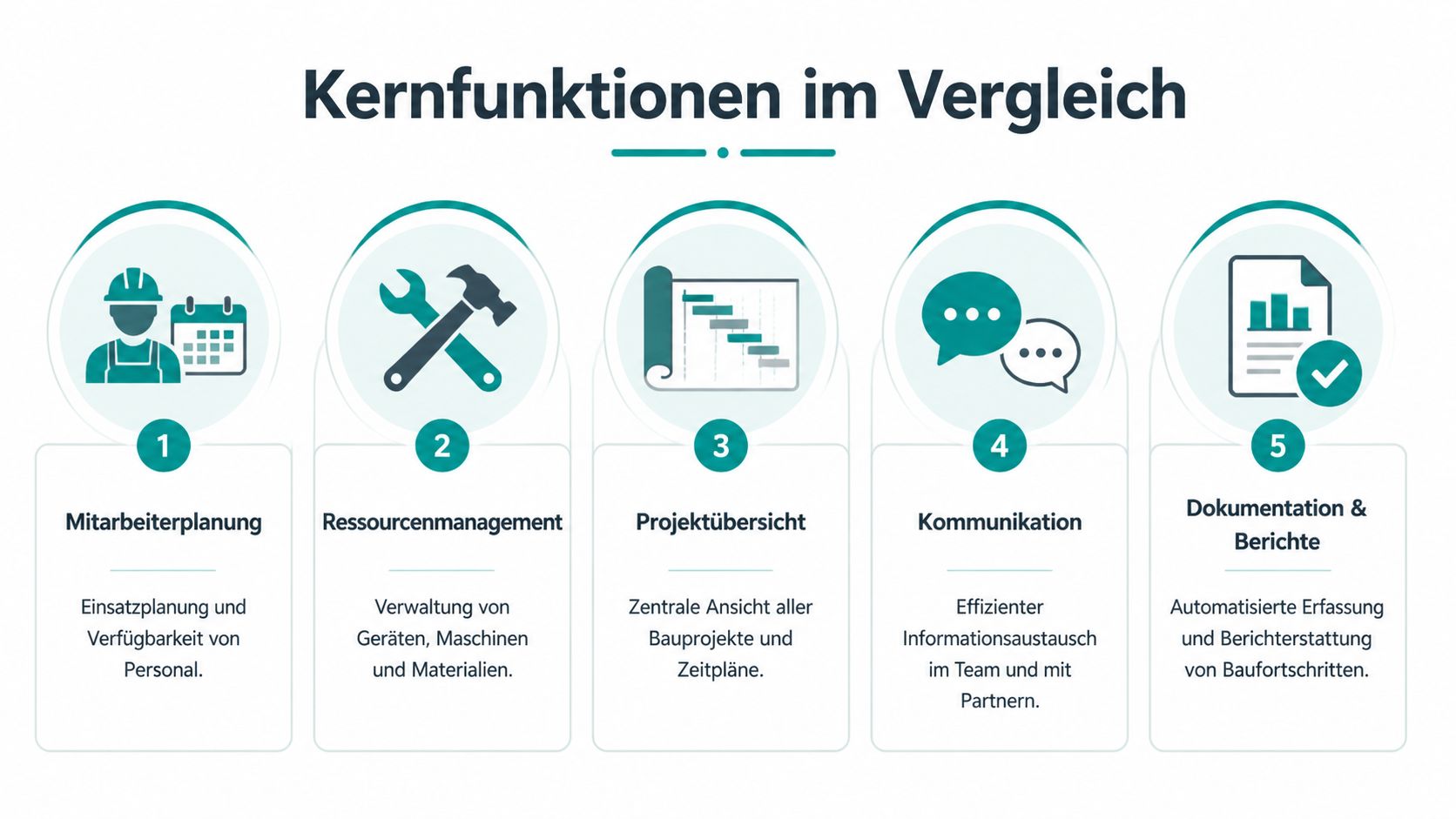
The core functions in direct comparison
Monday, 6:15 a.m. The foreman reports two breakdowns, a promised subcontractor postpones until the afternoon, and the machine is still on the wrong construction site. It is precisely in such moments that it becomes clear whether a software just looks clean or whether it really supports the disposition.
Function lists are only of limited help when making your selection. What counts in construction is whether a system enables clear decisions under pressure. Who can be deployed immediately, with which device, on which construction site, with what status among internal and external forces?
| functional area | Enough for simple operation | Usable for real everyday construction site use |
|---|---|---|
| Employee planning | Drag name to insert | Roles, qualifications, availability, well-coordinated teams, replacement logic |
| Resource management | Capture device | Firmly link the device, vehicle and material to the team, project and time frame |
| Project overview | Calendar view | View of construction phases, bottlenecks, postponements and dependencies |
| communication | Send notification | Distribute changes specifically to foremen, construction management, employees and external partners |
| Documentation and reports | Export list | History of changes, feedback from the field, verifiable reports and responsibilities |
Employee planning in construction means more than shift planning
A simple planner shows free names. That's not enough on the construction site. What is crucial is whether the software brings together roles, credentials, language skills, locations and team constellations.
Especially in Switzerland, many introductions fail at a point that rarely occurs in demos. External forces do not work like permanent permanent staff. Subcontractors, temporary staff and freelancers have different availability, different approvals and often different contact persons. If the software only knows one “external” field, the real disposition ends up back in WhatsApp, Excel or on paper.
A usable solution therefore makes a clear distinction between planned, requested, confirmed and checked in on site. It also shows what role someone is actually allowed to take on on the construction site. Otherwise the operation on the screen is occupied, but the person with the necessary qualifications is missing on site.
Resource management separates good systems from half-baked ones
On many construction sites, it is not the personnel that is the bottleneck, but rather the combination of personnel and equipment. A team without a suitable machine is standing. A machine without a dedicated team as well.
That's why planning must bring together personnel, inventory and time windows in one view. Anyone who manages lifting platforms, vehicles, formwork or special equipment separately produces double occupancy and queries. In everyday life this costs more than any license.
The reservation logic is also important. Can a device only be booked on a project-related basis or also on a section-related basis? Can a vehicle be assigned to a subcontractor without losing track of your own scheduling? It is precisely these details that decide whether the system is accepted after three weeks or whether it is bypassed again.
Mobile work must get feedback cleanly from the field
An app is quickly shown. The actual test comes at 10:30 a.m. if postponed.
Employees and external partners need to immediately see on their cell phones where they are going, who they are contacting, which documents apply and what has changed since the last evening. The return channel is even more important. The construction management needs feedback from the field without calling five people.
I would insist on this when evaluating:
- Operation details directly in mobile access: Address, time, contact person, task, relevant documents
- Real-time changes: No delay until the end of the day
- Feedback on deployment status: arrived, blocked, material missing, additional effort
- Time recording close to use: so that planning and rapport do not diverge
- Can also be used by external parties: without complicated user management or unnecessary hurdles
A structured one helps with the pre-selection Comparison of personnel scheduling software for practical use. What remains crucial, however, is the test with real construction scenarios, not with a clean demo mask.
A mobile solution is only usable if the foreman, dispatcher and external contacts have the same status after a short-term change.
Communication and documentation determine its suitability for everyday use
Many systems can plan. They become weaker when it comes to cleanly passing on changes. This is exactly the crux of the matter in construction. Who was informed, when, with what content and in what version?
This doesn't just affect your own team. In the case of flexible personnel pools, the software must document whether an external assignment has only been requested, bindingly confirmed or has already started. If this separation is missing, misunderstandings arise when it comes to travel, waiting times and billing.
The documentation is also worth taking a closer look at. Some tools are strong in tasks, defects and construction documentation, but only mediocre in actual disposition. Others plan well, but provide too little history for additions, queries or internal control. Good software doesn’t have to be an all-rounder. However, it must clearly show where planning ends and where handovers to reports, documentation or project management work properly.
Overcome legal and technical hurdles
As soon as you set up operational planning digitally, it's no longer just about operation. It's about data, evidence and interfaces. This is exactly where the expensive problems arise later. Not during the demo, but when an employee has a query, during an inspection or when payroll accounting and the construction site work with different data statuses.
Data protection is not a footnote
In many companies, functions are discussed first and data management only later. That's the wrong way around. With construction software, personnel data, time data, locations and often movements or approvals come together. So you have to clarify from the start where the data is located, who accesses it and how changes are logged.
Ask the provider directly:
- Where is the data stored? Switzerland or the EU makes a difference for many companies.
- Who sees what? Foreman, scheduling, HR, subcontractors do not need the same view.
- What is logged? Deployment changes, time adjustments, releases.
- How does an employee get information? This concerns transparency in the handling of personnel data.
Most data protection problems do not arise because a system is “insecure.” They arise because no one sets out the rules properly before the start.
Working hours must be verifiable
Particularly in construction, time recording is closely linked to operational planning. If the planning looks good, but the hours are added later by hand, the evidence is broken at exactly the point that becomes unpleasant during an audit.
That's why it's not enough for an app to offer “stamping”. It must reflect the reality on the construction site. So the start of work, breaks, ends, corrections and the relationship to the assignment. One Construction time tracking app for Switzerland is only helpful if it keeps the connection between deployment, feedback and wage preparation clean.
Technical connection determines the effort in the office
The second big pitfall is media disruption. The scheduling plans in one system, the times end up in another, the report comes via PDF and the payroll department follows up. This almost always leads to errors.
Check these technical questions before making your decision:
| Test question | Why this is important |
|---|---|
| Are there interfaces to the payroll solution? | Otherwise your office will transfer hours and surcharges twice |
| Can projects and master data be transferred? | Double care makes every introduction tough |
| Is there mobile use with clean synchronization? | Construction sites do not always have a stable connection |
| Are changes saved in a traceable manner? | Later clarifications need a clear course |
In the Swiss comparison, PlanRadar highlights and mentions its Switzerland-specific compliance Up to seven hours of time savings per week per user, like on the Swiss comparison site from PlanRadar described. For you, the crucial question is still: Does the tool save time in your process or does it just shift the work from the foreman to the office?
Software in practice Typical use cases in construction
Monday morning, 6:15 a.m. A foreman reports two failures, a subcontractor postpones his assignment, and exactly the person with the necessary qualifications is missing on a second construction site. In such moments it becomes clear whether the software is just planning nicely or whether it is managing operations properly under pressure.
Multi-family house with a long term
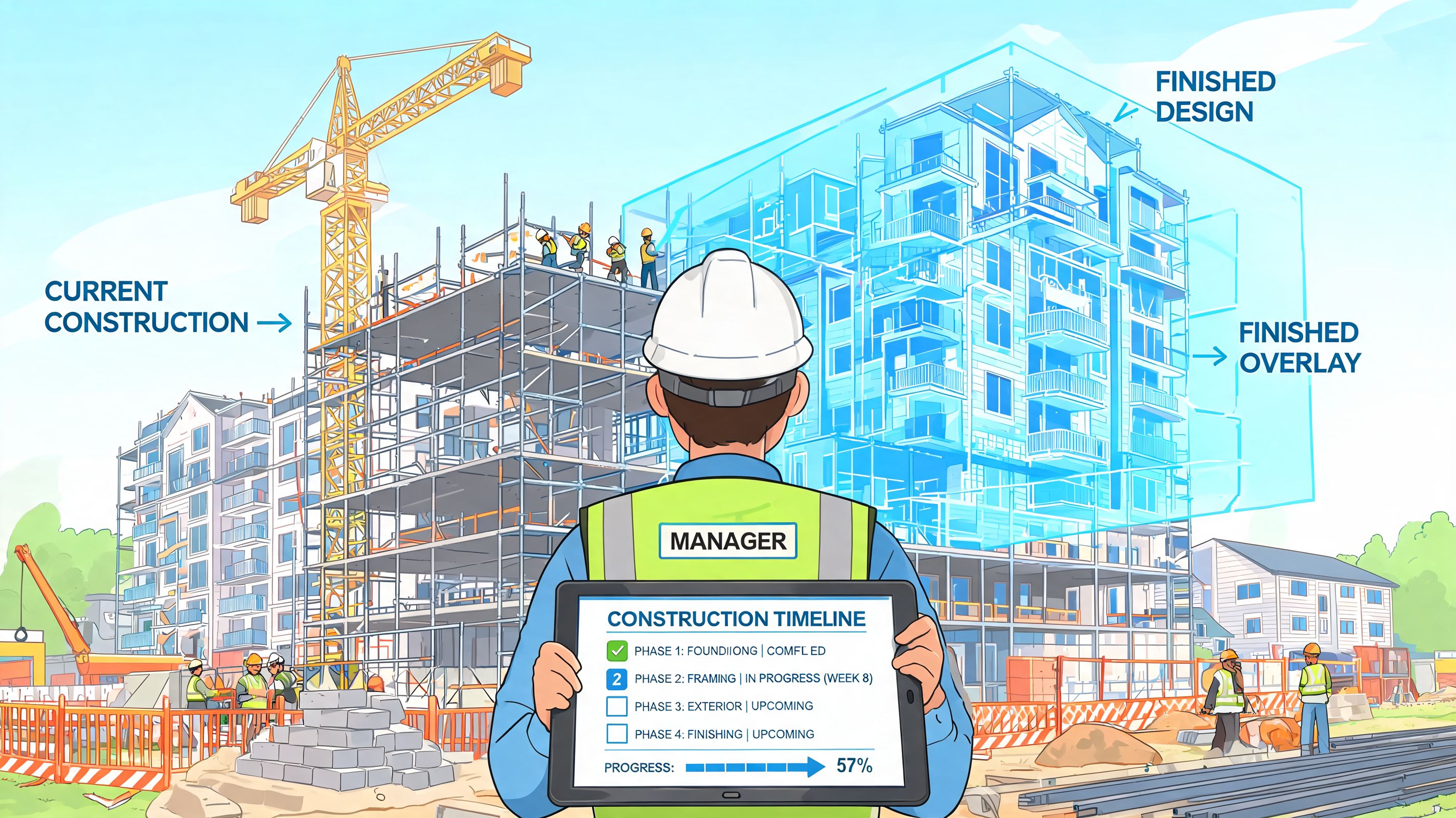
In an apartment building, the weekly view alone is rarely the deciding factor. What matters is whether you recognize dependencies early. Shell is shifting. The electrician needs access. The plasterer is ready, but can't start. If operational planning does not make such chains visible, the problem will only shift from one trade to the next.
In practice, this requires more than names in the calendar. Good software shows which people are really available, which machines are tied up in parallel and where external personnel have been permanently scheduled, even though they have not yet been confirmed. This is particularly tricky on Swiss construction sites with many companies involved. An external team quickly becomes as stable as the regular crew in the plan. He is often not there on the construction site.
In such projects I pay attention to three points: reserved rather than just planned capacities, clear identification of internal and external teams and a history of every change. Otherwise, four weeks later you'll be discussing who rescheduled when and why a section was suddenly understaffed.
Conversion with a short lead time
Perfect long-term planning is not important when renovating. What counts is the speed of reaction without losing the overview. Two days' notice is no exception in the inventory. The client wants a fixed date, the property is occupied, and additional work only appears after it has been opened.
A usable process in the system is concise and clear:
- Enter order: Location, time window, required specialist role, access, contact person.
- Filter suitable people: Availability, qualifications, language, proximity to the place of work.
- Carry external resources: Subcontractors or freelancers with status, commitment and cost center.
- Deliver documents mobile: Map, photos, safety info, last change.
- Play back feedback directly: Hours, directing work, material, notice of defects.
This is where many standard tools fail. You can organize regular employees neatly, but improvise when it comes to external staff. Then the request is made by telephone, the confirmation is sent via WhatsApp and the effective use later ends up in an Excel list somewhere. This is when the rework really begins for the office.
To illustrate this, it is worth taking a quick look at a practical video:
Emergency on the weekend
You don't need a long overdraft on the weekend. You need a reliable decision in just a few minutes. Who is available? Who has piquet? Who is actually allowed to take on the mission? And who has been on duty for so long this week that the next assignment will be legally or organizationally sensitive?
That's exactly what one needs digital deployment planning for the construction site can do more than shift shifts. It must bring together availabilities, roles, external availability and the current status in one place. Otherwise, the person in charge will call back to an old list and realize too late that someone is free but doesn't have the right clearance, experience or equipment.
The practical difference is quickly noticeable. A good system answers four questions immediately in an emergency: who can drive off, who is qualified, who can be used in a legally uncritical manner and who has all the information on their cell phone. Everything else takes time. On the construction site, time usually costs twice as much.
The gap in the market When permanent teams are not enough
Monday morning, 6:15 a.m. Two people are unavailable, a subcontractor postpones the start, and a second construction site is missing exactly the person with the right authorization and experience. In many companies, planning changes at this point not because of the regular crew, but because of the external reserve.

Where classic construction tools reach their limits
Classic construction software is often designed for fixed teams. That's enough as long as the foreman, foreman and crew work in a stable manner. However, everyday life is often different on Swiss construction sites. Seasonal peaks, special trades, short-term reinforcements and recurring partner companies are part of normal business for many companies.
The weak point then becomes apparent in the details. External forces are not simply additional names in the plan. They have different availability, different contractual relationships, often different access to documents and not always the same qualifications or security credentials. If the software doesn't have its own logic for this, the plan is built half in the system and half in chats, calls and private notes.
This works for a while. Then comes the first major change, and no one knows for sure who agreed, who was just asked and who is actually allowed to work on this construction site.
The blind spot of many solutions
Many providers properly cover shifts, absences and standard scheduling. Things become more difficult with flexible personnel pools. This refers to subcontractors, temporary workers, freelancers or small partner companies who step in regularly but are not part of the permanent organization.
This is exactly where the tricky questions arise in practice:
- Who is really available for next week and not just generally interested?
- Who meets the required qualifications for exactly this assignment?
- Who has already received the necessary documents, instructions or access clearance?
- Who is allowed to see which project data?
- How is it documented who confirmed the assignment and who canceled it?
These points are not completely missing from many standard tools. They are often only solved in a complicated manner. This is not enough for a company with a high proportion of external employees.
In Switzerland, it's not just the plan that counts, but also the clean separation
Especially in Switzerland, this is quickly becoming more than just an organizational issue. Anyone who works with external pools must cleanly separate data, document operations in a comprehensible manner and have rules regarding working hours, rest times, access rights and evidence under control. In addition, there are cantonal, contractual or industry-specific requirements that are often depicted too roughly in international standard solutions.
I've seen introductions where the demo seemed convincing, but later everyday life got stuck on simple points. External parties could not provide clear feedback on availability. Qualifications were not currently maintained. Or the dispatcher knew who had time, but not who was actually legally and technically usable.
Then even the most beautiful planning board won't help.
What a solution for flexible personnel pools really has to be able to do
Companies with mixed teams need more than shift planning. The software must treat external resources as a separate part of operational planning, not as a workaround.
This is what I pay attention to in practice:
- Separate profiles for internal employees and external staff
- Availability queries with clear feedback instead of loose back and forth
- Qualification and role filter for the specific construction site
- documented acceptances, rejections and reshuffles
- limited data and document access for external parties
- Comprehensible history in case there are any questions later
There is still a gap in the market for this. job.rocks is often mentioned in this context because, in addition to deployment planning, freelancer management and working with flexible personnel pools are also taken into account. This is a relevant difference for companies with a high proportion of external staff. For a company with a pure core team, perhaps less.
The point is simple: Anyone who regularly works with permanent teams and external staff on construction sites needs a system that neatly brings both realities together. Otherwise, Excel remains officially abolished, but lives on in the dispo.
Your path to the new software A checklist for the introduction
The selection rarely fails due to too few providers. It fails because companies look at screenshots too early and look at their real processes too late. If you proceed cleanly, you will save yourself an expensive victory lap.
What you need to clarify before every demo
First, don’t write down what software you want. Write down what problem you want to get rid of. Otherwise you are buying a solution to a fuzzy topic.
Work through these points in order:
- Define the bottleneck. Is it the daily planning, time recording, coordination with external parties or the lack of overview of several construction sites?
- Separate must from desire. Mobile feedback may be mandatory. Maybe not nicer reports.
- Take a real test case. Not the sample order from the demo, but a real construction site with real roles, failures and changes.
- Appoint a responsible leader. If everyone has a say but no one decides, the introduction is delayed.
You have to ask the provider these questions
Many demos run smoothly because only the ideal case is shown. Turn the tables and ask about your problem cases.
- How does a short-term outage happen in the morning?
- How do I replace an employee with specific authorization?
- What does it look like on the employee's cell phone?
- How are corrections to times documented?
- How does data get into payroll processing?
- How are external forces managed separately from the core team?
What is often forgotten in the introduction
The technology is usually not the problem. It's the data. Employees, roles, projects, absences, authorizations, devices. If this master data is unclear, any system becomes cumbersome.
Therefore, plan the introduction briefly but neatly:
| Step | What you have to think about |
|---|---|
| Clean up master data | Remove duplicates, old projects, unclear roles |
| Select pilot group | Don't change the entire operation straight away |
| Set rules | Who plans, who changes, who releases times |
| Keep training short | With real stakes instead of theory |
| Readjust after two weeks | Don't wait for perfection on day one |
Providers in the Swiss market: who offers what
The Swiss market for construction planning software is manageable, but the differences between the providers are relevant. If you only look at screenshots, you will miss the crucial distinctions.
| Provider | Focus | Strengthen | Limits of flexible teams |
|---|---|---|---|
| PlanRadar | Construction documentation, defect management | Strong documentation, Switzerland-focused, compliance-thought-out | Operations planning is not the core, external personnel pools are hardly covered |
| FieldBuddy | Field Service Management | Good mobile use, scheduling | Comes from the trades environment, not specific to construction |
| proWorker (Elesta) | Time recording, personnel management | Swiss product, well connected in terms of wages | Operations planning and external forces are rather basic |
| job.rocks | Deployment planning, personnel pool management, time recording | Pay-per-use, flexible personnel pool including external mobile app | Younger in the market, focus on personnel而非 pure construction documentation |
This overview does not replace your own evaluation. However, it shows where the focus of the different providers lies and why the choice should not only depend on the range of functions, but also on the specific process in your own company.
Frequently asked questions about deployment planning software in construction
How much does deployment planning software cost?
This depends heavily on the provider and the structure. Monthly subscription models based on the number of users are common. Some bill dispatchers and employees separately. There may also be one-off costs for setup, data transfer or training. Always ask about the overall picture of the planned period of use and not just the starting price.
How long does the introduction take?
Technical deployment is often quick. You need more time for master data, roles, projects and the clear distribution of responsibility. Small businesses move forward faster. It takes longer if there are multiple locations or mixed teams with external people. What matters is whether you start with a real pilot.
Is my data safe?
This depends on the provider and its data storage. Ask specifically about server location, access rights, logging of changes and handling of personnel data. A reputable provider will answer these questions without evasion and show you how data is protected and processed comprehensibly in everyday life.
If, in addition to classic construction planning, you also work with flexible teams, temporary workers or external partners, take a look job.rocks to. The platform covers availability queries, deployment planning, mobile time recording and the management of mixed personnel pools. This can be a suitable approach, especially where fixed construction tools have their limits with changing teams.