
Dispatcher software that simplifies your planning
Good dispatching software is more than just a digital tool – it is the central nervous system of your personnel and resource planning. It puts an end to confusing Excel lists, the chaos of notes on the desk and endless telephone chains by putting all the threads on a single...
A good one Dispatcher software is more than just a digital tool – it is the central nervous system of your personnel and resource planning. It puts an end to confusing Excel lists, the chaos of notes on the desk and endless telephone chains by bringing all the threads together on a single, clear platform.
What dispatch software does for you
Imagine everyday life in a small transport company. Until now, you've been juggling your drivers' routes in a huge, color-coded Excel spreadsheet. If a driver is unavailable due to illness, it becomes hectic: you have to desperately find a replacement over the phone, laboriously adjust the table and hope that you don't forget anyone or make a double booking error.
This is exactly where dispatching software comes in and takes this burden off your shoulders. It is not a simple digital calendar. Think of it as your intelligent assistant that knows availability, qualifications, legal rest times and customer requirements and helps you make the best decision with just a few clicks.
From chaos to clarity
Switching from manual planning to specialized software immediately brings noticeable structure to your everyday work. Instead of having to laboriously collect information from emails, calls and sticky notes, you have everything in one place.
A very practical example: A customer calls and urgently needs transport for the next day.
- Without software: You rummage through your Excel list, check private calendar entries and start a series of calls to check the availability of your drivers. A process that not only takes a long time, but is also extremely error-prone.
- With software: You enter the request directly into the system. The software filters and immediately shows you which drivers are available, can drive the appropriate vehicle category and adhere to their legal driving and rest times. With one click you assign the order and the driver receives a push notification directly on his smartphone.
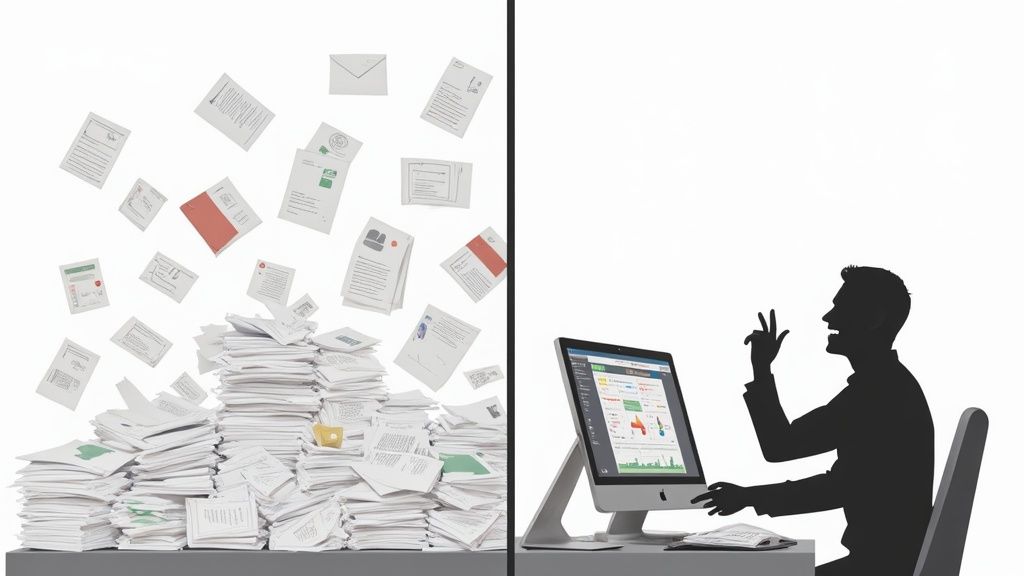
The biggest gain is the time regained. Instead of spending hours organizing, you can concentrate on what really counts: the best possible utilization of your resources and personal support for your customers.
A tool that thinks for you
But modern solutions go one step further. They help you automate repetitive tasks and give you a much better overview of your entire business.
These are the central advantages in a nutshell:
- Central overview: You can see all orders, employees and vehicles at a glance.
- Faster response: You can react to short-term changes immediately without losing track.
- Fewer errors: Manual transmission errors are a thing of the past because all data lives in the same system.
- Happier employees: Fair, transparent and comprehensible planning significantly increases motivation and satisfaction in the team.
The development in this area has been enormous. Digitalization has made great leaps in the last few decades, especially in the Swiss transport industry. While dispatchers previously relied on physical wall calendars and pegboards, many companies now use completely digital ecosystems. The modular structure of modern solutions also allows companies to select exactly the functions that they really need - nothing more and nothing less.
Such tools are closely related to broader planning systems. If you would like to delve deeper into the matter, you can find it in our article Operations planning software lots more information.
The most important functions at a glance
Good scheduling software is like a Swiss army knife for your planning. It bundles all the tools you need for a smooth process in one central location. Forget countless Excel lists and telephone calls - this is about keeping track and managing cleverly.
Let's take a look at what a tool like this really has to do and how the individual functions make your everyday work easier.
1. Central deployment and route planning
The heart of every dispatcher software. Imagine a digital planning board where you can see all employees, vehicles and orders live. Instead of manually puzzling, you simply drag and drop orders onto the appropriate team or vehicle.
A typical case from event logistics: You have to organize transport for a stage at short notice. Instead of digging through long lists, the system immediately filters you all drivers with the right driving license and the available trucks. This way you can ensure that everything arrives on time and with the right staff.
At the same time, the software helps you to bundle routes intelligently and minimize empty trips. The result? Clean, conflict-free planning that everyone in the team understands immediately and that also saves costs.
2. Availability and absence management
Who is available when? This one question often costs dispatchers hours on the phone or searching through calendars. Good software turns the tables: employees simply enter their availability, vacation requests or sick notes themselves using an app.
Imagine you're planning shifts for a big festival. Instead of calling each individual, you send a request to all qualified helpers. The system collects the feedback and shows you at a glance who agrees.
With this tool, you can see staffing shortages weeks in advance and act proactively instead of just reacting to outages. This not only makes your planning faster, but above all more far-sighted.
In addition, the system automatically takes into account statutory rest periods or individual working time models. This not only prevents expensive planning errors, but also ensures more fairness and satisfied employees.
3. Mobile time recording and order confirmation
The paperwork involved in timesheets and delivery notes is a relic of the past. Modern scheduling software comes with mobile apps that employees can use to record their working hours directly on site – to the second.
A driver arrives at the customer. He starts the time recording for the order directly via his smartphone. After the work is done, the customer has the service acknowledged digitally on the display. All data – working hours, breaks, the signed delivery note – end up in the system immediately and without errors.
This gives you decisive advantages:
- Accurate billing:The data is precise and does not require laborious post-processing.
- Fast invoicing: You can create invoices immediately after the order is completed, not weeks later.
- Real-time transparency: You can see at any time what the status of an order is and where your people are currently located.
4. Seamless connection to payroll
The administrative effort at the end of the month is often a nightmare. Collect working hours, record expenses and prepare everything for payroll accounting. High-quality scheduling software takes away this pain through direct interfaces to common payroll and accounting programs.
At the end of the month, you can export all relevant data with just a few clicks: recorded working hours, supplements for night or holiday work, approved expenses. This data is sent directly to payroll in the correct format. Manual entries are now a thing of the past.
Let's say your cleaning company has 50 employees in field service. You used to spend days collecting and typing timesheets. With a connected solution, all payroll preparation is completed in less than an hour. Error-free and stress-free.
The core functions of dispatching software and their benefits
This table shows you the most important functions of dispatching software and explains what specific benefits you get from it in your everyday work.
| Function | Your benefits in everyday life | Example from practice |
|---|---|---|
| Digital deployment planning | You see all resources (employees, vehicles) at a glance and can assign orders using drag-and-drop. This saves a huge amount of time. | A courier service plans its daily routes. The dispatcher can immediately see which driver still has capacity and is close to the new order. |
| Automated availability query | Employees report their availability themselves. You no longer have to call everyone and avoid double bookings. | An event organizer asks via the app who would like to work at the next festival. Within hours he has his team complete. |
| Mobile shift management | Employees receive their shift schedules and all order details directly on their cell phones and can swap shifts or apply for open shifts. | A security company sends a push notification for a shift that needs to be filled at short notice. An available employee applies directly and fills the gap. |
| Mobile time recording | Working times are recorded on site using an app. This makes the billing precise and ends the paperwork. | A craftsman starts and stops the time for a repair at the customer's site. The data flows directly into the invoice creation. |
| Interface to payroll accounting | All recorded hours and expenses are sent to payroll with a click. This massively reduces the administrative effort. | At the end of the month, the human resources department of a cleaning company exports all payroll data with one click and payroll is completed in 30 minutes. |
As you can see, it's not just about digitizing individual tasks. Good software connects all areas – from the first inquiry to the final billing – and thus creates a consistent, traceable process.
Specialized solutions for your industry
No two dispatching software is the same - and that's a good thing. The requirements in event logistics are fundamentally different than in healthcare or a security service. Good software is therefore like a tailor-made suit: it must be perfectly tailored to the characteristics of your industry.
General planning tools quickly reach their limits when it comes to industry-specific rules, necessary qualifications or deadlocked work processes. That's exactly why there are specialized solutions that serve these niches. They give you tools that really make a difference.
Event and trade fair construction
In the event industry, timing is everything. The setup and dismantling has to be done to the minute, and for that you need the right staff, at the right time, in the right place. Specialized scheduling software is your best friend here for coordinating teams for the completely different phases of an event.
Imagine you are planning a big music festival. You need very different people:
- Construction teams: Technicians who are familiar with lighting and sound systems.
- During the event: Security staff, bar staff and entry control people.
- Dismantling teams: Helping hands that dismantle everything quickly and reliably.
With software that understands your industry, you can create your own personnel pools with the appropriate qualifications for each of these phases. You send out requests specifically to “certified sound engineers” or “security personnel with first aid training” and fill hundreds of shifts in record time.
Building cleaning and facility management
When it comes to cleaning companies, the world looks completely different again. The aim here is to distribute many small teams across countless objects, which are often far apart. The planning not only has to be extremely precise, but also the working hours must be documented completely - otherwise there will be trouble later.
A typical scenario: Your company is looked after 50 Office buildings throughout the city. With the right software, you can create recurring cleaning schedules for each individual property. Your employees receive their orders directly on their smartphone, including checklists on what exactly needs to be done.
The crucial point here is mobile time recording. Employees clock in and out directly at the property. This not only creates a transparent and fair basis for billing, but also gives you complete proof of the service provided in real time.
Security services
Things get really complicated in the security industry because the legal requirements are extremely strict. Shift schedules must not only take into account qualifications such as "gun license" or "dog handler", but also mandatory breaks and maximum working hours. Getting this done manually without errors is almost impossible.
Dispatching software for security services automates exactly these complex rules. If you have an employee for a 12 hour shift If you plan to do so, the system will warn you immediately if this means the statutory rest period is not met. You can also ensure that at least one person with a certain key qualification is always on site at a property. This gives you legal security and ensures seamless monitoring.
The Swiss market for scheduling software is surprisingly diverse and offers a suitable solution for almost every niche. Specialized providers serve a wide variety of industries and company sizes. There are providers who focus on the crane and heavy-duty sectors, while others like Informaticon put together comprehensive packages for master data management and invoicing with their channel software. This diversity allows companies to find exactly the software that meets their specific needs. Read more about the channel software on informaticon.com.
The scheduling of temporary work also plays by its own rules. If you work in this area, see our post about Software for temporary employment and scheduling further information that addresses these specific challenges.
Select and implement the right software
Deciding on new dispatching software can feel like you have to find the one perfect tool for your business from a huge catalog. But don't worry: with a clear strategy, the process becomes manageable and leads you safely to your goal. Here is your roadmap, from the initial idea to a successful launch.
By far the most important step takes place before you even contact a single provider: the honest analysis of your own needs. Ask yourself and your team specifically which problems the new software really needs to solve.
Know your destination before you start running
If you don't know where you want to go, you shouldn't be surprised if you end up somewhere else. A thorough needs analysis is the foundation for every successful software implementation. Without it, you run the risk of choosing a solution that completely ignores the real challenges of your everyday life.
Ask yourself and your team these tough questions:
- Where do we lose the most time? When creating shift schedules manually? With the cumbersome availability query via telephone and WhatsApp? Or when transferring working hours to payroll, which is prone to errors?
- What mistakes keep happening? Do double bookings occur regularly, are statutory rest periods overlooked or timesheets lost? This not only costs money, but also nerves.
- Which processes should simply run better in the future? Do you want a reaction within seconds to short-term staff absences or crystal-clear communication with your employees?
Document these pain points. This list becomes your personal checklist with which you can specifically test the providers' promises.
Compare providers and ask the right questions
As soon as your requirements are in black and white, the research begins. Just don't let long feature lists blind you. Concentrate hard on how the software works yours solves specific problems. A good starting point is a comprehensive one Personnel deployment planning software comparison for Swiss SMEs, which gives you an initial overview.
When you shortlist providers, live demos are the be-all and end-all. Here you can finally see the tool in action. Insist that the provider doesn't show you a standard presentation, but instead addresses your specific use cases.
Ask the provider to simulate a typical, chaotic working day for your company in the software. For example: planning a short-term shift for a canceled employee, taking qualifications and availability into account. This is the only way you can tell whether the software is really helpful in everyday life or whether it just looks pretty.
Important questions to ask in every demo:
- How easy is it to use for my employees who may not be at the computer every day?
- What interfaces are there to our existing systems (very important: payroll accounting!)?
- How is data security guaranteed and – crucial for the GDPR – where is our data stored?
- What support do we receive during the introductory phase and afterwards?
This infographic shows how specialized software solutions are tailored to the specific workflows in industries such as events, cleaning and security.
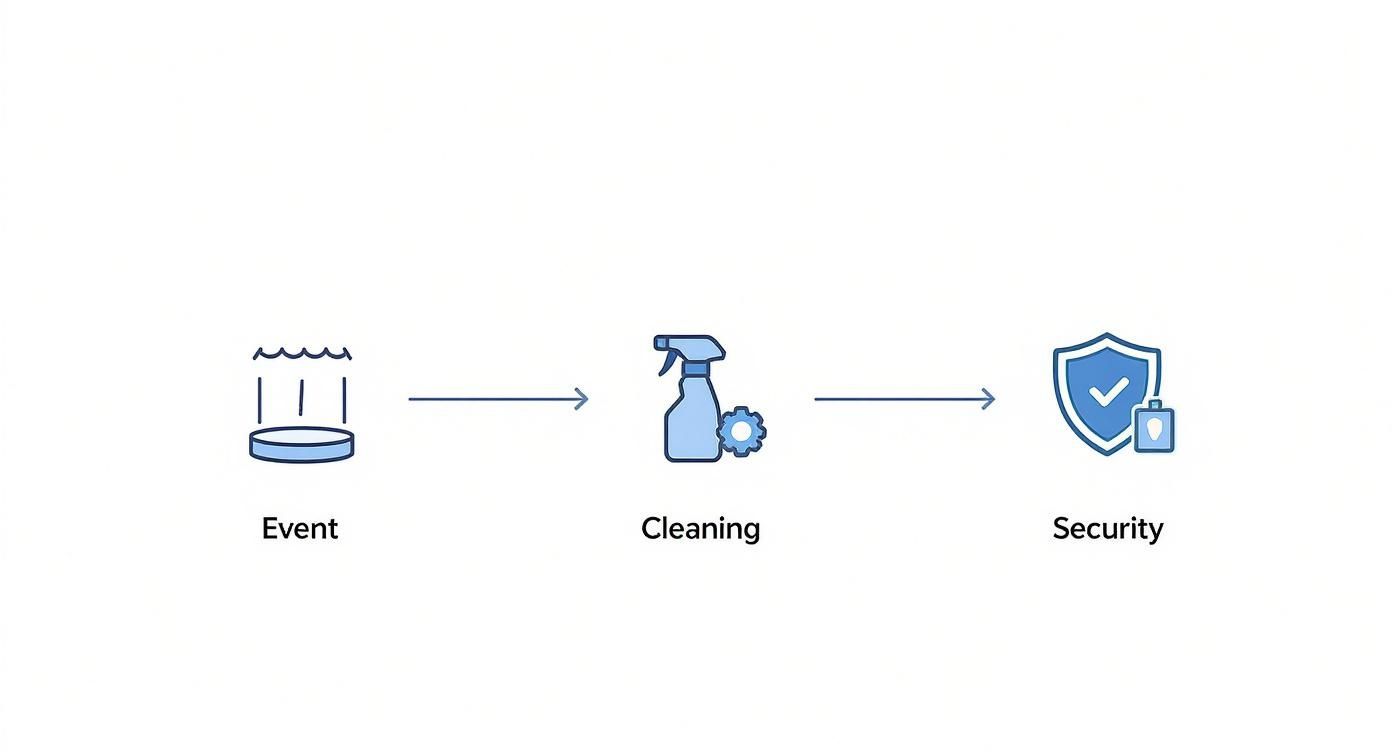
You can see straight away: A logical process is the be-all and end-all for keeping an overview from planning to execution.
Make the introduction successful
The best software is of absolutely no use if no one uses it. That's why involving your team right from the start is the key to success. Communicate transparently, why the new software is introduced and what specific benefits each individual has from it. Make your employees participants, not those affected.
A realistic schedule is also worth its weight in gold. Plan enough buffer for data migration, training and an extensive testing phase. Sometimes a gradual rollout can be smart: start with one department or team, gain experience, and then roll out the software throughout the company.
Your checklist for a successful introduction:
- Define need: Make a detailed list of your real needs.
- Explore the market: Compare at least three different providers – don’t take the first one that comes along.
- Conduct demos:Let us show you your specific use cases live.
- Include team: Get early feedback from future users.
- Create a schedule: Plan realistic implementation milestones.
- Plan training: Make sure that all employees learn how to use the software safely.
- Get feedback: Improve usage post-launch based on your team's real experiences.
Implement data protection and GDPR correctly
Personnel data is a sensitive asset. If you introduce scheduling software, data protection is not an option, but a legal obligation. The General Data Protection Regulation (GDPR) sets out clear rules that you must adhere to - otherwise you could face severe penalties.
Your planning software contains a lot of personal information: names, addresses, working hours, sick notes and maybe even proof of skills. All of this data is a vote of confidence from your employees. They must be fully protected in order to maintain their privacy and high levels Fines to avoid.
What you can store about your employees
The principle applies here Data economy. Only collect and process data that is necessary for operational planning and the fulfillment of the employment contract really necessary are. Less is definitely more here.
A few tangible examples:
- Absolutely fine: Name, contact details, working hours, qualifications relevant to the job as well as vacation and sick leave. These are the basics for functioning planning.
- A no-go: Private hobbies, health data that goes beyond a sick note, or seamless GPS monitoring outside of working hours. That's nobody's business.
Compliance with data protection regulations is a crucial criterion when choosing software. You can find a good overview of the topic in the article about Data protection and GDPR.
Every data collection needs a clear, understandable purpose. Always ask yourself: "Why do I need this information for planning or payroll?" If you don't find a convincing answer, leave it alone.
Technical security features are mandatory
Good dispatching software relieves you of a large part of the technical work and helps you to implement the GDPR requirements properly. When choosing, pay attention to these three key points:
- Server location: The servers should ideally be in the EU or Switzerland stand. This guarantees a high, legally anchored level of data protection.
- Encryption: All data must be strongly encrypted throughout - both during transmission (in the browser or in the app) and when stored on the server.
- Access permissions: A finely adjustable role and rights concept is the be-all and end-all. Not everyone is allowed to see everything.
A secure role and rights concept in practice
Imagine a cleaning company. Not every employee really needs access to all the information. A clever rights concept ensures that everyone only sees exactly what they need for their work.
- The employee in the cleaning team: Only sees its own shifts, the address of the object and the work instructions in its app. His colleagues' data or even salary details are taboo for him.
- The team leader: Can view and share his team's schedules and times, but has no visibility into other teams' data. His focus is on his department.
- The dispatcher at headquarters: Has a helicopter view of all teams and objects to coordinate operations. However, sensitive personnel data such as wage information is also blocked for him.
- The HR department: The only department that has access to wage-related data, contract details and sick notes. This is where the most sensitive information comes together.
Such a system massively minimizes the risk of data breaches. Not only are you on the safe side legally, but you also create one thing above all: trust with your employees. And that is priceless.
Make the success of your software measurable
New software is an investment, no question. But how do you know if it's really worth it? Gut feeling alone isn't enough here - you need solid numbers to prove the success of your dispatching software. By measuring specific key figures, you show management in black and white how the software pays off.
The trick lies in the direct before and after comparison. Start by documenting your current processes in detail before making any changes. This is the only way to create a reliable basis on which your success measurement can later be built.
Important key figures for measuring your success
Concentrate on the key figures that have the greatest impact on your everyday work and your costs. Here are three key points that you can easily record and compare:
-
Reduction of administrative effort: Measure the time. Before the introduction, how many hours per week did you and your team spend on recurring tasks such as availability queries, timesheet checking or manual shift planning? After the introduction, you measure again. The difference is a crystal-clear time saving that you can convert directly into saved personnel costs.
-
Improved vehicle or resource utilization: Analyze how high the utilization of your vehicles or equipment was before the software. Good dispatching software helps you minimize empty runs and bundle operations more cleverly. Increasing utilization as a percentage is a direct benefit for your company.
-
Error rate in billing: How often have you had to correct invoices or payslips because timesheets were filled out incorrectly or were illegible? Compare the number of corrections per month before and after the introduction of digital time tracking. A lower error rate means less tedious rework and faster receipt of payments.
Don't view the software as just a cost item, but rather as a tool that creates value. If you can prove that you per week 10 administrative hours savings and utilization 5 % If you increase it, the investment will pay for itself in a flash.
An example from Swiss practice
Numerous Swiss transport companies confirm how measurable the progress is. Companies like the Kopp Group or Erni Horticulture & Planning report significantly better planning ability and constant access to complete data. Automatic billing saves hours of manual administrative work each day, while mobile apps for drivers speed up the entire process. You can find out more about such experiences in Article about the scheduling software from Infosystem read up.
A medium-sized logistics company with 40 drivers was able to show impressive results after just six months by introducing dispatching software:
- The administrative effort for scheduling and wage preparation fell 25 to 5 hoursper week.
- Vehicle utilization improved by 12 % through optimized route planning.
- The error rate in expense reporting has been reduced to almost zero.
Such numbers speak for themselves. They are the best argument to internally justify the value of your software investment and convince all doubters.
Frequently asked questions about dispatcher software
Are you about to make a decision, but are still unsure whether dispatching software is really right for you? Understandable. Here we clear up the most common concerns and answer the questions we keep coming across.
How quickly does the software really pay off?
The question of ROI is of course crucial. The payback period depends heavily on the size of your operation and the chaos your manual processes are currently causing. You will see the fastest and biggest gains in reducing administrative effort.
Many of our customers save in the first month several hours per week solely in operational planning and wage preparation. Convert this time into personnel costs - the investment often pays for itself after just a few months.
Isn't training far too complicated for my employees?
An understandable thought, but modern dispatching software is built precisely for practice: intuitive and user-friendly. The mobile apps for employees in particular are often as simple as the social media apps that they already use every day.
A short training course for your core team and clear instructions for the workforce are usually sufficient. The trick is to clearly communicate the advantages right from the start - fairer planning, the easy submission of vacation requests via the app or a quick look at your own roster.
Can we adapt the software to our specific processes?
Yes, absolutely. Most good providers understand that no two companies are the same and therefore offer flexible configuration options. You can usually create your own fields for order details, store specific qualifications for employees or define individual billing rules.
An important piece of practical advice: During the selection process, check carefully how well the software can be adapted to your unique operational needs. A standard solution that forces you into a rigid corset will not make you happy in the long term.
What happens to all our existing data?
Don't worry, you don't have to start from scratch. A professional software provider will actively support you in migrating your master and customer data. Existing lists can usually be easily imported from Excel or other systems.
Be sure to clarify this point in advance! A smooth transition in which no valuable information is lost is the be-all and end-all for a successful start.
How secure is my data actually in the cloud?
An absolutely central point. Reputable providers rely on the highest security standards. This includes end-to-end encryption of your data, certified data centers in the EU or Switzerland and of course strict access controls.
Make sure that the provider provides transparent information about its security measures and is 100% GDPR compliant. There are no compromises when it comes to sensitive personnel and customer data - security is non-negotiable and should be a knockout criterion in your decision.
Are you ready to free your scheduling from paperwork and Excel chaos and switch to a central, intelligent platform? job.rocks offers you exactly the tools you need for clear and transparent operational planning. Discover now how you can save time and improve your processes https://job.rocks.