
Human resources management software: The complete comparison 2026 for Switzerland
Personnel management software: The complete comparison 2026 for Switzerland Quick overview: Personnel management software digitizes HR processes from time recording to payroll. This saves small teams up to 15 hours per week on administrative tasks. The right solution depends on…
Translate the following HTML fragment from German into en. Preserve all HTML tags, attributes, links, image paths, tables and iframes. Translate only visible text.
Human resources management software: The complete comparison 2026 for Switzerland
What is HR management software?
Human resources management software (also called HR software or HRIS) is a digital solution that bundles all HR-relevant processes in one system. From applicant management to time recording and payroll accounting – modern systems cover the entire employee lifecycle.
Particularly important for Swiss companies: The software must correctly reflect Swiss labor law, AHV regulations and cantonal differences in taxes and social security contributions. Many international solutions are inadequate here - a critical point in the selection.
Core functions of modern personnel management software
- Employee data management: Central master database with contracts, qualifications, documents
- Time tracking & Absences:Digitally record working hours, holidays, illness, overtime
- Operations planning: Shift plans, rosters and resource planning
- Payroll: Automatic calculation with social security and taxes
- Applicant management: Recruiting processes from job advertisements to onboarding
- Self-service portal: Employees can request vacation, upload receipts, view data
- Reporting & Analytics:HR key figures, personnel costs, fluctuation rates
Human resources management software comparison 2026
Translate the following HTML fragment from German into en. Preserve all HTML tags, attributes, links, image paths, tables and iframes. Translate only visible text.| Provider | Time tracking | Payroll | Mobile App | Price model | Switzerland focus |
|---|---|---|---|---|---|
| job.rocks | ✅ | Integration | ✅ | From 1.20 CHF/stake | ⭐⭐⭐ |
| Abacus | ✅ | ✅ | ✅ | Licensing model | ⭐⭐⭐ |
| Swissdec | ❌ | ✅ | ❌ | Standard interface | ⭐⭐⭐ |
| HRworks | ✅ | ✅ | ✅ | From 5 €/MA/month | ⭐⭐ |
| Personio | ✅ | Module | ✅ | From CHF 169/month | ⭐⭐ |
| Sage HR | ✅ | ✅ | ✅ | From £5.50/MA/month | ⭐ |
| SAP SuccessFactors | ✅ | ✅ | ✅ | Enterprise price | ⭐ |
How do I choose the right HR management software?
Selecting the right software depends on several factors. Here is a structured decision-making aid:
1. Company size and industry
Small companies (up to 50 employees): Focus on easy operation, quick implementation and pay-per-use models. The range of functions should not be overloaded. job.rocks or Personio are ideal candidates here.
Medium-sized companies (50-250 employees): Already need modular solutions with interfaces to accounting and ERP. Abacus and HRworks offer a good balance between functionality and costs.
Large companies (250+ employees): Enterprise solutions with comprehensive reporting tools, multi-tenancy and compliance features. SAP SuccessFactors or Workday are standard here.
Industry specifics:
- Gastronomy, event industry, construction: Shift planning and mobile time recording centrally → job.rocks with GPS tracking and real-time adjustments
- Health care (Spitex, care): Qualification matrix, night shifts, on-call service → specialized Spitex software
- Personnel service providers, temporary work: Customer billing, surcharges, quotas → Software for personnel service providers with customer management. A professional PEP software for personnel service providers also covers all aspects of personnel deployment planning.
-
Translate the following HTML fragment from German into en. Preserve all HTML tags, attributes, links, image paths, tables and iframes. Translate only visible text.
Office, IT, Consulting: Project time tracking, home office regulations, overtime management → classic HR suite
2. Define must-have functions
Before you compare providers, define your priorities:
| Priority | Function | When is important? |
|---|---|---|
| Critical | Swiss payroll accounting | If you settle wages in Switzerland |
| Critical | Mobile App | For teams without a permanent workplace |
| Important | Interfaces (API, ERP, accounting) | With existing systems (Abacus, Bexio etc.) |
| Important | Self-Service Portal | From 20+ employees (saves HR time) |
| Nice to have | Applicant management | Only with regular recruiting |
| Nice to have | Performance Management | For structured employee discussions |
3. Understanding cost models
Pricing varies greatly:
- Pay-per-Use (job.rocks): You only pay for actually planned assignments. Ideal for fluctuating team sizes or seasonal businesses. No risk during calm periods.
- Per employee price (Personio, HRworks): Monthly fee per active employee. Can be planned, but expensive with many part-time workers.
- License model (Abacus): One-time license + maintenance fee. High initial costs, cheaper in the long term for stable teams.
- Enterprise pricing (SAP, Workday): Individual negotiation. Relevant for 500+ employees.
Be aware of hidden costs: Onboarding fees, training, data migration, support packages, API usage. Ask explicitly about the «Total Cost of Ownership» for 3 years.
Excel vs. HR management software: When is it worth switching?
Many Swiss SMEs start with Excel lists for time recording and resource planning. This works - until it doesn't work anymore.
Typical Excel problems
- Time expenditure: Manual data entry, copy-pasting between sheets, formula errors. HR managers often spend 10-15 hours per week typing.
- Susceptibility to errors: Overwritten cells, broken formulas after Excel updates, inconsistent data formats.
- No real-time information: Employees cannot apply for vacation or view deployment schedules themselves. Everything goes through HR.
- Compliance risk: Working time documentation for social insurance is often incomplete. Problematic during exams.
-
Translate the following HTML fragment from German into en. Preserve all HTML tags, attributes, links, image paths, tables and iframes. Translate only visible text.
Scalability: With 15-20 employees, Excel becomes chaotic. Edit multiple people at the same time? Version conflicts guaranteed.
When is the right time for software?
You should switch if:
- You have more than 10 employees and regularly create shift schedules
- Ask employees about their duty schedule several times a week
- Errors occur in payroll accounting (forgotten bonuses, incorrect overtime)
- You change the operational planning the evening before (Excel then becomes a bottleneck)
- Compliance requirements are increasing (working hours law, data protection)
ROI example (20 employees, catering):
- Excel time spent: 12 hours/week at CHF 45/hour. = CHF 2,160/month
- Software costs (job.rocks): ~CHF 600/month (500 assignments at CHF 1.20 each)
- Savings: CHF 1,560/month + fewer errors + happier employees
Implementation: This is how the change works
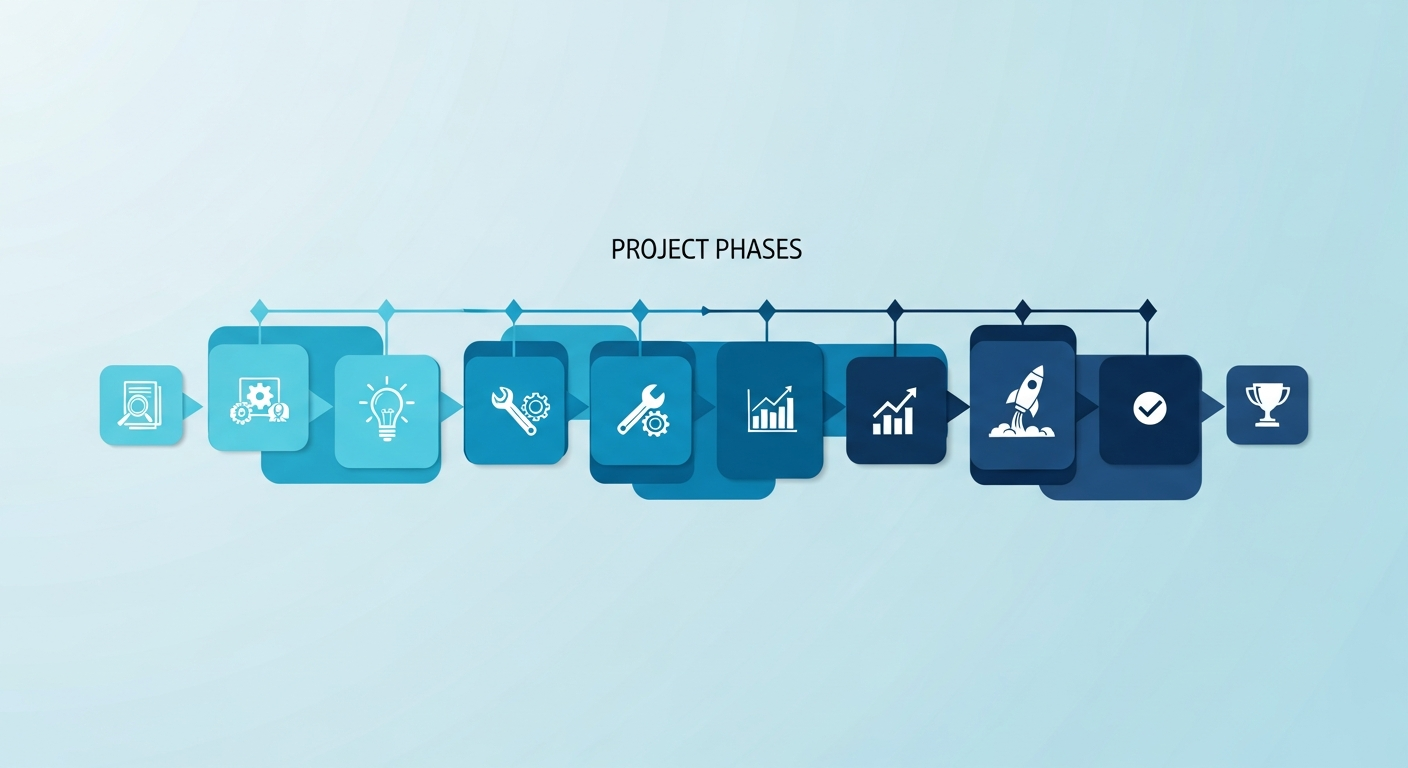
The best software is of no use if the introduction fails. Here are the 5 critical steps:
Phase 1: Data migration (1-2 weeks)
Export existing employee data from Excel or legacy system. Check:
- Are all contracts available digitally?
- Are qualifications/certificates documented?
- Are holiday balances and overtime correct?
Tip: Use the migration for a “data spring cleaning”. Delete inactive employees, correct spelling errors, complete missing information.
Phase 2: System configuration (3-5 days)
- Create working time models (full-time, part-time, shift, temporary)
- Configure public holidays and holiday rules (cantonal differences!)
- Set permissions (who can see/change what?)
- Set up interfaces (payroll accounting, accounting software)
Phase 3: Pilot phase (2-4 weeks)
Start with a small team or department. Don't change everything right away! This is how you find teething problems before everyone is affected.
Checklist for the pilot phase:
- Train employees (1-2 hours are usually enough)
- Keep an Excel backup at the same time
- Get daily feedback
- Test typical workflows (request vacation, change deployment plan, report sick)
Phase 4: Rollout (1-2 weeks)
If the pilot phase is successful: onboard all teams. Communication is critical!
- Employees: Explain the benefits (not just «new software»). Focus: What will be easier? (Self-service, transparent rosters, apply for vacation via app)
- Supervisors: Show time savings and a better overview
- HR: School intensive, these are power users
Phase 5: Optimization (ongoing)
After 3 months: Analyze usage. Are all functions used? Where else is the problem? Are there workarounds that are unnecessary?
Typical stumbling blocks:
- Employees continue to use WhatsApp for sick notifications (instead of the app) → communicate the process again
- Supervisors print out deployment plans (instead of using them live) → Promote mobile use
- HR still records times manually (instead of self-service) → Empower employees
Frequently asked questions (FAQ)
Which human resources management software is the best for Swiss SMEs?
Translate the following HTML fragment from German into en. Preserve all HTML tags, attributes, links, image paths, tables and iframes. Translate only visible text.This depends on your industry and team size. For flexible teams with shift work (restaurants, events, construction) job.rocks is ideal – pay-per-use, mobile app, Switzerland focus. Personio or Abacus are suitable for classic office teams with comprehensive HR processes. For international corporations with 500+ employees, SAP SuccessFactors or Workday are standard.
How much does HR management software cost in Switzerland?
The costs vary greatly depending on the provider and model:
- Pay-per-use: job.rocks from 1.20 CHF per planned use (no fixed costs)
- Per employee price: CHF 5-15 per employee/month for smaller tools (HRworks, Personio Basic)
- License model: Abacus from CHF 2,000-5,000 one-time + maintenance
- Enterprise: SAP/Workday from CHF 50,000+/year (incl. implementation)
Be aware of hidden costs: onboarding, training, data migration can account for 20-50% of the annual costs.
Can I connect HR management software to my existing accounting?
Yes, most modern systems offer interfaces. Standard interfaces in Switzerland:
- Swissdec: Standardized salary data transmission to social insurance companies (AHV, ALV, BVG)
- Abacus interface: Many HR tools have native integration
- Bexio API: For SMEs with Bexio accounting
- DATEV: For larger companies with DATEV payroll accounting
job.rocks integrates directly with Abacus and offers REST API for individual interfaces.
How long does it take to implement HR management software?
This depends on the size of the company and the solution chosen:
- Small teams (up to 20 employees): 1-2 weeks (setup + pilot phase)
- Medium-sized companies (20-100 employees): 4-8 weeks (including data migration, training, pilot phase)
- Large companies (100+ employees): 3-6 months (complex data migration, process adjustments, change management)
Critical factors for implementation time:
- Quality of existing data (clean Excel vs. paper chaos)
- Number of interfaces (the more external systems, the longer)
- Complexity of working time models (shifts, flextime, home office, part-time)
- Number of locations/clients
Do I have to train my employees?
Yes, but less than you think. Modern HR software is intuitive. Typical training effort:
- Employee (self-service): 30-60 minutes - apply for vacation, view the deployment plan, report sick.
- Supervisors (operation planning): 2-3 hours - creating shift plans, changes, approvals
- HR (Power User): 1-2 days – master data, payroll, reporting, interfaces
Tip: Provide video tutorials and FAQ internally. The first 2 weeks: «Support consultation hours» offer (30 minutes daily) where employees can ask questions.
Which software is suitable for personnel service providers and temporary employment agencies?
Personnel service providers have special requirements: customer management, hourly billing per customer, surcharges, quotas. Standard HR software often does not cover this.
Specialized solutions:
- job.rocks: Can map customer structures, deployment plans per customer order, export for customer billing
- Zvoove: Pure temporary employment software with applicant pool and customer portal
- Smartflex: For large temporary employment agencies with several branches
Pay attention to: customer management, hourly export for invoicing, qualification matching (which employee fits which customer order?), availability management.
Is my HR management software GDPR and Swiss data protection compliant?
In Switzerland, the Data Protection Act (DSG) applies, not the EU GDPR - but the requirements are similar. Important:
- Data hosting: Where is the data located? Swiss servers are a plus (job.rocks, Abacus). EU servers are ok (with standard contractual clauses). USA servers are critical (check Privacy Shield successor).
- Order processing (AVV): You must conclude an AVV contract with the software provider (standardized for reputable providers).
- Access control: Role-based permissions - not everyone is allowed to see everything (payroll data should be particularly protected!).
- Deletion concept: What happens to data from former employees? Statutory retention requirement: 10 years for wage data.
Data protection checklist:
- Hosting location documented?
- AVV contract available?
- Encryption (transport + storage)?
- Backup and disaster recovery strategy?
- Audit logs (who accessed which data and when)?
Can I test HR management software first?
Yes, most providers offer free trial periods or demos:
- job.rocks: Forever free version (up to 5 employees) or 30-day trial of the pro version
- Personio: 14-day trial + live demo
- HRworks: 30-day trial
- Abacus: Demo system (no real data, only function overview)
What you should check in the test:
- Ease of use (can your team work with it?)
- Mobile app (does it work in everyday life?)
- Speed (loads slowly with many employees?)
- Support quality (consciously test support – how quickly do they respond?)
Conclusion: Find the right HR management software
Human resources management software saves time, reduces errors and makes HR processes transparent. The selection depends on company size, industry and budget.
Our recommendations for 2026:
- For flexible teams with shift work: job.rocks (pay-per-use, mobile, Switzerland-optimized)
- For classic SME HR: Personio or Abacus (comprehensive modules)
- For personnel service providers: job.rocks or Zvoove (customer management integrated)
- For corporations: SAP SuccessFactors or Workday (Enterprise-Grade)
Next steps:
- Define must-have functions (checklist above)
- Shortlist 2-3 providers
- Test phase with real data (not just watch demo!)
- Get team feedback (they have to work with it!)
- Plan implementation (data migration, training, pilot phase)
You want to test job.rocks? Start for free with up to 5 employees or book a personal live demo.