
Every post clear.
Every team in view.
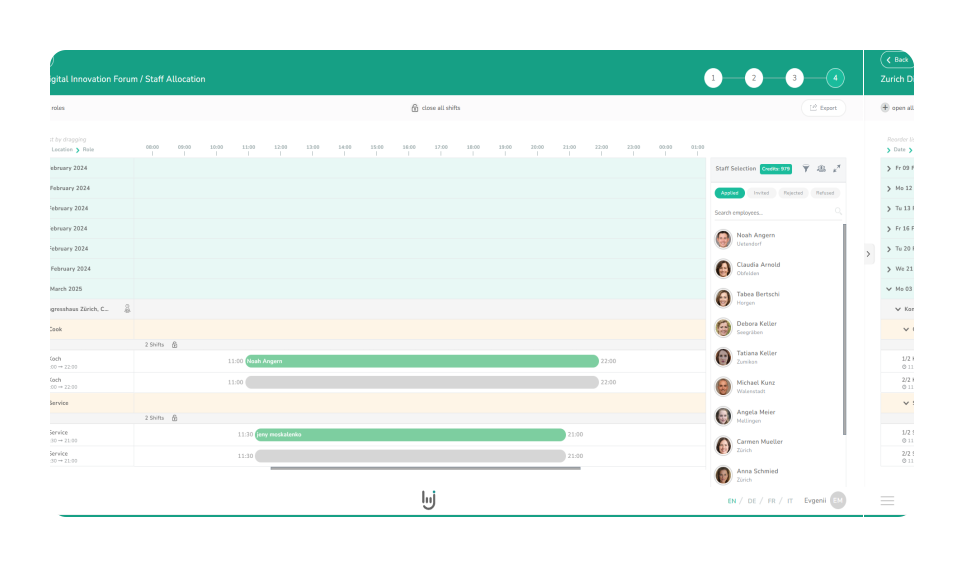
Plan site security, reception and event security by availability and qualification. Your team confirms assignments and records working hours in the app.
Tell the AI who you need. Review the selection and approve the invitation.
Personal demo · Based on your assignment example
Someone drops out just before the shift. What now?
You do not need another group chat. You need to know who is available, has the necessary briefing and confirms the assignment. job.rocks brings this information together for your scheduling team.
Your security service. Planned in three steps.
Create an assignment, invite the team, review working hours. All in one software.
Create the assignment
Where is the assignment? When? How many people do you need?
Invite the team
Check availability and qualifications. Ask suitable employees through the app.
Review working hours
Your team records working hours in the app. You check the hours.
What would this look like for your assignments?
Book a security demoEverything your team needs
in the app.
Receive an invitation, confirm a shift, record time – directly on your smartphone.
- Confirm assignments
Employees see the request and reply to say whether they can take part.
- Look up shift details
Location, time and assignment information always to hand.
- Record working hours
Clock in and out directly in the app. You review the recorded hours.
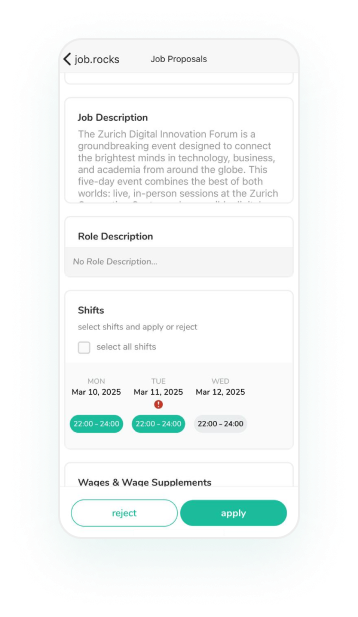
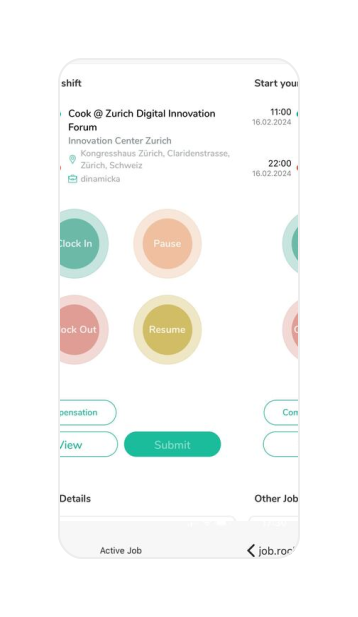
Original screenshots of the job.rocks employee app
From a regular site
to the next event.
Site security
Recurring posts, night and weekend shifts. With the appropriate briefings for each site.
Event security
Access control, backstage and visitor guidance. Different roles and time slots in one assignment.
Reception & gatehouse
Client briefings, language skills and recurring shifts for service-oriented teams.
On-call & cover
Last-minute absences and additional demand. Request available people again in a controlled process.
Does the profile fit the assignment?
The qualification check compares requirements with example data. You can see which evidence is marked as available, missing or expired.
Open qualification check (German)No personal data. A planning aid, not legal approval. The interactive tool is in German.
Make evidence visible.
Approval stays with you.
What you want to know before getting started.
So you can take the next step with a clear picture.
Can I plan multiple sites and different shifts?
Yes. You can record locations, roles and time slots in a structured way. Recurring sites and individual security assignments stay within the same planning process.
What happens if someone drops out at short notice?
You review the open post, availability and requirements again and contact suitable people. Responses and confirmations remain part of your scheduling process.
Does job.rocks automatically check all legal requirements?
No. Requirements and stored evidence support planning. Professional, employment-law and site-specific checks, as well as approval, remain with your organisation.
Can I take site-specific briefings and evidence into account?
Sites, roles, notes and required briefings can be recorded in a structured way and checked before an assignment. The responsible person must check that evidence is current and valid.
Are employees assigned automatically?
Availability or a profile attribute is not approval. Your scheduling team controls selection, invitations and staffing within the intended workflow.
Show us how you plan today.
Bring a typical security assignment: site, posts, shifts and requirements. In the demo, we show you how to coordinate it with job.rocks.
Book a security demoPersonal demo · Based on your assignment example