
Fire brigade staff planning template for the modern station
A practical guide to fire brigade staff planning templates: why rigid Excel plans reach their limits, how to manage availability and qualifications, and how modern stations stay operational.
Hand on heart: Is your Excel table really enough for operational planning? If you're honest, probably not. But you are not alone with this. Modern fire brigade operations are more complex than ever and quickly push rigid plans to their limits. A well thought out oneFire department operations planning templateis no longer a luxury today, but rather the basis for maintaining an overview and ensuring operational readiness at all times.
If you are open to a faster solution via software (without a monthly fee) instead of Excel chaos - thenBook a demo at job.rocks.
Why your old operational planning is reaching its limits
The times when a simple list of names and shifts was sufficient for operational planning are definitely over. The requirements for fire departments, especially here in Switzerland, have changed massively. Your planning method simply has to keep up.
The new reality of operations
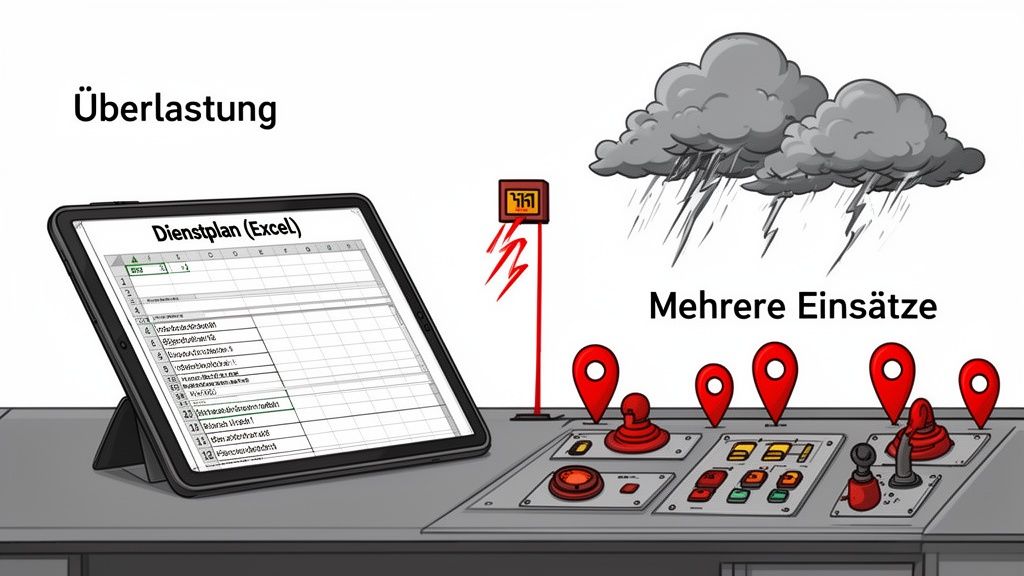
Take a look at the alerts from the last few years. It's no longer just the classic fire operations. Technical assistance, storms, floods – the variety is constantly increasing. This development places enormous demands on your people and the entire organization. Imagine a violent summer storm: At the same time you have to pump out basements, remove fallen trees from streets and maybe even secure a flooded stream. This is the new normal.
The official figures confirm this gut feeling. According to fire brigade statistics, the fire brigades in Switzerland and the Principality of Liechtenstein provided services926,054 hours of usewith 84,768 missions. Particularly striking: The increase in natural events was dramatic71 %compared to the previous year.
This shift has one clear consequence: you no longer just needanyavailable team. You need the right people with the right qualifications - often for multiple, parallel assignments.
The problems of rigid planning methods
With this dynamic, a static Excel list or the plan posted on the bulletin board quickly becomes a bottleneck. Everyone knows the problems from practice:
- Lack of flexibility:What happens if a machinist is unavailable at short notice? Suddenly the hectic calls begin to find a qualified replacement.
- Missing overview:Who has what training? Who is available right now, who is on vacation, who is sick? Without a central, up-to-date database, valuable time is lost.
- High administrative effort:You have to make every small change manually, save it and communicate it to everyone. This is not only tedious, but also extremely error-prone.
Good operational planning is not a rigid document, but a living tool. It must allow you to react quickly and specifically to unforeseen events without paralyzing the entire organization.
In order to overcome these limits, there is no way around rethinking your processes. If you have yourOptimize business processes, you not only save time and nerves, but also increase safety.
Comparison between manual planning and a digital template
The table illustrates the direct differences between classic operational planning and working with a specialized digital template.
| feature | Manual planning (e.g. Excel) | Digital template/software |
|---|---|---|
| update | Manual, prone to errors | Automatically, visible to everyone in real time |
| Qualification check | Tedious, manual search | Integrated filters (e.g. respiratory protection, machinist) |
| Availability | Confusing, often outdated | Central overview with absences |
| communication | Awkward (phone, email) | Automatic notifications (SMS, app) |
| flexibility | Rigid, changes are complex | Highly dynamic, adjustments with a click |
As you can see, the difference is huge. A modern template is the crucial first step in moving from reactive hustle and bustle to proactive control. This way you can ensure that your team is optimally positioned for every challenge.
Lay the foundations for your operational plan template
A good template is much more than just a list of names and times. Here you lay the foundation for oneOperations planning fire brigade template, which really works in an emergency and has your back. It's about clearly defining the crucial building blocks right from the start.
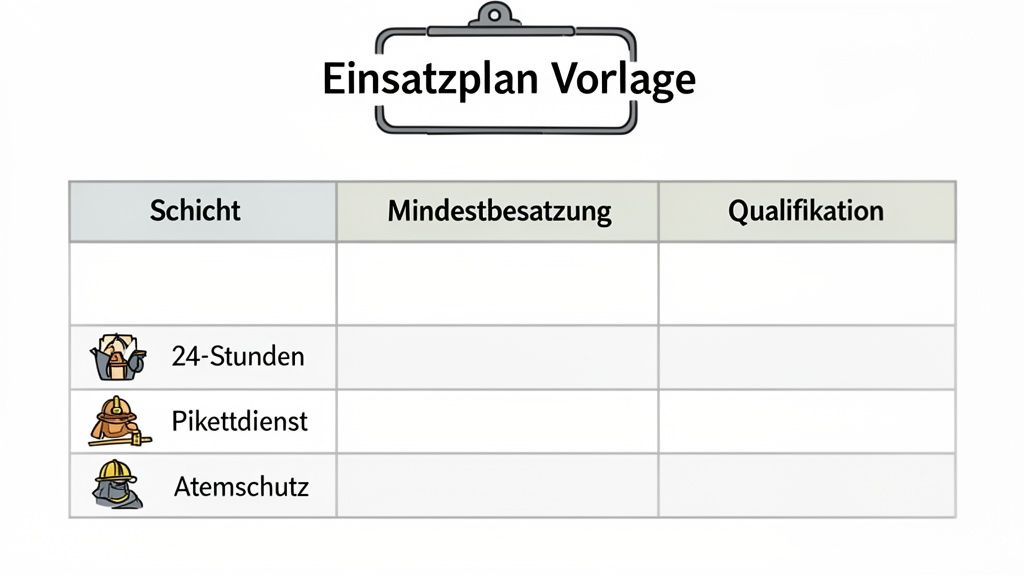
Before you enter even a single name in a line, the basic conditions must be in place. This master data is the framework of your plan - without it, you are essentially planning blindly and starting from scratch with every small change.
Clearly define shift models
Every fire department organizes its services differently. Your template must reflect exactly this individual structure. The first thing you should do is determine the different types of shifts that occur in your everyday life.
Imagine a fictional militia fire department, the “Neustadt Fire Department”. They have some typical services that they store as fixed categories in their template:
- On-call duty night (7:00 p.m. – 6:00 a.m.):Intended for a quick reaction force that covers small nighttime events such as a container fire or an oil spill.
- Weekend standby (Sat 8:00 a.m. – Mon 6:00 a.m.):This service covers the entire weekend and of course requires a higher number of staff.
- Security guard major event:A special operation for the annual city festival with very specific requirements and times.
- Daily on-call workday (6:00 a.m. – 7:00 p.m.):Ensures availability during normal working hours.
With this clear definition, you know straight away which periods you have to cover. Gaps or unsightly overlaps in planning are now a thing of the past.
Set minimum requirements per service
A service is only truly operational when the right people with the right skills are on board. That's why you have to specify the minimum requirements for each individual shift type. It's not just about the sheer number of people, but above all about the qualifications required.
A plan is only as strong as its weakest point. If a key qualification is missing, the entire team is limited in operations. Your template must make this visible at a glance.
For the weekend standby of the Neustadt fire department, the requirements could look like this:
| Requirement | Minimum number | Required qualifications |
|---|---|---|
| Overall strength | 6 people | — |
| Group leader | 1 person | Training to become a group leader |
| machinist | 1 person | Driving license C1, machinist course |
| Respiratory protection | 3 people | Valid respiratory protection suitability |
| paramedic | 1 person | Firefighter paramedic training |
If you store this data clearly as a basis in your template, you will immediately see whether a planned shift meets the requirements or whether you urgently need to make adjustments. Many people start this process in a simple spreadsheet, but modern tools offer a much better overview. In-depth information aboutPersonnel planning with Excelshow quite well where the possibilities, but also the limits, of this approach lie.
By clearly defining these two basic pillars – shift models and minimum requirements – you create a solid and reliable basis. This not only makes the actual deployment planning easier and faster, but above all also safer.
Bring your template to life
Okay, the basic framework is there. But a template is only really useful when it is fed with the right, up-to-date data. Now it's about turning the theory into a dynamic plan that really has your back in your hectic everyday life.
Everything starts with the availability query. You need to be crystal clear about who is actually available for a service and when. An endless email chain or a confusing WhatsApp group can quickly lead to absolute chaos. A central list that everyone has access to and to which comrades can enter themselves works much better.
Compare availabilities and qualifications
As soon as the feedback is there, the actual puzzle work begins. You transfer the reported availabilities to yoursFire department operations planning template. This is exactly where you can immediately see whether your planning is working or where there are serious gaps. Maybe no one with the necessary C1 driving license shows up for the weekend, or there is suddenly a lack of a group leader for the night shift.
This is where the qualification filters come into play. In your template, you should definitely create categories or tags for specific skills. These are, for example:
- Driving license:C1 for the fire engines
- Guide:Group leader, platoon leader
- Special training:Respiratory protection wearer, machinist, paramedic
- Additional knowledge:Handling dangerous goods, rescue at heights
Once you have stored these characteristics clearly in the template, you can filter specifically. Imagine that your scheduled machinist for the weekend shift calls in sick at short notice. Instead of frantically calling the entire crew list, simply filter by “machinist” and “available”. You can see at a glance who is a possible replacement. This not only saves a huge amount of time, but also significantly reduces stress for everyone involved.
A good template not only gives you an answer to the question “Who can?”, but above all to “Who canand may?». This is the crucial difference between a simple list and a real planning tool.
The need for such forward planning is becoming increasingly urgent. In 2022 alone, the fire departments in Switzerland responded15,176 firesfrom – a high in the last ten years and20% morethan in the previous year. Detailed planning that intelligently links availability and qualifications is absolutely essential under this pressure in order to remain able to act. MoreThe fire brigade statistics for 2022 on feukos.ch provide background information.
Seamlessly integrate special operations
In addition to the regular on-call duty, there are always special operations that you have to carefully incorporate into your planning. A security guard at the local music festival or securing the St. Martin's parade are classic examples. These services often have completely different requirements and tie up staff who are then no longer available for regular service.
The trick is to treat these special operations like a normal duty in your template. Simply create your own “shift type”, such as “Security Guard City Festival”. Define the minimum requirements here too: How many people do you need? Are special qualifications required, perhaps a trained paramedic?
If you plan staff for this special operation, a good template will automatically block these people from regular on-call duty for the same period of time. This way you can prevent double occupancy and see immediately whether you still have enough staff available for normal work or whether you need to make adjustments. The process is very similar to the task of finding oneCreate a clear Excel shift plan– Here, too, clear categories and rules help to avoid conflicts from the outset.
Manage short-term changes to the plan
The best plan is only as good as its ability to adapt to reality. A sudden absence from illness, a personal absence or an unexpected shortage - and the most careful thing comes to an endFire department operations planning templateto falter. Now all that matters is how quickly and specifically you can react.
The solution lies in being prepared for exactly such unforeseen events. A frantic chain of calls in the middle of the night to find a replacement is not only nerve-wracking, but also a real security risk. Your template needs to give you the answers before panic even breaks out.
Install buffers in case of emergency
In order to be able to react effectively to failures, you should proactively integrate buffers into your planning. Two methods have proven particularly useful in practice:
- Springer pool:This is a list of qualified colleagues who have agreed in advance to fill in for colleagues who are unable to attend at short notice. You are not assigned to a specific shift, but are listed as the first point of contact.
- Defined on-call service:Here you clearly specify who will act as a “backup” during a certain period of time. This person must be available and can be alerted immediately if necessary to close a gap in the roster.
Both approaches require crystal-clear communication and must be visible at a glance as separate categories in your template. So everyone knows who takes on which role and when.
A good planner hopes for the best but prepares for the probable. Failures are not a question of “if,” but only of “when.” Your template is your tool for responding confidently.
This decision tree shows the quick process of closing a gap using a well-maintained template.
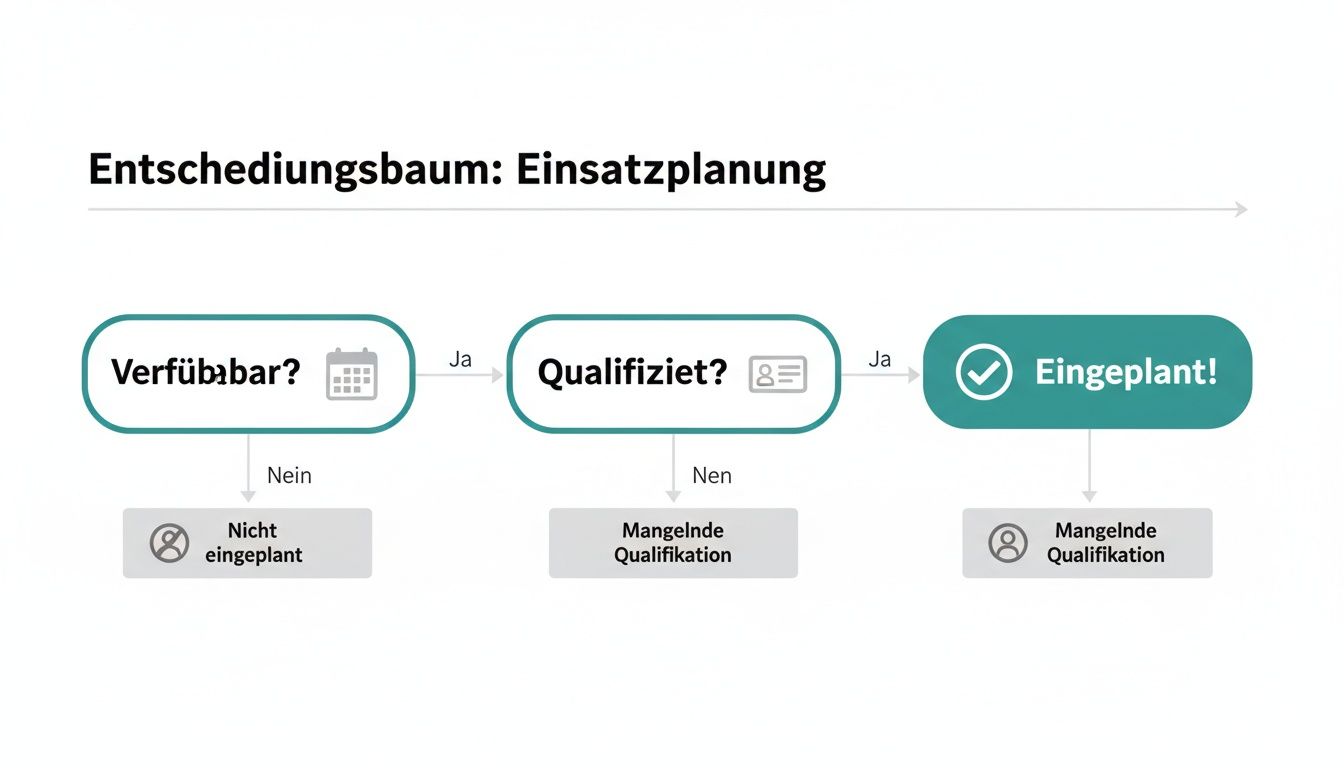
The graphic makes it clear: The combination of availability and qualification checks is the fastest way to a solution.
Scenario: A machinist is absent due to illness
Imagine a concrete situation: It's Friday afternoon and your scheduled machinist for the weekend shift calls in sick. The tank fire truck would therefore not be ready for use. What are you doing now?
Your skills-based template is now your most important tool. Instead of printing out a list and comparing it manually, you now proceed strategically:
- Filter by “Machinist” qualification:Your template will immediately show you all people who have the necessary training and the C1 driving license.
- Check availability:Now you look at the availability reports for the weekend. Which of the qualified machinists have reported themselves as available or are not already scheduled elsewhere?
- Check the Springer Pool:Is there perhaps someone from your predefined Springer list among the available machinists? This person would be your first point of contact.
- Contact specifically:You no longer call ten people, but only the one or two comrades who, according to your template, are possible replacements.
This approach will solve the problem in minutes, not hours. You ensure operational readiness, avoid unnecessary stress and show that your planning works even under pressure.
Handle data protection and communication correctly
When planning operations, you inevitably juggle sensitive information. Telephone numbers, addresses, special qualifications and availability are personal data and fall under strict legal rules. Careless handling of this not only leads to dissatisfaction among the team, but can also have serious legal consequences.
YourFire department operations planning templatemust therefore keep data protection in mind from the first minute. It starts with the distribution: A public notice in the tool shed where private cell phone numbers are visible to everyone is an absolute no-go. Such data belongs exclusively in the hands of those who actually need it for business operations.
Make communication clear and secure
Imagine the classic situation: You change the plan at short notice and share the information in the WhatsApp group. A friend has muted the notifications and won't notice the change. In an emergency, such a breakdown can have fatal consequences.
Your communication channels must therefore not only be fast, but above all verifiable. Use channels where you can be sure that the message will arrive and be read. This is particularly crucial in the event of alarms or spontaneous service changes. A good understanding of thePrivacy policyis the basis for treating all information responsibly.
The principle of data economy is your best friend here. Always ask yourself: What information is really necessary for whom? A machinist does not need the paramedic's private number and vice versa unless it is relevant to the direct operation process.
A look at regional coordination shows how crucial crystal-clear communication is. Figures from Bern and St. Gallen show how important fast and reliable information channels are. In Bern, the fire department emergency call center handled the call9,400 missions, with call acceptance in91,2 %of the casesunder 10 secondslay. Such response times can only be achieved with robust, data protection-compliant systems.
Use digital tools correctly
Modern tools help you reconcile communication and data protection. Instead of insecure messenger services, specialized platforms offer closed and secure communication spaces that were developed precisely for such purposes.
Here are a few practical tips from practice:
- Role-based access rights:Make sure each member only sees the information relevant to their role and responsibilities. The group leader needs more details than the candidate.
- A central source of information:No more chaos of different plan versions circulating via email. A central, digital plan is always up to date and prevents misunderstandings.
- Verifiable notifications:Rely on systems that enable read confirmation, for example via SMS. In oursGuide to SMS text messaging in the workplaceLet's explain why this method is often more reliable than app notifications.
By choosing the right tools and setting clear rules, you can ensure that your planning is not only efficient, but also safe and compliant with the law.
Operations planning: The most frequently asked questions from practice
Anyone who has ever tried to create a duty roster for the fire department knows this: the same tricky questions keep coming up. That's no wonder, because it's a good oneFire department operations planning templatemust be able to do more than just write names in a table. Here are the answers to the most common stumbling blocks, straight from practice.
How do I deal with comrades who have multiple qualifications?
A classic: someone wears breathing apparatus and is also a machinist. This is a huge advantage for the team, but is often a challenge for planning.
The clean solution is to use a separate column or “tag” (keyword) for each qualification in your template. The crucial question is: Which role is the most critical in this layer? If you are missing a machinist, the person will be scheduled as a machinist. Point. The additional qualification as a breathing apparatus wearer is not primarily available, but you can see at a glance how flexible the team is in an emergency.
The key is to have one for each serviceprimary roleto be clearly assigned. A good template will then show you the secondary skills at a glance without losing track of the minimum strength.
What is the best way to query availability?
The days of confusing email chains or wild WhatsApp groups should finally be over. The best method is a central platform accessible to everyone. In the simplest case, this can be a shared online table in which everyone enters themselves - or, even better, specialized software.
What is particularly important is a standardized process. Set clear deadlines by which feedback must be provided. This creates a reliable database and saves you from having to constantly ask questions.
Should the finished plan be transparent to the entire team?
Transparency is a powerful tool. A plan that everyone can see promotes a sense of togetherness and makes it easier for comrades to exchange services with one another. But this transparency has clear limits, and these are called data protection.
You need to carefully consider what information you share. The name, assigned shift and function are completely fine. Private telephone numbers, addresses or even notes about illnesses have absolutely no place in a public plan.
- What can be shared:Name, assigned shift, function (e.g. “group leader”).
- What must remain private:Contact details, exact reasons for absence (illness, vacation), personal notes.
This sensitive data belongs exclusively in the hands of those responsible for planning. This is how you create the right balance between a transparent team tool and the necessary protection of privacy.
Are you ready to take your operational planning to the next level and say goodbye to confusing Excel lists?job.rocksoffers you the right tools to manage availability, qualifications and services effortlessly and in compliance with GDPR. Discover nowhttps://job.rocksHow to minimize administrative effort and maximize your commitment.