
Your Ultimate Staff Planning Guide for 2026
Welcome to your guide to staff planning. Here you will learn everything you need to know to turn workforce planning from a chaotic time sink into a real competitive advantage. I show you how the right methods and tools can reduce costs, make your team happier and delight your customers.
Welcome to your guide to deployment planning. Here you'll find out everything you need to know to transform your workforce planning from a chaotic time-waster into a real competitive advantage. I'll show you how you can use the right methods and tools to not only reduce costs, but also make your team happier and delight your customers. Think of this as your shortcut to planning that just works.
What deployment planning really means and why you need it now
Forget the idea that deployment planning is just about filling a roster. Rather, think of it as the strategic nervous system of your company. At its core, it's about ensuring that the right employees with the right skills are in the right place at the right time
Those who master this no longer just react to daily operations, but actively shape them. Well-thought-out planning is the foundation for smooth processes, satisfied customers and a motivated team that knows what they have to do.
The leap from chaos to control
Without a clear system, operational planning often resembles a daily fire department operation. Constant phone calls, confusing Excel spreadsheets and endless queries cost time and nerves. If even one person is unavailable at short notice, a hectic ensues immediately.
Imagine an event agency that organizes a big company anniversary with 20 service staff. If the planner uses an Excel list, he or she must call or message each individual to clarify availability. If something changes, the whole mess starts over again.
Modern operational planning solves exactly this problem. With a single click you can send a request to all qualified employees in your pool. If you have the time and desire, get in touch straight away – and the plan will almost fill itself.
More than just a nicer roster
A structured approach brings you tangible benefits that go far beyond simply saving time. It directly impacts your business success on multiple levels:
- Lower personnel costs: You avoid expensive overtime and idle time by precisely covering personnel requirements. Automatic checks help to comply with statutory break and rest times and to avoid costly errors from the outset.
- Higher employee satisfaction: If you take wishes into account when assigning shifts and design plans fairly and transparently, motivation increases noticeably. An app that employees can use to independently apply for assignments or swap shifts gives them valuable control and flexibility.
- Better service quality: A customer notices immediately if the staff is overworked or understaffed. With proper planning, you can ensure that there are always enough competent people on site, which leads to happier customers and better reviews.
Good operational planning is not a cost factor, but an investment. It turns administrative effort into a strategic advantage that directly impacts your sales, team morale and your market reputation.
Manual vs. automated deployment planning in direct comparison
The difference between an outdated approach using Excel and a modern, digital solution is best seen in a direct comparison. The daily tasks of a planner are fundamentally changing.
See how routine tasks change when you switch from a manual to an automated solution like job.rocks.
Manual vs. automated deployment planning in direct comparison
A comparison of the daily tasks in operational planning with and without a specialized tool.
| Task | Manual planning (with Excel) | Automated scheduling (with job.rocks) |
|---|---|---|
| Query availability | Individual calls, emails or messages to all employees. | Send a request to the qualified personnel pool; Employees report back via the app. |
| Occupy layer | Manually search in lists and notes who has the necessary skills. | The system automatically suggests suitable employees based on stored qualifications. |
| React in case of failure | Hantic search for replacement, repeated calls and messages. | An "open layer" Send to available employees with one click and wait for applications. |
| Communicate plan | Send the plan as a PDF or image; If changes occur, new versions are required. | The plan can be viewed by everyone in the app at any time; Changes will be communicated immediately via push notification. |
The table makes it clear: While manual planning consists of reactive, repetitive and error-prone individual steps, an automated system enables a proactive and strategic process. The planner turns from organizer into conductor.
The central building blocks of successful operational planning
Good operational planning is like a finely tuned clockwork - each gear must mesh perfectly with the other. If you break the process down into its core components, you can quickly see what really matters. Let's take a closer look at these building blocks so that you understand how you can move your planning from pure management to active design.
Ultimately it's about keeping three crucial areas in balance: cost control, the needs of your employees and the quality of your service.
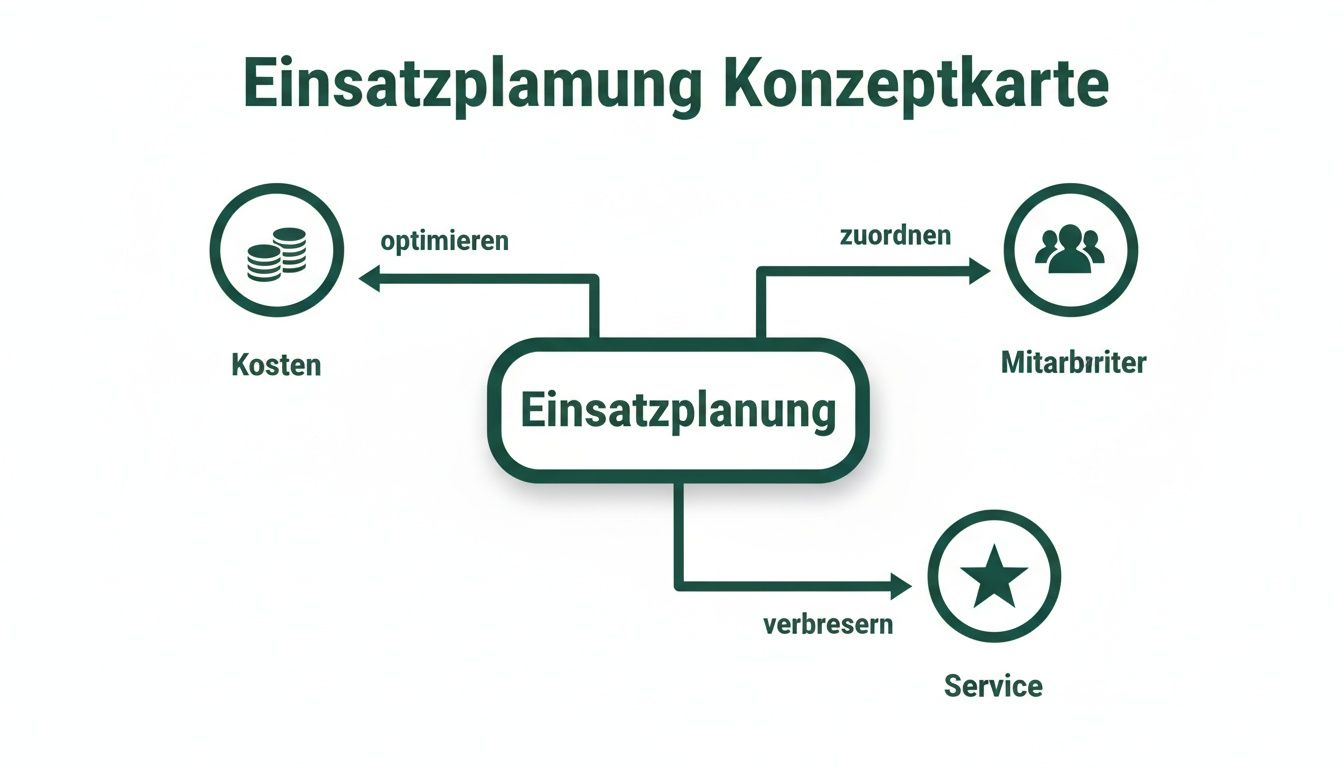
The picture makes it clear: It's not just about assigning layers somehow. It's about a strategic balance that directly influences your business success.
The availability query as a starting point
The first step to a working plan is knowing who can work. Making endless calls or waiting for replies in confusing chat groups is not only nerve-wracking, but also a real time-waster. Modern deployment planning therefore begins with an automated availability query.
Imagine that you run a restaurant and need three additional service staff at short notice for the weekend. Instead of contacting everyone individually, you send a single request to all qualified employees in your pool using a platform like job.rocks. Interested parties apply directly via the app – all you have to do is select and confirm.
Fair and transparent shift planning
As soon as you know who is available, it's time to get down to business: the actual shift planning. At this point, it is crucial to determine how satisfied your team is. A good plan takes into account not only the operational needs, but also the wishes and burden of your people.
A fair roster is a sign of appreciation. Employees who feel that they are treated fairly and can express their preferences are more motivated, more reliable and stay loyal to your company for longer.
Transparency is key. Everyone should be able to understand why the plan looks the way it does. A digital system helps you by automatically keeping an eye on rules for maximum working hours or the fair distribution of popular and unpopular shifts. You can also align the personnel capacity planning so that you avoid over- or understaffing from the outset.
Mobile time recording for correct billing
What good is the best plan if the hours worked are not recorded correctly at the end? Manual entry on pieces of paper is extremely error-prone and often leads to unnecessary discussions during payroll. A mobile time recording via app creates clarity and security - for both sides.
Your employees clock in and out directly at the place of work via smartphone. The system records times down to the second and documents breaks seamlessly. This not only ensures accurate payroll, but also ensures that you comply with legal requirements such as documentation requirements. Another building block for success here is the effective management of downtimes, for which specialized tools such as the Nova Downtime Manager exist.
Efficiency is particularly important in the dynamic Swiss labor market in the event and hospitality industry, where the shortage of skilled workers is noticeably increasing. The Adecco Group Swiss Job Market Index shows a slight recovery in vacancies, but this is even more forcing companies to access staff flexibly. A digital platform that filters qualifications and queries availability in real time becomes a decisive advantage here.
Securely implement GDPR and labor law when planning operations
Data protection and labor law are not annoying paperwork in operational planning. They are the foundation on which trust and security in your team are built. Incorrect implementation can not only result in severe fines, but can also permanently damage the relationship with your employees. It's about handling personal data sensitively and knowing exactly the legal rules of the game.
The good news: You don't have to be a lawyer to do everything right here. With a clear understanding of the basics and the right tools at your side, you'll be on absolutely safe ground.
Which employee data are you allowed to collect and store?
When planning operations, you cannot avoid collecting personal data. Names, contact details, qualifications, availability and of course working hours are our daily bread here. The General Data Protection Regulation (GDPR) specifies the principle of data minimization: You may only collect and store the data that is really absolutely necessary for the purpose - i.e. the planning and implementation of the operations.
- Necessary data: This includes name, email address, telephone number, proof of qualifications (e.g. driving license, certificates) and bank details for payroll. Without this data it doesn't work.
- Voluntary data: A profile picture can improve the personal approach in the team, but is not necessary for pure planning. For this you need the express and voluntary consent of your employee.
- Sensitive data: Health data is particularly protected. They may only be processed with explicit consent and for a clearly defined purpose, for example to take into account restrictions certified by a doctor when assigning shifts.
The storage period is just as important. As soon as the legal retention periods (for example for payroll accounting) have expired and the data is no longer needed for any purpose, it must be deleted cleanly.
Roles and permissions as your protective shield
Not everyone in the company should have access to all personnel data. A linchpin for GDPR compliance is therefore a smart role and authorization concept. In professional planning software like job.rocks you can specify exactly who can see and edit which information.
A service employee must be able to view their own shifts and apply for new ones, but the wage data of their colleagues is none of their business. The dispatcher, on the other hand, needs a full overview of availability and qualifications, but not necessarily of private bank details.
A tangible example comes from the security industry: Here, the complete documentation of working hours and the reliability of the staff are absolutely business-critical. A digital system ensures that only the responsible operations manager can view his teams' data and track changes. Every adjustment is logged, which ensures crystal-clear transparency during an audit. You can find out how to choose a secure platform in our article about GDPR-compliant deployment planning.
Comply with working time recording and break regulations
In addition to data protection, labor law is the second major guardrail. The obligation to record working hours, the observance of breaks and the statutory rest periods when planning are not vague recommendations, but rather tough guidelines. Mistakes can quickly lead to expensive additional payments and fines.
Modern planning software takes a lot of the burden off your shoulders:
- Automatic checks: The system immediately sounds an alarm if a planned shift violates the maximum permitted working hours or the prescribed rest period.
- Complete documentation: Every minute stamped is recorded precisely and can be verified for audits at any time - without manual lists and Excel chaos.
- Fair break regulations: The system can automatically integrate breaks into the plan or actively remind employees to take and document their breaks.
Through this automation, you not only eliminate human errors, but you are also prepared for an inspection by the authorities at any time. But much more important: You create a fair and legally compliant working environment that gives your team the security they deserve.
How to tailor deployment planning for your industry
Every industry has its own rules. A caterer who has to respond to a sold-out festival at short notice plans completely differently than a security service with fixed 24/7 security orders. There is no such thing as off-the-shelf deployment planning - it almost always leads to compromises that end up costing you time, money and the nerves of your team.
The key is to tailor the tools and methods exactly to your specific challenges. So let's take a look at how you can really improve your planning for the event, health, construction and logistics sectors.
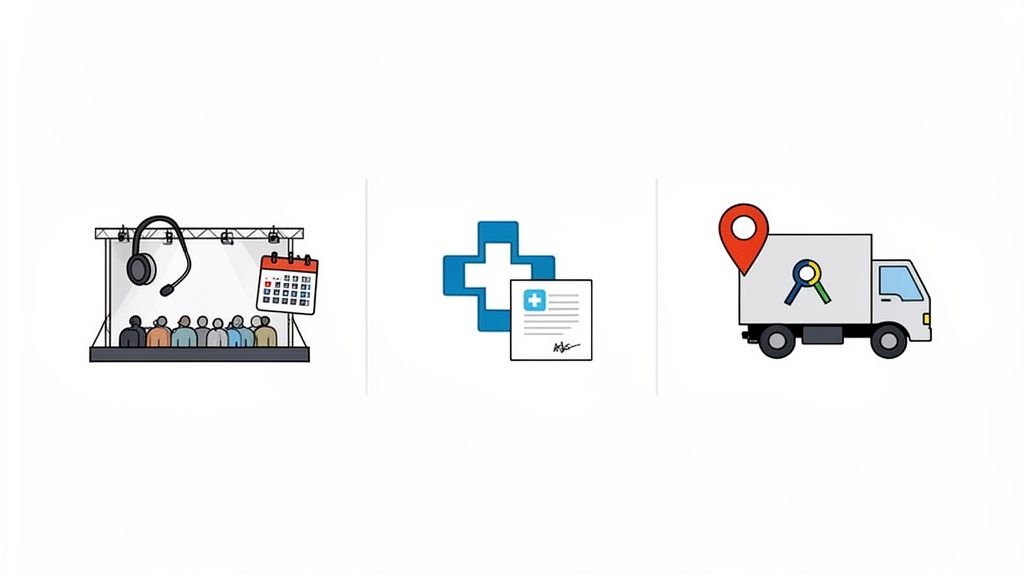
The requirements could hardly be more different. Let's look at the special features of each industry and see what smart solutions there are.
Events and gastronomy: managing dynamics
In the event and catering sector, spontaneity and flexibility are everything. Orders often come in at short notice, the number of staff fluctuates extremely and the locations are constantly changing. This is not about rigid annual plans, but about lightning-fast, agile reactions.
Imagine you are organizing a company party and the customer spontaneously books a cocktail bar two hours before the start. Your challenge: Find qualified bar staff who are actually available within minutes.
This is exactly where a digital solution like job.rocks shows its strengths:
- Lightning-fast staffing: You create an open shift for “bartenders” and send it to your entire staff pool. Qualified people apply directly via the app - you fill the gap in a few minutes instead of dozens of calls.
- Qualification filter: You ensure that only employees with the right skills (e.g. hygiene training, cocktail certificate) even see the request. This saves you the hassle of sorting out.
- Transparent billing: Complex wage models with night or weekend surcharges are automatically recorded correctly and neatly prepared for payroll accounting. No more manual paperwork.
Health care and care: ensuring safety
In the healthcare sector, patient safety and complete proof of qualifications are the top priority. Making the wrong choice is not an option here and can have serious consequences. The planning must absolutely ensure that only personnel with valid certificates and the appropriate training are used.
Think of a nursing service manager who is planning to work with a patient who needs special wound care. Under no circumstances should an assistant be assigned to this sensitive task without the necessary further training.
Specialized software helps you to carry this responsibility safely:
- Digital personnel files: All certificates and qualifications are stored digitally. The system automatically warns you when a certificate is about to expire - proactively, not reactively.
- Skills-based planning: When you assign a shift, the system only suggests personnel who have the necessary skills for the task at hand. Incorrect placement due to human error is made technically impossible.
- Complete documentation: Every minute of work and every use are recorded precisely. This means they can be transparently verified at any time for audits or billing with health insurance companies.
Construction and logistics: Coordinating teams and routes
In the construction and logistics industry, teams often work decentrally at various locations. The daily coordination of personnel, materials and machines is an enormous challenge. Inaccurate planning immediately leads to expensive downtime or delays in the entire project.
The construction index for the Swiss construction industry predicts sales of 24.4 billion CHF for 2026. At the same time, the sector is struggling with high pressure on margins, which makes precise personnel management essential. Decentralized planning is crucial, especially in cities like Basel, where large construction sites tie up many employees. You can find more insights into the development of the construction industry on the website of the Swiss Builders Association .
Without smart coordination, logistics and the construction industry can quickly face 20-30% higher costs due to inefficient routes, waiting times and incorrect staffing.
Here, tailor-made deployment planning will help you save money:
- Location-based planning: You can see on a map which teams are deployed where. This means you can flexibly move staff between construction sites or tours if necessary, instead of sending new people.
- Route optimization: The system plans the most efficient routes for your mobile teams in order to noticeably reduce travel times and fuel costs.
- Mobile time recording with geofencing: Employees clock in directly on the construction site or at the start of their tour. The system uses GPS to ensure that time recording takes place at the correct location - for fair and precise billing.
Successfully introduce planning software in the team
The best software is of no use if your team doesn't accept it. A successful introduction is not a purely technical project. It is a change process that puts people at the center – right from the start. It's about communicating clearly, breaking down resistance and making the benefits tangible for each individual.
Don't think of the rollout as an order from above, but as a collaborative upgrade to the way you work. As soon as your team recognizes the added value for themselves, they will not only accept the new solution, but will also want to actively help shape it.
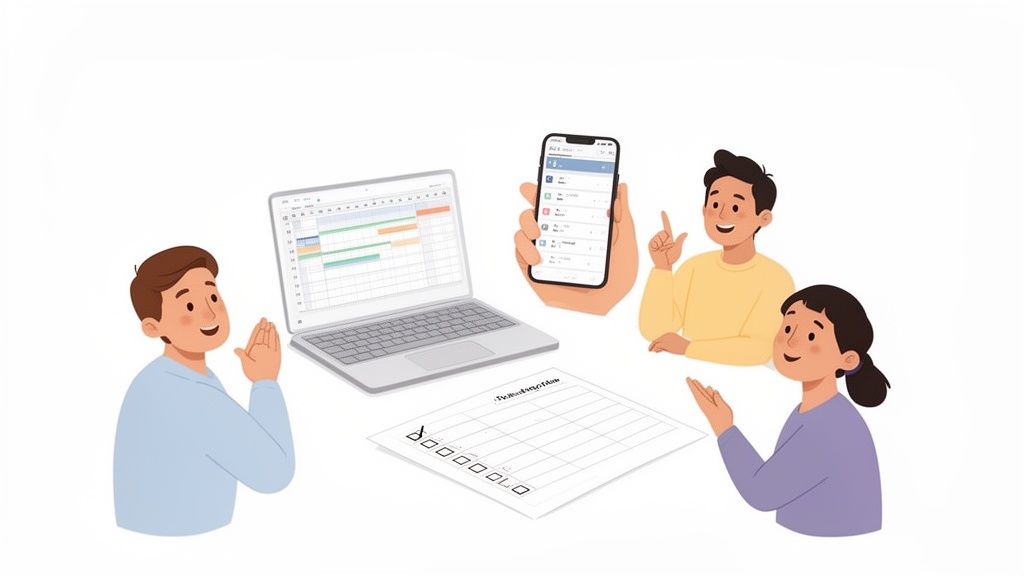
First select the right tool
Even before you think about the rollout, you need to choose the right software. The wrong decision can ruin even the best launch strategy. Focus on the problems you really want to solve instead of being blinded by a long list of features.
As you evaluate, ask yourself these three simple questions:
- Does it solve my core problem? If your biggest problem is filling open shifts at short notice, you need a solution with a strong availability query and a mobile app - such as the one offered by the deployment planning software from job.rocks.
- Is it easy to use? The user interface must be intuitive. Can your employees use the app without hours of training? Quite simple, from practice for practice.
- Does it suit my industry? Software for the construction industry has completely different requirements than one for the catering industry. Check whether the crucial, industry-specific functions are available.
Transparent and efficient deployment planning is crucial, especially in the healthcare sector. Automated availability queries can reduce vacancies in shifts by up to 25%. Without suitable digital tools, hospitals and care facilities quickly lose 15-20% in productivity through manual planning processes alone. You can find out more about these trends in the healthcare system in this report from Interpharma.
Get your team on board from the start
The most common mistake? To present the team with a fait accompli. Resistance is almost pre-programmed. Instead, involve your employees in the process from the first minute.
Make your employees co-creators, not those affected. If they feel that their opinion counts and that the new solution also makes their lives easier, they will become your biggest supporters.
Communicate the benefit for the team, not just for the company. A very practical example: Show how the new mobile app allows you to update your availability with two clicks or to apply directly for exciting assignments - without annoying calls and emails.
Your checklist for a smooth rollout
A structured approach is the key to success. This checklist will help you remember all the important steps and leave nothing to chance:
Phase 1: Preparation
- Define goals: What exactly do you want to achieve? Formulate it in measurable terms, for example “Reduce staffing times for open shifts by 50%”.
- Form a pilot team: Select a small, motivated group to test the software first and give honest feedback. These are your champions.
- Clean up data: Are all employee data, qualifications and contact details up to date? A “spring cleaning” is always worth it.
Phase 2: Implementation
- Data transfer: Import all relevant data into the new system. Most good providers will help you with this.
- Plan training courses: Organize short, practical training sessions. Focus on the employees' daily tasks, not on every exotic function.
- Ensure support: Designate a clear contact person for questions and set up a simple communication channel (e.g. a chat group) for the initial phase.
Phase 3: Go-live and optimization
- Official launch: Communicate a clear start date from which only the new system will be used. No “both and”.
- Collect feedback: Actively ask where there are problems and what is going well. Use this feedback to immediately adjust processes.
- Celebrate successes: When the first goals have been achieved, share these successes with the entire team. This motivates and confirms the joint decision.
A recruiter successfully introduced job.rocks exactly according to this scheme. His focus was on emphasizing the benefit for temporary workers: the easy application for jobs via app. The result was an enormous acceptance rate and noticeably faster filling of vacancies. With a clear strategy, the software introduction will not be an obstacle, but a shared success.
Frequently asked questions about operational planning
You have already learned a lot about the strategic importance, the individual building blocks and the legally compliant implementation of operational planning. In practice, however, the same questions arise again and again. I have collected the most common ones for you and will answer them directly here - so that you can quickly get the clarity you need for your decisions.
How much does deployment planning software cost?
The costs for good deployment planning software can vary greatly. This depends entirely on the provider and the range of functions. Models that charge per user or per employee per month are common. Very simple tools for small teams are often available for just a few francs a month.
More comprehensive platforms such as job.rocks, which bundle important functions such as automated availability queries, mobile time recording, qualification management and wage interfaces, are in the middle price segment. The price here is usually based on the number of active employees that you actually plan and manage.
When it comes to costs, don't just think about the pure license price. Also take into account the massive time savings in planning, the much lower error rate in payroll and the avoidance of expensive wrong appointments. Good software often pays for itself after just a few months.
How long does it take to introduce new software?
How fast it goes depends on the complexity of your processes and the size of your team. With modern, cloud-based solutions like job.rocks, the technical launch is often a matter of hours, sometimes even just a day. But the real work lies in proper preparation and taking your team with you.
For a medium-sized company, a realistic schedule looks something like this:
- Preparation (1-2 weeks): In this phase you define your goals, bring your employee data into shape and put together a small pilot team.
- Technical setup and test phase (1 week): The software is set up, the data is imported and the pilot team tests the most important functions in real operation.
- Training and go-live (1 week): All employees are trained in short, crisp sessions. Then it officially starts.
In total, you should expect two to four weeks for a clean and well-supported transition. The key to success is good planning and the active involvement of your team right from the start.
Is my Excel list really that bad?
Your Excel list isn't inherently bad - it's simply the wrong tool for such a dynamic task. Excel is great for static calculations and simple tables, but when it comes to operational planning, it quickly reaches its limits. Think of it like a Swiss Army knife: It can do a lot of things a little, but for a complex repair you need special tools.
The disadvantages of Excel are obvious:
- No real-time updates: Changes must be entered by hand and sent to everyone. The result? Outdated versions and pure chaos.
- Lack of automation: You have to do every availability query, every shift assignment and every check of working time laws manually.
- High susceptibility to errors: A small typo in a formula or accidentally overwriting a cell can ruin your entire plan.
- Data protection risk: An Excel list with personnel data sent by email is extremely problematic from a GDPR perspective and can be expensive.
Excel may just work for a team of three people. But as soon as you juggle changing staff, different qualifications and dynamic requirements, manual planning becomes an uncontrollable time-waster.
How do I convince my team of a new solution?
Resistance to new things is completely normal. The key to persuasion is to make the personal benefit crystal clear for each individual. It's not about what management wants, but rather how the new software noticeably improves everyday work for everyone.
- For your employees: Show them the mobile app. Emphasize how easily they can enter their availability, apply for jobs or swap shifts. This means more flexibility and fewer annoying calls in your free time.
- For your planners: Focus on the enormous time savings. Instead of spending hours on the phone and maintaining lists, you can finally concentrate on strategically clever staffing. The software becomes your personal assistant, not your opponent.
- For accounting: Highlight the clean, error-free data basis for payroll accounting. No more illegible timesheets, no more discussions about forgotten breaks.
Organize a short, non-binding demo and let your team try out the software themselves. Once you have experienced the difference live, the convincing process often takes care of itself.
In order to summarize the most important points again, we have created a quick overview of the most frequently asked questions for you here.
Questions and answers about deployment planning at a glance
The most frequently asked questions about personnel deployment planning and their direct answers.
| Question | Answer |
|---|---|
| How much does deployment planning software cost? | The costs vary greatly. They range from a few francs per month for simple tools to medium price segments for comprehensive platforms such as job.rocks, which are based on the number of active employees. |
| How long does the introduction take? | You should expect 2 to 4 weeks for a clean transition. The technical start is often quick, most of the time is spent preparing and training the team. |
| Is my Excel list not enough? | For very small, static teams only. As soon as dynamics and complexity are added, Excel becomes an error-prone time waster and a data protection risk. |
| How do I convince my team? | By highlighting the personal benefits for each individual: more flexibility for employees, massive time savings for planners and clean data for accounting. |
Hopefully these answers will give you the confidence you need to take the next step.
Are you ready to modernize your operational planning from the ground up and experience the benefits of a well-thought-out, digital solution for yourself? job.rocks offers you all the tools to accelerate your planning processes, reduce your costs and make your team happier.
Request your free demo now and discover how easy good deployment planning can be.