
Event Agency Scheduling: Your Digital Guide 2026
The guide to optimal event agency scheduling for 2026! Digitize processes, freelancers & time tracking GDPR-compliant and increase your efficiency.
You’re probably sitting in front of three open Excel files, two WhatsApp groups are buzzing, and somewhere you’re still waiting for feedback from people for Saturday evening. Then a hostess calls in sick, the client adjusts the guest count, and suddenly your entire plan no longer fits. This is exactly how scheduling in event agencies shifts from normal daily business to pure improvisation.
The problem is rarely the team’s willingness. The problem is the system. Once availabilities, qualifications, locations, shift times, and payroll preparation end up in separate lists, you lose overview. And once overview is missing, every small change becomes costly, loud, and error-prone.
If you want to set up your event agency scheduling properly, you have to rethink the entire process. Not just the shift plan. We mean the complete path from the initial needs analysis to the handover to payroll, including freelancer pools, data protection, and working time rules.
Meta description: Want to get your chaotic event agency scheduling out of Excel and WhatsApp? Here’s how to digitally organize availabilities, shifts, freelancers, working time rules, and payroll preparation cleanly.
Table of Contents
- Why Your Excel Sheet Is No Longer Enough
- Laying the Foundations for Clean Scheduling
- Building and Managing Your Digital Staff Pool
- Efficient Shift Planning with Templates and Automation
- Maintaining Legal Compliance and Cost Control
- Your Concrete Rollout Plan for Optimization
Why Your Excel Sheet Is No Longer Enough
On Monday, you’re still calmly planning a corporate event. By Wednesday, the same file is already outdated. Two people are suddenly unavailable, a client wants an additional check-in, and the team leader asks who is actually handling material transport. This is exactly when Excel shows its limits.
Excel can store lists. But Excel cannot clearly represent who is actually available, who has which qualification, and who has already been requested or confirmed for a specific assignment. Many agencies compensate for this with messenger messages, phone calls, and sticky notes. This works as long as only a few events run in parallel.
A typical case from agency daily life: You’re planning a food festival with several zones. Your table shows who has worked at the cash register before. What’s missing is the current status. Who already has another assignment that weekend? Who prefers late shifts? Who still needs an orientation? You jump back and forth between Excel, email, and WhatsApp, hoping no one is working on an old version.
You usually notice the system error not while planning, but when something falls through at short notice.
With structured digital planning, the same day looks different. Availabilities are in one place, qualifications are up to date, invitations are sent with documentation, confirmations go directly into the system. If someone cancels, you no longer search the chat history but filter your pool for suitable people.
Those who seriously want to switch from spreadsheet mode will find a fitting classification in this article about the move from Excel to professional shift planning. The point is simple: Excel is not too small for events. Excel is too blind for ongoing changes.
Roles First, Names Later
Many planning errors don’t arise during personnel search but much earlier. You write “6 service, 2 hostesses, 1 team leader” in the file and believe the need is clarified. It’s not. Behind each role is a different task, a different pressure point, and often a different requirement.
At a conference, you need rather fixed positions: accreditation, hall support, cloakroom, guest guidance. At a festival, you need mobile teams, floaters, material runners, and people who can handle restless situations. If you don’t separate these roles, you’ll search too generally and assign too vaguely later.
Laying the Foundations for Clean Scheduling
Before choosing a tool, you need order in the logic of your planning. Otherwise, you only digitize the old chaos. Clean event agency scheduling doesn’t start in the calendar but with roles, processes, and clear responsibilities.
For large events, the first needs analysis should start at least three to six months before the event day; for smaller events, often four to six weeks are enough to avoid personnel bottlenecks. This is clearly stated in the article on event staffing without bottlenecks. In practice, you notice the difference immediately. Those who start too late no longer plan but only react.
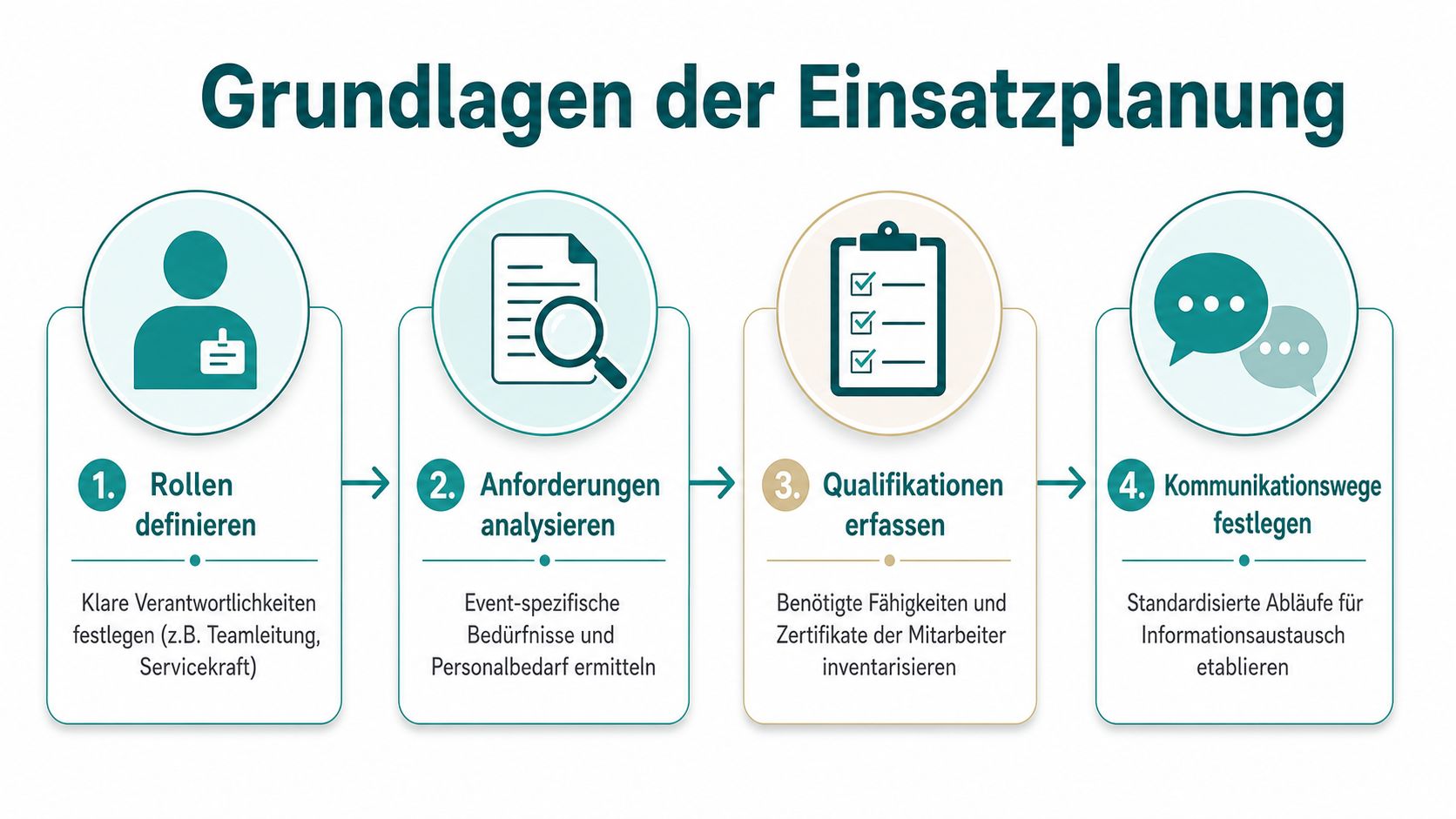
Roles First, Names Later
Imagine two assignments: one conference in a congress center, one open-air festival on a large site. If you plan both with the same role list, you’ll get problems.
At the conference, you work with fixed positions: reception, cloakroom, hall entrance, stage support. You want people who reliably stay at one post, act friendly, and follow precise briefings.
At the festival, you need flexible structures: admission, wristband distribution, bar, runner, floater, team leader per area. There, not only experience counts but also resilience, radio discipline, and willingness to switch areas at short notice.
Therefore, create a role matrix before every personnel search.
- Team leadership: Who leads on site, who decides in case of absences, who keeps contact with the client.
- Specialist roles: Cash register, bar, technical assistance, check-in, or logistics. These roles require clearly defined skills.
- Floaters: These people are not assigned “somewhere.” You reserve them consciously for gaps, peak loads, and travel times.
- Back office on event day: Someone must manage rebookings, inquiries, and follow-ups instead of getting lost in radio chaos.
Practical rule: Only when every role is described do you look for the right names.
The Process Must Be Set Before the First Call
Many agencies start with the inquiry and define the process later. This almost always backfires. You need a fixed process that applies to every event, whether wedding, trade fair, or sports event.
A lean process looks like this:
-
Create event profile
Record event type, location, duration, expected number of visitors, and special risks. This is important because format, site, and duration directly influence the need. -
Define roles and shifts
Assign not only hours but responsibilities. “Friday setup” is not enough. Better is “setup check-in zone A,” “material acceptance,” “small stage teardown.” -
Record qualifications
Who is allowed at the cash register? Who knows VIP guest handling? Who speaks English or French? Without these details, you search blindly later. -
Clarify approvals
Who is allowed to request people, rebook, or confirm shifts? If unclear, someone promises personnel already planned by someone else.
A small table often helps more than a long description:
| Event Type | Typical Structure | Common Mistake |
|---|---|---|
| Conference | fixed posts, clear handovers | too little reserve at check-in |
| Festival | mobile teams, floaters, area leadership | travel times and absences planned too tight |
| Trade Fair | setup, runtime, teardown in blocks | same people planned for all phases |
| Wedding | small teams, high service expectations | briefing and dress code communicated too late |
When this foundation is set, later planning becomes calmer. You don’t have to discuss anew with every order what “service” actually means. The system already knows.
Building and Managing Your Digital Staff Pool
The difference between stress and control usually shows not in the finished shift plan but in the staff pool behind it. If you work cleanly there, even last-minute staffing becomes calmer. If the pool is chaotic, even the nicest planning board won’t help.
A personnel reserve of 10 to 15 % is considered a necessary buffer for unplanned absences. At the same time, unstructured inquiries via WhatsApp are a known weak point because they often lead to misunderstandings and planning gaps, as described in the article on personnel planning in the event sector.
What Goes Wrong with WhatsApp and Email
You know the scene. Sick note at 6:40 a.m. Shift starts at 9:00 a.m. Someone writes in the group: “Who could fill in today?” Then come reactions, half commitments, questions about the location, and eventually someone responds who has time but isn’t suitable for the task.
The problem is not just speed. The problem is the lack of structure.
- Availability is unclear: “Probably can” is not a reliable commitment.
- Qualification is overlooked: You look for speed and forget who can actually do the role.
- Answers get lost: Private chats, group chat, and phone calls happen in three places.
- Changes are not documented: Later no one knows who confirmed when.
A central pool turns contact lists into a working tool. Employees enter their availabilities themselves, change them if needed, and you immediately see who is even eligible for which period. Added to this are stored skills, language skills, assignment history, and preferences.
How a Digital Pool Helps in Daily Work
Take a typical Saturday. At a roadshow, a cashier drops out. In the old process, you call your “usual suspects.” In the digital process, you apply filters: available today, cash register experience, suitable region, willingness for a full-day assignment. Then the request goes targeted to the right people.
This saves you not only time but also protects your core staff from blind constant calls. Those who often get unsuitable requests eventually respond later or not at all.
A digital system also helps with mixed teams of permanent employees and freelancers. This is exactly where it gets tricky because qualifications, data protection, and payroll preparation come together. Those who want to see how such processes can be monitored in the staff pool find a good practical reference in the article on tracking in your own staff pool.
A usable pool is not big. It is current, filtered, and reliable.
Practically, this means for your agency:
- Maintain profiles instead of collecting names: Create roles, documents, and assignment types per person.
- Allow self-maintenance: Availabilities should not only be adjusted by the office.
- Mark freelancers clearly: Otherwise, you mix employment types and create errors later in payroll preparation.
- Manage standby consciously: This group needs different communication than the rest of the pool.
Once you set this up properly, you stop starting from scratch with every event.
Efficient Shift Planning with Templates and Automation
Once roles, pool, and availabilities are cleanly set, comes the part many see first: the actual shift plan. Here agencies lose unnecessary time because they rebuild recurring processes every time. Especially at trade fairs, weddings, roadshows, or stadium jobs, this is unnecessary.
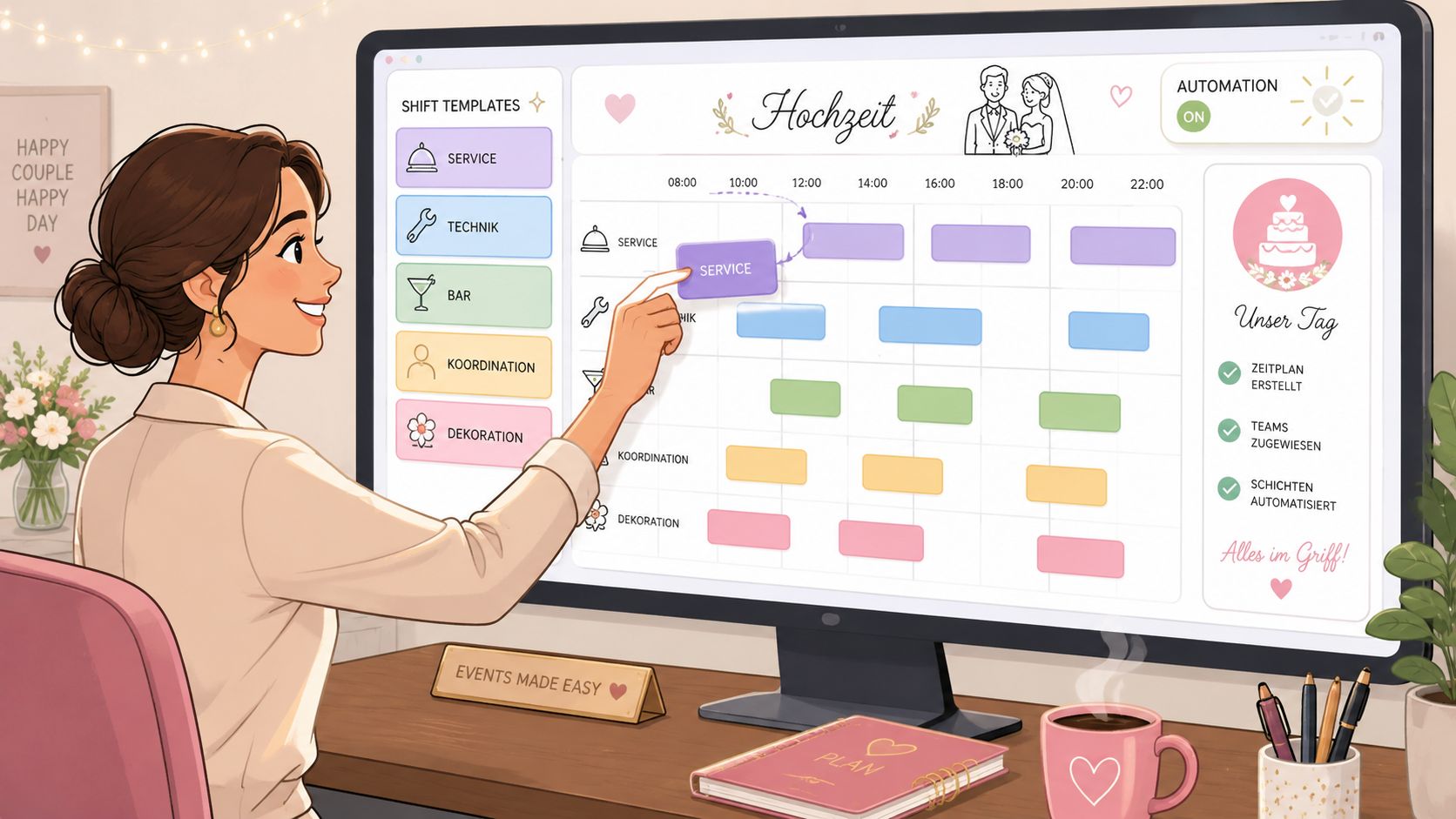
Templates Instead of Starting from Scratch Every Time
Take the setup and teardown of a trade fair. The structure is often similar: early material acceptance, setup crew, booth support, teardown, return transport. If you use templates for this, you don’t have to create each shift anew but just adjust date, location, and team size.
This not only relieves your dispatch team but also reduces error rates. A template reminds you of roles that are often forgotten, such as floaters for handovers, reserve at reception, or a second person for material routes in large halls.
A good template contains more than start and end times:
- Role name and area
- Required qualification
- Meeting point and contact person
- Briefing notes
- Rules for replacement staffing
Especially for recurring assignments, this makes a big difference. You no longer send out half-finished info that later has to be supplemented via chat.
Automatic Assignment Saves Follow-ups
The real strength of digital planning lies not only in templates but in the connection with your staff pool. When shifts are linked with requirements, the system can pre-sort suitable people by availability and profile. This is where pure planning becomes a clean workflow.
The biggest challenge for many agencies lies in the technical and legal integration of freelancer pools so that qualification filters work automatically, mobile data storage remains GDPR-compliant, and payroll preparation doesn’t end up manual again. This is aptly described in the article about event staff and freelancer pools in Switzerland.
If you want to see how such a process works in practice, this short example helps:
An agency plans several weddings every month. Previously, shift invitations went out by email, confirmations sometimes came only the day before, and changes had to be entered individually. With templates and automated invitations, the same assignment runs more orderly:
- Choose shift template “Wedding Service Evening”
- Adjust location, date, and required roles
- Select suitable people by profile and availability
- Send invitations
- Automatically incorporate acceptances and declines into the plan
- Trigger reminders before the assignment starts
If you’re looking for a tool for this, job.rocks can map the process from availability inquiry, assignment, mobile communication, and handover to payroll preparation in one system. The decisive factor is not the tool’s name but that shift planning, employee data, and feedback run in the same place.
Maintaining Legal Compliance and Cost Control
Many agencies only realize after a hectic event weekend that good scheduling is more than staffing. You can have all shifts filled and still have a problem. Namely when working hours don’t comply, rest periods are violated, or personnel costs get out of hand.
Non-compliance with the maximum 10 hours working time per day and the 11 hours rest period often leads to violations. At the same time, the personnel cost ratio should ideally be between 25 % and 40 % of revenue so that the agency’s margin doesn’t collapse. These figures are mentioned in the article on employee scheduling in events and gastronomy.
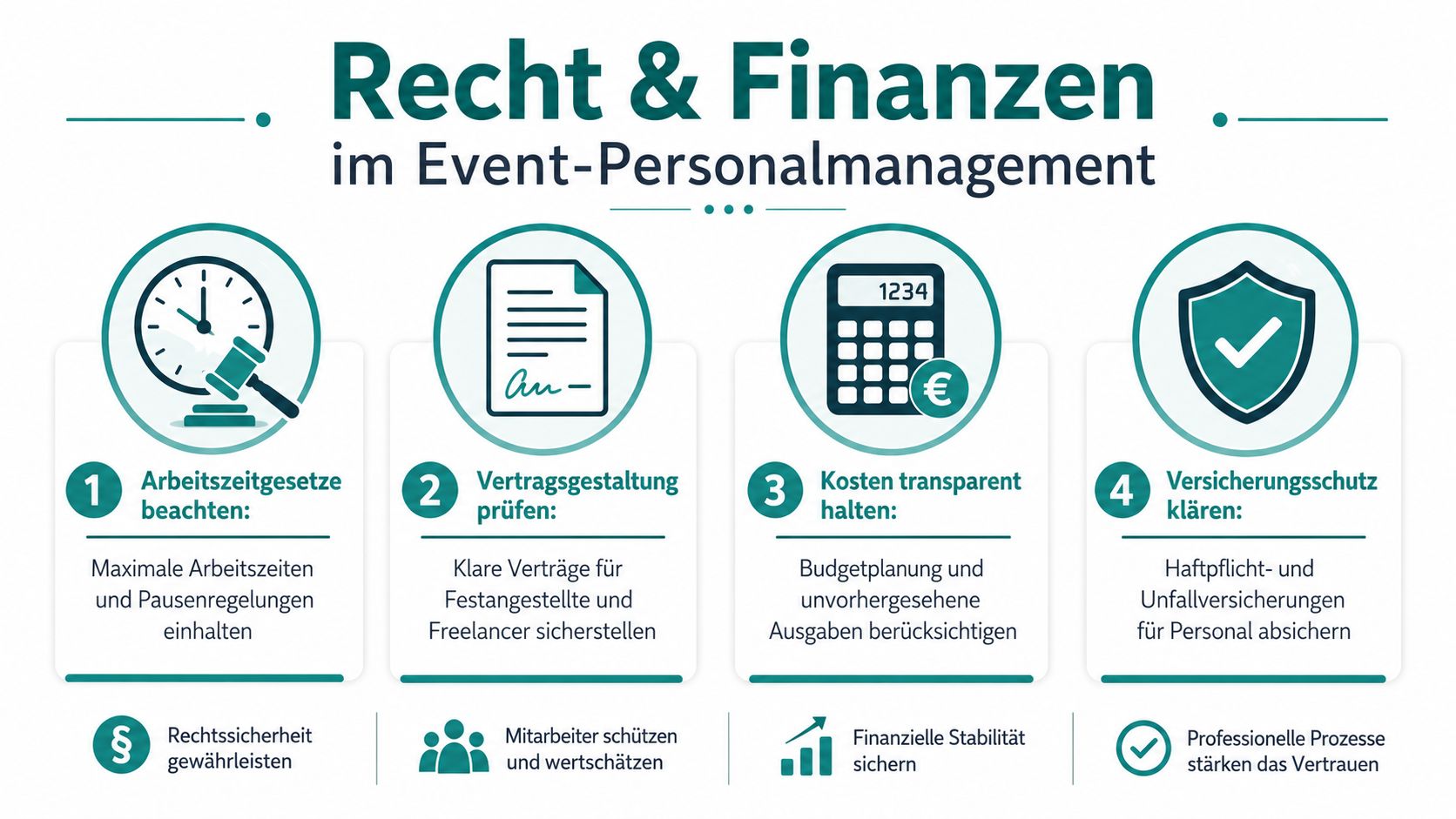
Working Time Rules Are Not a Side Issue
A classic mistake happens with multi-day productions. Friday setup late, Saturday event, Sunday teardown. On paper, it looks like good team spirit if the same people handle everything. Legally and organizationally, this is often tricky.
If someone stays late in the evening and starts early the next morning, it quickly clashes with the rest period. That’s exactly why a pretty planning board is not enough. You need time tracking that makes deviations visible before they become a problem.
Those who check working times only at the end of the month check too late.
Digital time tracking helps you in three places:
- Before the assignment: You see if a planned shift is even allowed.
- During the event: Late extensions are documented.
- After the assignment: Hours are cleanly transferred for payroll preparation.
If you work in gastro- or hospitality-related formats, it’s also worth a look at the L-GAV in gastronomy because many agencies stumble over working times, surcharges, and personnel types in everyday life there.
Costs Otherwise Quietly Get Out of Control
Personnel costs rarely escalate with announcement. Usually, it happens gradually. Here an additional runner, there an extended shift, somewhere double staffing “just to be safe.” If you don’t make this visible continuously, you only notice the deviation during post-calculation.
A usable control in daily business doesn’t need complicated financial language. It needs visibility.
| Area | What You Should Continuously Check | Typical Pitfall |
|---|---|---|
| Shifts | planned vs. actual hours worked | spontaneous extensions |
| Roles | costly staffed roles per event part | overstaffing in quiet phases |
| Reserve | actual use of floaters | reserve planned but wrongly distributed |
| Payroll preparation | clean handover of hours | manual additions from chats |
Regarding occupational safety and instructions, many agencies also lack a clean foundation. If you lack practical templates for this, the tips in TAMS Arbeitsbedarf24 offers occupational safety templates are a useful starting point, especially for briefings before setup, teardown, or work in sensitive areas.
GDPR also belongs on the table here. Not as a formality but as an everyday topic. As soon as you store freelancer data on mobile devices, collect documents, or manage qualifications in apps, you need clear access rights, clean consents, and traceable processes. Otherwise, a quick personnel solution becomes an unnecessary risk.
Your Concrete Rollout Plan for Optimization
The switch from Excel to a professional process rarely fails because of the software. It fails because agencies want everything at once or only switch halfway. Both end in frustration. Either the team is overwhelmed, or you suddenly maintain two systems in parallel and double the effort.
A usable rollout is sober. You take one event type, one core team, and a limited period. There you first clean up the master data, define roles, build availabilities cleanly, and only then pull in shift planning.
Classic buffer calculations of 10 to 15 % often fall short in Switzerland if no flexible reserves are available who are legally deployable despite the strict 11 hours rest period. This is aptly stated in the article on personnel planning for events in Switzerland. For your rollout, this means: Plan reserve not only as a number but as an actually available, legally deployable group.
Start Small, But Not Halfhearted
A good starting point is a recurring format. For example, trade fair staff, banquet service, or roadshows. There you quickly see if your role model fits, if the pool is well maintained, and if shift communication really arrives.
A “big bang” can work if you have a small team and little parallel business. In most agencies, a phased approach is more realistic. Not because it sounds more cautious but because you see mistakes earlier.
Practically, this approach has proven itself:
- Choose an event type with repetition: Then you can build templates and refine them directly.
- Name a responsible person: If everyone is responsible, in the end no one maintains properly.
- Shift availabilities first: This is often the fastest lever against chat chaos.
- Then shifts and times: Otherwise, you plan again on an unclean data basis.
Don’t start with all special cases. Start with the standard that hurts every week.
Your Checklist for the Transition
To prevent the switch from getting stuck in discussions, work with a concise list. No PowerPoint. No long workshops. Only points you can really check off.
-
Document all roles per event type in writing
Not as a collective term but with tasks and required skills. -
Clean up existing personnel data
Remove duplicate contacts, old numbers, unclear roles, missing documents. -
Define availability process
Who enters, who checks, until when is feedback binding. -
Separate freelancers and internal staff
Not because of bureaucracy but so communication and later payroll remain clean. -
Build shift templates
For the formats that occur most frequently. -
Make time tracking mandatory
Clocking in and out or other clear recording. No backdating from memory. -
Test payroll preparation
Only when hours transfer cleanly is the workflow really closed.
During rollout, pay attention not only to mood but to clear questions from daily work. Are shifts filled faster? Are there fewer follow-ups? Do last-minute changes go through more orderly? Does the office have to call less? This is exactly where you see if your new scheduling works.
If you want to map your event agency scheduling from availability inquiry through shift planning to payroll preparation in one continuous process, check out job.rocks. The platform covers exactly these steps and fits agencies working with flexible staff pools, freelancers, and changing event formats.